
1. Продукт закінчивсяview
The ADATA XPG EX500 is a tool-free external enclosure designed to convert any 2.5-inch SATA III hard disk drive (HDD) or solid state drive (SSD) into a portable storage solution. It supports USB 3.1 connectivity, offering fast data transfer speeds, and is backward compatible with USB 2.0 and USB 3.0. Its robust, shock-resistant design provides protection for your valuable data.
Ключові характеристики:
- Suitable for 2.5-inch SSD and 2.5-inch Hard Disk Drive
- Tool-less design for quick installation process
- Функція «підключи та працюй»
- Shock resistant construction
- USB 3.1 connectivity (backward compatible with USB 3.0 and USB 2.0)
2. Вміст упаковки
Будь ласка, перевірте наявність усіх предметів у вашій упаковці:
- XPG EX500 External Enclosure
- USB-кабель 3.1
- Посібник користувача (цей документ)
3. Інструкції з налаштування
Installing a 2.5-inch Drive:
The XPG EX500 features a tool-free design for easy installation of your 2.5-inch SATA HDD or SSD.
- Відкрийте корпус: Gently slide the top cover of the XPG EX500 enclosure in the direction indicated by the arrows until it detaches.
- Вставте накопичувач: Align your 2.5-inch SATA HDD or SSD with the SATA connector inside the enclosure. Carefully push the drive into the connector until it is firmly seated. Ensure the drive is oriented correctly.
- Закрийте корпус: Place the top cover back onto the enclosure, aligning the tabs. Slide the cover until it clicks securely into place.
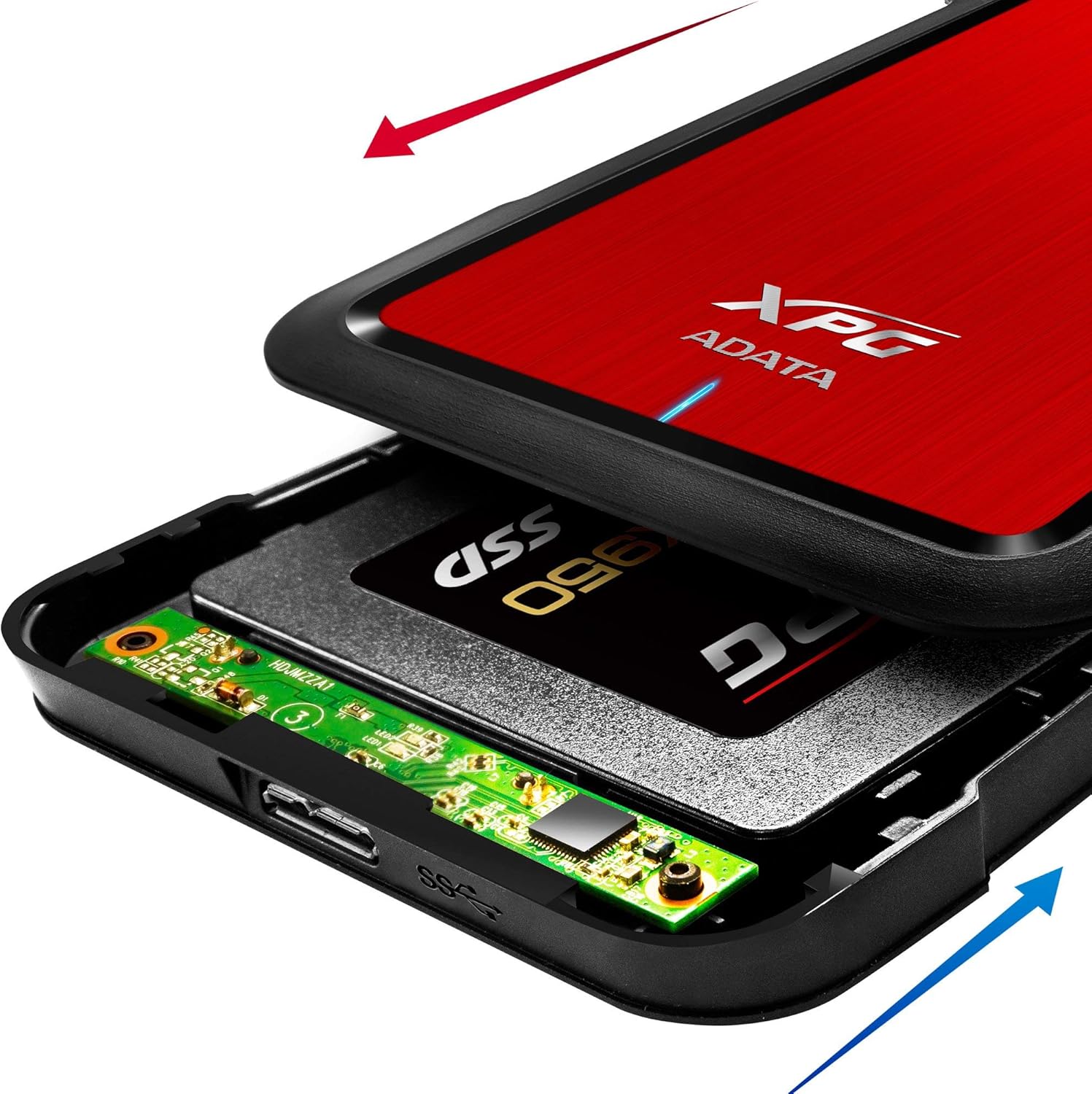
Image: The XPG EX500 enclosure shown open, with a solid state drive (SSD) being inserted into the internal SATA connector. Red and blue arrows indicate the sliding motion for opening and closing the cover.
4. Інструкція з експлуатації
Підключення до пристрою:
Once your drive is installed, connect the XPG EX500 to your computer or gaming console.
- Підключіть кабель USB: Plug one end of the provided USB 3.1 cable into the USB port on the XPG EX500 enclosure.
- Підключення до хост-пристрою: Plug the other end of the USB cable into an available USB port on your PC, notebook, Mac, PlayStation 4, Xbox 360, or Xbox One. For optimal performance, use a USB 3.1 (or USB 3.0) port.
- Plug and Play: The enclosure is plug-and-play. Your operating system should automatically detect the drive. If it's a new drive, you may need to initialize and format it through your operating system's disk management tools before use.
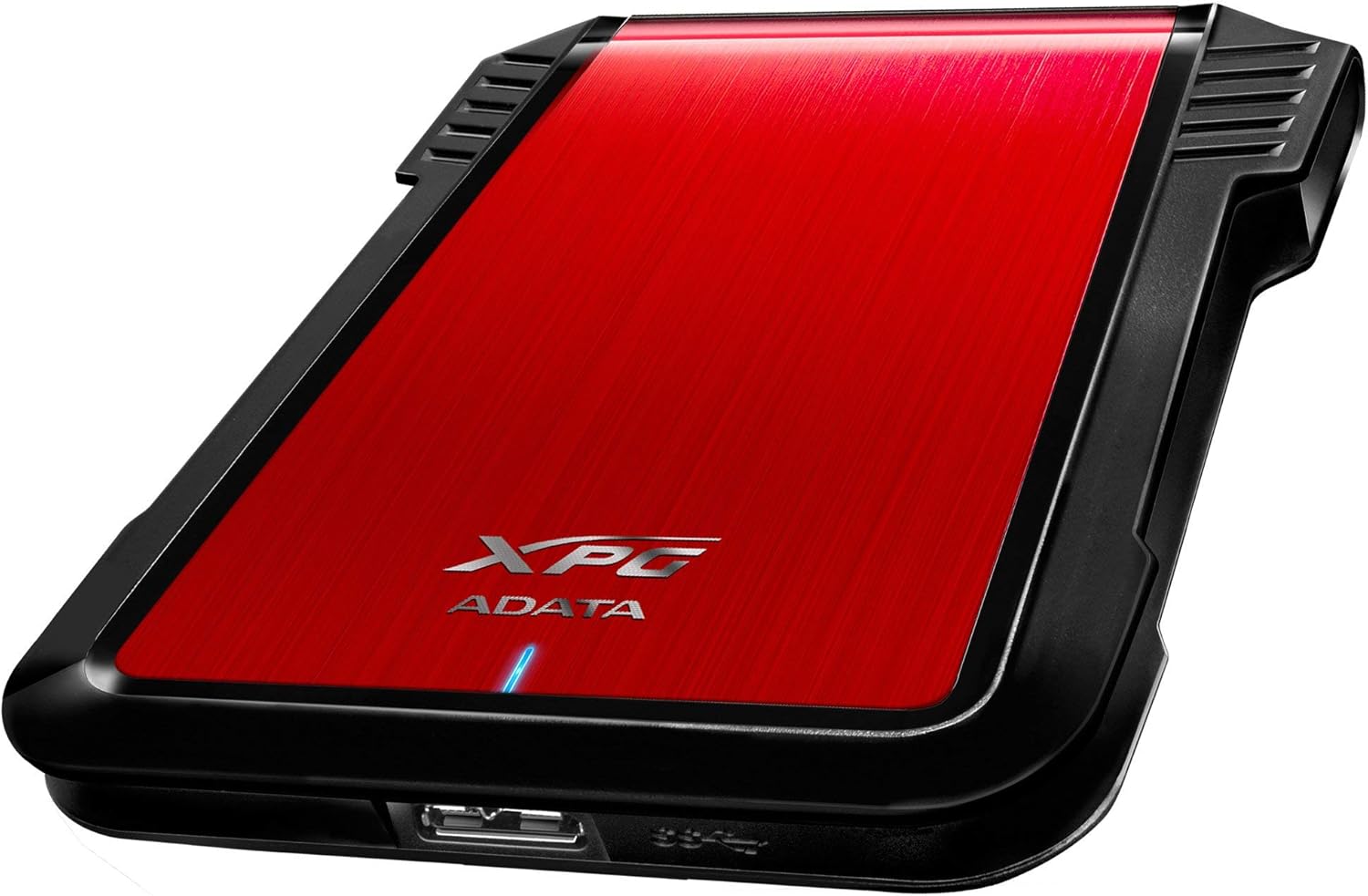
Зображення: Сторона view of the XPG EX500 external enclosure, highlighting the USB 3.1 port for connecting to a host device.
Передача даних:
The XPG EX500 supports USB 3.1, providing high-speed data transfer. Actual speeds may vary depending on the connected device, the drive installed, and the type of data being transferred.
5. Технічне обслуговування
To ensure the longevity and optimal performance of your XPG EX500 enclosure:
- Прибирання: Використовуйте м’яку суху тканину для очищення зовнішньої частини корпусу. Уникайте використання рідких засобів для чищення або розчинників.
- Обробка: While the enclosure is shock-resistant, avoid dropping it or subjecting it to severe impacts, as this can still damage the internal drive.
- Середовище: Store and operate the enclosure in a dry environment, away from extreme temperatures, direct sunlight, and humidity.
- Відключення: Завжди безпечно виймайте диск з операційної системи перед від’єднанням USB-кабелю, щоб запобігти пошкодженню даних.
6. Вирішення проблем
If you encounter issues with your XPG EX500, please refer to the following common solutions:
- Диск не виявлено:
- Ensure the USB cable is securely connected to both the enclosure and the host device.
- Спробуйте підключитися до іншого USB -порту на комп’ютері.
- Verify that the 2.5-inch drive is properly seated within the enclosure's SATA connector.
- If it's a new drive, check your operating system's Disk Management (Windows) or Disk Utility (macOS) to see if the drive needs to be initialized and formatted.
- Низька швидкість передачі даних:
- Ensure you are connected to a USB 3.1 or USB 3.0 port on your host device. USB 2.0 ports will result in significantly slower speeds.
- Check the condition of the USB cable. Try using a different USB 3.1 compatible cable if available.
- The performance of the internal drive itself can affect transfer speeds.
- Enclosure Feels Warm:
- It is normal for the enclosure to feel warm during extended use, especially during heavy data transfers. Ensure adequate airflow around the device.
7. Технічні характеристики
| Особливість | Специфікація |
|---|---|
| Номер моделі | AEX500U3-CRD |
| Сумісні накопичувачі | 2.5-дюймовий жорсткий диск/твердотільний накопичувач SATA |
| Інтерфейс | USB 3.1 (backward compatible with USB 3.0, USB 2.0) |
| Швидкість передачі даних | Up to 1 Gigabits Per Second (USB 3.1 theoretical max) |
| Сумісні пристрої | PC, Notebook, Mac, PlayStation 4, Xbox 360, Xbox One |
| матеріал | пластик |
| Розміри продукту | 4.92 x 3.54 x 0.67 дюйма (125 x 90 x 17 мм) |
| Вага товару | 2.43 унцій (0.07 кілограма) |
8. Інформація про гарантію
The ADATA XPG EX500 External Enclosure comes with a 1 рік обмеженої гарантії from the date of purchase. This warranty covers manufacturing defects and workmanship under normal use. It does not cover damage caused by misuse, accident, unauthorized modification, or external causes.
Please retain your proof of purchase for warranty claims. For detailed warranty terms and conditions, refer to the official ADATA webсайту або зв’яжіться зі службою підтримки клієнтів.
9. Підтримка
For further assistance, technical support, or to download the latest drivers and firmware (if applicable), please visit the official ADATA webсайт:
You may also contact ADATA customer service directly through the contact information provided on their webсайт.