
вступ
The INSIGNIA Portable Bluetooth Audio Receiver NS-MBTK35 allows you to wirelessly stream audio from your Bluetooth-enabled devices to any audio system with a 3.5mm or RCA input. Enjoy crystal clear sound and hands-free calling with this versatile receiver. Its compact design and built-in rechargeable battery make it ideal for use at home or on the go.
Що включено
- INSIGNIA Portable Bluetooth Audio Receiver
- 3.5 mm Audio Cable (3 ft.)
- 3.5 mm Male-to-Male Adapter
- 3.5 mm to RCA Adapter
- Зарядний кабель Micro USB
- Сумка для перенесення
- Velcro Mounting Pads
Продукт закінченийview
Familiarize yourself with the receiver's controls and ports.
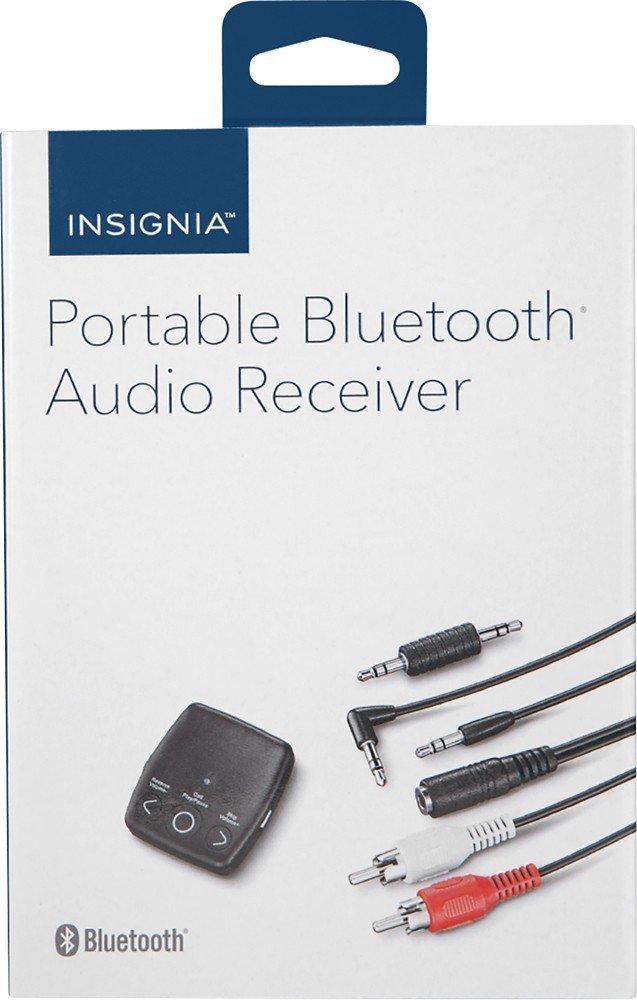
Зображення: спереду view of the INSIGNIA Portable Bluetooth Audio Receiver, showing the control buttons: Reverse/Volume-, Call/Play/Pause, and Skip/Volume+.
Елементи керування:
- Кнопка виклику/відтворення/паузи: Powers the device on/off, plays/pauses audio, answers/ends calls.
- Reverse/Volume- Button: Перехід до попередньої доріжки або зменшення гучності.
- Skip/Volume+ Button: Перехід до наступного треку або збільшення гучності.
- Мікрофон: Для дзвінків у режимі hands-free.
- 3.5 мм аудіовихід: Connects to your audio system.
- Порт зарядки Micro USB: Для заряджання внутрішнього акумулятора.
Заряджання приймача
Before first use, fully charge the receiver. A full charge provides up to 6 hours of operation.
- Connect the small end of the included Micro USB charging cable to the Micro USB port on the receiver.
- Connect the large end of the Micro USB charging cable to a USB power source (e.g., computer USB port, USB wall adapter).
- Світлодіодний індикатор світитиметься під час заряджання та вимкнеться після завершення заряджання.

Image: A black Micro USB charging cable, used to power the receiver.
Налаштування
Підключення до аудіосистеми:
The receiver can connect to your audio system using either a 3.5mm audio cable or an RCA adapter.
- Using the 3.5mm Audio Cable: Connect one end of the 3.5mm audio cable to the receiver's 3.5mm audio output port. Connect the other end to the 3.5mm auxiliary input on your audio system (e.g., car stereo, home speaker).
- Using the 3.5mm to RCA Adapter: If your audio system has RCA inputs (red and white), connect the 3.5mm male-to-male adapter to the receiver's 3.5mm audio output. Then, connect the 3.5mm male-to-male adapter to the 3.5mm female end of the RCA adapter. Finally, connect the red and white RCA plugs to the corresponding RCA input jacks on your audio system.
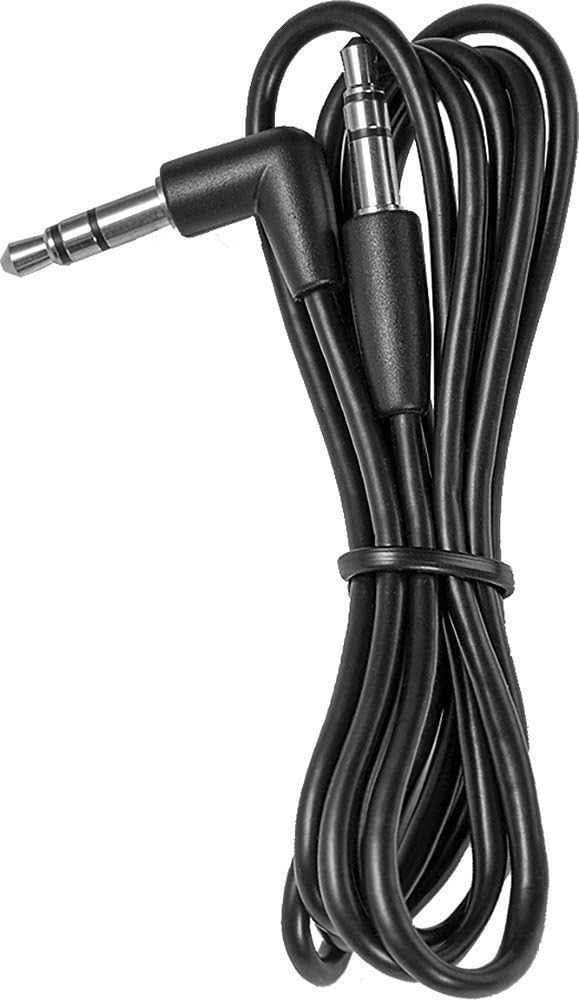
Image: A black 3.5 mm audio cable with L-shaped and straight connectors.

Image: A 3.5 mm female to dual RCA male adapter cable (red and white).
Монтаж приймача:
Use the included Velcro mounting pads to secure the receiver in a convenient location, such as on a dashboard or near your audio system.

Image: Two circular white Velcro mounting pads with 3M branding.
Інструкція з експлуатації
Увімкнення/вимкнення:
- Щоб увімкнути: Натисніть і утримуйте Call/Play/Pause button for approximately 3 seconds until the LED indicator flashes.
- Щоб вимкнути: Натисніть і утримуйте Call/Play/Pause кнопку приблизно 3 секунди, поки світлодіодний індикатор не згасне.
Сполучення з пристроєм Bluetooth:
The receiver can be paired with up to eight different Bluetooth devices.
- Ensure the receiver is powered on and in pairing mode (LED indicator will flash rapidly). If it's not in pairing mode, press and hold the Call/Play/Pause button until it enters pairing mode.
- Увімкніть Bluetooth на пристрої-джерелі звуку (наприклад, смартфоні, планшеті).
- шукати available Bluetooth devices on your audio source device.
- Select "NS-MBTK35" from the list of found devices.
- Once paired, the LED indicator on the receiver will glow solid blue.
Відтворення аудіо:
- Відтворення/пауза: Натисніть Call/Play/Pause кнопку.
- Збільшення гучності: Натисніть Skip/Volume+ кнопку.
- Зменшення гучності: Натисніть Reverse/Volume- кнопку.
- Наступний трек: Натисніть і утримуйте Skip/Volume+ кнопку.
- Попередній трек: Натисніть і утримуйте Reverse/Volume- кнопку.
Дзвінки в режимі Hands-Free:
The built-in microphone allows you to make and receive calls.
- Відповісти на дзвінок: Натисніть Call/Play/Pause кнопку під час вхідного виклику.
- Завершити виклик: Натисніть Call/Play/Pause під час дзвінка.
- Відхилити виклик: Натисніть і утримуйте Call/Play/Pause кнопку під час вхідного виклику.
Технічне обслуговування
- Keep the receiver dry. Avoid exposure to moisture or liquids.
- Clean the receiver with a soft, dry cloth. Do not use abrasive cleaners or solvents.
- Уникайте екстремальних температур, прямих сонячних променів та запилених середовищ.
- Do not attempt to disassemble or modify the receiver. This will void the warranty.
Усунення несправностей
| проблема | Рішення |
|---|---|
| Приймач не вмикається. | Ensure the battery is charged. Connect the receiver to a power source using the Micro USB cable. |
| Не вдається з’єднати пристрій із Bluetooth. | 1. Ensure the receiver is in pairing mode (flashing LED). 2. Make sure Bluetooth is enabled on your audio source device. 3. Place the receiver and your device within 30 feet (10 meters) of each other. 4. Turn off and on both devices and try pairing again. |
| Немає звуку або погана якість звуку. | 1. Check all cable connections between the receiver and your audio system. 2. Ensure the volume on both the receiver and your audio source device is turned up. 3. Make sure the receiver is within range of your Bluetooth device and there are no significant obstacles. 4. Verify that your audio system is set to the correct input source (e.g., AUX). |
| Calls are not clear. | Ensure the microphone is not obstructed and you are speaking clearly towards the receiver. Reduce background noise if possible. |
Технічні характеристики
| Бренд | ІНСІГНІЯ |
| Номер моделі | NS-MBTK35 |
| Технологія підключення | Bluetooth, RCA, USB |
| Бездротова технологія | Bluetooth |
| Дальність бездротового зв'язку | До 30 футів (10 метрів) |
| Режим аудіовиходу | Стерео |
| Сумісні пристрої | Смартфон, динамік |
| Особливість | Вбудований мікрофон для дзвінків у режимі hands-free |
| Термін служби батареї | До 6 годин (при повному заряді) |
| Колір | чорний |
| UPC | 600603206559 |
Інформація про безпеку
- Read these instructions carefully before using your new product.
- Збережіть ці інструкції для використання в майбутньому.
- Do not expose the receiver to water, rain, or moisture.
- Do not place the receiver near heat sources such as radiators, heat registers, stoves, or other apparatus (including ampліфікатори), які виробляють тепло.
- Використовуйте лише насадки/аксесуари, зазначені виробником.
- Зверніть усі послуги до кваліфікованого обслуговуючого персоналу. Технічне обслуговування вимагається, якщо прилад будь -яким чином пошкоджений.
Гарантія та підтримка
For warranty information or technical support, please refer to the documentation included with your purchase or visit the official INSIGNIA webсайт. Зберігайте чек про покупку для гарантійних претензій.