
1. Важливі інструкції з техніки безпеки
Please read all instructions carefully before using this projector. Keep this manual for future reference.
- Не блокуйте вентиляційні отвори. Забезпечте достатній потік повітря навколо проектора.
- Не піддавайте проектор дії дощу або вологи, щоб запобігти займанню або ураженню електричним струмом.
- Уникайте дивитися прямо в об’єктив проектора, коли lamp увімкнено, оскільки яскраве світло може пошкодити очі.
- Використовуйте лише адаптер живлення, що постачається з проектором.
- Розмістіть проектор на стійкій, рівній поверхні, щоб запобігти його падінню.
- Do not attempt to open or service the projector yourself. Refer all servicing to qualified personnel.
2. Продукт закінчивсяview
2.1 Компоненти проектора
Familiarize yourself with the various parts of your UNIC UC36 projector.
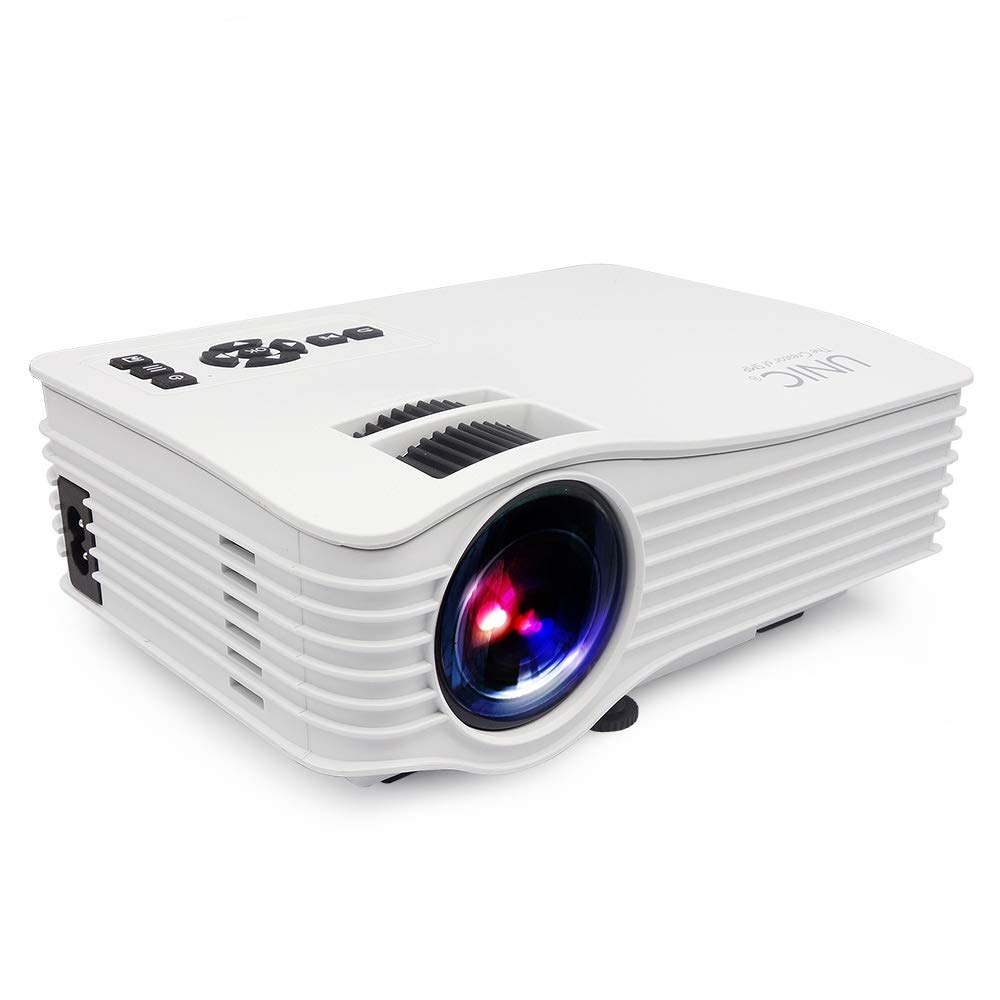
зображення: Фронт view of the UNIC UC36 Mini LED Portable Projector, showing the lens and overall compact design.
Елементи керування на верхній панелі

зображення: Топ view of the UNIC UC36 projector, highlighting the control panel. This includes buttons for Menu, Signal Source, Power On/Off, directional navigation (Up/Down/Left/Right/OK), Exit/Return, and Play/Pause. Below the control panel are the Focus and Keystone adjustment wheels.
Порти підключення

зображення: сторона view of the UNIC UC36 projector, detailing the input/output ports. From left to right, these include a 3.5mm earphone jack, AV input, HDMI port, USB port, 5V USB power output, SD card slot, and IR receiver.
Налаштування фокуса та трапецеїдальних спотворень

зображення: Крупний план view of the UNIC UC36 projector, showing the two adjustment wheels for focus and keystone correction, located near the lens.
Схема підключення

зображення: Diagram illustrating various devices that can be connected to the UNIC UC36 projector, including U disk, TV Box, Camera, Computer, HD Player, PS4, Laptop, and DVD player, demonstrating its versatile input options.
3. Налаштування
3.1 Підключення живлення
- Підключіть кабель живлення до вхідного порту живлення проектора.
- Plug the other end of the power cable into a standard electrical outlet (100-240V, 50/60Hz).
3.2 Підключення джерел вхідного сигналу
The UC36 projector supports multiple input sources:
- HDMI: Connect an HDMI cable from your device (e.g., laptop, gaming console, Blu-ray player) to the projector's HDMI port.
- USB: Вставте USB-флеш-накопичувач у USB-порт для безпосереднього відтворення медіафайлів.
- AV: Use the provided AV cable to connect to devices with AV output (e.g., older DVD players, set-top boxes).
- SD-карта: Insert an SD card into the SD card slot for direct media playback.
- Аудіовихід: Connect external speakers or headphones to the 3.5mm earphone jack for enhanced audio.
3.3 Розміщення проектора
Place the projector on a stable, flat surface. Ensure the projection distance is between 1.07m and 3.8m to achieve a screen size of 34 to 130 inches.
3.4 Фокусування та корекція трапецієподібних спотворень
- Фокус: Rotate the focus wheel (the larger wheel) until the projected image is clear and sharp.
- Ключовий камінь: If the projected image appears trapezoidal (wider at the top or bottom), rotate the keystone correction wheel (the smaller wheel) to adjust the image geometry until it is rectangular.
4. Інструкція з експлуатації
4.1 Увімкнення/вимкнення
- Увімкнення: Press the 'On/Off' button on the top panel or the remote control. The indicator light will turn on.
- Вимкнення живлення: Press the 'On/Off' button again. Allow the projector to cool down before unplugging it.
4.2 Вибір джерела
After powering on, press the 'Signal Source' button on the top panel or the remote control to cycle through available input sources (HDMI, USB, AV, SD). Select the desired input source.
4.3 Навігація по меню
Press the 'Menu' button to access the projector's settings. Use the directional arrows (Up/Down/Left/Right) to navigate through options and 'OK' to confirm selections. Press 'Exit/Return' to go back or exit the menu.
4.4 Відтворення медіафайлів (USB/SD)
When a USB drive or SD card is inserted and selected as the source, the projector will display a file browser. Navigate to your desired media file (videos, photos, music, text) and press 'OK' to play. Use 'Play/Pause' for media control.
5. Технічне обслуговування
5.1 Очищення об'єктива
Use a soft, lint-free cloth or lens cleaning paper to gently wipe the projector lens. Do not use abrasive cleaners or excessive force, as this can scratch the lens.
5.2 Очищення корпусу проектора
Протріть зовнішню частину проектора м’якою сухою тканиною. Для видалення стійкого бруду злегкаamp cloth can be used, followed by a dry cloth. Avoid using chemical cleaners.
5.3 XNUMX лamp життя
Світлодіод lamp in your UC36 projector has an estimated life of 20,000 hours (minimum). This means the lamp is designed to last for a significant period under normal usage conditions and typically does not require replacement.
6. Вирішення проблем
- Без зображення:
- Переконайтеся, що проектор увімкнено, а кабель живлення надійно підключено.
- Перевірте, чи вибрано правильне джерело вхідного сигналу.
- Check the connection cable (HDMI, AV) between the projector and the source device.
- Розмите зображення:
- Регулюйте коліщатко фокусування, доки зображення не стане чітким.
- Ensure the projection distance is within the recommended range (1.07m - 3.8m).
- Зображення має трапецієподібну форму:
- Adjust the keystone correction wheel to square the image.
- Немає звуку:
- Перевірте налаштування гучності як на проекторі, так і на пристрої-джерелі.
- Ensure external speakers or headphones are properly connected to the 3.5mm earphone jack if used.
- Якщо ви використовуєте HDMI, переконайтеся, що вихідний пристрій передає звук через HDMI.
7. Технічні характеристики
| Модель | UC36 |
| Система зображення | ЖК |
| Lamp | LED |
| Яскравість | 150 люменів (150 люменів ANSI) |
| Коефіцієнт контрастності | 500:1 |
| Рідна роздільна здатність | 640x480p |
| Максимальна підтримувана роздільна здатність | 1920x1080p (Full HD via HDMI) |
| Вхідні порти | AV, USB, SD, HDMI, IR |
| Вихідні порти | 3.5mm Earphone, 5V USB Power |
| Lamp життя | 20,000 годин (мінімум) |
| Projecting Distance | 1.07m - 3.8m (3.5 feet - 3.8 meters) |
| Projecting Size | 34 - 130 дюймів |
| Співвідношення сторін | 4:3 / 16:9 |
| Джерело живлення | 100-240 В, 50/60 Гц |
| Споживана потужність | 50 Вт (макс.) |
| Вага нетто | 0.85 сомов |
| Розміри | 190 x 132 x 69 мм |
8. Гарантія та підтримка
8.1 Інформація про гарантію
This UNIC UC36 projector comes with a 1-year complete warranty з дати покупки. Будь ласка, збережіть чек про покупку для гарантійних претензій. Гарантія поширюється на виробничі дефекти та несправності за умов нормального використання.
8.2 Підтримка клієнтів
For technical assistance, troubleshooting, or warranty inquiries, please contact UNIC customer support. Refer to the contact information provided with your purchase documentation or visit the official UNIC webсайт.