
1. Вступ
The Tunturi Functional Fitness Interval Timer is designed to assist you in various fitness activities, including CrossFit, Tabata, and general interval training. This device functions as both an interval timer and a stopwatch, offering customizable settings for your workout routines. Please read this manual thoroughly to ensure proper use and to maximize the benefits of your timer.
2. Інформація про безпеку
Дотримуйтесь наступних правил безпеки, щоб запобігти пошкодженню пристрою або травмам:
- Тримайте пристрій подалі від води та надмірної вологи.
- Не піддавайте пристрій впливу екстремальних температур або прямих сонячних променів протягом тривалого часу.
- Use only the specified battery type (1x AAA 1.5V).
- Під час вставки переконайтеся в правильній полярності батареї.
- Вийміть батареї, якщо пристрій не використовуватиметься протягом тривалого часу.
- Не намагайтеся самостійно відкривати або ремонтувати пристрій. Зверніться до служби підтримки клієнтів для отримання допомоги.
- Утилізуйте батарейки та пристрій відповідно до місцевих правил.
3. Вміст упаковки
Перевірте наявність усіх елементів в упаковці:
- Tunturi Functional Fitness Interval Timer (Model 14TUSCF036)
- Посібник користувача (цей документ)
- 1x AAA 1.5V Battery (may be pre-installed or included separately)
4. Продукт закінчивсяview
Familiarize yourself with the components of your interval timer.
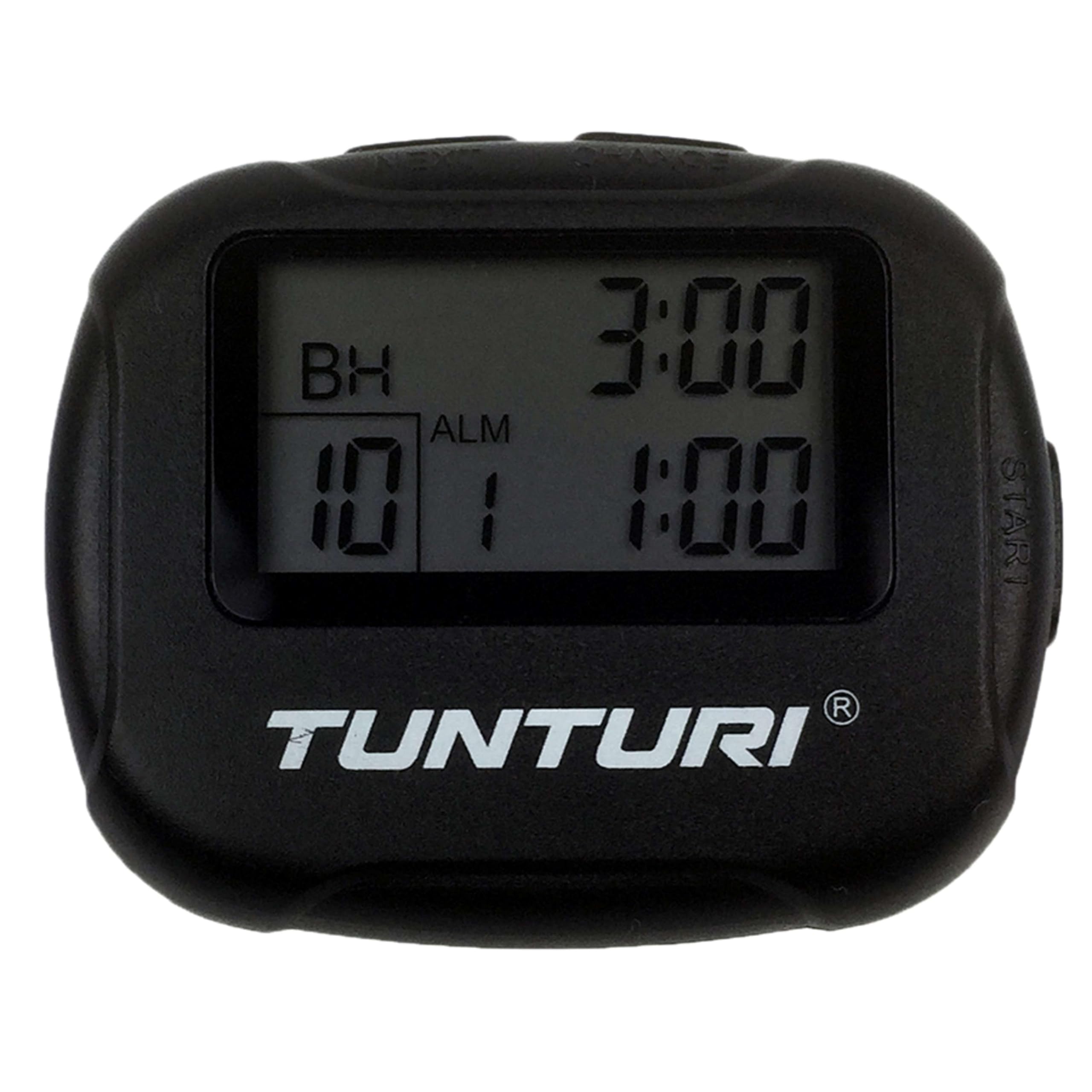
малюнок 4.1: Фронт view of the Tunturi Interval Timer, displaying the screen and primary control buttons.
The timer features a clear digital display and intuitive buttons for navigation and setting adjustments. It includes a sturdy clip for attachment to clothing or equipment.

малюнок 4.2: сторона view of the timer, showing the robust clip for secure attachment.
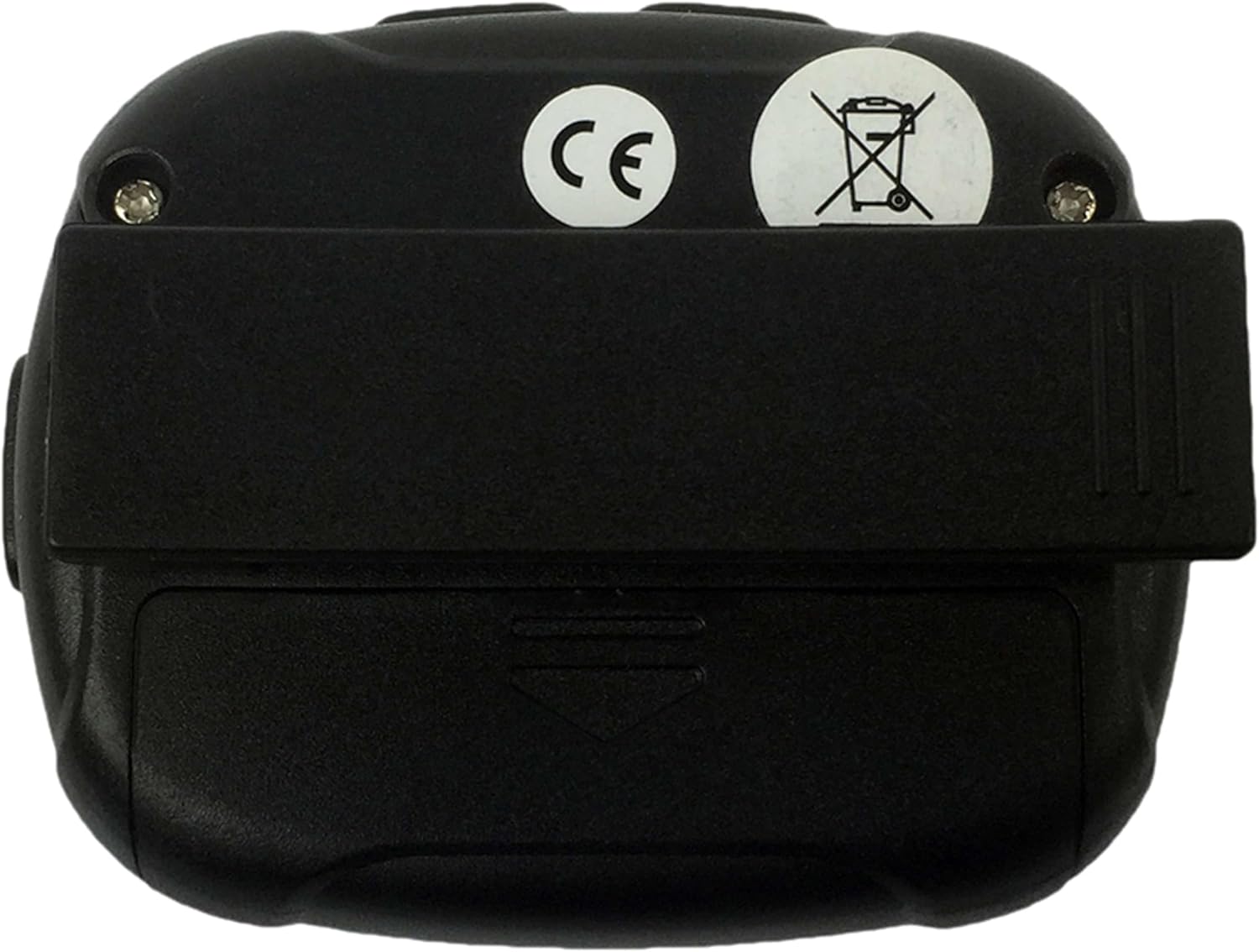
малюнок 4.3: Задня view of the timer, illustrating the battery compartment cover and the clip's pivot point.
Функції кнопок:
- РЕЖИМ: Switches between Interval Timer mode and Stopwatch mode. Also used to confirm settings.
- СТАРТ/СТОП: Initiates or pauses the timer/stopwatch.
- ВГОРУ (▲): Increases values during setting adjustments.
- ВНИЗ (▼): Decreases values during setting adjustments.
5. Налаштування
5.1 Встановлення батареї
- Locate the battery compartment on the back of the timer (refer to Figure 4.3).
- Use a small screwdriver or coin to gently open the battery cover.
- Insert one AAA 1.5V battery, ensuring the correct polarity (+/-) as indicated inside the compartment.
- Replace the battery cover and secure it firmly.
- The timer should power on automatically or can be turned on using the MODE button.
6. Інструкція з експлуатації
6.1 Увімкнення/вимкнення живлення
- To power on, press any button. The timer will typically display the last used mode or a default setting.
- The timer will automatically enter a low-power sleep mode after a period of inactivity to conserve battery. Press any button to wake it up.
6.2 Setting Interval Timer Mode
- Натисніть РЕЖИМ button repeatedly until "TIMER" or a similar indicator for interval mode is displayed.
- Натисніть і утримуйте РЕЖИМ button to enter setting mode. The first adjustable parameter (e.g., Workout Time) will flash.
- Використовуйте ВГОРУ (▲) і ВНИЗ (▼) buttons to adjust the desired workout duration (up to 99 minutes 59 seconds).
- Прес РЕЖИМ to confirm and move to the next setting (e.g., Rest Time).
- Adjust the rest duration using ВГОРУ (▲) і ВНИЗ (▼).
- Прес РЕЖИМ to confirm and move to the number of repetitions (2-99).
- Adjust the number of repetitions using ВГОРУ (▲) і ВНИЗ (▼).
- Прес РЕЖИМ to confirm all settings and exit setting mode.
- Прес ПУСК/СТОП to begin the interval sequence. The timer will count down the workout time, then the rest time, and repeat for the set number of repetitions.
- During an interval, press ПУСК/СТОП щоб призупинити, і натисніть ще раз, щоб відновити.
- Щоб скинути таймер, натисніть і утримуйте ПУСК/СТОП під час паузи.
6.3 Using Stopwatch Mode
- Натисніть РЕЖИМ button repeatedly until "STOPWATCH" or a similar indicator is displayed. The display should show 00:00:00.
- Прес ПУСК/СТОП to begin timing. The stopwatch will count up.
- Прес ПУСК/СТОП ще раз, щоб призупинити секундомір.
- Щоб відновити, натисніть ПУСК/СТОП.
- To reset the stopwatch to zero, press and hold ПУСК/СТОП поки воно призупинене.
6.4 Alarm and Vibration
The timer provides an audible alarm or vibration to signal the end of an interval or a completed request. Specific settings for alarm/vibration may be available in the setup menu, typically toggled using the UP/DOWN buttons when the alarm icon is flashing during setup.
7. Технічне обслуговування
7.1 Очищення
- Wipe the timer with a soft, dry cloth.
- Для стійких забруднень використовуйте злегка damp тканиною та м’яким милом, потім ретельно висушіть.
- Не використовуйте абразивні засоби для чищення, розчинники або агресивні хімікати.
7.2 Зберігання
- Store the timer in a cool, dry place away from direct sunlight.
- Якщо зберігатиметься протягом тривалого часу, вийміть батарею, щоб запобігти витіканню.
8. Вирішення проблем
| проблема | Можлива причина | Рішення |
|---|---|---|
| Таймер не вмикається. | Розряджена або неправильно вставлена батарея. | Check battery polarity. Replace battery with a fresh AAA 1.5V battery. |
| Дисплей тьмяний або мерехтить. | Низький заряд батареї. | Replace battery with a fresh AAA 1.5V battery. |
| Кнопки не реагують. | Device frozen or battery issue. | Remove and reinsert the battery. If problem persists, replace battery. |
| Interval settings do not save. | Settings not confirmed correctly. | Ensure you press the MODE button to confirm each setting and exit the setting mode. |
9. Технічні характеристики
- Бренд: Тунтурі
- модель: 14TUSCF036
- колір: чорний
- матеріал: гумовий
- Джерело живлення: 1x AAA 1.5V Battery
- Max Interval Time: 99 хвилини 59 секунд
- Повтори: 2-99
- Інтервали: 1-2 (Workout/Rest)
- GTIN (глобальний номер торгової одиниці): 08717842025994
- ASIN: B01MXM3GW7
10. Гарантія
Tunturi products are manufactured to high-quality standards. This product comes with a standard manufacturer's warranty against defects in materials and workmanship. Please refer to the warranty card included with your purchase or visit the official Tunturi webсайт для отримання детальних гарантійних умов, що стосуються вашого регіону.
11. Підтримка
For technical assistance, troubleshooting beyond this manual, or warranty claims, please contact Tunturi customer support. Contact information can typically be found on the official Tunturi webсайті або на упаковці вашого продукту.
Webсайт: www.tunturi.com
Please have your model number (14TUSCF036) and purchase date ready when contacting support.