
вступ
The SteelSeries Apex 100 Gaming Keyboard is designed for optimal gaming performance, featuring Quick Tension Switches for fast reaction times, tactile feedback, and quiet operation. It includes blue LED backlighting, advanced anti-ghosting, and is built with splash resistance for durability.
Налаштування
1. Підключення клавіатури
Connect the keyboard's USB-A cable to an available USB port on your computer. The keyboard is plug-and-play, and your operating system should automatically detect and install the necessary drivers.

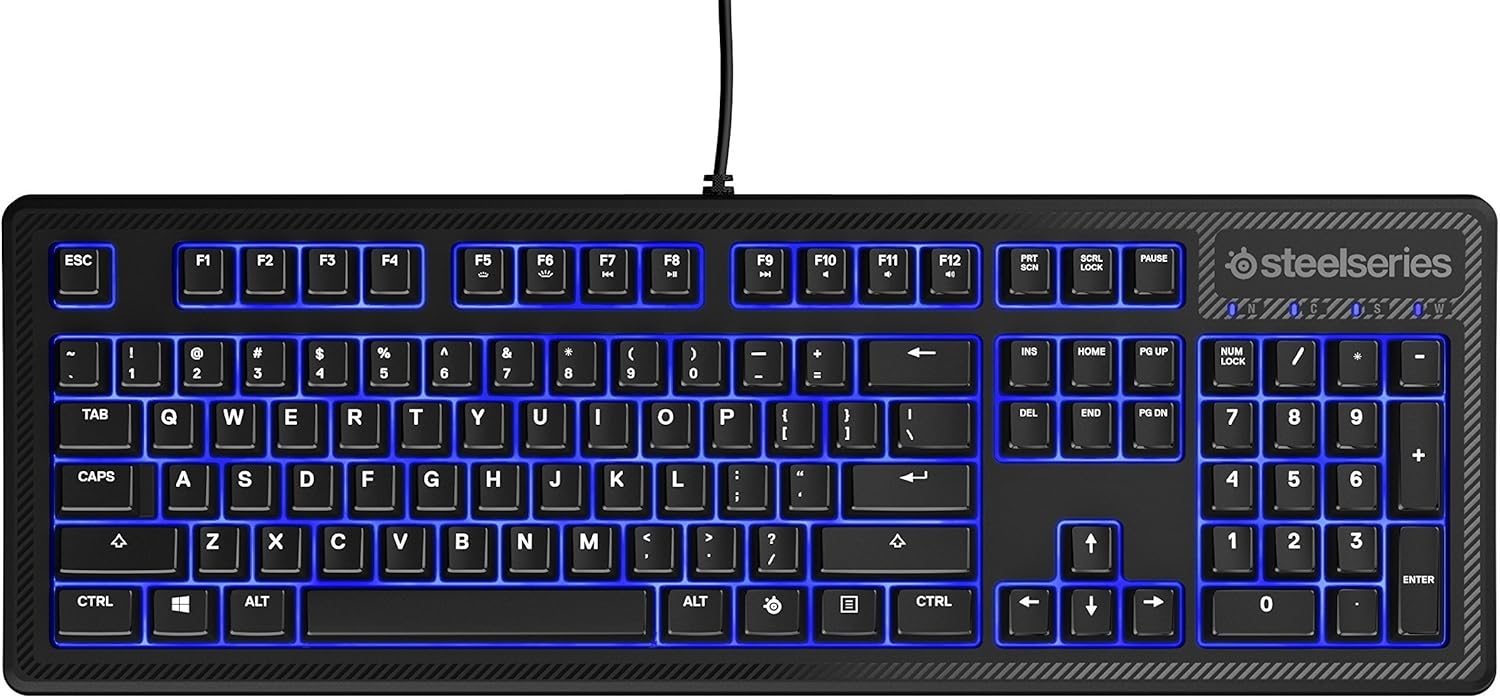
Зображення: Верх view of the SteelSeries Apex 100 Gaming Keyboard, showing the full QWERTY layout with blue LED backlighting and the attached USB cable.
2. Встановлення програмного забезпечення (необов'язково)
For advanced customization, including macro programming and backlighting adjustments, download and install the SteelSeries Engine 3 software from the official SteelSeries webсайт (steelseries.com/engine). Дотримуйтесь інструкцій на екрані для встановлення.
Робота з клавіатурою
Ключові характеристики
- Quick Tension Switches: Designed to mimic mechanical switches, providing a tactile feel and fast actuation.
- Синє світлодіодне підсвічування: Offers brilliant ground effects backlighting. Intensity can be adjusted via SteelSeries Engine 3.
- Advanced Anti-Ghosting: Ensures all key presses are registered accurately during intense gaming sessions.
- Елементи керування медіа: Integrated media control functions are accessible via function keys (F7-F12) in combination with the Fn key.
Зображення: Збоку view of the SteelSeries Apex 100 Gaming Keyboard, highlighting its ergonomic design and keycap profile.
Customization with SteelSeries Engine 3
The SteelSeries Engine 3 software allows you to:
- Create and assign macros to any key.
- Adjust the intensity of the blue LED backlighting.
- Configure polling rates and other performance settings.
Технічне обслуговування
прибирання
To clean your keyboard, disconnect it from your computer. Use a soft, dry cloth to wipe down the keys and chassis. For stubborn dirt, a slightly damp cloth with mild soap can be used, ensuring no liquid enters the key switches or internal components. The keyboard is splash resistant, but not waterproof; avoid submerging it or exposing it to excessive liquids.
Довговічність
The Apex 100 keyboard features a guaranteed 20-million click lifespan for its switches, ensuring long-term reliability under heavy use.

Зображення: Нижня частина view of the SteelSeries Apex 100 Gaming Keyboard, showing the drainage channels and adjustable feet.
Усунення несправностей
Клавіатура не відповідає
- Переконайтеся, що USB-кабель надійно підключено як до клавіатури, так і до комп’ютера.
- Спробуйте підключити клавіатуру до іншого USB-порту.
- Перезавантажте комп'ютер.
- Якщо ви використовуєте USB-хаб, спробуйте підключитися безпосередньо до комп’ютера.
Проблеми з підсвічуванням
- Check the backlighting settings within the SteelSeries Engine 3 software.
- Ensure the keyboard's brightness level is not set to minimum.
Ключі не реєструються
- Очистіть навколо пошкоджених клавіш, щоб видалити будь-яке сміття.
- If the issue persists, consider reinstalling the SteelSeries Engine 3 software or updating your USB drivers.
For further assistance, please refer to the SteelSeries support webсайт.
Технічні характеристики
| Особливість | Деталь |
|---|---|
| Бренд | SteelSeries |
| Назва моделі | Вершина 100 |
| Номер моделі | 64435 |
| Технологія підключення | USB-A |
| Опис клавіатури | Ігри |
| Рекомендоване використання | Ігри |
| Особливість | Підсвічування |
| Колір | Синій |
| Підтримка кольорів підсвічування клавіатури | Один колір (синій) |
| Стиль | Whisper Quiet – Tactile & Silent |
| Розміри продукту | 18.21 см (Д) x 6.13 см (Ш) x 1.58 см (В) |
| Джерело живлення | USB |
| Тип перемикача | Tactile (Quick Tension Switches) |
| Розкладка клавіатури | QWERTY |
| Кількість кнопок | 104 |
| Сумісне сімейство операційних систем | вікна |
| Кількість клавіш | 100 |
| Матеріал корпусу | пластик |
| Вага товару | 2.42 фунта |
| UPC | 813682020101 |
Інформація про гарантію
Згідно з інформацією про продукт, цей товар постачається з відсутність гарантії. Please check with your retailer for their return or exchange policies.
Підтримка
For additional support, driver downloads, or frequently asked questions, please visit the official SteelSeries support webсайт: