
1. Вступ
The Grandstream GWN7610 is a high-performance 802.11ac Wi-Fi Access Point designed for various environments such as office buildings, multi-floor locations, branch offices, and commercial/retail settings. It offers high network throughput, extensive wireless coverage, robust security features, and integrated network management without requiring external controllers. This manual provides essential information for the proper installation, configuration, and operation of your GWN7610 Access Point.
2. Вміст упаковки
Переконайтеся, що ваш пакет містить такі елементи:
- Grandstream GWN7610 Access Point
- Mounting Equipment (bracket, screws)
- Посібник зі швидкого встановлення (цей документ)
Note: A power adapter is not included. The device supports Power over Ethernet (PoE/PoE+).
3. Фізичний overview
Familiarize yourself with the ports and indicators on your GWN7610 Access Point.

Рисунок 3.1: Зверху вниз view of the GWN7610 Access Point, showing its circular design and ventilation.
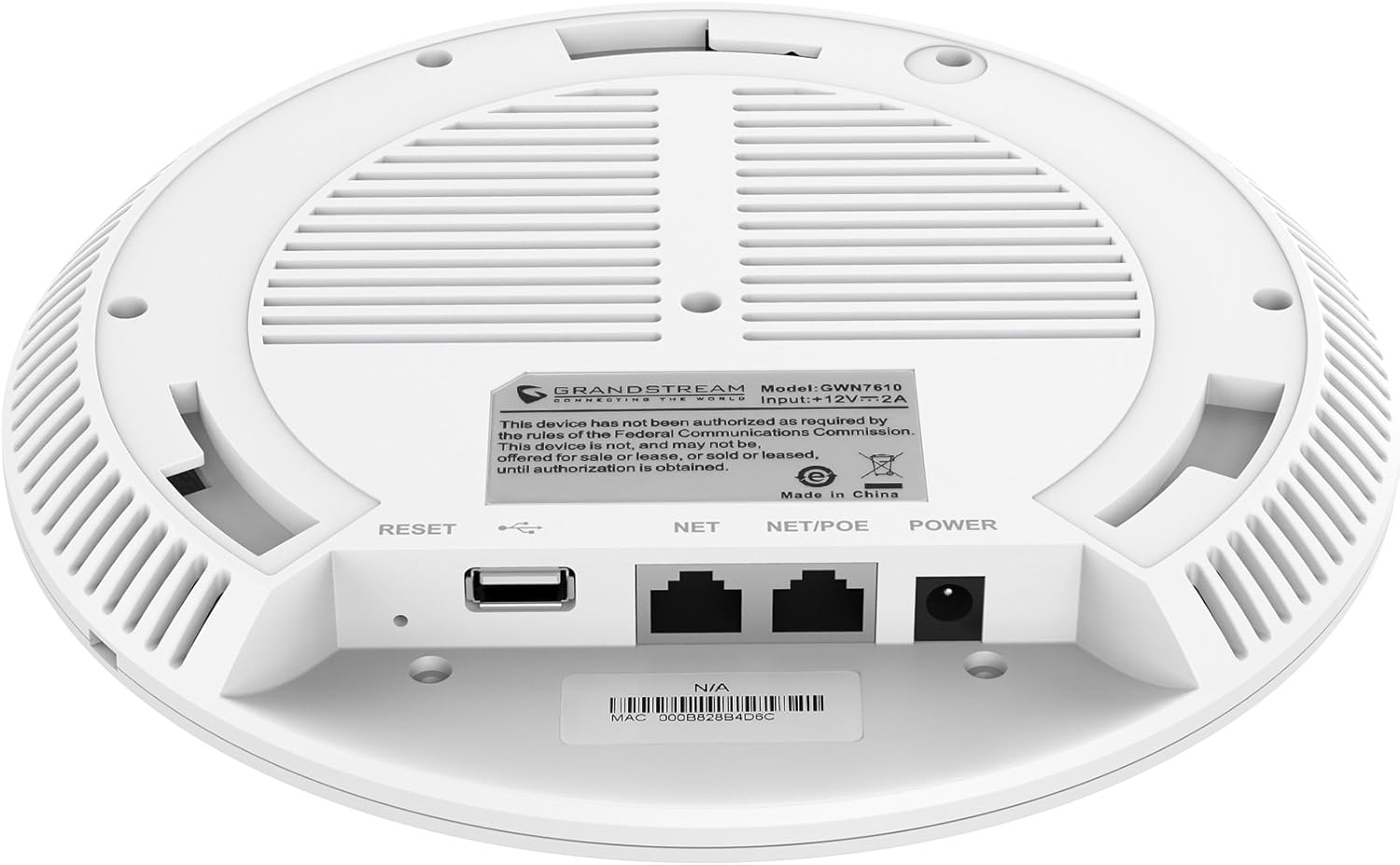
Малюнок 3.2: Нижня частина view of the GWN7610 Access Point, highlighting the connectivity ports and regulatory information.
- Кнопка скидання: Used to reset the device to factory default settings. Press and hold for 10 seconds while the device is powered on.
- Порт USB: For future applications such as location-based services and other IoT (Internet of Things) applications.
- NET/POE Port: Gigabit Ethernet port that supports Power over Ethernet (PoE/PoE+) for both data and power supply.
- Порт POWER: DC power input (12V===2A) if not using PoE.
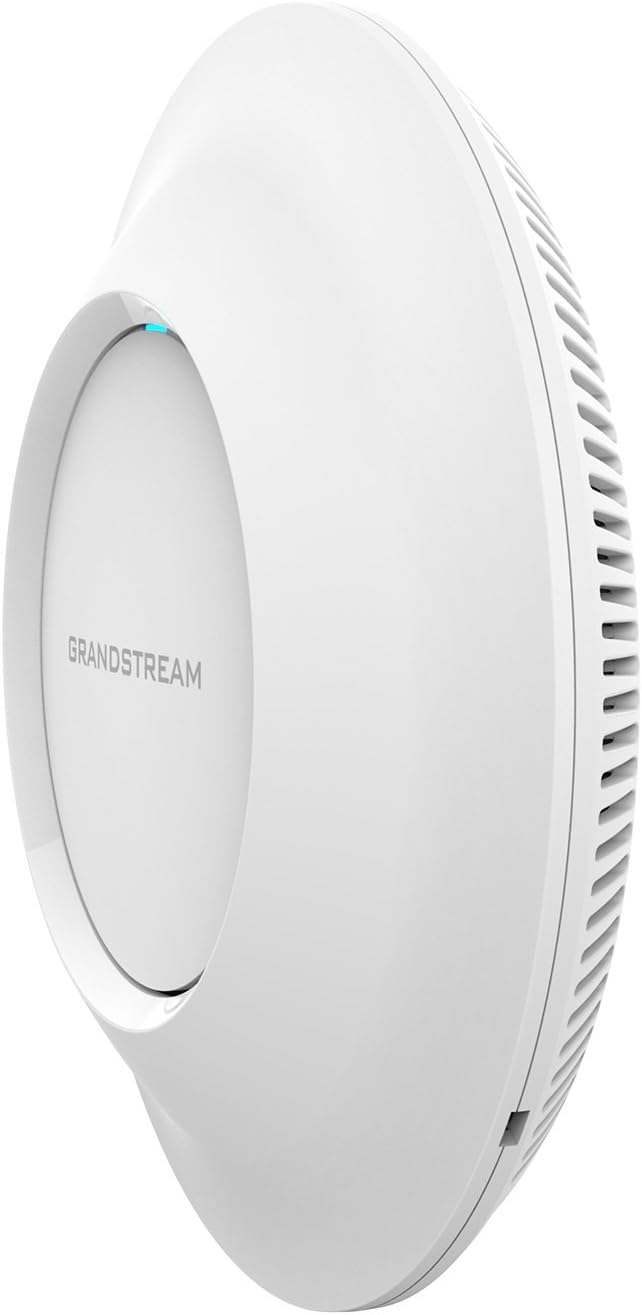
Малюнок 3.3: Сторона view of the GWN7610 Access Point, illustrating its sleek profile.
4. Встановлення та монтаж
The GWN7610 can be mounted on a wall or ceiling. The included mounting equipment facilitates installation. For optimal wireless coverage, choose a central location free from obstructions and sources of interference. Ensure the device is positioned away from large metal objects, concrete walls, and other electronic devices that may cause signal degradation.
Refer to the specific instructions provided with the mounting kit for detailed steps on securing the access point.
5. Налаштування
The GWN7610 features embedded network management, allowing for easy setup and configuration without the need for external controllers. Follow these general steps for initial setup:
- Увімкнення: Connect the GWN7610 to a PoE/PoE+ enabled switch or injector using an Ethernet cable, or connect a 12V===2A DC power adapter to the POWER port.
- Підключення до мережі: Connect the NET/POE port to your network infrastructure (router or switch).
- Доступ до Web Інтерфейс: Once powered on and connected, the GWN7610 will obtain an IP address via DHCP. You can discover the device's IP address using Grandstream's discovery tools or by checking your DHCP server's client list. Enter the IP address into a web browser to access the management interface.
- Початкова конфігурація: Log in with the default credentials (usually found in the Quick Installation Guide or on the device label) and proceed with configuring your Wi-Fi networks (SSIDs), security settings, and other network parameters.
6. Інструкція з експлуатації
The GWN7610 is designed for robust and efficient wireless operation. Key operational features include:
- Кілька SSID: Supports up to 16 SSIDs per radio, allowing for flexible network segmentation (e.g., separate networks for employees, guests, IoT devices).
- Пропускна здатність клієнта: Capable of supporting over 250 concurrent Wi-Fi clients, making it suitable for high-density environments.
- Dual-Band MIMO: Utilizes dual-band 3x3:3 MIMO technology for enhanced performance and reliability across both 2.4GHz and 5GHz frequencies.
- Висока пропускна здатність: Delivers a maximum network throughput of up to 1.75Gbps, ensuring fast data transfer rates.
- Розширене покриття: Provides an expanded coverage range of up to 175 meters, minimizing dead zones.
- Integrated Controller: Manage multiple GWN7610 units from a single master access point, simplifying network administration.
7. Технічне обслуговування
Regular maintenance ensures optimal performance and longevity of your GWN7610 Access Point.
- Оновлення прошивки: Periodically check the Grandstream website for the latest firmware versions. Firmware updates often include performance improvements, security patches, and new features. Follow the instructions provided by Grandstream for updating firmware. Note that some updates may require using a TFTP server.
- Прибирання: Тримайте пристрій чистим і без пилу. Використовуйте м’яку суху тканину для очищення. Не використовуйте рідкі або аерозольні засоби для чищення.
- Умови навколишнього середовища: Переконайтеся, що пристрій працює в межах зазначених діапазонів температури та вологості, щоб запобігти пошкодженню.
8. Вирішення проблем
If you encounter issues with your GWN7610, consider the following troubleshooting steps:
- Немає живлення: Verify that the device is properly connected to a PoE/PoE+ source or a compatible 12V===2A power adapter. Check the power indicator light.
- Немає підключення до мережі: Ensure the Ethernet cable is securely connected to the NET/POE port and your network switch/router. Check the status of your network infrastructure.
- Немає доступу Web Інтерфейс: Confirm the device has an IP address and that your computer is on the same network segment. Try pinging the device's IP address. If the IP address is unknown, use Grandstream's discovery utility.
- Погана продуктивність Wi-Fi: Check for sources of interference (e.g., microwaves, cordless phones). Ensure the access point is optimally placed. Adjust Wi-Fi channel settings to avoid congestion.
- Пристрій не відповідає: Perform a soft reboot by disconnecting and reconnecting power. If the issue persists, perform a factory reset using the RESET button (refer to Section 3).
9. Технічні характеристики
| Особливість | Специфікація |
|---|---|
| Бездротовий тип | 802.11a/g/n/ac |
| Кількість портів USB 2.0 | 1 |
| Бренд | Grandstream |
| Серія | Грандстрім GWN7610 |
| Номер моделі товару | GWN7610 |
| Операційна система | RouterOS |
| Вага товару | 1.9 фунта |
| Розміри продукту (ДxШxВ) | 9 x 9 x 3 дюймів |
| Колір | Білий |
| Виробник | Grandstream |
10. Інформація про безпеку
Будь ласка, прочитайте та дотримуйтесь цих правил безпеки, щоб запобігти пошкодженню пристрою або травмуванню себе:
- Не піддавайте пристрій впливу води або вологи.
- Не відкривайте та не намагайтеся ремонтувати пристрій. Звертайтеся до кваліфікованого персоналу для проведення будь-яких технічних робіт.
- Use only the power sources specified (PoE/PoE+ or 12V===2A DC adapter).
- Встановлюйте пристрій у добре провітрюваному місці.
- Пропозиція 65 Попередження: Цей продукт може містити хімічні речовини, відомі штату Каліфорнія, що спричиняють рак та вроджені вади або інший репродуктивний шкоду.
11. Відповідність нормативним вимогам
This device complies with relevant regulatory standards. Please note the following:
FCC Warning: This device has not been authorized as required by the rules of the Federal Communications Commission. This device is not, and may not be, offered for sale or lease, or sold or leased, until authorization is obtained.
Users are advised to ensure compliance with local regulations regarding wireless device operation.
12. Гарантія та підтримка
Щоб отримати інформацію про гарантію та технічну підтримку, зверніться до офіційного постачальника Grandstream. webсайт або зверніться до свого авторизованого дилера. Зберігайте чек про покупку для гарантійних претензій.