
вступ
This manual provides essential information for the safe and efficient operation of your Amazon Basics 15-Sheet Cross-Cut Paper, CD, and Credit Card Shredder. Please read all instructions carefully before use and retain this manual for future reference.
Інформація про безпеку
Для забезпечення безпечної роботи завжди дотримуйтесь наступних інструкцій:
- Тримайте руки, волосся та вільний одяг подалі від отвору для входу паперу.
- Не розпилюйте та не зберігайте будь-які аерозольні продукти в шредері чи навколо нього.
- Do not shred items like metallic credit cards, adhesive labels, or continuous forms.
- Від’єднуйте подрібнювач від мережі, коли він не використовується або перед чищенням.
- Keep the shredder out of reach of children and pets.
- Не використовуйте шредер, якщо шнур живлення пошкоджений.
Продукт закінченийview
The Amazon Basics 15-Sheet Cross-Cut Shredder is designed for efficient document destruction, offering a high level of security for personal and office use.

Малюнок 1: Спереду view шредера Amazon Basics на 15 аркушів з поперечним різанням.
Ключові характеристики:
- Місткість 15 аркушів: Shreds up to 15 sheets of 20 lb. paper at once.
- Cross-Cut Shredding: Shreds paper into 3/16" x 1-7/32" (4.7 x 31mm) particles for enhanced security (Security Level P-4).
- Multi-Material Shredding: Also destroys CD/DVDs, credit cards, staples, and small paper clips.
- Розширений час роботи: Features a 20-minute continuous run time.
- Функції безпеки: Includes Overheat / Overload protection.
- Світлодіодні індикатори: Provides visual alerts for Standby, Overheat, Overload, Door open, and Bin full status.
- Large Capacity Bin: Equipped with a 6-gallon pull-out basket for easy waste disposal.
- мобільність: Casters included for convenient movement.
- 4-Mode Switch: Auto/Off/Forward/Reverse settings for versatile control.
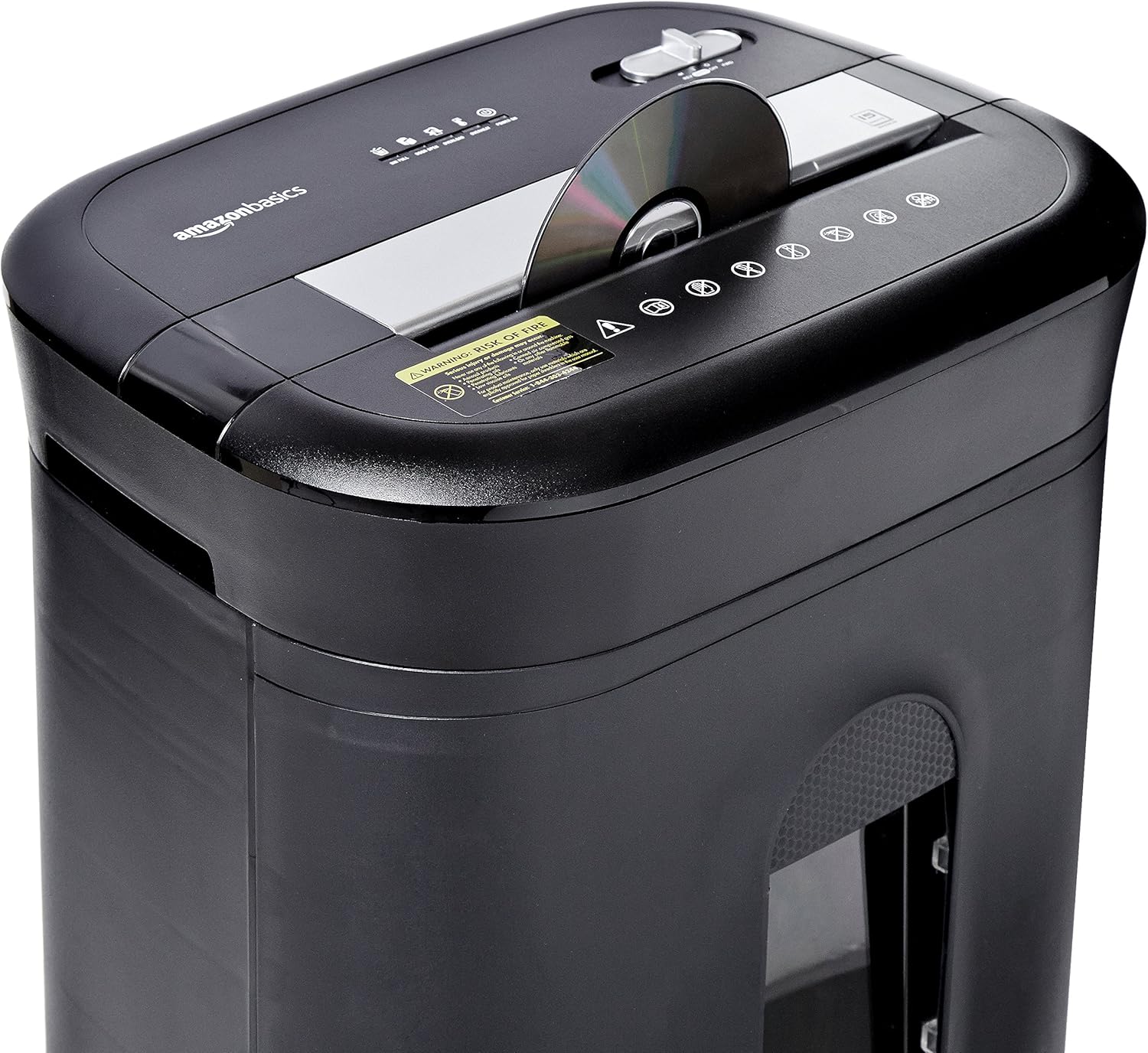
Figure 2: Diagram illustrating key features of the shredder.
Налаштування
Follow these steps to set up your shredder:
- Розпакувати: Акуратно вийміть усі компоненти з упаковки.
- Посада: Place the shredder on a flat, stable surface. Ensure the waste bin is securely closed and properly inserted into the main unit.
- Підключіть живлення: Plug the power cord into a standard 120-volt AC outlet.
Video 1: Official product video demonstrating the setup and basic operation of the Amazon Basics 15-Sheet Cross-Cut Shredder.
Інструкція з експлуатації
Перемикач режиму живлення:
The shredder features a 4-mode slide switch located on the top panel:
- AUTO (I): Шредер автоматично запускається після вставлення паперу та зупиняється після завершення подрібнення. Це рекомендоване налаштування для звичайного використання.
- ВИМК. (O): Turns off all shredder functions. Always select this setting when emptying the waste bin or when the shredder is not in use.
- FORWARD (▶▶): Manually activates the shredder to continuously cut. Useful for clearing minor jams.
- REVERSE (◀◀): Reverses the shredder mechanism to help clear paper jams.

Figure 3: Close-up of the control panel with the 4-mode switch.
Подрібнення паперу:
- Ensure the power mode switch is set to AUTO (I).
- Insert up to 15 sheets of paper (20 lb. bond) straight into the paper entry slot. The shredder will automatically start and stop.
- Do not force paper into the shredder. If the shredder struggles, reduce the number of sheets.

Figure 4: Inserting paper into the shredder.
Shredding Credit Cards and CDs/DVDs:
- Ensure the power mode switch is set to AUTO (I).
- Insert one credit card or CD/DVD at a time into the dedicated slot.
- The shredder will automatically start and stop.

Figure 5: Shredding a credit card.
Технічне обслуговування
Emptying the Shredder Bin:
Regularly empty the waste bin to prevent paper jams and ensure optimal performance.
- Set the power mode switch to ВИМКНЕНО (O) та від’єднайте подрібнювач від мережі.
- Витягніть сміттєвий бак з передньої частини подрібнювача.
- Утилізуйте подрібнений матеріал.
- Slide the waste bin back into the shredder until it clicks securely into place.

Figure 6: Pull-out waste bin for easy emptying.
Змащування шредера:
To maintain the shredder's performance and longevity, it is recommended to oil the cutting blades periodically, especially after emptying the bin multiple times or if performance decreases.
- Apply shredder oil (or vegetable oil) in a zigzag pattern across the paper entry slot.
- Set the power mode switch to FORWARD (▶▶) for 2-3 seconds to distribute the oil.
- Then, set the switch to REVERSE (◀◀) протягом 2-3 секунд.
- Shred a few sheets of paper to remove any excess oil.
Усунення несправностей
The shredder is equipped with LED indicators to help diagnose common issues:
- Standby (Green): Показує, що шредер увімкнено та готовий до роботи.
- Overheat (Red): The shredder has exceeded its maximum operating temperature. Allow it to cool down for approximately 20-30 minutes before resuming use.
- Overload (Red): Too much material has been inserted. Use the REVERSE (◀◀) function to clear the jam, then reduce the amount of material.
- Door Open (Red): The waste bin is not properly closed or inserted. Ensure the bin is fully pushed in.
- Bin Full (Red): The waste bin is full and needs to be emptied.
| проблема | Можлива причина | Рішення |
|---|---|---|
| Шредер не вмикається. | Not plugged in; Power switch in OFF position; Waste bin not properly inserted. | Check power connection; Set switch to AUTO; Re-insert waste bin securely. |
| Шредер зупиняється під час роботи. | Overheat protection activated; Overload protection activated; Bin full. | Allow to cool down; Clear jam using REVERSE, then reduce material; Empty bin. |
| Зминання паперу. | Too much paper inserted; Paper inserted at an angle. | Use REVERSE function; Reduce paper quantity; Insert paper straight. |
Технічні характеристики
| Особливість | Специфікація |
|---|---|
| Бренд | Основи Amazon |
| Номер моделі | PBH-49976 |
| Тип подрібнення | Поперечний зріз |
| Розмір подрібнення | 3/16" x 1-7/32" (4.7 x 31mm) |
| Рівень безпеки | П-4 |
| Листова місткість | 15 sheets (20 lb. paper) |
| Час безперервної роботи | 20 хвилин |
| Час охолодження | 30 хвилин |
| Ємність контейнера для сміття | 6 галони |
| Вага товару | 22 фунта |
| Розміри продукту | 11 x 14.4 x 20.9 дюймів |
| Колір | чорний |
Гарантія та підтримка
For warranty information or technical support, please refer to the documentation included with your product or contact Amazon Basics customer service.
Служба підтримки клієнтів: 1-844-303-4244
Щоб отримати додаткові ресурси, відвідайте Основи магазину Amazon.