
MICTUNING MIC-CDL-002-82
MICTUNING 2nd-Gen RGB LED Rock Lights User Manual
Model: MIC-CDL-002-82
1. Вступ
Thank you for choosing MICTUNING 2nd-Gen RGB LED Rock Lights. This kit provides vibrant, customizable lighting for your vehicle's exterior, enhancing visibility and aesthetics. Designed with high-brightness RGB 3-in-1 LEDs, a stable Bluetooth controller, and an IP68 waterproof rating, these lights are built for durability and performance in various conditions. This manual provides essential information for installation, operation, maintenance, and troubleshooting to ensure optimal use of your product.

Зображення 1.1: закінченоview of the MICTUNING 2nd-Gen RGB LED Rock Lights kit, including the 8 LED pods, control box, and wiring.
2. Інформація про безпеку
Please read and understand all safety instructions before installation and operation. Failure to follow these instructions may result in electrical shock, fire, or serious injury.
- Завжди від'єднуйте акумулятор автомобіля перед початком будь-яких електромонтажних робіт.
- Переконайтеся, що всі з'єднання проводів надійно закріплені та належним чином ізольовані, щоб запобігти коротким замиканням.
- Не вносьте жодних змін до виробу. Несанкціоновані модифікації можуть анулювати гарантію та створити ризики для безпеки.
- Keep the control box and wiring away from extreme heat, moving parts, and sharp edges.
- Зверніться до фахівця, якщо ви не впевнені щодо будь-якого етапу процесу встановлення.
3. Вміст упаковки
Перед початком встановлення переконайтеся, що всі компоненти присутні у вашій упаковці:
- 8 x RGB LED Rock Light Pods
- 1 x Bluetooth Control Box
- Жгути проводки
- Mounting Hardware (screws, nuts, rubber pads)
- Посібник користувача

Зображення 3.1: Детальний опис view of all items included in the package, such as the LED pods, control box, wiring, and various mounting accessories.
4. Налаштування та встановлення
Follow these steps for proper installation of your MICTUNING RGB LED Rock Lights:
- Планування макета: Determine the optimal placement for each of the 8 LED pods on your vehicle's undercarriage. Consider areas that will provide even illumination and are protected from direct impact.
- Mounting the Pods: Securely mount each LED pod using the provided screws and rubber pads. Ensure the mounting surface is clean and flat. The sturdy aluminum housing provides durability.
- Монтаж блоку керування: Choose a dry, secure location for the Bluetooth control box, such as under the hood or inside the cabin. Ensure it is easily accessible for wiring and protected from water and excessive heat. The control box features a built-in automotive-grade chip for stable Bluetooth connection.
- Підключення проводів:
- Connect the wiring harnesses from each LED pod to the control box.
- Connect the main power and ground wires from the control box to your vehicle's 12V power source (e.g., battery). It is recommended to use an inline fuse (a safety protection fuse is included) for circuit protection.
- Ensure all connections are tight and insulated to prevent corrosion and short circuits.
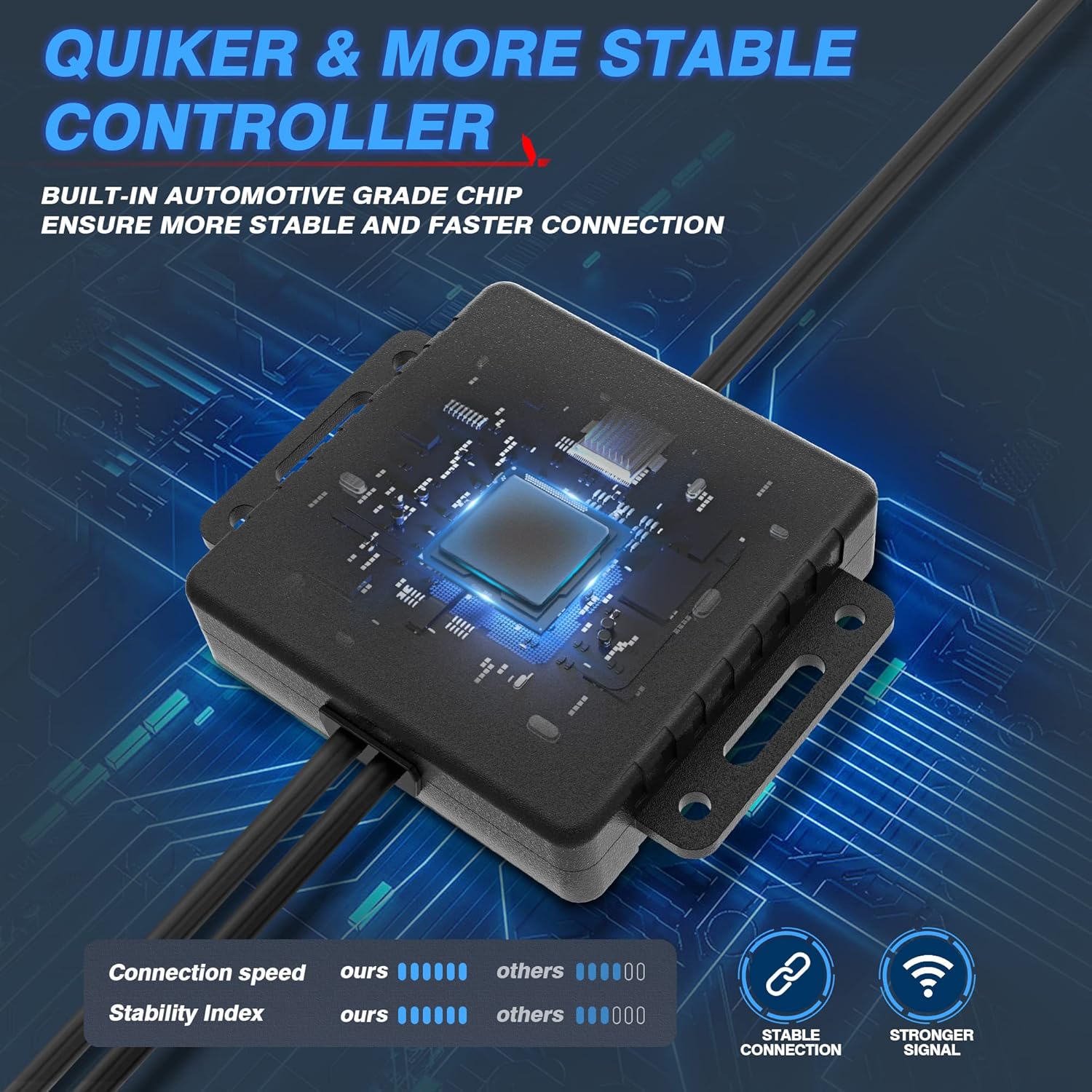
Image 4.1: The Bluetooth control box, highlighting its internal automotive-grade chip for stable and fast connection.

Image 4.2: A MICTUNING LED rock light submerged in water, demonstrating its IP68 waterproof rating and durable aluminum housing with an integrated safety fuse.
- Увімкніть і перевірте: Reconnect the vehicle's battery. The lights should briefly illuminate.
- Завантаження програми: Scan the QR code on the control box or in the user manual to download the "Mictuning" app from your smartphone's app store.
5. Інструкція з експлуатації
Your MICTUNING RGB LED Rock Lights are controlled via the exclusive MagicLink App. This app allows for comprehensive customization of your lighting experience.
- Підключення через Bluetooth: Open the MagicLink App on your smartphone. Ensure Bluetooth is enabled. The app will automatically search for and connect to your MICTUNING control box.
- Select Lighting Modes: The app offers various lighting modes, including:
- Статичні кольори: Вибирайте з широкого спектру кольорів за допомогою колірного кола.
- Динамічні режими: Select from pre-programmed flashing, strobing, fading, and chasinг-ефекти.
- Музичний режим: Synchronize the lights with music playing on your phone or through the app's microphone.
- Функція синхронізації: Set schedules for the lights to turn on/off automatically.
- Регулювання яскравості: Adjust the brightness level to your preference within the app.
- Керування кількома пристроями: The MagicLink App allows you to control multiple sets of MICTUNING lights of the same type (e.g., up to 6 sets of X2 CM Q1 RGB rock lights) from a single phone.
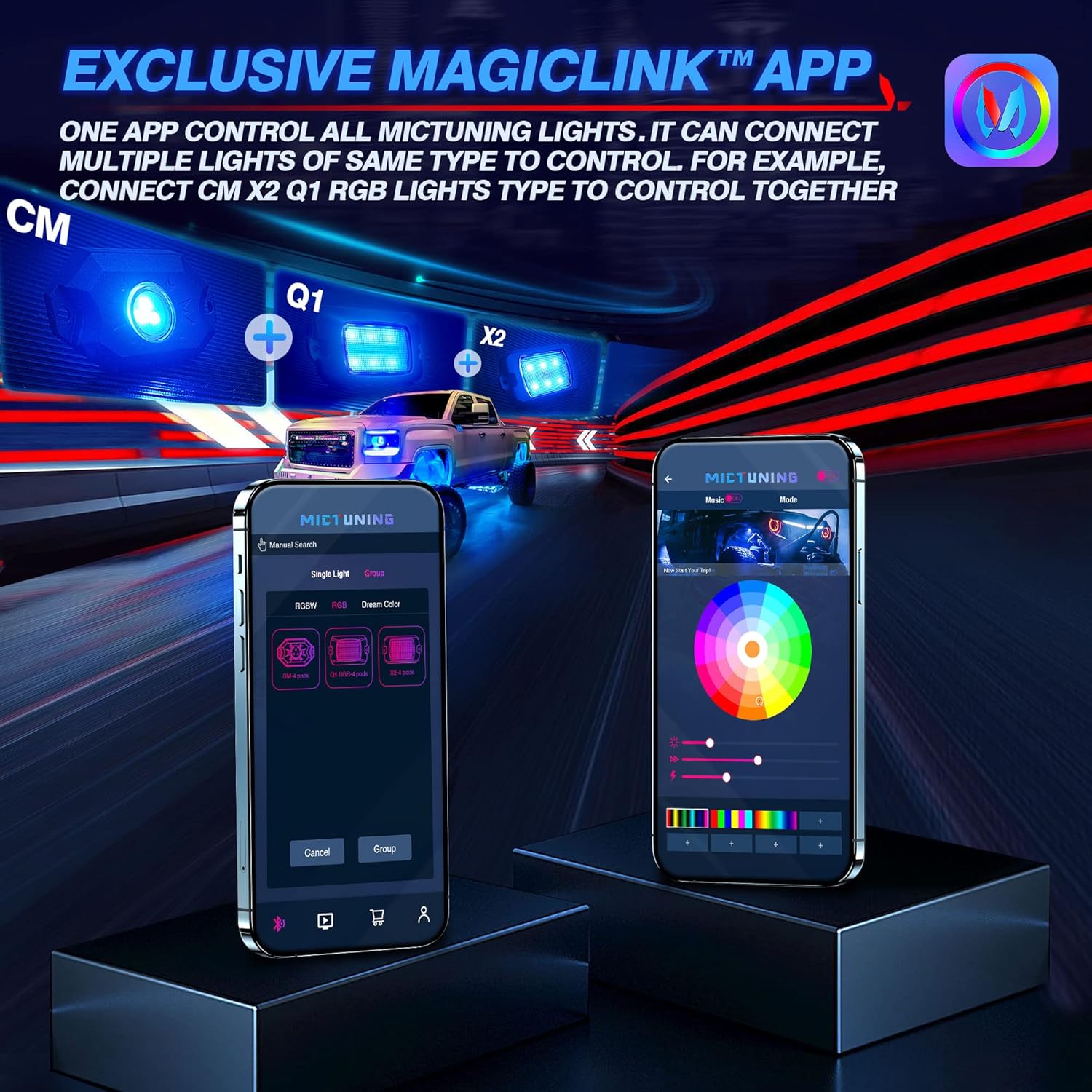
Image 5.1: The MagicLink App interface, showing options for single light or group control, and a color wheel for custom light selection.
6. Технічне обслуговування
Regular maintenance will help prolong the lifespan and performance of your rock lights:
- Прибирання: Periodically clean the LED pods with a soft cloth and mild soap and water. Avoid abrasive cleaners or high-pressure washers directly on the lights.
- Огляд: Regularly inspect the wiring for any signs of wear, fraying, or damage. Check all connections to ensure they remain secure.
- Водонепроникна цілісність: While the lights are IP68 waterproof, ensure that the connections to the control box remain dry and free from moisture buildup.
7. Вирішення проблем
If you encounter issues with your MICTUNING RGB LED Rock Lights, refer to the following common problems and solutions:
| проблема | Можлива причина | Рішення |
|---|---|---|
| Світло не вмикається. | No power, loose connection, blown fuse. | Check power connections to the battery. Ensure all wiring is secure. Inspect the inline fuse and replace if blown. |
| Bluetooth connection is unstable or slow. | Interference, app issues, distance from control box. | Ensure your phone's Bluetooth is on. Restart the app and your phone. Move closer to the control box. Ensure the app has necessary permissions (e.g., location access). |
| Colors are inconsistent or mottled. | Individual LED pod issue, wiring problem. | Check the connections to the affected pod. Ensure the app is updated to the latest version. |
| Lights do not respond to app commands. | App not connected, control box issue. | Verify Bluetooth connection in the app. Restart the control box by disconnecting and reconnecting power. |
8. Технічні характеристики
| Особливість | Деталь |
|---|---|
| Номер моделі | MIC-CDL-002-82 |
| Колір | RGB |
| матеріал | Алюміній |
| Вага товару | 4.4 фунта |
| Розміри продукту | 7.87 x 5.12 x 5.71 дюймів |
| Рівень водонепроникності | IP68 Водонепроникний |
| Технологія підключення | Bluetooth |
| Кількість штук | 8 Стручки |
| Тривалість життя | До 50,000+ годин |
9. Гарантія та підтримка
MICTUNING stands behind the quality of its products. Your MICTUNING 2nd-Gen RGB LED Rock Lights come with a дворічна гарантія з дати покупки.
If you encounter any issues or have questions regarding your product, please do not hesitate to contact MICTUNING customer support. Our responsive team is committed to assisting you within 24 hours to resolve any problems.
Контактна інформація:
- Visit the official MICTUNING website for support resources and contact details: MICTUNING Store
- Refer to the user manual for additional contact methods.
Пов'язані документи - MIC-CDL-002-82
 |
МІКРАЦІЯ Q1 RGB Rock Lights FAQ Часті запитання та відповіді щодо MICTUNING Q1 RGB Rock Lights, що охоплюють підключення до додатків, сигнали Bluetooth, керування кольором, миготливе світло та стан живлення. |
 |
Інструкція з використання світлодіодних скельних ліхтарів MICTUNING C2 RGBW Вичерпний посібник користувача для світлодіодного камінного підсвічування MICTUNING C2 RGBW, що охоплює встановлення, підключення, технічні характеристики та усунення несправностей. |
 |
MICTUNING C3 RGBW LED Rock Lights - Installation and User Manual Comprehensive guide for MICTUNING C3 RGBW LED Rock Lights, covering installation, wiring, control box operation, Bluetooth APP features, and troubleshooting. Enhance your vehicle with customizable multi-color lighting. |
 |
Інструкція з використання та встановлення світлодіодних кам'яних ліхтарів MICTUNING Q1 RGBW Вичерпний посібник користувача та посібник з встановлення світлодіодного скельного світильника MICTUNING Q1 RGBW. Містить технічні характеристики продукту, кроки встановлення, схеми підключення та детальну інформацію про аксесуари для комплектів на 4 та 8 подів. |
 |
MICTUNING App Instruction Manual: Smart LED Lighting Control Comprehensive guide to the MICTUNING App for controlling Smart LED Lighting products. Learn about features like RGBW color customization, music sync, group control, and troubleshooting Bluetooth connection issues. |
 |
MICTUNING Q1 Max LED Rock Lights User Manual User manual for MICTUNING Q1 Max LED Rock Lights, detailing package contents, installation steps, wiring diagrams, and technical specifications including input voltage, operating temperature, and IP68 waterproof rating. |
Ask a question about this manual
Ask about setup, troubleshooting, compatibility, parts, safety, or missing instructions. Manuals+ will review the question and use this page’s manual context to help answer it.