
1. Вступ
This manual provides essential instructions for the proper setup, operation, and maintenance of your CipherLab 1500P HP 1D Corded Barcode Scanner. Please read this manual thoroughly before using the device to ensure optimal performance and to prevent damage.
2. Інформація про безпеку
- Не піддавайте сканер впливу екстремальних температур, вологості або прямих сонячних променів.
- Уникайте падіння сканера та сильних ударів.
- Не намагайтеся розбирати або модифікувати сканер. Це призведе до анулювання гарантії.
- Використовуйте для підключення лише USB-кабель, що постачається в комплекті.
- Keep the scanning window clean to ensure accurate barcode reading.
3. Вміст упаковки
Будь ласка, перевірте вміст упаковки, щоб переконатися, що всі елементи присутні:
- CipherLab 1500P HP 1D Corded Barcode Scanner
- USB кабель
- Короткий посібник користувача (якщо включено)
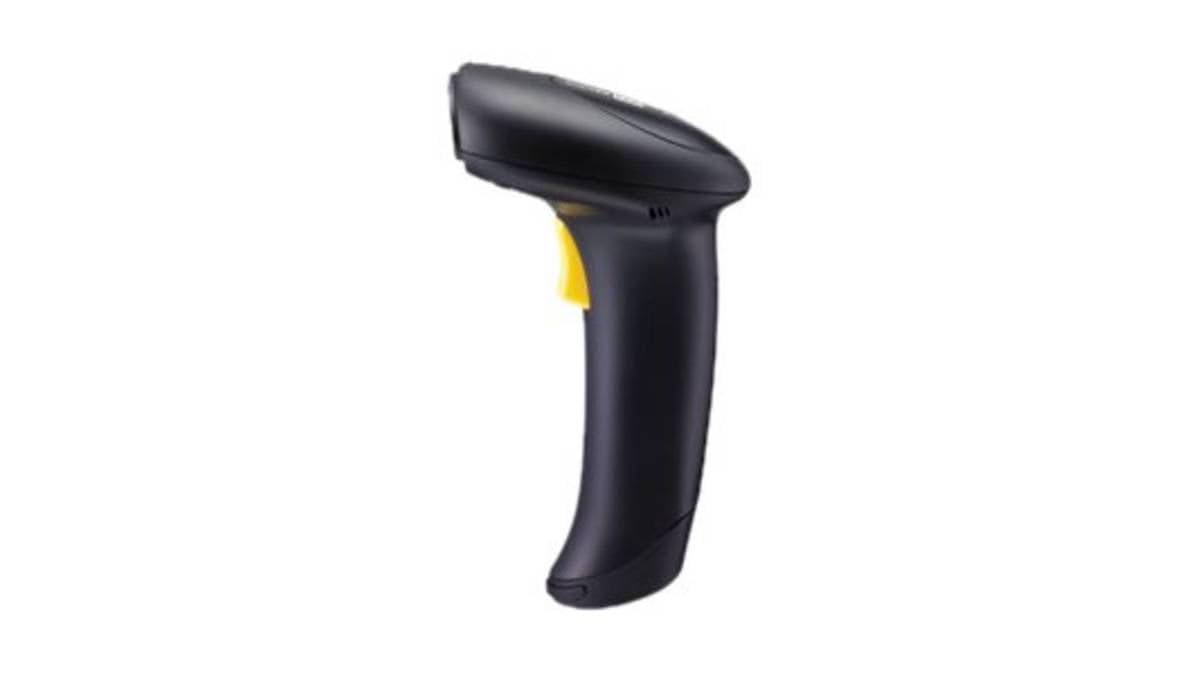
Figure 1: CipherLab 1500P HP 1D Corded Barcode Scanner with USB cable. This image displays the ergonomic design of the scanner and its wired connection.
4. Налаштування
4.1 Підключення сканера
- Locate an available USB port on your computer or host device.
- Connect the smaller end of the USB cable to the port at the base of the CipherLab 1500P HP scanner.
- Connect the larger end of the USB cable to the USB port on your computer.
- The scanner will power on automatically. Most operating systems will detect and install the necessary drivers automatically (Plug-and-Play).
4.2 Початкове випробування
After connecting, open a text editor (e.g., Notepad, Word) or any application that accepts keyboard input. Scan a known barcode. The data should appear in the application. If not, refer to the Troubleshooting section.
5. Робота зі сканером
5.1 Базове сканування
- Hold the scanner comfortably in your hand.
- Спрямуйте вікно сканування на штрих-код, який ви хочете зчитати.
- Натисніть і утримуйте кнопку спускового гачка. З'явиться червона лінія прицілювання.
- Center the aiming line over the entire barcode.
- Once the barcode is successfully read, the scanner will emit a beep and the LED indicator will flash. Release the trigger button.
5.2 Scanning Feedback
- Успішне читання: A short beep and a green LED flash.
- Невдале читання: No beep or flash, or a different error tone (refer to troubleshooting).
6. Технічне обслуговування
6.1 Очищення сканера
To maintain optimal scanning performance, keep the scanning window clean:
- Використовуйте м’яку безворсову тканину dampводою або м’яким, неабразивним миючим розчином.
- Обережно протріть вікно сканування та зовнішню частинуasing.
- Не використовуйте агресивні хімікати, розчинники або абразивні матеріали, оскільки вони можуть пошкодити сканер.
6.2 Зберігання
Коли сканер не використовується, зберігайте його в чистому, сухому місці, подалі від прямих сонячних променів та екстремальних температур.
7. Вирішення проблем
| проблема | Можлива причина | Рішення |
|---|---|---|
| Сканер не вмикається. | USB-кабель неправильно підключений або USB-порт несправний. | Переконайтеся, що USB-кабель надійно підключено як до сканера, так і до комп’ютера. Спробуйте інший USB-порт. |
| Сканер не зчитує штрих-коди. | Barcode damaged, scanning window dirty, incorrect scanning angle, or scanner not configured for barcode type. | Ensure the barcode is clear and undamaged. Clean the scanning window. Adjust the scanning angle. Refer to the full programming manual for advanced configuration. |
| Відскановані дані відображаються неправильно. | Невідповідність розкладки клавіатури або неправильне форматування даних. | Ensure your computer's keyboard layout matches the scanner's default or programmed layout. Consult the full programming manual for data formatting options. |
8. Технічні характеристики
- Номер моделі: A1500PCBSU001
- Технологія підключення: USB кабель
- Джерело живлення: USB кабель
- Сумісні пристрої: Настільний комп'ютер, ноутбук
- Вага товару: 10.93 фунта
- Розміри упаковки: 8 x 8 x 8 дюймів
- Виробник: CipherLab
9. Інформація про гарантію
CipherLab products are manufactured to high quality standards. This product is covered by a limited warranty against defects in materials and workmanship. For specific warranty terms and conditions, please refer to the warranty card included with your product or visit the official CipherLab webсайт.
10. Підтримка клієнтів
If you encounter issues not covered in this manual or require further assistance, please contact your vendor or visit the official CipherLab support website for up-to-date resources, FAQs, and contact information.