
1. Вступ
This manual provides essential information for the proper installation, operation, and maintenance of your Comelit EX-7000H Secondary Mini Handsfree Color Monitor. Please read this manual thoroughly before using the device to ensure safe and efficient operation.
The Comelit EX-7000H is a secondary mini handsfree color monitor designed for door-entry systems. It features an electronic call function, a conversation button on the base, call volume control, privacy function, and a door open button. It also includes a supplementary button for additional services.
2. Інформація про безпеку
- Ensure all electrical connections are made by qualified personnel and comply with local regulations.
- Do not expose the monitor to moisture, rain, or extreme temperatures.
- Уникайте розміщення пристрою поблизу джерел тепла або під прямими сонячними променями.
- Do not attempt to open or repair the unit yourself. Refer all servicing to authorized Comelit service centers.
- Clean the monitor with a soft, dry cloth. Do not use abrasive cleaners or solvents.
3. Вміст упаковки
Будь ласка, перевірте вміст упаковки, щоб переконатися, що всі елементи присутні:
- Comelit EX-7000H Secondary Mini Handsfree Color Monitor
- Монтажний кронштейн
- Монтажні шурупи та дюбелі
- Інструкція з експлуатації (цей документ)
4. Продукт закінчивсяview
The Comelit EX-7000H monitor is designed for ease of use and integration into existing Comelit door-entry systems. Below is an image of the product and a description of its key features.
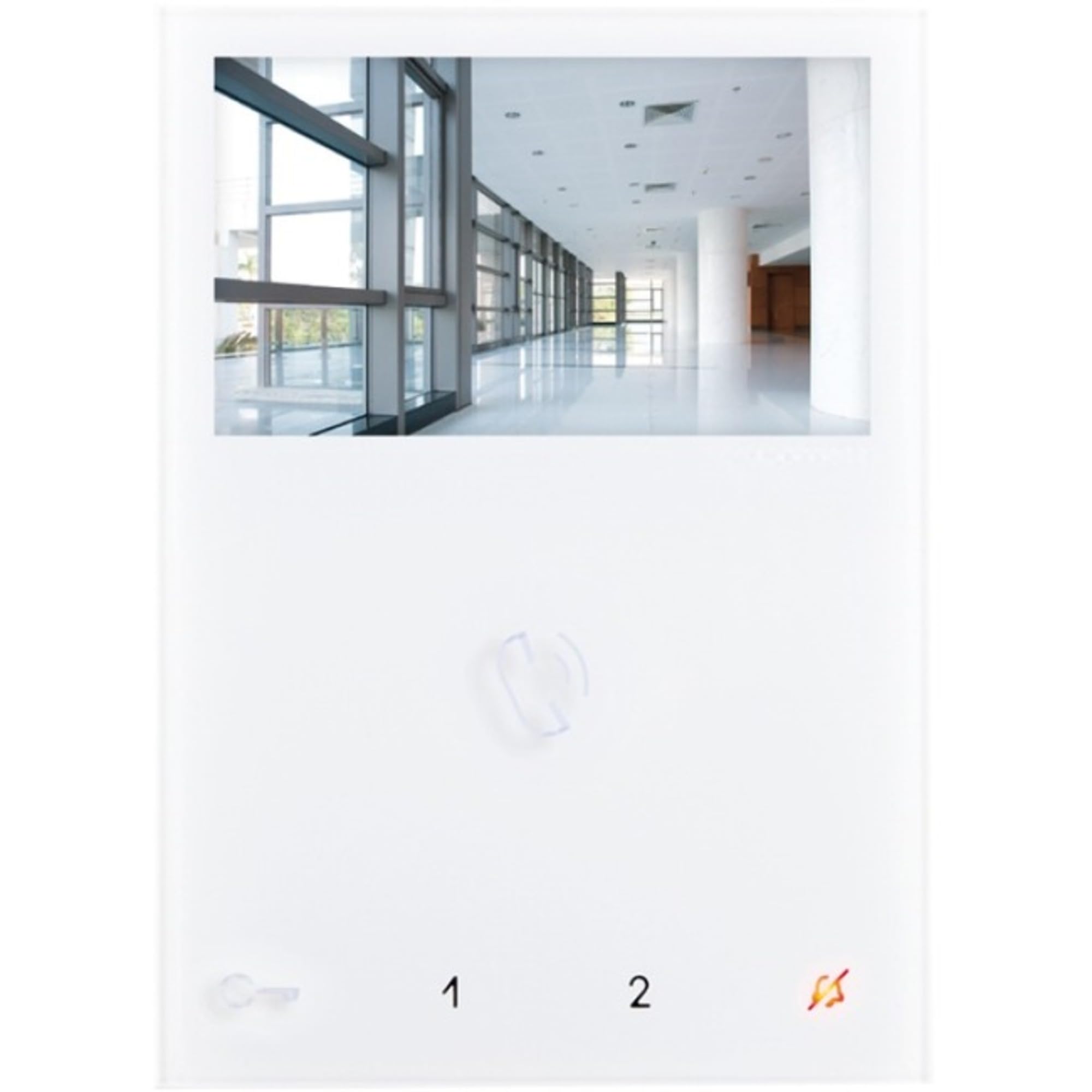
Image: Comelit EX-7000H Secondary Mini Handsfree Color Monitor. This image displays the front view of the monitor, showing the screen, buttons, and handset-free design.
- Робота в режимі "вільні руки": Allows communication without lifting a handset.
- Electronic Call Function: Signals incoming calls from the door station.
- Conversation Button: Activates and deactivates audio communication.
- Call Volume Control: Adjusts the volume of the incoming call signal.
- Функція конфіденційності: Disables audio and video for privacy.
- Кнопка відкриття дверей: Activates the electric door lock.
- Supplementary Button: Provides an additional function, such as activating a secondary gate or light.
5. Налаштування та встановлення
Installation should be performed by a qualified technician. Ensure power to the system is disconnected before beginning installation.
- Місце монтажу: Choose a suitable indoor location, away from direct sunlight, heat sources, and moisture. The monitor should be mounted at an ergonomic height for viewінг і експлуатація.
- Монтажний кронштейн: Secure the mounting bracket to the wall using the provided screws and wall plugs. Ensure it is level and firmly attached.
- Електропроводка: Connect the system wiring to the monitor's terminals according to the wiring diagram provided with your main door-entry system unit. Pay close attention to polarity and terminal designations.
- Підключити монітор: Carefully attach the Comelit EX-7000H monitor to the mounted bracket, ensuring it clicks securely into place.
- Увімкнення: Restore power to the door-entry system. The monitor should power on and display the standby screen.
- Тест системи: Perform a full system test to verify communication with the door station and proper functioning of all buttons (call, conversation, door open, supplementary).
6. Інструкція з експлуатації
Отримання дзвінка
- When a visitor presses the call button at the door station, the monitor will emit an electronic call tone and display the visitor's image.
- Натисніть Conversation Button (typically indicated by a microphone icon) to establish two-way audio communication with the visitor.
- Щоб завершити розмову, натисніть Conversation Button again. The monitor will return to standby mode.
Відкриття дверей
- Під час розмови або коли viewing the door station, press the Кнопка відкриття дверей (typically indicated by a key icon) to activate the electric door lock.
- The door will unlock for a preset duration.
Using the Supplementary Button
- The Supplementary Button can be configured to activate an additional service, such as a secondary gate, an auxiliary light, or another connected device.
- Press this button to activate the assigned function. Refer to your system installer for specific configuration details.
Регулювання гучності виклику
- Використовуйте Регулювання гучності виклику (usually a slider or button on the side/bottom) to adjust the loudness of the incoming call tone.
Функція конфіденційності
- Активуйте Функція конфіденційності (if available and configured) to temporarily disable incoming calls and video from the door station. This is useful when you do not wish to be disturbed.
- Deactivate the function to resume normal operation.
7. Технічне обслуговування
- Прибирання: Use a soft, dry, lint-free cloth to clean the monitor's screen and casing. Do not use liquid cleaners, aerosols, or abrasive materials, as these can damage the surface.
- Огляд: Periodically check the monitor and its connections for any signs of damage or wear.
- Немає частин, які обслуговуються користувачем: The Comelit EX-7000H contains no user-serviceable parts. Any internal issues require professional servicing.
8. Вирішення проблем
| проблема | Можлива причина | Рішення |
|---|---|---|
| No image or black screen | No power to the monitor; loose wiring connection; system fault. | Check power supply to the entire door-entry system. Verify all wiring connections are secure. If problem persists, contact a qualified technician. |
| No audio during conversation | Conversation button not activated; audio wiring issue; privacy function active. | Ensure the conversation button is pressed. Check system wiring. Deactivate privacy function if it is enabled. |
| Door open button not working | Wiring to door lock faulty; door lock mechanism issue; system configuration error. | Verify wiring to the door lock. Test the door lock independently if possible. Contact a technician for system configuration check. |
| Call tone too loud/quiet | Call volume not adjusted. | Adjust the call volume control on the monitor. |
If you encounter problems not listed here or if the suggested solutions do not resolve the issue, please contact Comelit technical support or a qualified installer.
9. Технічні характеристики
| Номер моделі | EX-7000H |
| Розміри продукту | 4.52 x 0.83 x 6.29 дюйма (95 x 215 x 58 мм) |
| Вага товару | 1.31 фунта |
| ASIN | B01EAXVDTO |
| Виробник | Коміліт |
| Тип | Secondary Mini Handsfree Color Monitor |
| особливості | Electronic call function, conversation button, call volume control, privacy function, door open button, supplementary button. |
10. Гарантія та підтримка
For warranty information and technical support, please refer to the official Comelit website or contact your local Comelit distributor. Keep your purchase receipt as proof of purchase for warranty claims.
You can find more information and contact details on the official Comelit webсайт: www.comelitgroup.com