
Coby CBC-52-WHT
Coby Retro LCD Alarm Clock
Model: CBC-52-WHT
вступ
Thank you for choosing the Coby Retro LCD Alarm Clock, model CBC-52-WHT. This user manual provides essential information for setting up, operating, and maintaining your new alarm clock. Designed for clear and precise visibility, this clock features a sleek 3.5" LCD screen that displays time, date, and indoor temperature.
Ключові характеристики:
- Perpetual Calendar Display: Always know the current date.
- On-The-Hour Chime: Optional audible chime for every hour.
- LCD Time and Temperature Display: Clear digital readout of time and indoor temperature.
- Alarm & 10 Minute Snooze Function: Reliable alarm with a convenient snooze option.
- Працює від батареї: Portable design, requires 2 AAA batteries (not included).
Вміст упаковки
Будь ласка, уважно перевірте упаковку, щоб переконатися, що всі предмети присутні та знаходяться у належному стані.
- 1 x Coby Retro LCD Alarm Clock (CBC-52-WHT)
- 1 x Посібник користувача (цей документ)
Примітка: Для роботи потрібні 2 батарейки типу ААА, вони не входять до комплекту.
Продукт закінченийview та елементи керування

малюнок 1: Фронт view of the Coby Retro LCD Alarm Clock, highlighting the digital display and control buttons.
Елементи відображення:
- Відображення часу: Shows current time (AM/PM indicator).
- Відображення часу будильника: Shows the set alarm time.
- Відображення місяця/дати: Shows the current month and day.
- Індикація температури: Shows indoor temperature in Celsius or Fahrenheit.
- Значок будильника: Indicates when the alarm is active.
- Chime Icon: Indicates when the hourlДзвінок y активний.
Control Buttons (Front Panel):
- ВСТАНОВЛЕННЯ ЧАСУ: Used to enter time/date setting mode.
- ВНИЗ: Decreases values during setting, or navigates options.
- UP/°C/°F: Increases values during setting, navigates options, or switches temperature unit.
- НАБІГ ТРИВОГИ: Використовується для входу в режим налаштування будильника.
- УВІМК. / ВИМК. ТРИВОГИ: Вмикає або вимикає функцію будильника.
Верхня кнопка:
- SNOOZE / LIGHT: Activates snooze during an alarm, or temporarily illuminates the display backlight.
Налаштування
1. Встановлення батареї
- Знайдіть кришку батарейного відсіку на задній панелі будильника.
- Посуньте кришку вниз, щоб відкрити її.
- Insert two (2) new AAA batteries, ensuring the correct polarity (+ and -) as indicated inside the compartment.
- Replace the battery compartment cover by sliding it back into place until it clicks.
Note: The clock will power on automatically once batteries are inserted. The display may show default values or "12:00 AM".
Інструкція з експлуатації
1. Встановлення часу та дати
- Натисніть і утримуйте ВСТАНОВИТИ ЧАС кнопку приблизно 3 секунди, доки не почнуть блимати цифри годин.
- Використовуйте UP/°C/°F or ВНИЗ кнопки для налаштування години. Зверніть увагу на індикатор AM/PM.
- Прес ВСТАНОВИТИ ЧАС again to move to the minute setting. Use UP/°C/°F or ВНИЗ для регулювання хвилин.
- Прес ВСТАНОВИТИ ЧАС again to move to the year setting. Adjust with UP/°C/°F or ВНИЗ.
- Прес ВСТАНОВИТИ ЧАС again to move to the month setting. Adjust with UP/°C/°F or ВНИЗ.
- Прес ВСТАНОВИТИ ЧАС again to move to the date setting. Adjust with UP/°C/°F or ВНИЗ.
- Прес ВСТАНОВИТИ ЧАС one last time to exit the setting mode. The display will stop flashing.
2. Встановлення сигналізації
- Натисніть і утримуйте НАБОР ТРИВОГИ приблизно 3 секунди, доки цифри годин будильника не почнуть блимати.
- Використовуйте UP/°C/°F or ВНИЗ buttons to adjust the alarm hour. Observe the AM/PM indicator for the alarm.
- Прес НАБОР ТРИВОГИ again to move to the alarm minute setting. Use UP/°C/°F or ВНИЗ щоб налаштувати хвилини будильника.
- Прес НАБОР ТРИВОГИ one last time to exit the alarm setting mode. The alarm time will stop flashing.
3. Увімкнення/вимкнення будильника
- Щоб увімкнути будильник ON: Натисніть ТРИВОГА УВІМК. / ВИМК button once. An alarm icon (bell symbol) will appear on the display, indicating the alarm is active.
- Щоб увімкнути будильник ВИМКНЕНО: Натисніть ТРИВОГА УВІМК. / ВИМК button again. The alarm icon will disappear from the display.
4. Функція повтору будильника
- Коли пролунає будильник, натисніть велику кнопку СНУЗ / СВІТЛО кнопку зверху годинника. Будильник тимчасово вимкнеться та знову залунає приблизно через 10 хвилин.
- To cancel the snooze and turn off the alarm completely, press any other button on the front panel (e.g., ТРИВОГА УВІМК. / ВИМК).
5. Підсвічування дисплея
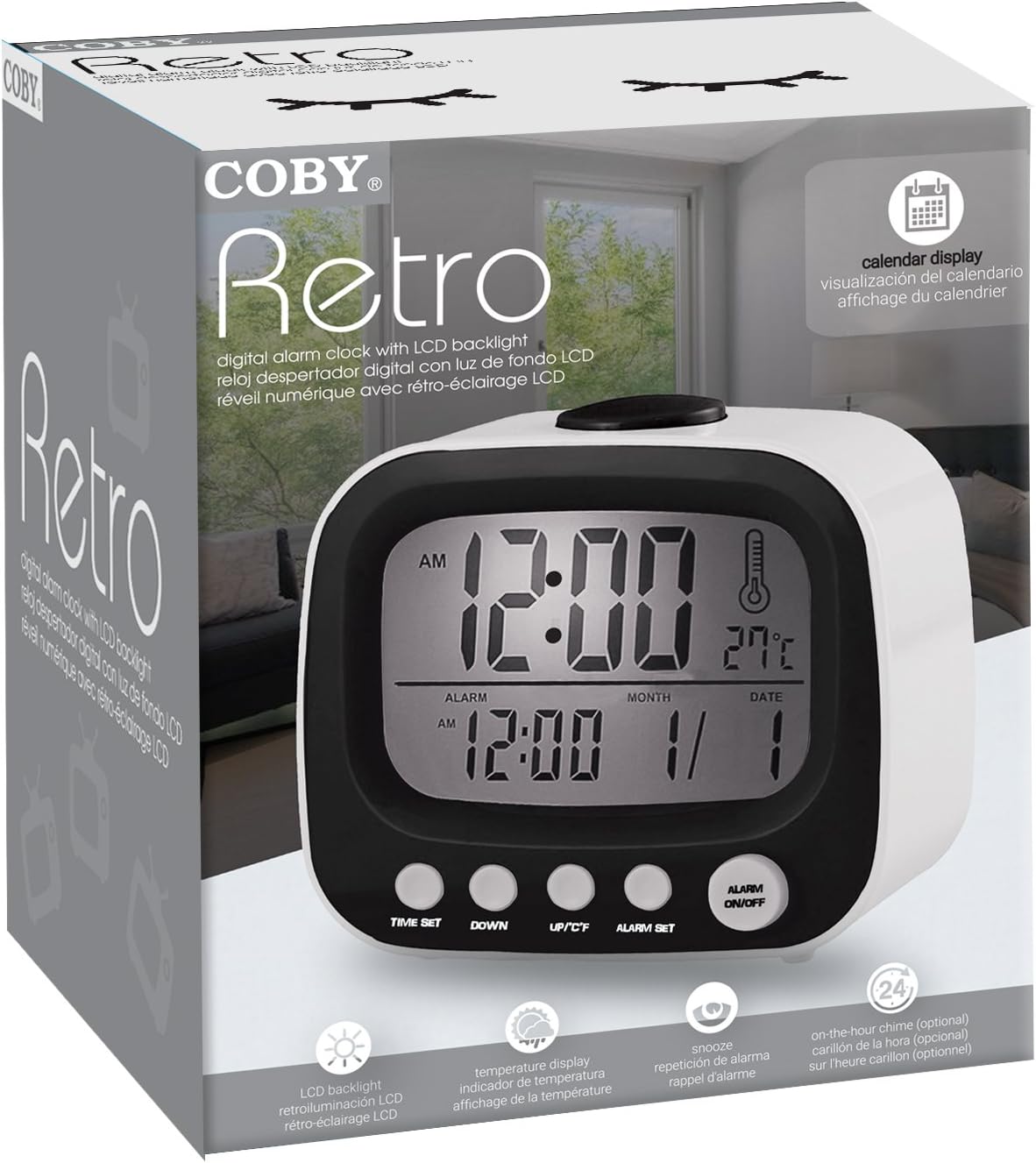
малюнок 2: The Coby Retro LCD Alarm Clock with its backlight activated, providing visibility in low-light conditions.
- To temporarily illuminate the display, press the large СНУЗ / СВІТЛО button on top of the clock. The backlight will stay on for a few seconds.
6. Зміна одиниці вимірювання температури (°C/°F)
- У звичайному режимі відображення часу натисніть UP/°C/°F button once to toggle between Celsius (°C) and Fahrenheit (°F) temperature readings.
7. On-The-Hour Chime
This model features an optional on-the-hour chime. The method to activate/deactivate this feature is typically integrated with the time setting or a dedicated button. If a chime icon is visible on the display, it indicates the chime is active. Consult the quick start guide if provided, or experiment with pressing the UP/°C/°F or ВНИЗ buttons in normal mode to see if a chime icon appears/disappears.
Технічне обслуговування
Прибирання:
- Протріть поверхню годинника м’якою сухою тканиною.
- Не використовуйте абразивні засоби для чищення, віск або розчинники, оскільки вони можуть пошкодити покриття.
- Avoid exposing the clock to excessive moisture or submerging it in water.
Заміна батареї:
- When the display becomes dim or the clock functions erratically, it's time to replace the batteries.
- Follow the "Battery Installation" steps in the Setup section to replace the two AAA batteries.
- Always use new batteries of the same type.
- Утилізуйте старі батареї відповідально відповідно до місцевих правил.
Усунення несправностей
| проблема | Можлива причина | Рішення |
|---|---|---|
| Дисплей порожній або тьмяний. | Батареї розряджені або вставлені неправильно. | Замініть батарейки на нові, дотримуючись правильної полярності. |
| Сигналізація не звучить. | Alarm function is not activated, or alarm time is incorrect. | Ensure the alarm icon is visible on the display. Re-check alarm time setting. |
| Час/дата неправильні. | Time/Date was not set correctly or batteries were removed. | Follow the "Setting the Time and Date" instructions to reset. |
| Показання температури здаються неточними. | Clock is placed near a heat source or vent. | Перемістіть годинник у місце зі стабільною температурою навколишнього середовища. |
Технічні характеристики
| Бренд: | Кобі |
| Номер моделі: | CBC-52-WHT |
| колір: | Білий |
| Тип дисплея: | Цифровий РК-дисплей |
| Джерело живлення: | 2 батареї AAA (не входять в комплект) |
| Розміри продукту: | 20.32 x 7.62 x 10.16 см (8 x 3 x 4 дюйма) |
| Вага товару: | 249.47 г (0.55 фунта) |
| Особливості: | Alarm, Calendar Display, Snooze, Temperature Display, On-The-Hour Chime |
| Виробник: | Summit Electronics, US |
Гарантія та підтримка
Coby products are designed for reliability and performance. For information regarding warranty coverage, technical support, or service inquiries, please refer to the warranty card included with your purchase or visit the official Coby webсайт. Будь ласка, збережіть підтвердження покупки для гарантійних претензій.
For further assistance, you may contact Coby customer support through their official channels. Always provide your product model number (CBC-52-WHT) when seeking support.
Ask a question about this manual
Ask about setup, troubleshooting, compatibility, parts, safety, or missing instructions. Manuals+ will review the question and use this page’s manual context to help answer it.