
1. Вступ
Дякуємо за покупкуasing the Excelvan LK-T091 Digital LED Alarm Clock Radio. This manual provides detailed instructions for the proper setup, operation, and maintenance of your device. Please read this manual thoroughly before use and retain it for future reference.
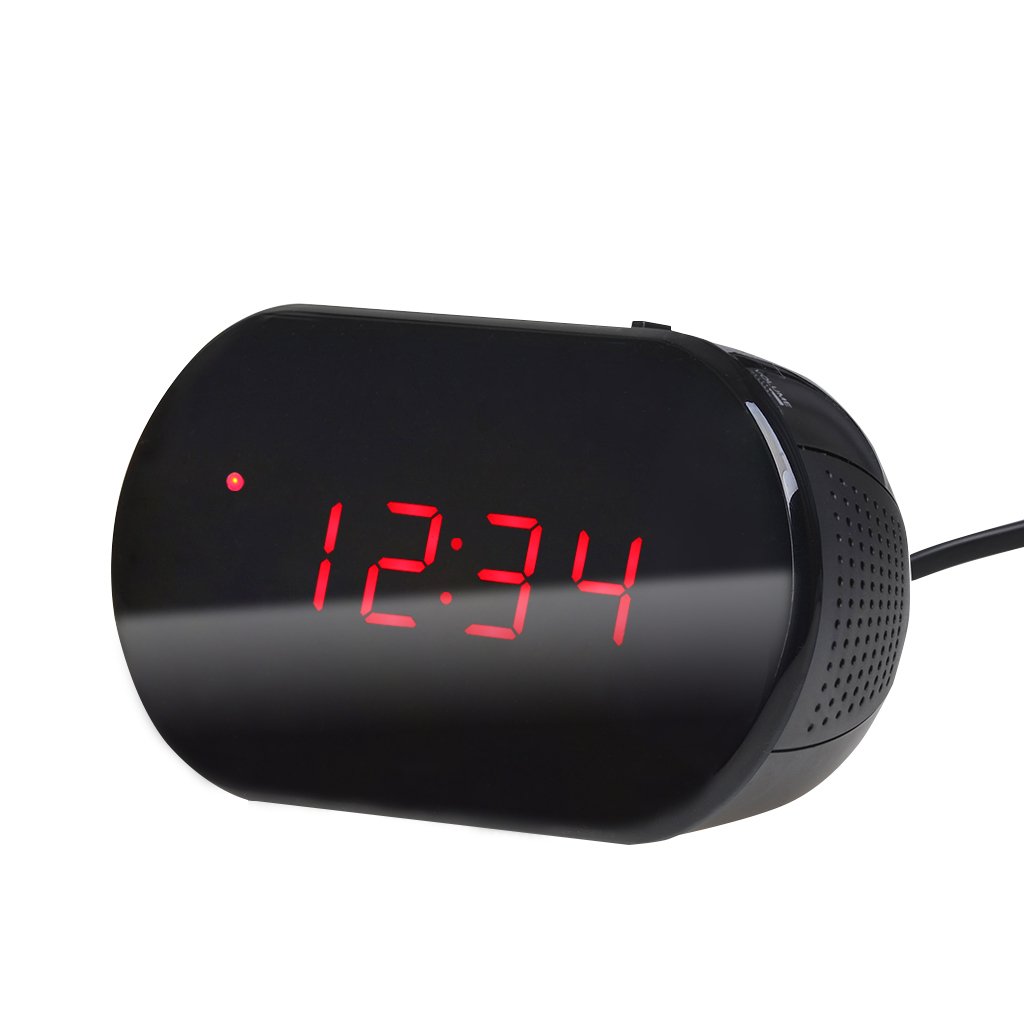
Малюнок 1: Спереду view of the Excelvan LK-T091 Digital LED Alarm Clock Radio.
Вміст упаковки:
- 1 x Excelvan Digital LED Alarm Clock Radio (Model LK-T091)
- 1 х посібник користувача
2. Важлива інформація з безпеки
- Не використовуйте акумуляторні батареї for the backup power. Alkaline or lithium batteries are recommended for optimal performance and longevity.
- Ensure the power adapter is compatible with your local power supply (AC230V ~ 50Hz).
- Не піддавайте пристрій впливу води, вологи або екстремальних температур.
- Уникайте розміщення пристрою поблизу джерел тепла або під прямими сонячними променями.
- Не намагайтеся розбирати або ремонтувати пристрій самостійно. Звертайтеся до кваліфікованого персоналу для проведення будь-яких робіт з обслуговування.
- Зберігати в недоступному для дітей місці.
3. Продукт закінчивсяview
Елементи керування та дисплей:

Figure 2: Top panel controls of the Excelvan LK-T091.
- Світлодіодний дисплей: Показує час, стан будильника та радіочастоту.
- Кнопка СНОЗУ: Тимчасово вимикає сигнал тривоги.
- SET / PRESET Button: Used to set time/alarm and save radio presets.
- ALARM / MEM Button: Activates alarm setting mode and recalls radio presets.
- Кнопка скидання: Resets the unit.
- Tuning Buttons (▲ / ▼): Adjust time, alarm, and radio frequency.
- RADIO / SLEEP Button: Turns radio on/off and activates sleep timer.
- ALARM OFF / BUZZER / RADIO Switch: Selects alarm sound source (off, buzzer, or radio).
- Регулятор гучності: Регулює гучність радіо.

Малюнок 3: Задня частина view showing the battery compartment for backup power.
4. Налаштування
4.1 Підключення живлення
- Connect the AC power cord to the power input jack on the back of the clock radio.
- Plug the other end of the power cord into a standard AC230V ~ 50Hz wall outlet.
- The LED display will light up, indicating the unit is powered on.
4.2 Встановлення резервного акумулятора
The clock radio uses one 9V (6F22 type) battery (not included) for backup power. This battery maintains time settings during a power outage.
- Знайдіть батарейний відсік на нижній панелі пристрою.
- Відкрийте кришку батарейного відсіку.
- Insert one 9V (6F22 type) alkaline or lithium battery, ensuring correct polarity (+ and -).
- Надійно закрийте кришку батарейного відсіку.
- Note: The battery backup only maintains time settings; the display will not be visible during a power outage. Do not use rechargeable batteries.
4.3 Встановлення часу
- Натисніть і утримуйте НАБІР кнопку, доки цифри годин не почнуть блимати.
- Використовуйте ▲ or ▼ (Tuning) buttons to adjust the hour.
- Натисніть НАБІР знову натисніть кнопку; цифри хвилин почнуть блимати.
- Використовуйте ▲ or ▼ (Tuning) buttons to adjust the minutes.
- Натисніть НАБІР button once more to confirm and exit time setting mode. The time is displayed in 24-hour format.
5. Інструкція з експлуатації
5.1 Налаштування будильника
The alarm can be set to wake you with a buzzer or your favorite FM radio station.
- Натисніть і утримуйте ТРИВОГА кнопку, доки цифри годин будильника не почнуть блимати.
- Використовуйте ▲ or ▼ (Tuning) buttons to adjust the alarm hour.
- Натисніть ТРИВОГА button again; the alarm minute digits will flash.
- Використовуйте ▲ or ▼ (Tuning) buttons to adjust the alarm minutes.
- Натисніть ТРИВОГА ще раз натисніть кнопку, щоб підтвердити та вийти з режиму налаштування будильника.
- Щоб активувати будильник, посуньте ALARM OFF / BUZZER / RADIO переключитися на будь-який ЗУНЬ or РАДІО. An alarm indicator will appear on the display.
- To turn off the alarm, slide the switch to ТРИВОГА ВИМКНЕНО.

Figure 4: Choose to wake up to a buzzer sound or your preferred radio station.
5.2 Функція відкладання
Коли пролунає будильник, натисніть велику кнопку СНОЙЗ button to temporarily silence the alarm for approximately 9 minutes. The alarm will sound again after this period. To cancel snooze and turn off the alarm, slide the ALARM OFF / BUZZER / RADIO перейти на ТРИВОГА ВИМКНЕНО.

Figure 5: The snooze function allows for a short delay before the alarm sounds again.
5.3 Робота FM-радіо
5.3.1 Tuning the Radio
- Натисніть РАДІО щоб увімкнути FM-радіо.
- Використовуйте ▲ or ▼ (Tuning) buttons to manually tune to your desired FM frequency (87.5 – 108 MHz).
- Щоб автоматично просканувати наступну доступну станцію, натисніть і утримуйте ▲ or ▼ (Tuning) buttons for a few seconds until the frequency starts scanning.
- Відрегулюйте гучність за допомогою ОБ'ЄМ ручка.
- Натисніть РАДІО знову натисніть кнопку, щоб вимкнути радіо.
5.3.2 Збереження та виклик пресетів
The clock radio can store up to 10 FM radio station presets.
- Tune to your desired station using the tuning method described above.
- Натисніть і утримуйте SET / PRESET кнопку, доки на дисплеї не почне блимати "P01" (або наступний доступний номер попередньої налаштування).
- Використовуйте ▲ or ▼ (Tuning) buttons to select the desired preset number (P01-P10).
- Натисніть SET / PRESET button again to save the station to the selected preset.
- To recall a saved preset, press the ALARM / MEM button repeatedly to cycle through the saved stations.

Figure 6: Digital FM tuning allows for precise station selection and saving presets.
5.4 Функція таймера сну
Таймер сну дозволяє радіо грати протягом встановленого часу, перш ніж автоматично вимкнутися.
- Під час відтворення радіо натисніть кнопку СПАТИ button repeatedly to cycle through the available sleep timer durations: 90, 75, 60, 45, 30, 15, 00 minutes.
- The selected duration will be displayed briefly. The radio will automatically turn off after the set time.
- Щоб скасувати таймер сну, натисніть кнопку СПАТИ button until "00" is displayed, or turn off the radio manually.
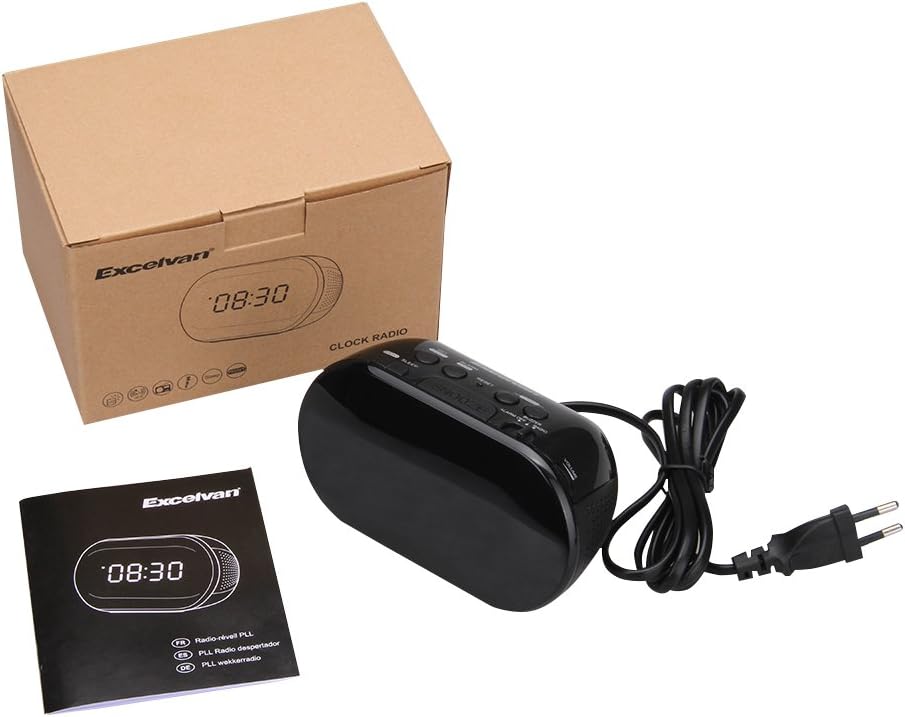
Figure 7: The sleep timer allows you to fall asleep to music, which then automatically turns off.
6. Технічне обслуговування
6.1 Очищення
- Протріть зовнішню частину пристрою м’якою сухою тканиною.
- Не використовуйте абразивні засоби для чищення, віск або розчинники, оскільки вони можуть пошкодити покриття.
- Перед чищенням переконайтеся, що пристрій відключено від розетки.
6.2 Заміна батареї
If the time settings are lost during a power outage, the 9V backup battery may need to be replaced. Follow the instructions in Section 4.2 for battery installation.
7. Вирішення проблем
| проблема | Можлива причина | Рішення |
|---|---|---|
| No display / Unit not turning on | Power cord not connected or power outlet not active. | Переконайтеся, що шнур живлення надійно підключений до пристрою та справної розетки. |
| Налаштування часу/будильника втрачаються після відключення живленняtage | Резервний акумулятор розряджений або не встановлений. | Install a new 9V alkaline or lithium battery in the battery compartment. |
| Поганий прийом FM-радіо | Антена не висунута або сигнал слабкий. | Extend the FM wire antenna fully. Try repositioning the unit for better reception. |
| Сигналізація не звучить | Alarm not set or alarm switch is in "OFF" position. | Verify alarm time is set correctly. Ensure the ALARM OFF / BUZZER / RADIO перемикач встановлено на ЗУНЬ or РАДІО. |
| Дисплей занадто яскравий/тьмяний | No brightness adjustment feature on this model. | The display brightness is fixed. |
8. Технічні характеристики
- модель: ЛК-Т091
- Дисплей: LED, 24-hour format
- Тип сигналізації: Single alarm (Buzzer or FM Radio)
- Діапазон частот FM: 87.5 – 108 МГц
- Таймер сну: 00, 15, 30, 45, 60, 75, 90 хвилин
- Споживана потужність: Змінного струму 230 В ~ 50 Гц
- Резервна батарея: 1 x 9V (6F22 type) battery (not included)
- Product Dimensions (L x H x D): Приблизно 14.15 см x 7.14 см x 0.89 см
- вага: Приблизно 380 г
- матеріал: AC (Plastic)
- колір: чорний
9. Гарантія та підтримка
Excelvan products are designed to provide reliable performance. For specific warranty information, please refer to the warranty card included with your purchase or contact your retailer. If you encounter any issues or require technical assistance, please contact Excelvan customer support through their official webсайт або контактну інформацію, надану разом із вашим продуктом.
Please have your model number (LK-T091) and purchase details ready when contacting support.