
1. Важлива інформація з безпеки
- Вентиляція: Ensure adequate ventilation around the projector. Do not block ventilation openings. Overheating can cause damage.
- Джерело живлення: Use only the specified power adapter. Disconnect power during thunderstorms or when unused for long periods.
- вологість: Do not expose the projector to rain, moisture, or liquids.
- Прибирання: Clean the projector with a soft, dry cloth. Avoid abrasive cleaners.
- Догляд за лінзами: Handle the lens with care. Clean gently with a lens cleaning cloth.
- Розміщення: Розмістіть проектор на стійкій рівній поверхні. Уникайте прямих сонячних променів або джерел тепла.
- Захист очей: Не дивіться безпосередньо в об'єктив проектора, коли він увімкнений.amp увімкнено.
2. Продукт закінчивсяview
2.1. Projector Dimensions
The Excelvan EHD02 projector has compact dimensions, making it portable. The approximate dimensions are 152mm (width) x 220mm (depth) x 76mm (height).
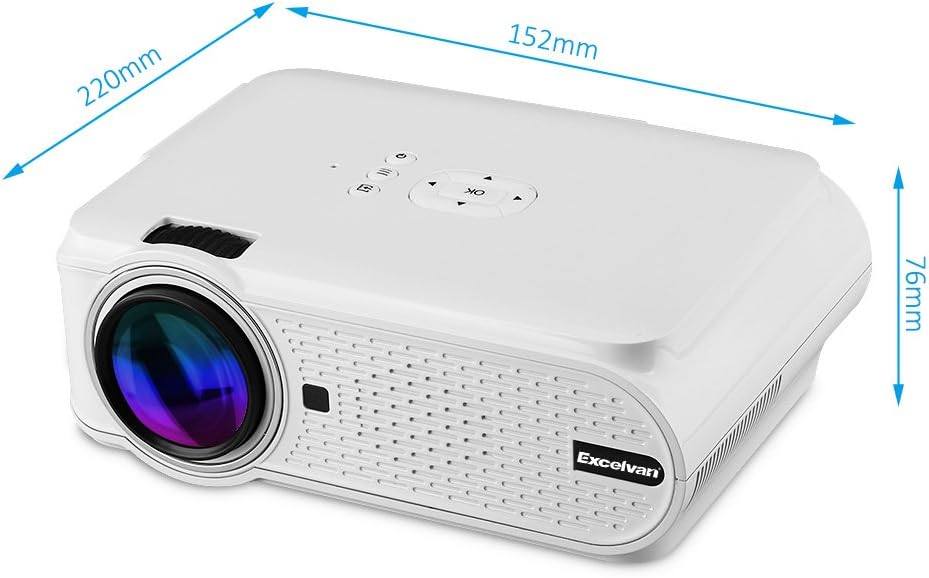
Figure 1: Excelvan EHD02 Mini Projector with labeled dimensions.
2.2. Projector Components and Interfaces
Familiarize yourself with the various ports and controls on your projector for proper setup and operation.

Figure 2: Top controls and rear panel interfaces of the Excelvan EHD02 Projector.
- Top Controls: OK button, Up/Down/Left/Right navigation, Back, Menu, Power.
- Rear Interfaces: VGA port, USB port, Power plug, AV input, 3.5mm Audio port, IR receiver, HDMI port, Keystone adjustment, SD Card slot, TV antenna input.
3. Налаштування
3.1. Розміщення
Position the projector on a flat, stable surface. The projection distance determines the image size. For optimal viewing, ensure the projector is centered with the screen or projection surface.
- Відстань проекції: 1.2 to 3.8 meters (approximately 3.9 to 12.5 feet).
- Розмір зображення: 37 to 130 inches (diagonal).
- Методи проекції: Підтримує передню, задню та стелю проекції.
3.2. Підключення живлення
- Підключіть шнур живлення до входу живлення проектора.
- Підключіть інший кінець шнура живлення до відповідної електричної розетки.
- Засвітиться індикатор живлення.

Figure 3: Power cord and remote control for the projector.
3.3. Підключення джерел вхідного сигналу
Проектор підтримує кілька джерел вхідного сигналу:
- HDMI: Connect to devices like laptops, Blu-ray players, or gaming consoles using an HDMI cable.
- USB: Вставте флеш-накопичувач USB для відтворення медіафайлів files безпосередньо.
- SD-карта: Вставте SD-карту для відтворення медіафайлів files.
- AV: Використовуйте наданий AV-кабель для підключення до старіших пристроїв із композитним відеовиходом.
- VGA: Підключіться до комп'ютерів за допомогою кабелю VGA.
- телевізор: Connect a TV antenna for analog TV reception.
- 3.5 мм аудіо: Підключіть зовнішні динаміки або навушники.
3.4. Фокус і корекція трапецеїдальних спотворень
- Регулювання фокусу: Повертайте кільце фокусування на об'єктиві проектора, доки зображення не стане чітким і різким.
- Корекція трапецеїдальних спотворень: If the projected image appears trapezoidal (wider at the top or bottom), use the keystone adjustment dial (typically on the side or rear) to correct the image shape. The projector supports ±12° vertical manual keystone correction.
4. Інструкція з експлуатації
4.1. Увімкнення/вимкнення живлення
- Увімкнення: Натисніть кнопку живлення на проекторі або пульті дистанційного керування.
- Вимкнення живлення: Press the Power button again. The projector will go into standby mode.
4.2. Menu Navigation and Input Selection
- Use the navigation buttons (Up, Down, Left, Right) and the OK button on the projector or remote to navigate through the on-screen menu.
- Press the "Input" or "Source" button (if available on remote, or navigate through menu) to select your desired input source (HDMI, USB, SD, AV, VGA, TV).
4.3. Підключення до смартфону
Connecting smartphones requires specific cables:
- iPhone/iPad: Requires an original Apple composite AV cable.
- Android Phone: Requires an MHL cable, and the phone must support MHL (Mobile High-Definition Link).
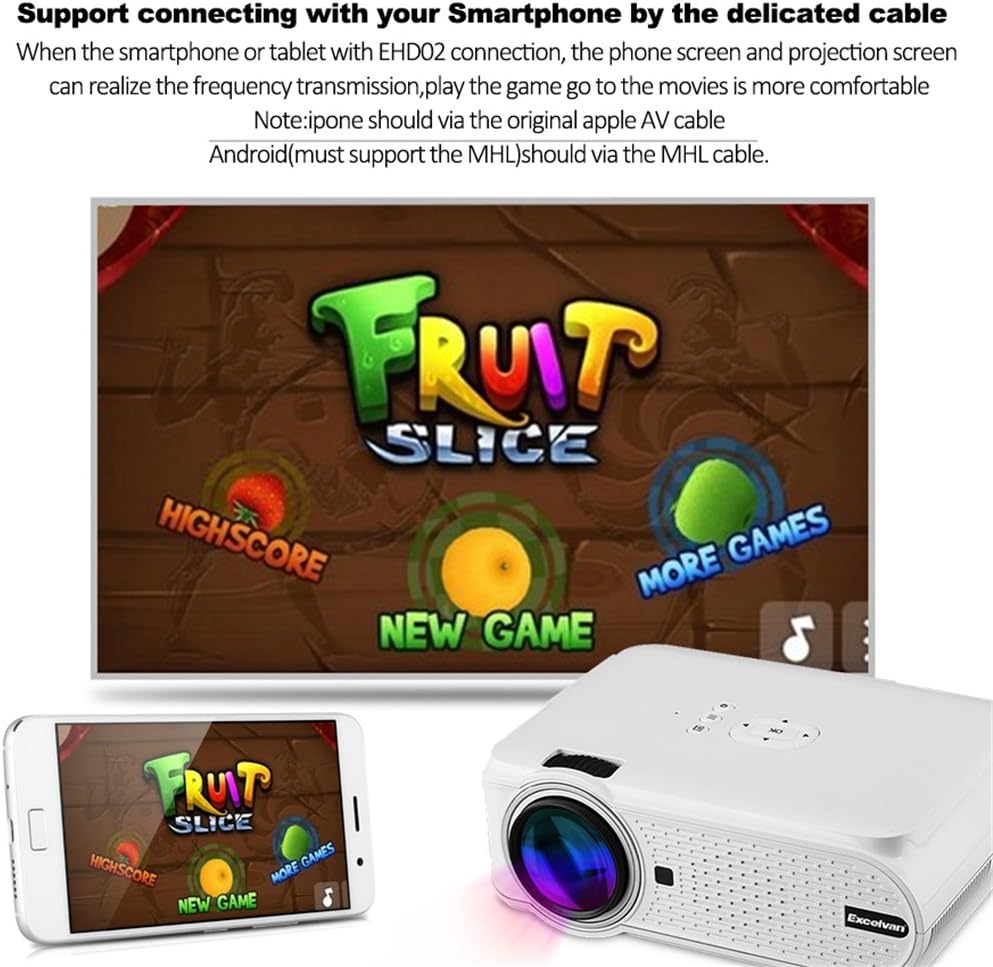
Малюнок 4: Впрample of smartphone connection for content projection.
4.4. Відтворення 3D-файлів
The Excelvan EHD02 projector supports red-blue 3D content only. To view 3D-контент:
- Obtain red-blue 3D source content.
- Use red-blue 3D glasses for viewінж.
5. Технічне обслуговування
- Очищення лінз: Use a soft, lint-free cloth specifically designed for optical lenses to gently wipe the projector lens. Avoid touching the lens with bare hands.
- Видалення пилу: Periodically clean the projector's exterior with a soft, dry cloth. Ensure ventilation openings are free from dust and obstructions to prevent overheating.
- Зберігання: Якщо проектор не використовується протягом тривалого часу, зберігайте його в прохолодному, сухому місці, захищеному від пилу.
6. Вирішення проблем
| проблема | Можлива причина | Рішення |
|---|---|---|
| Зображення не проєктується |
|
|
| Зображення розмите |
|
|
| Зображення має трапецієподібну форму |
|
|
| Ні звуку |
|
|
| Пульт не працює |
|
|
| Projector is noisy or hot |
|
|
7. Технічні характеристики
| Особливість | Деталь |
|---|---|
| Модель | Excelvan EHD02 |
| Тип дисплея | TFT- Single LCD Panel + LED Technology |
| Рідна роздільна здатність | 800 x 480 пікселів |
| Підтримувана роздільна здатність | Up to 1080p (1920 x 1080) |
| Яскравість | 1000 люменів |
| Проекційний об'єктив | F=126mm, Manual Focus |
| Коефіцієнт контрастності | 1000:1 |
| Співвідношення сторін | 4:3 / 16:9 |
| Вбудований динамік | 4 Ом 2 Вт |
| Світлодіод Lamp життя | 20,000 години |
| Відображаються кольори | 1.67 Million Colors (Full Color) |
| Мови меню | English, Spanish, French, German, Portuguese, Italian, Chinese, etc. |
| Методи проекції | Спереду, ззаду, стелі |
| Інтерфейси | 1x VGA, 1x USB, 1x SD, 1x HDMI, 1x 3.5mm Audio, 1x AV, 1x TV |
| Розмір зображення (по діагоналі) | 37 - 130 дюймів |
| Відстань проекції | 1.2 - 3.8 метрів |
| Налаштування екрана | Horizontal and Vertical Flip; Image Zoom |
| Корекція коректури | ±12° Vertical (Manual) |
| Розміри (Д x Ш x В) | 220 мм x 152 мм x 76 мм |
| вага | 1.44 кг |
8. Гарантія та підтримка
The Excelvan EHD02 Mini Portable LED Projector comes with a Гарантія 2 рік з дати покупки.
For technical support, warranty claims, or further assistance, please contact your retailer or the Excelvan customer service department. Please have your model number (EHD02) and purchase information ready when contacting support.