
1. Вступ
The CHERRY KC 1000 is a reliable wired keyboard designed for professional office use and everyday computing. It features a full-size Italian QWERTY layout, a flat design, and quiet keystrokes for comfortable and efficient typing. This manual provides essential information for setting up, operating, maintaining, and troubleshooting your keyboard.
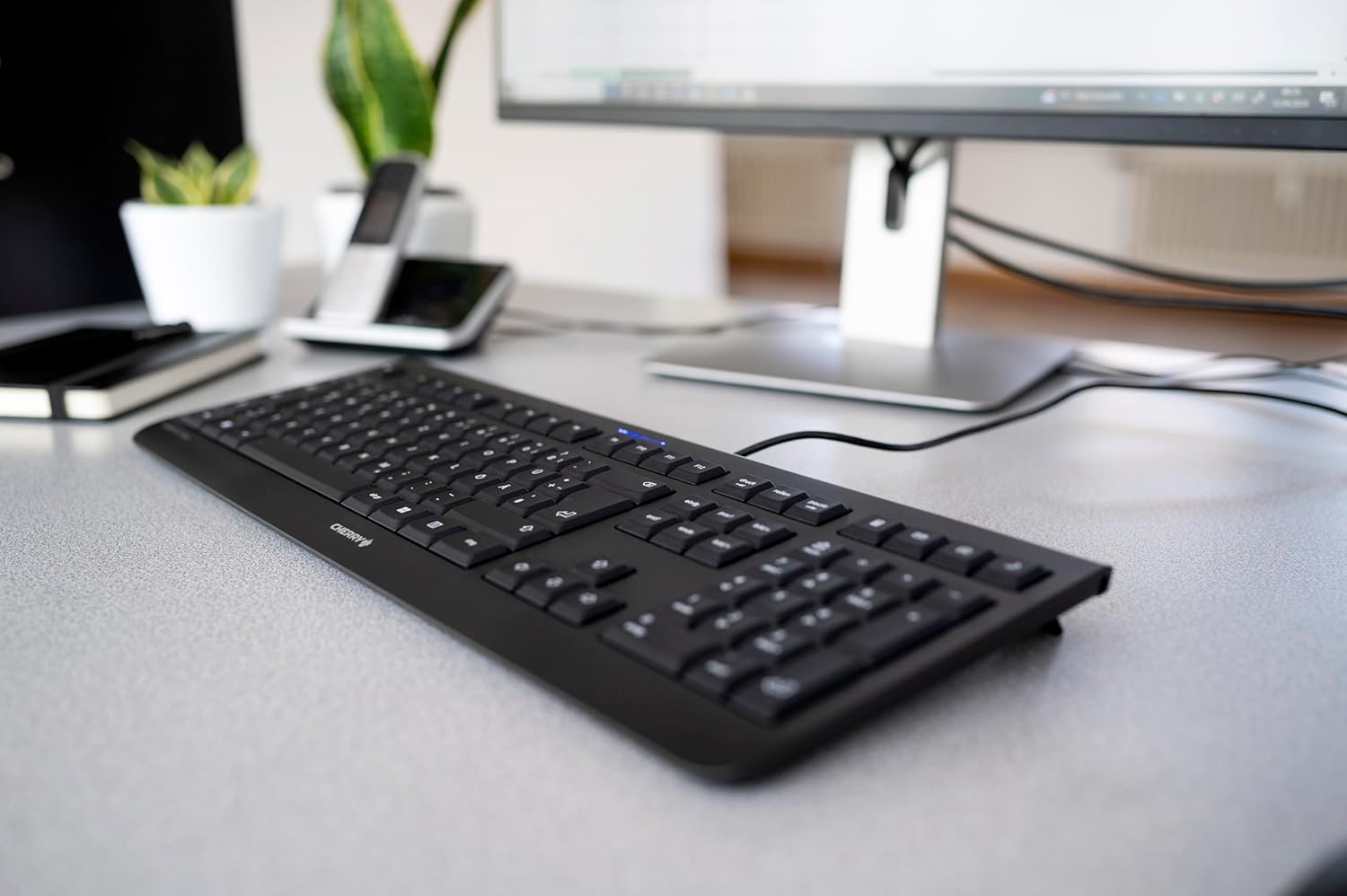
Image 1.1: The CHERRY KC 1000 keyboard in a typical office setup.
2. Налаштування
The CHERRY KC 1000 keyboard is designed for simple Plug & Play installation. No additional drivers are required for most operating systems.
2.1 Підключення клавіатури
- Locate an available USB-A port on your computer (desktop PC, laptop, or compatible device).
- Insert the USB connector of the CHERRY KC 1000 keyboard into the USB-A port.
- Your operating system will automatically detect and install the necessary drivers. This process usually takes a few seconds.
- Тепер клавіатура готова до використання.
The keyboard features a 180 cm (approximately 5.9 feet) long cable, providing ample flexibility for desk arrangements.

Image 2.1: The USB cable connection of the CHERRY KC 1000 keyboard.
3. Робота з клавіатурою
The CHERRY KC 1000 offers a standard Italian QWERTY layout with additional function keys for enhanced productivity.
3.1 Розташування та функції клавіш
The keyboard includes a full-size layout with a dedicated numeric keypad and cursor keys. The Italian QWERTY layout supports specific characters and symbols commonly used in the Italian language.

Зображення 3.1: закінченоview of the CHERRY KC 1000 Italian QWERTY key layout.
3.2 Спеціальні функціональні клавіші
The keyboard features 4 additional keys located above the numeric keypad for quick access to common functions:
- Калькулятор: Opens the default calculator application.
- Електронна пошта: Launches your default email client.
- Браузер: Відкриває ваш стандартний web браузер.
- Режим сну: Puts your computer into sleep mode.
3.3 Світлодіоди стану
Three blue status LEDs are located above the function keys to indicate the status of:
- CAPS LOCK: Світиться, коли активовано Caps Lock.
- NUM: Світиться, коли активовано Num Lock.
- ПРОКРУЛЬ: Світиться, коли активовано Scroll Lock.

Image 3.2: User interacting with the CHERRY KC 1000 keyboard.
4. Технічне обслуговування
Proper care and maintenance will ensure the longevity and optimal performance of your CHERRY KC 1000 keyboard.
4.1 Очищення клавіатури
- Від’єднайте клавіатуру від комп’ютера перед чищенням.
- Злегка протріть м’якою тканиною без ворсу dampened with water or a mild cleaning solution (e.g., isopropyl alcohol) to wipe the keycaps and keyboard surface.
- Avoid using abrasive cleaners, solvents, or harsh chemicals, as these can damage the keyboard's finish or key legends.
- Для видалення пилу та сміття між клавішами використовуйте стиснене повітря або невелику щітку.
- Переконайтеся, що клавіатура повністю суха, перш ніж знову підключати її до комп’ютера.
4.2 Загальний догляд
- Уникайте розливання рідин на клавіатуру.
- Не піддавайте клавіатуру впливу екстремальних температур або прямих сонячних променів протягом тривалого часу.
- Do not attempt to disassemble the keyboard, as this may void the warranty.
5. Вирішення проблем
If you encounter issues with your CHERRY KC 1000 keyboard, refer to the following common troubleshooting steps.
5.1 Клавіатура не реагує
- Перевірте підключення USB: Ensure the USB cable is securely plugged into both the keyboard and the computer's USB port. Try a different USB port.
- Перезавантажте комп'ютер: Іноді просте перезавантаження комп'ютера може вирішити проблеми з підключенням.
- Тест на іншому комп'ютері: If possible, connect the keyboard to another computer to determine if the issue is with the keyboard or the original computer.
- Перевстановлення драйвера: Although Plug & Play, sometimes reinstalling drivers can help. Disconnect the keyboard, restart the computer, and then reconnect the keyboard.
5.2 Клавіші не працюють належним чином
- Чисті ключі: Dust or debris under the keycaps can cause keys to stick or not register. Refer to the cleaning instructions in Section 4.1.
- Конфлікти програмного забезпечення: Ensure no other software or keyboard utilities are interfering with the keyboard's operation.
5.3 Status LEDs Not Working
- Verify that the corresponding lock function (Caps Lock, Num Lock, Scroll Lock) is activated.
- If the keyboard is otherwise functional, a minor software glitch might be preventing the LED from lighting up. A computer restart may resolve this.
6. Технічні характеристики
Below are the technical specifications for the CHERRY KC 1000 Wired Keyboard.
| Особливість | Деталь |
|---|---|
| Назва моделі | ВИШНЯ KC 1000 |
| Номер моделі | JK-0800IT-2 |
| Підключення | Дротовий USB-A |
| Розкладка клавіатури | Italian QWERTY |
| Кількість клавіш | 109 |
| Ключові технології | Membrane or Rubber Dome |
| Особливості | Whisper-quiet keystroke, 4 additional function keys (Calculator, Email, Browser, Sleep Mode), 3 blue status LEDs |
| Довжина кабелю | 1.8 метрів (5.9 фути) |
| матеріал | пластик |
| Колір | чорний |
| вага | 530 грамів |
| Сумісні пристрої | Ноутбук, ПК |
| Сертифікати | c-tick, cULus, CE, FCC, BSMI, TÜV/GS, Blue Angel eco-label |
7. Гарантія та підтримка
CHERRY products are manufactured to high-quality standards. For information regarding warranty coverage, please refer to the warranty card included with your product or visit the official CHERRY website. For technical support or further assistance, please contact CHERRY customer service through their official channels.
The product package includes: 1 CHERRY KC 1000 keyboard and a printed instruction manual.