
вступ
This manual provides comprehensive instructions for the setup, operation, and maintenance of your Zelotes T90 Professional 9200 DPI High Precision USB Wired Gaming Mouse. Please read this manual thoroughly before using the product to ensure optimal performance and longevity.

Figure 1: Zelotes T90 Professional Gaming Mouse, showcasing its ergonomic design and LED lighting.
Вміст упаковки
- 1 x Zelotes T90 Gaming Mouse
- 1 x Інструкція з експлуатації (цей документ)
Налаштування
Системні вимоги
- Operating System: Windows 98/ 2000/ ME/ NT / XP/ win 7/ win 8/ win 10/ Mac OS and other OS
- Інтерфейс: порт USB
монтаж
- Розпакуйте мишу: Carefully remove the Zelotes T90 Gaming Mouse from its packaging.
- Зняти захисну плівку: Before use, please remove the foot pad protective film located on the underside of the mouse.
- Підключення до комп'ютера: Plug the USB connector of the mouse into an available USB port on your computer. The mouse is plug-and-play and does not require additional driver installation for basic functionality.
Інструкція з експлуатації
Функції кнопок
The Zelotes T90 mouse features 8 programmable buttons designed for enhanced gaming and productivity.
- Клацніть лівою кнопкою миші
- Клацніть правою кнопкою миші
- Middle Button / Scroll Wheel
- Кнопка вперед: Quick forward function when browsing the web or navigating folders.
- Кнопка "Назад": Quick backward function when browsing the web or navigating folders.
- Кнопка DPI: Налаштовує чутливість миші (DPI).
- Пожежний ключ: Configurable for rapid actions.
- Перемикач режиму освітлення: Керує світлодіодними світлодіодними ефектами.
Налаштування чутливості (DPI)
The mouse supports 6-speed DPI adjustment, allowing you to customize sensitivity for different tasks or games. Press the кнопка DPI to cycle through the following settings:
- 1000 DPI: Indicated by red light flashing 3 times.
- 1600 DPI: Indicated by orange light.
- 2400 DPI: Indicated by green light.
- 3200 DPI: Indicated by light blue light.
- 5500 DPI: Indicated by blue light.
- 9200 DPI: Indicated by purple light.

Figure 2: Location of DPI and Fire Key buttons on the Zelotes T90 mouse.
Fire Key Function
- Коротке натискання: Performs a double click.
- Тривале натискання (більше 2 секунд): Switches to triple click mode. The light will flash 3 times to confirm the successful switch.
Перемикач режиму освітлення
The Zelotes T90 features various LED lighting modes:
- Коротке натискання: Cycles through 7-color breathing, 6 single-color breathing, and 6 single-color constant light modes (13 modes total).
- Тривале натискання (більше 2 секунд): Turns off the LED lights.

Figure 3: The Zelotes T90 mouse showcasing its 7-color cycle breathing and single-color lighting options.
Система настройки ваги
The mouse includes 8 removable 2.5-gram weights, allowing you to customize the mouse's weight and balance for improved stability and control, especially during fast movements.
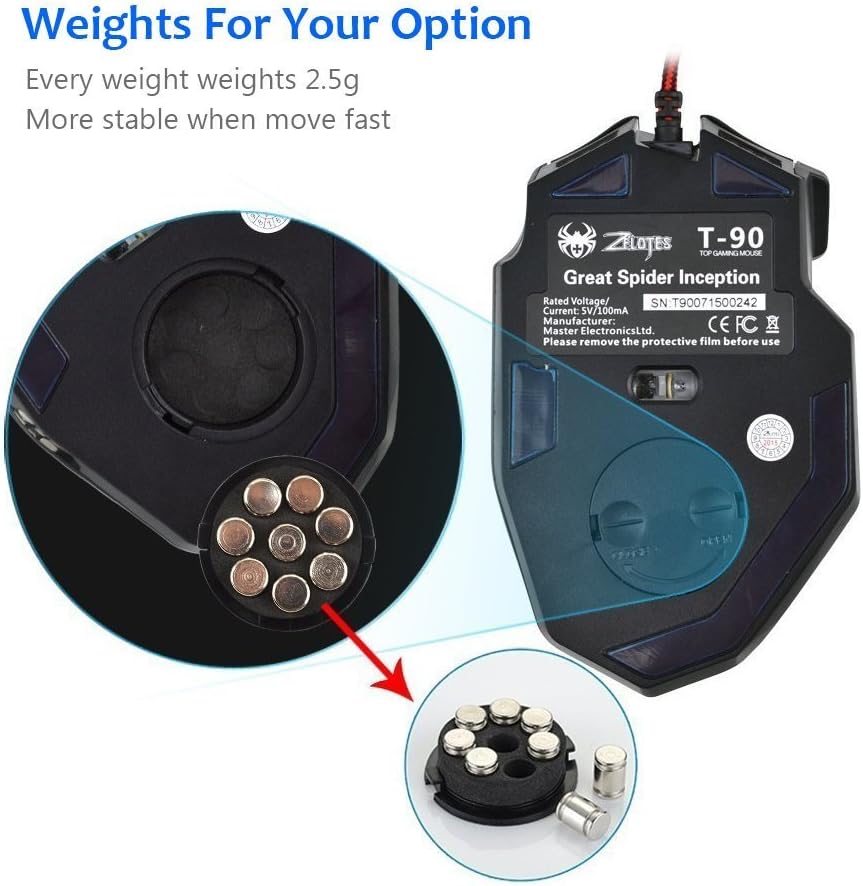
Figure 4: Location of the weight tuning system on the underside of the Zelotes T90 mouse.
Технічне обслуговування
прибирання
- Для очищення поверхні миші використовуйте м’яку суху тканину.
- Для стійкого бруду злегкаampПротріть тканину водою або м’яким миючим розчином. Уникайте агресивних хімікатів.
- Не занурюйте мишу у воду або будь-яку рідину.
Зберігання
Зберігайте мишу в прохолодному, сухому місці, подалі від прямих сонячних променів та екстремальних температур, якщо вона не використовується протягом тривалого часу.
Усунення несправностей
| проблема | Можлива причина | Рішення |
|---|---|---|
| Миша не відповідає | Нещільне USB-з'єднання, несправний USB-порт, системна помилка. | Переконайтеся, що USB-кабель надійно підключено до комп’ютера. Спробуйте інший USB-порт. Перезавантажте комп’ютер. |
| Світлодіодні лампи не працюють | Lights turned off, software issue. | Short press the Light Mode Switch button to cycle through modes. Long press the Light Mode Switch button for more than 2 seconds to turn lights on if they were off. |
| Налаштування DPI не змінюється | Кнопка DPI натиснута неправильно. | Ensure you are pressing the dedicated DPI button. Observe the light flashes to confirm DPI changes. |
| Mouse cursor erratic or jumpy | Брудний оптичний датчик, невідповідна поверхня килимка для миші. | Clean the optical sensor on the underside of the mouse. Use a clean, uniform mouse pad surface. |
| Mouse settings reset | Accidental factory reset. | Press the left and right buttons simultaneously for more than 2 seconds to restore factory settings. If settings are reset, reconfigure them as desired. |
Технічні характеристики
| Модель | T90 |
| Розміри (ДxШxВ) | 130 мм x 81 мм x 40 мм (5.12 x 3.19 x 1.57 дюйми) |
| вага | 145g ± 5g (excluding cable) |
| Противага | 8 x 2.5 Gram tuning weights |
| Налаштування DPI | 1000/1600/2400/3200/5500/9200 DPI |
| FPS | 6666 |
| Прискорення | 23G |
| Швидкість опитування | 500 Гц |
| Switch Life | 800 мільйони разів |
| кнопки | 8 |
| Довжина кабелю USB | 1.8M braided-fiber cable |
| Інтерфейс | USB |
| Optical Type | Red wave |
| Сумісність | Windows 98/ 2000/ ME/ NT / XP/ win 7/ win 8/ win 10/ Mac OS and other OS |
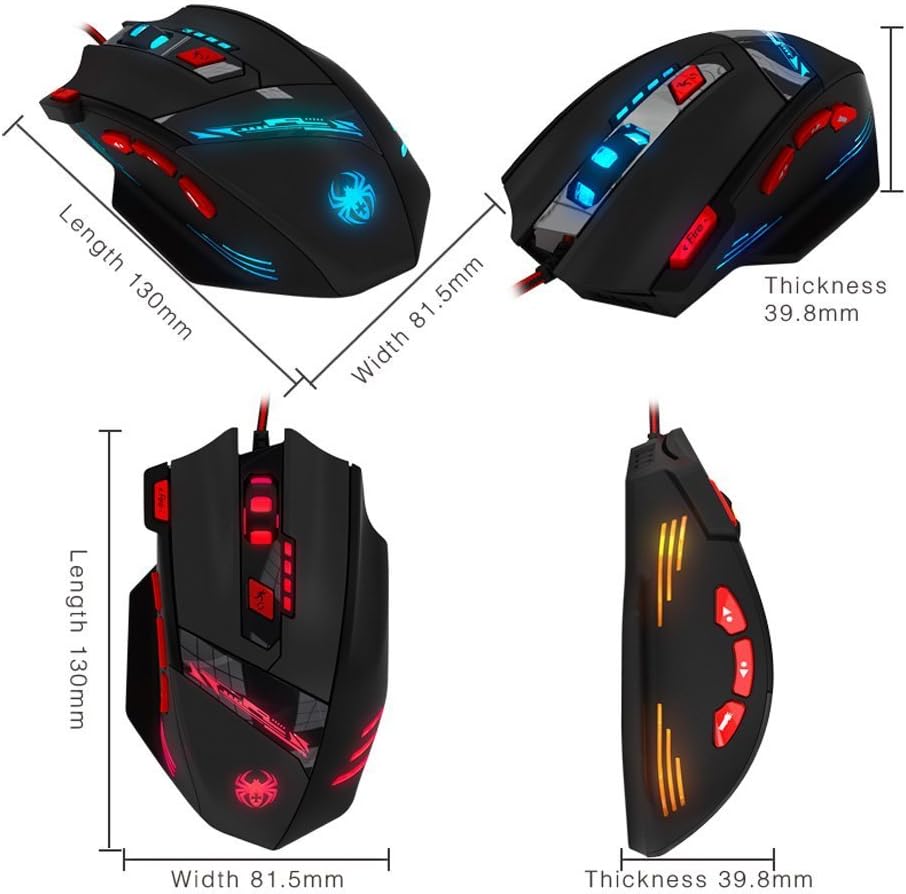
Figure 5: Detailed dimensions of the Zelotes T90 Professional Gaming Mouse.
Ергономічний дизайн
The Zelotes T90 mouse is designed with ergonomics in mind, providing a comfortable fit for both fingertip and claw-style grips. This design aims to reduce fatigue during long periods of use.

Figure 6: Ergonomic design of the Zelotes T90 mouse, showing a comfortable hand grip.
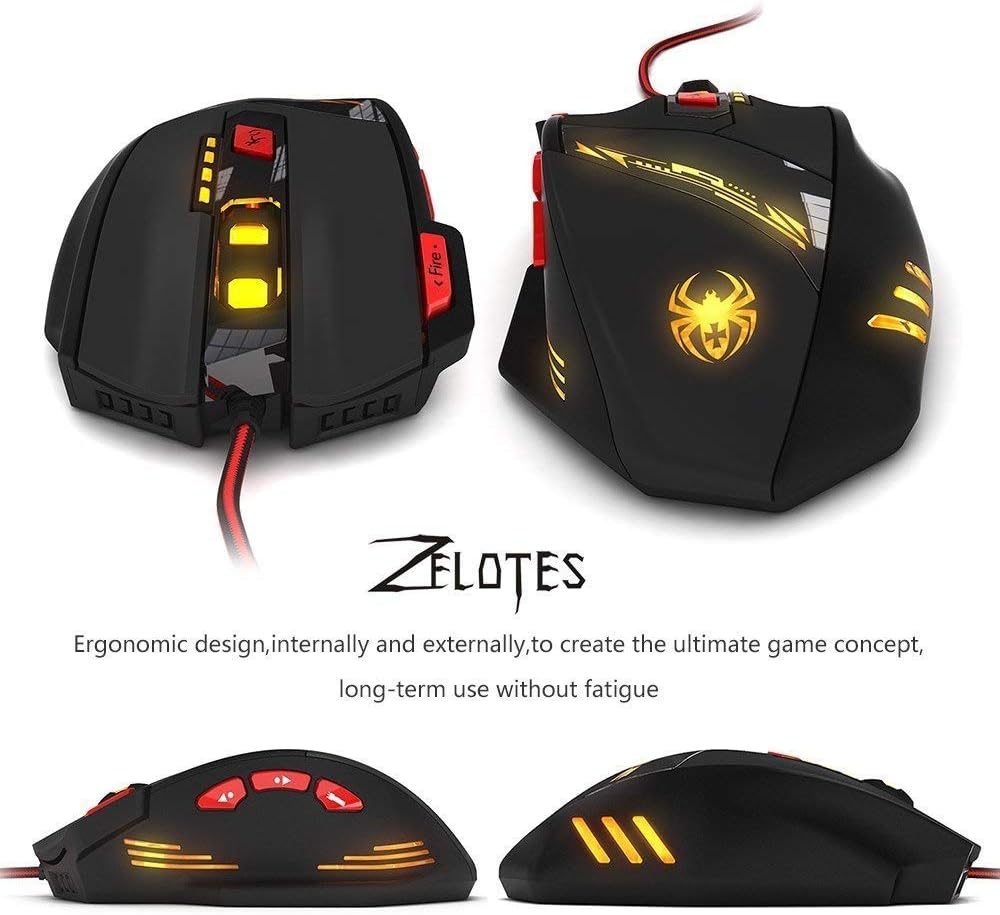
Малюнок 7: Різне views highlighting the ergonomic contours of the Zelotes T90 mouse.
Важливі зауваження
- Always remove the foot pad protective film before using the mouse.
- To restore the mouse to factory settings, press and hold the left and right mouse buttons simultaneously for more than 2 seconds.