
1. Вступ
Thank you for choosing the Baseus Bluetooth Selfie Stick with Tripod. This versatile device combines an extendable selfie stick with a stable tripod and a detachable Bluetooth remote control, allowing you to capture photos and videos with ease. Please read this manual carefully before use to ensure proper operation and to maximize your product experience.
2. Продукт закінчивсяview
The Baseus Selfie Stick with Tripod is designed for portability and functionality. It features a compact, foldable design that extends to 810mm, a 360-degree rotatable phone holder, and a removable Bluetooth remote for convenient shooting.
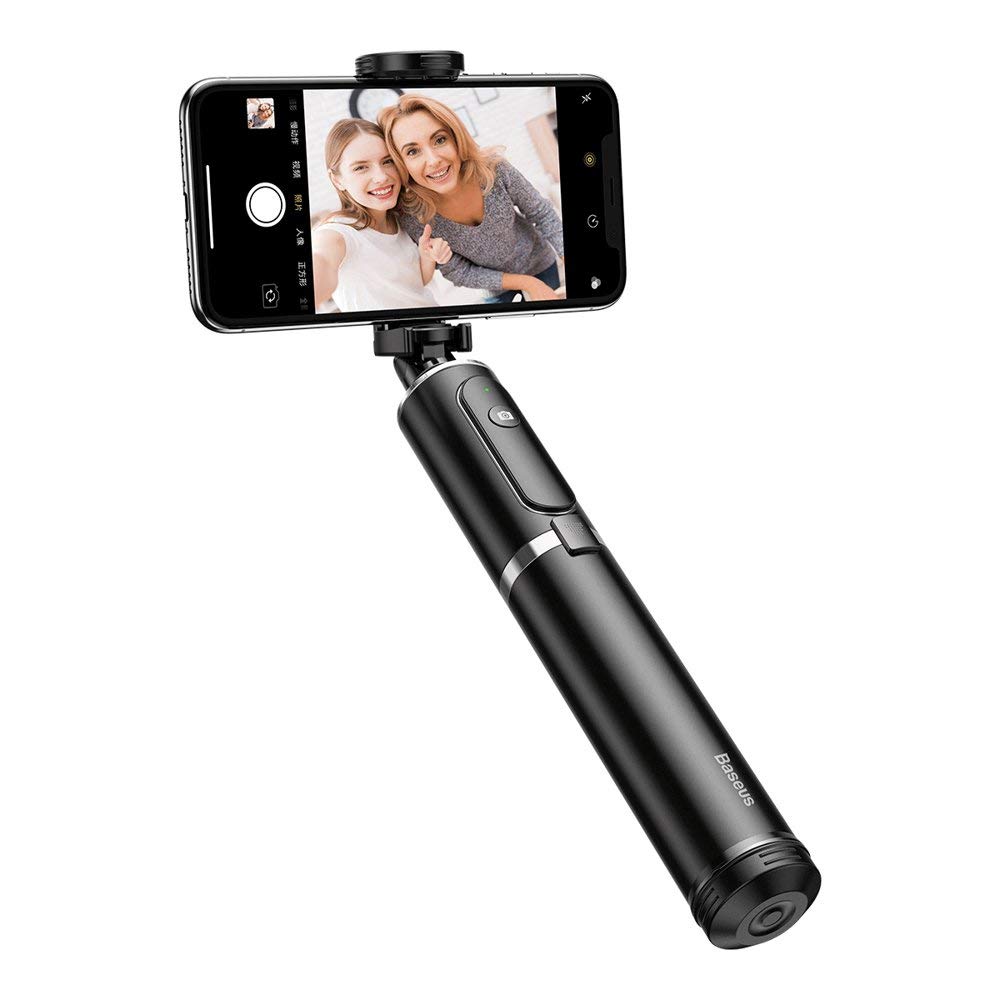
малюнок 2.1: The Baseus Selfie Stick fully extended with a smartphone in tripod mode.

малюнок 2.2: The selfie stick in its compact, folded form, highlighting the remote control.
3. Інформація про безпеку
- Не піддавайте пристрій впливу екстремальних температур або прямих сонячних променів протягом тривалого часу.
- Тримайте пристрій подалі від води та інших рідин.
- Не намагайтеся розібрати чи модифікувати пристрій.
- Ensure your smartphone is securely mounted before extending the stick or using the tripod.
- Зберігати в недоступному для дітей місці.
4. Вміст упаковки
Перевірте наявність усіх предметів у вашій упаковці:
- Baseus Bluetooth Selfie Stick with Tripod (Black/Gray)
- Знімний пульт дистанційного керування Bluetooth
5. Налаштування
5.1 Unfolding and Extending the Selfie Stick
- Gently pull the top part of the stick upwards to unfold it from its compact state.
- Extend the telescopic rod segments to your desired length. The stick can extend up to 810mm.
5.2 Підключення смартфона
- Відкрийте телефон клamp at the top of the stick.
- Обережно помістіть смартфон у відсікamp, ensuring it is held securely. The clamp supports phones up to 6.5 inches.
- Adjust the phone holder's angle and rotation (360 degrees) as needed.

малюнок 5.1: Smartphone mounted horizontally in the clamp.

малюнок 5.2: Smartphone mounted vertically in the clamp.
5.3 Bluetooth Pairing for Remote Control
- Remove the remote control from its slot on the selfie stick.
- Press and hold the button on the remote control until the indicator light starts flashing, indicating it is in pairing mode.
- На своєму смартфоні перейдіть до налаштувань Bluetooth та знайдіть доступні пристрої.
- Select "Baseus Selfie" or a similar name from the list to pair.
- Після сполучення індикатор на пульті дистанційного керування перестане блимати та світитиметься постійно або згасне.
6. Інструкція з експлуатації
6.1 Використання як селфі-палки
Hold the handle firmly and extend the stick to your desired length. Use the Bluetooth remote control to take photos or start/stop video recording.

малюнок 6.1: Using the selfie stick in handheld mode.

малюнок 6.2: Example of a user taking a selfie with the stick.
6.2 Використання як штатива
- While the stick is folded or partially extended, gently push the bottom part to deploy the tripod legs.
- Розмістіть штатив на рівній, стійкій поверхні.
- Adjust the stick's height and phone holder's angle for optimal shooting.
- Use the remote control to capture photos or videos from a distance.

малюнок 6.3: Close-up of the tripod legs.
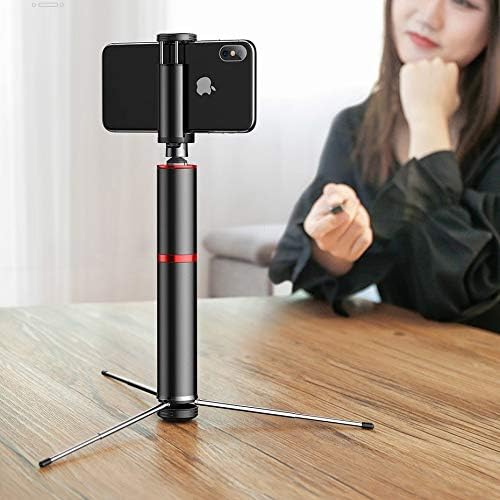
малюнок 6.4: Selfie stick used as a tripod on a table.

малюнок 6.5: Tripod setup with the remote control nearby.
7. Технічне обслуговування
- Прибирання: Протирайте пристрій м’якою сухою тканиною. Не використовуйте агресивні хімікати або абразивні засоби для чищення.
- Зберігання: When not in use, fold the selfie stick to its compact size and store it in a cool, dry place away from direct sunlight.
- Батарея: The remote control uses a small button cell battery. Replace it when the remote's performance degrades.
8. Вирішення проблем
8.1 Пульт дистанційного керування не сполучається
- Ensure the remote control is charged or has a fresh battery.
- Переконайтеся, що Bluetooth увімкнено на вашому смартфоні.
- Restart both your smartphone and the remote control (by removing and reinserting the battery if possible, or turning it off and on).
- Очистіть попередні з’єднання Bluetooth на телефоні та спробуйте знову створити пару.
8.2 Selfie Stick Instability
- Ensure all telescopic segments are fully extended and locked into place (if applicable).
- When using as a tripod, ensure the legs are fully deployed and placed on a flat, stable surface.
- Переконайтеся, що ваш смартфон надійно захищеноamped and balanced.
9. Технічні характеристики
| Номер моделі | SUDYZP-D1S |
| Бренд | Baseus |
| Сумісні пристрої | Mobile Phones (up to 6.5 inches) |
| Вага продукту | 0.3 кілограм |
| Максимальна довжина розширення | 810 мм |
| особливості | Bluetooth Remote Control, Tripod Function, 360-Degree Rotatable Phone Holder |
| Колір | Black - Gray |
10. Гарантія та підтримка
This product comes with a manufacturer's warranty. For detailed warranty information, please refer to the warranty card included in your product packaging or visit the official Baseus webсайт.
For technical support, troubleshooting assistance, or any other inquiries, please contact Baseus customer service through their official channels. You can often find support contact information on the Baseus webсайті або на упаковці продукту.
Інтернет-підтримка: www.baseus.com