
1. Вступ
This manual provides detailed instructions for the setup, operation, and maintenance of your Zmodo Mini WiFi 720p HD Wireless Indoor Home Video Security Camera. Please read this manual thoroughly before using the device to ensure proper functionality and safety. This camera is designed for indoor surveillance, offering 720p HD video, two-way audio, and remote access capabilities.
2. Продукт закінчивсяview
Familiarize yourself with the components of your Zmodo Mini WiFi Camera.

Зображення 2.1: Zmodo Mini WiFi Camera mounted on a wall, showing its compact design and lens. This image illustrates the camera's appearance and typical indoor placement.

Зображення 2.2: Zmodo Mini WiFi Camera held in a person's hand, demonstrating its small and portable size. This helps visualize the camera's dimensions.
Зображення 2.3: Zmodo Mini WiFi Camera displayed with its power adapter and a quick guide. This shows the main items included in the product package.
2.1 Вміст упаковки
- Zmodo Mini WiFi Camera
- Адаптер живлення
- Короткий посібник
3. Інструкції з налаштування
3.1 Завантаження програми
Для контролю і view your camera, download the MeShare app. шукати "MeShare" in the Apple App Store (for iOS 6 and up) or Google Play Store (for Android 2.3 and up).
3.2 Увімкнення
- Підключіть адаптер живлення до вхідного порту живлення камери.
- Підключіть адаптер живлення до стандартної електричної розетки.
- Wait for the camera's indicator light to show a specific status (refer to the app for light status meanings during setup).
3.3 Network Connection (SmartLink)
The camera uses 2.4GHz Wi-Fi for connectivity. It is not compatible with 5GHz networks.
- Open the MeShare app and create an account or log in.
- Дотримуйтесь інструкцій у додатку, щоб додати новий пристрій.
- Select the SmartLink setup option. The app will guide you through connecting the camera to your home Wi-Fi network.
- Ensure your mobile device is connected to the 2.4GHz Wi-Fi network you intend to connect the camera to during setup.
4. Інструкція з експлуатації
4.1 Живий View та віддалений доступ
Access your camera's live 720p HD video feed from anywhere using the MeShare app on your Android, iPhone, or iPad device. You can also access it via a web браузер на user.meshare.com/user/login.

Зображення 4.1: A laptop, tablet, and smartphone simultaneously displaying live video feeds from Zmodo cameras. This illustrates the multi-device remote access capability.
4.2 Двосторонній аудіозв'язок
The camera features two-way audio, allowing you to listen to the environment around the camera and speak through its built-in speaker using the MeShare app.
4.3 Виявлення руху
The camera is equipped with a motion sensor that can detect movement. You can configure motion alerts within the MeShare app to receive notifications when motion is detected.

Зображення 4.2: A smartphone screen showing a Zmodo alert for motion detected, with video clips available for review. This demonstrates the motion alert feature.
4.4 Нічне бачення
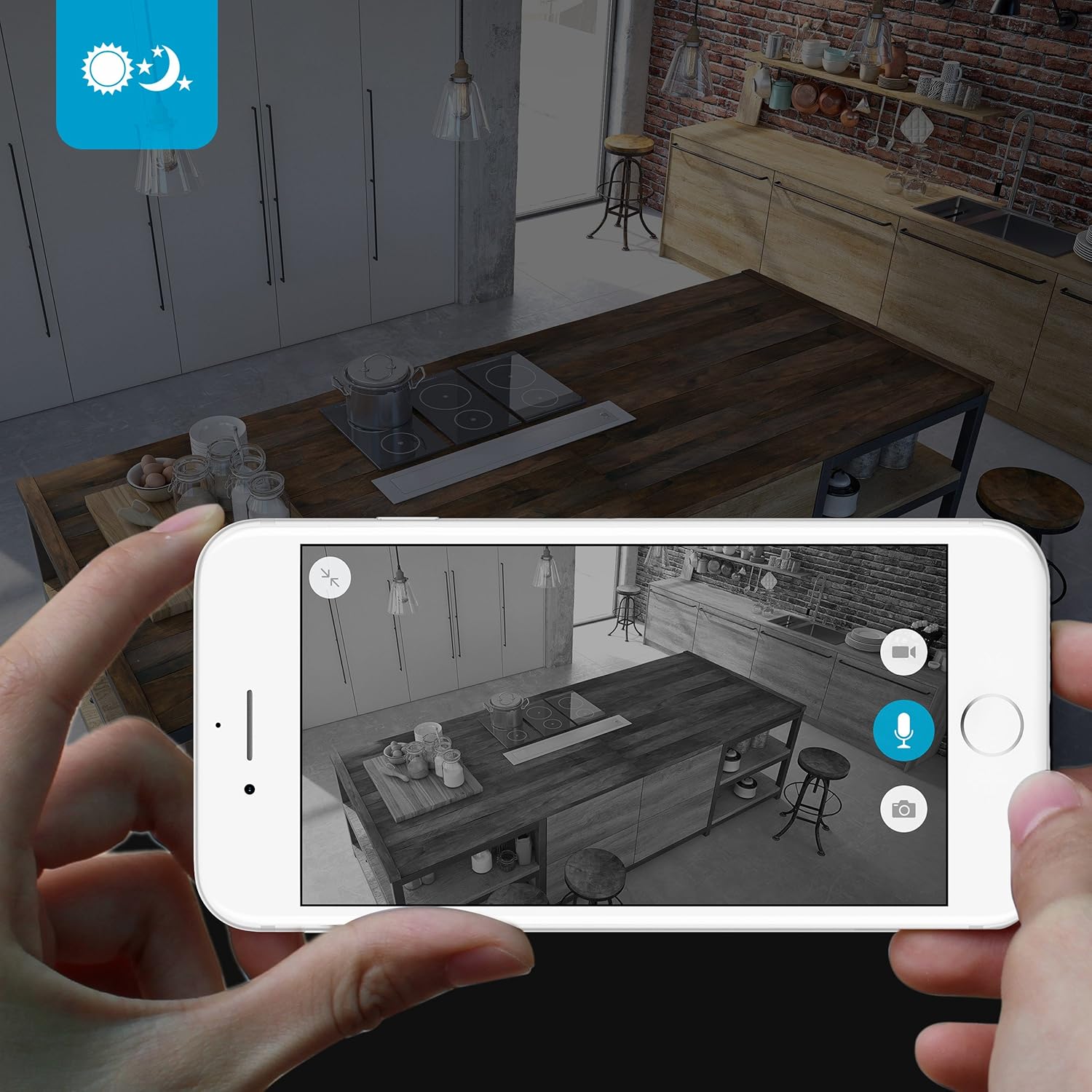
The camera provides clear surveillance even in low-light conditions with its night vision capabilities, offering a range of up to 30 feet. It automatically switches between color day mode and black & white night mode using infrared light.

Зображення 4.3: A smartphone screen showing a black and white night vision view from the Zmodo camera in a kitchen setting. This illustrates the camera's low-light performance.
4.5 Широкий кут View
The camera features a 115° wide-angle lens, allowing for a broad view of your indoor space.

Зображення 4.4: A smartphone screen showing a wide-angle view from the Zmodo camera in a bedroom, capturing a broad area. This highlights the 115-degree field of view.
5. Технічне обслуговування
5.1 Очищення камери
- Перед чищенням переконайтеся, що камера вимкнена.
- Використовуйте м’яку, суху тканину, щоб обережно протерти корпус камери.
- For the lens, use a lens cleaning cloth specifically designed for optics to avoid scratches.
- Не використовуйте рідкі засоби для чищення або аерозольні спреї безпосередньо на камері.
5.2 Екологічні міркування
- Ця камера призначена лише для використання всередині приміщень.
- Уникайте розміщення камери під прямими сонячними променями або поблизу джерел тепла.
- Keep the camera away from moisture and extreme temperatures.
6. Вирішення проблем
6.1 Поширені проблеми та рішення
- Камера не підключається до Wi-Fi: Ensure your Wi-Fi network is 2.4GHz. Verify your Wi-Fi password. Try restarting your router and the camera.
- Погана якість відео: Перевірте швидкість інтернет-з’єднання. Переконайтеся, що об’єктив камери чистий і не має перешкод.
- Немає звуку або звук спотворений: Verify microphone and speaker settings in the MeShare app. Ensure there are no physical obstructions blocking the microphone or speaker.
- Сповіщення про рух не працюють: Check motion detection settings in the MeShare app. Ensure notifications are enabled for the app on your mobile device.
- Камера офлайн: Check if the camera is powered on. Verify your Wi-Fi network is active and stable. Try restarting the camera.
7. Технічні характеристики
| Особливість | опис |
|---|---|
| Номер моделі | WAUBMAKGCUVDD |
| Роздільна здатність захоплення відео | 720p HD |
| Технологія підключення | Бездротовий зв'язок (Wi-Fi 2.4 ГГц) |
| Двостороннє аудіо | так |
| Широкий кут | 115° |
| Діапазон нічного бачення | Up to 30 Feet (Infrared) |
| Датчик руху | Так (тип сповіщення лише про рух) |
| Джерело живлення | Змінний/постійний струм (5 вольт, 5 вати) |
| Використання в приміщенні/зовні | закритий |
| Розміри (Д x Ш x В) | 7 x 2.1 x 4.5 дюймів |
| Вага товару | 12 унції |
| Сумісні пристрої | Video Monitor (Android, iPhone, iPad) |
8. Гарантія та підтримка
For warranty information or technical support, please refer to the official Zmodo website or contact Zmodo customer service directly. Keep your purchase receipt for warranty claims.
Щоб отримати додаткову допомогу, відвідайте Zmodo Store on Amazon.