
вступ
Дякуємо за покупкуasing the DIAFIELD 1byone Ultra-Thin Wireless Keyboard. This manual provides detailed instructions on how to set up, operate, and maintain your new keyboard. Please read this manual thoroughly before use to ensure optimal performance and longevity of your device.
Продукт закінченийview
The DIAFIELD 1byone Ultra-Thin Wireless Keyboard is designed for versatility and convenience, featuring a compact design, a multi-function touchpad, and broad compatibility.

Figure 1: DIAFIELD 1byone Wireless Keyboard
Ключові характеристики:
- Ultra Portability: Designed for use anywhere, anytime, with your smartphone, tablet, or Smart TV. Its compact design ensures easy transport and quick setup.
- Вбудована сенсорна панель: Features an ultra-thin touchpad that functions as a mouse, supporting various pre-set gestures for convenient navigation. The touchpad can also be disabled if not needed.
- Тривалий термін служби батареї: Equipped with a 500 mAh built-in battery, providing up to 4 months of standby time or 90 hours of continuous use on a single charge.
- Spanish QWERTY Layout: Specifically designed for Spanish speakers, including common Spanish symbols and the 'Ñ' key. Ensure your system's keyboard language is set to Spanish for proper functionality.
- Підключення Bluetooth 3.0: Ensures fast and stable connections with tablets and other devices, providing synchronous input without delay. Setup is quick and easy.

Figure 2: Touchpad and Function Keys

Figure 3: Type-C Charging and Battery Life
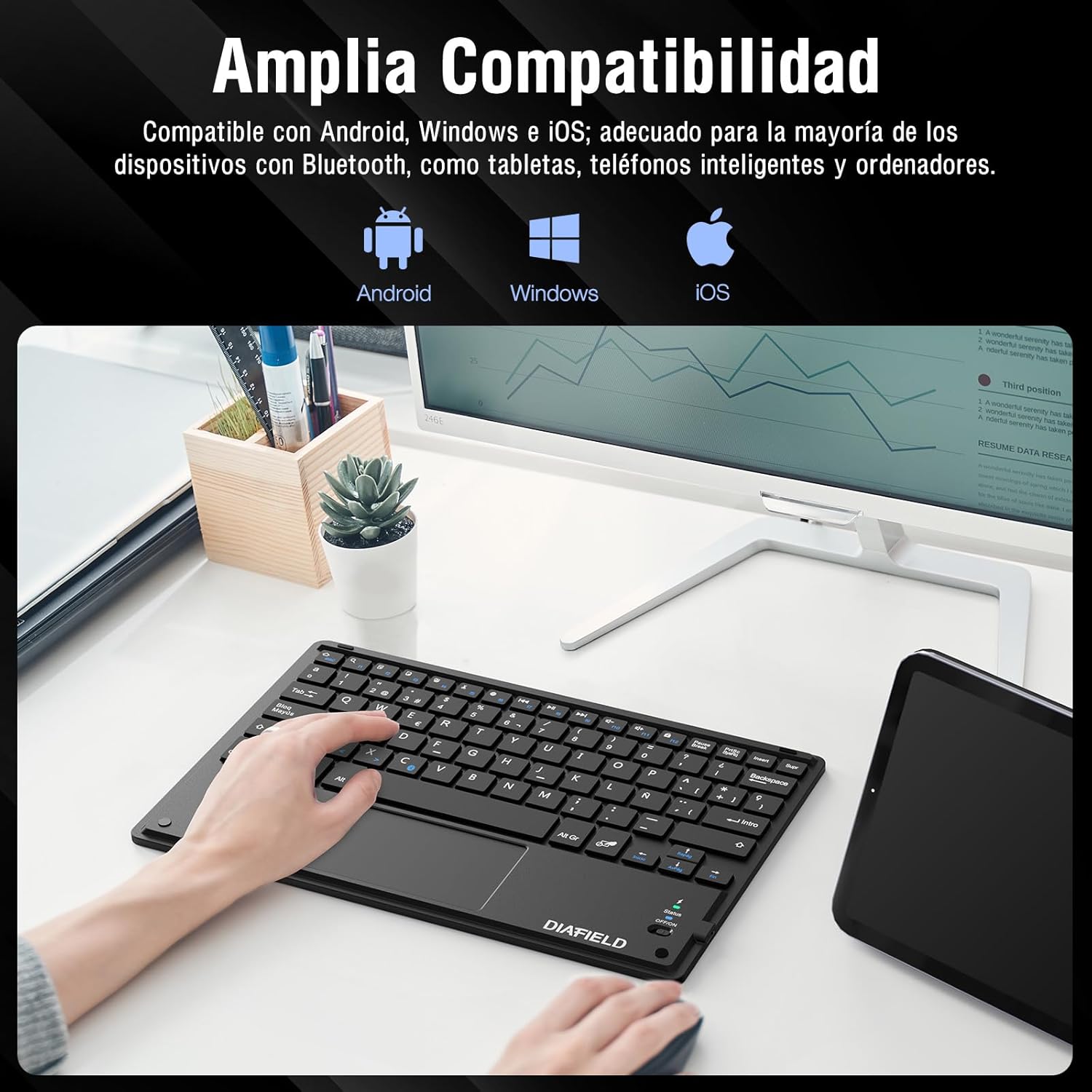
Рисунок 4: Широка сумісність пристроїв

Figure 5: Scissor-Type Key Mechanism

Figure 6: Compact and Lightweight Design

Figure 7: Multi-touch Gestures

Figure 8: Keyboard in Use with Tablet
Посібник із налаштування
1. Заряджання клавіатури
Before first use, ensure the keyboard is fully charged. Connect the provided USB-C cable to the keyboard's charging port and the other end to a USB power source (e.g., computer, wall adapter). The charging indicator light will show the charging status.
- Charging time: Less than 4 hours.
- Ємність акумулятора: 500 мАг.

Figure 9: Charging the Keyboard
2. Підключення Bluetooth
Follow these simple steps to pair your keyboard with your device:
- Turn on the keyboard by sliding the power switch to the "ON" position. The status indicator light will illuminate.
- Activate Bluetooth on your device (tablet, smartphone, computer, Smart TV).
- On your device, search for available Bluetooth devices. The keyboard will appear as "DIAFIELD KEYBOARD" or similar.
- Select the keyboard from the list to initiate pairing. Your device may prompt you to enter a pairing code displayed on the screen. Type this code on the keyboard and press Enter.
- Once paired, the status indicator light on the keyboard will turn off or change color, indicating a successful connection.
The keyboard supports quick connection and pairing with iOS, Android, and Windows systems.

Figure 10: Bluetooth Pairing on a Smartphone
Інструкція з експлуатації
1. Використання сенсорної панелі
The integrated touchpad supports various multi-touch gestures to enhance your productivity:
- Клацніть лівою кнопкою миші: Одне торкання одним пальцем.
- Клацніть правою кнопкою миші: Торкніться двома пальцями.
- Збільшити/Зменшити: Зведіть або розведіть два пальці.
- Scroll/Explore: Drag two fingers up or down, or left or right.
- Перемикання вікон: Swipe three fingers horizontally.
- Open Task Manager (Windows): Swipe three fingers upwards.
Figure 11: Touchpad Multi-touch Gestures
2. Функціональні клавіші
The top row of keys (F1-F12) includes multimedia and shortcut functions. To use these functions, press the Fn клавішу одночасно з потрібною функціональною клавішею.
| Комбінація клавіш | функція |
|---|---|
| Fn + Esc | додому |
| Fn + F1 | Пошук |
| Fn + F2 | Копія |
| Fn + F3 | Вирізати |
| Fn + F4 | Вставити |
| Fn + F5 | Зменшення гучності |
| Fn + F6 | Збільшення гучності |
| Fn + F7 | Попередній трек |
| Fn + F8 | Відтворення/Пауза |
| Fn + F9 | Наступний трек |
| Fn + F10 | Вимкнути звук |
| Fn + F11 | Виберіть усі |
| Fn + F12 | Блокування екрана |

Figure 12: Keyboard Function Keys
Технічне обслуговування
Proper maintenance will extend the life of your keyboard:
- Прибирання: Використовуйте м’яку, суху тканину без ворсу для очищення поверхні клавіатури. Для стійкого бруду злегкаampПротріть тканину водою або м’яким миючим розчином. Уникайте надмірного зволоження.
- Зберігання: Зберігайте клавіатуру в прохолодному, сухому місці, подалі від прямих сонячних променів та екстремальних температур.
- Догляд за акумулятором: To preserve battery life, avoid fully discharging the keyboard frequently. If storing for a long period, charge it to about 50% and recharge every few months.
- Уникайте рідин: Keep the keyboard away from liquids to prevent damage to internal components.
Усунення несправностей
Поширені проблеми та рішення:
- Клавіатура не підключається через Bluetooth:
- Переконайтеся, що клавіатура заряджена та ввімкнена.
- Переконайтеся, що на вашому пристрої ввімкнено Bluetooth.
- Спробуйте розірвати та повторно підключити клавіатуру в налаштуваннях Bluetooth вашого пристрою.
- Перезавантажте клавіатуру (вимкніть/увімкніть) і пристрій.
- Characters typed do not match the keys (e.g., @ instead of "):
This often happens when the keyboard layout setting on your device does not match the physical layout of the keyboard (Spanish QWERTY). You need to change your device's keyboard input language to Spanish.
For Android devices, follow these general steps (may vary slightly by device model):
- Перейти до Налаштування.
- Перейдіть до Загальне керівництво (or System).
- Виберіть Мова та введення.
- Under "Physical keyboard" or "Keyboards," find your connected keyboard (e.g., "DIAFIELD KEYBOARD").
- Tap on the keyboard name and then select Налаштуйте розкладки клавіатури or Configure keyboard layouts.
- Ensure "Spanish (ES)" is selected or enabled. You might need to disable other languages.
- Alternatively, you can often switch layouts by pressing Ctrl + пробіл на клавіатурі.

Figure 13: Resolving Keyboard Layout Mismatch
- Сенсорна панель не реагує:
- Ensure the touchpad is not accidentally disabled (check for a function key combination that toggles the touchpad).
- Очистіть поверхню сенсорної панелі.
- Reconnect the keyboard via Bluetooth.
Технічні характеристики
| Особливість | Деталь |
|---|---|
| Бренд | 1 НА ОДИН |
| Виробник | ДІАФІЛД |
| Номер моделі | O0000-0713 |
| Розміри продукту | 25.8 х 17.2 х 0.4 см |
| вага | 259 г |
| Колір | чорний |
| Джерело живлення | Акумулятор |
| Тип батареї | Integrated Lithium Battery |
| Акумулятор Voltage | 4.2 вольт |
| Кількість батарей | 1 |
| Апаратна платформа | Computer, Laptop, Smartphone, Tablet, Television |
| Сумісність операційної системи | iOS, Android, Windows |
| Технологія підключення | Bluetooth 3.0 |
| Опис клавіатури | Мультимедіа |
| Рекомендоване використання | Щоденне використання |
| Особливість | Трекпад |
| Кількість клавіш | 81 |
| Keyboard Backlight Color | Один колір |
| Перша доступна дата | 24 серпня 2015 р |
Гарантія та підтримка
For warranty information and technical support, please refer to the contact details provided with your product packaging or visit the official 1 BY ONE webсайт. Зберігайте чек про покупку як підтвердження покупки для будь-яких гарантійних претензій.
Якщо у вас виникли будь-які проблеми, не розглянуті в цьому посібнику, зверніться за допомогою до служби підтримки клієнтів.