
1. Продукт закінчивсяview
The BUFFALO DriveStation Ultra is a high-performance, high-capacity direct attached storage (DAS) solution designed for demanding data transfer needs, such as high-resolution video editing. This 10-drive desktop model offers a 40 TB storage capacity and features multi-interface support for both Mac and PC systems.
Ключові особливості:
- Industry-leading throughput: Up to 972 MB/s Read and 737 MB/s Write speeds.
- Multi-interface support: Thunderbolt 2 for Mac, and eSATA/USB 3.0 for Windows.
- Advanced data protection: Supports RAID 6 configurations, allowing for up to two drive failures without data loss.
- Equipped with enterprise or NAS hard drives for continuous operation.
1.1 Що в коробці
- DriveStation™ Ultra unit
- Кабель Thunderbolt
- Кабель USB 3.0
- Кабель eSATA
- Посібник із швидкого налаштування
- Гарантійна заява
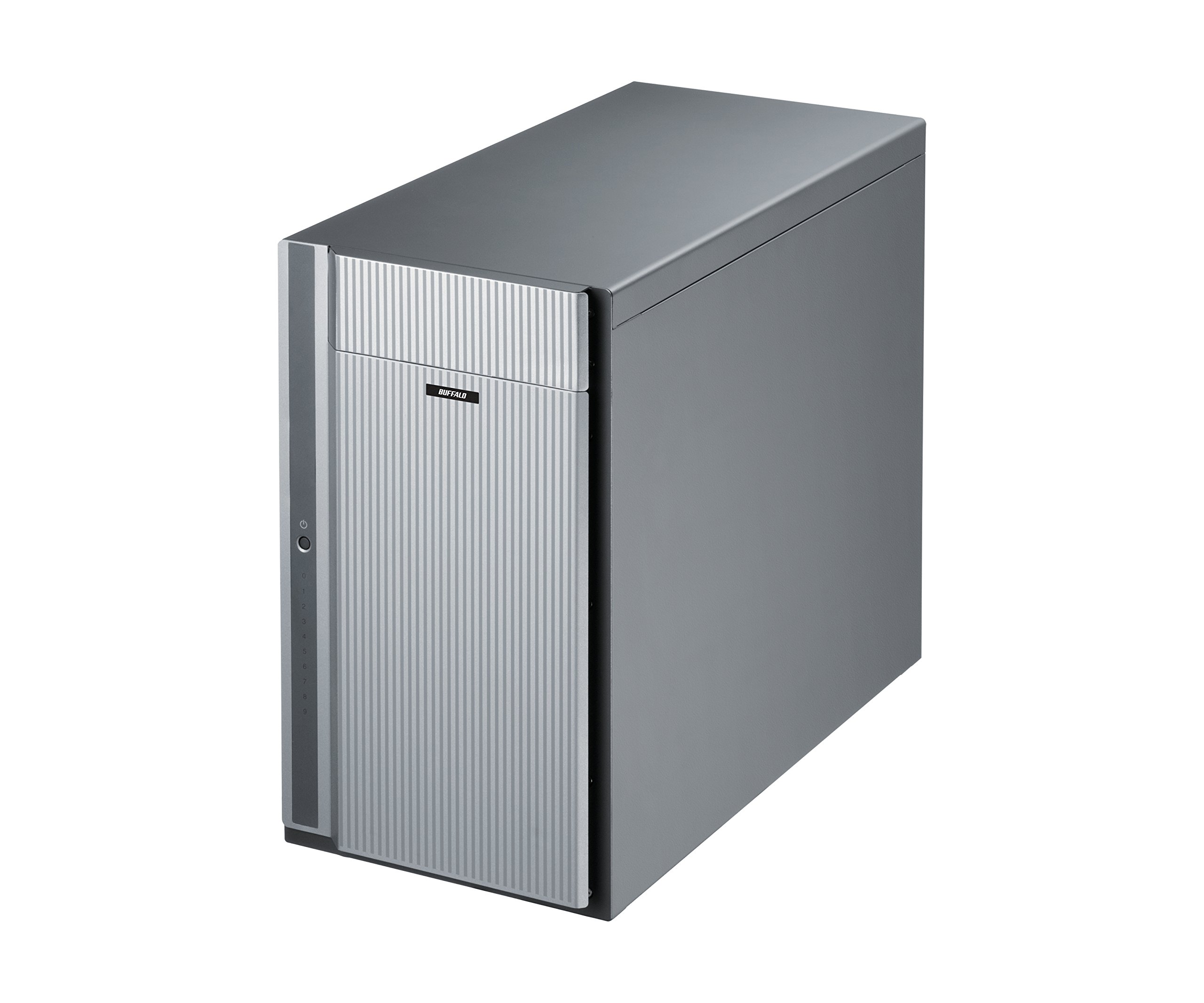
Малюнок 1: Спереду view of the BUFFALO DriveStation Ultra unit.
2. Інструкції з налаштування
Follow these steps to set up your DriveStation Ultra:
- Розпакуйте пристрій: Carefully remove the DriveStation Ultra and all accessories from its packaging.
- Розташуйте пристрій: Place the unit on a stable, flat surface with adequate ventilation. Ensure no vents are obstructed.
- Підключіть живлення: Connect the power cable to the unit and then to a power outlet. Do not power on the device yet.
- Підключення до комп'ютера: Виберіть один із наступних способів підключення:
- Thunderbolt 2 (Mac): Use the provided Thunderbolt cable to connect the DriveStation Ultra to your Mac's Thunderbolt port.
- USB 3.0 (PC/Mac): Use the provided USB 3.0 cable to connect the DriveStation Ultra to your computer's USB 3.0 port.
- eSATA (PC): Use the provided eSATA cable to connect the DriveStation Ultra to your computer's eSATA port.
- Увімкнення: Once connected, press the power button on the DriveStation Ultra. The device will initialize.
- Установка драйвера (при необхідності): Your operating system should automatically detect the device. If prompted, install any necessary drivers from the included software or BUFFALO's support webсайт.
- Конфігурація RAID: The DriveStation Ultra comes pre-configured. For advanced RAID configurations (e.g., changing from default RAID 6), refer to the detailed software manual available on the BUFFALO support webсайт.

Малюнок 2: Задня частина view of the DriveStation Ultra, highlighting Thunderbolt, USB 3.0, and eSATA ports.
3. Інструкція з експлуатації
Once the DriveStation Ultra is set up and recognized by your computer, it functions as an external storage device. You can access it like any other connected drive.
- Передача даних: Перетягніть files to and from the DriveStation Ultra. For optimal performance, use the Thunderbolt 2 connection on Mac systems or USB 3.0/eSATA on PC systems.
- Продуктивність: Expect high-speed data transfers, particularly with large files, due to the optimized hardware and RAID configuration.
- Безпечне видалення: Always safely eject the DriveStation Ultra from your operating system before disconnecting the cables or powering down the unit to prevent data corruption.
- Управління живленням: The device is designed for continuous operation. If you need to power it off, use the power button on the unit after safely ejecting it from your computer.
4. Технічне обслуговування
Proper maintenance ensures the longevity and reliability of your DriveStation Ultra:
- Прибирання: Use a soft, dry cloth to clean the exterior of the unit. Do not use liquid cleaners or aerosols directly on the device.
- Вентиляція: Переконайтеся, що вентиляційні отвори чисті від пилу та перешкод, щоб запобігти перегріву.
- Оновлення прошивки: Periodically check the BUFFALO support webсайт для оновлень прошивки. Оновлення прошивки може покращити продуктивність і стабільність.
- Резервне копіювання даних: While the DriveStation Ultra offers RAID 6 for data protection, it is always recommended to maintain separate backups of critical data.
- Стан диска: Monitor the health of the drives using the included utility software or your operating system's disk management tools.
5. Вирішення проблем
If you encounter issues with your DriveStation Ultra, try the following steps:
- Пристрій не виявлено:
- Переконайтеся, що кабель живлення надійно підключений, а пристрій увімкнено.
- Verify that the data cable (Thunderbolt, USB, or eSATA) is firmly connected to both the DriveStation Ultra and your computer.
- Try connecting to a different port on your computer or using a different cable.
- Restart your computer and the DriveStation Ultra.
- Повільна продуктивність:
- Ensure you are using the correct high-speed interface (Thunderbolt 2, USB 3.0, or eSATA) and compatible cables.
- Перевірте наявність фонових процесів на вашому комп'ютері, які можуть споживати ресурси.
- Verify that the DriveStation Ultra has adequate ventilation to prevent thermal throttling.
- Індикація несправності диска:
- The DriveStation Ultra's RAID 6 configuration provides protection against up to two drive failures. Consult the detailed manual or BUFFALO support for drive replacement procedures.
- Do not attempt to replace drives without proper guidance to avoid data loss.
- Інші питання: If the problem persists after trying these steps, refer to the comprehensive user manual on the BUFFALO support webсайт або зверніться до технічної підтримки.
6. Технічні характеристики
| Особливість | Деталь |
|---|---|
| Ємність жорсткого диска | Механічний жорсткий диск 40 ТБ |
| Бренд | БУЙВОЛ |
| Серія | DriveStation Ultra |
| Номер моделі | HD-DN040T/R6 |
| Апаратна платформа | Мак, ПК |
| Вага товару | 39.7 фунта |
| Розміри продукту (ДxШxВ) | 15.24 x 7.48 x 12.6 дюймів |
| Колір | Срібло |
| Інтерфейс жорсткого диска | eSATA |
| Швидкість обертання жорсткого диска | 7200 об / хв |
| Технологія підключення | Thunderbolt, USB, eSATA |
| Тип установки | Зовнішній жорсткий диск |
| Перша доступна дата | 22 липня 2015 р |
7. Інформація про гарантію
The BUFFALO DriveStation Ultra 10-Drive Thunderbolt Desktop DAS 40 TB (Model HD-DN040T/R6) comes with a 3-річна обмежена гарантія.
For detailed terms and conditions of the warranty, please refer to the warranty statement included in your product packaging or visit the official BUFFALO webсайт.
8. Підтримка
For technical assistance, additional documentation, or to download the latest drivers and firmware, please visit the official BUFFALO support webсайт.
You can typically find support resources by searching for your product model (HD-DN040T/R6) on the BUFFALO support portal.
Contact information for customer service may also be available on the BUFFALO website or in your product's quick setup guide.