
1. Вступ
The Flexson Analog to Digital Converter is designed to bridge the gap between audio devices with analog outputs and modern audio systems that primarily use digital inputs, such as the SONOS PLAYBAR. This device allows you to connect older televisions, CD players, or other audio sources with analog audio outputs (e.g., RCA or 3.5mm headphone jack) to a digital audio input (optical TOSLINK) on your sound system. It ensures reliable and lossless audio signal transmission, integrating your existing equipment with digital-only setups.
2. Інформація про безпеку
- Джерело живлення: Використовуйте лише наданий адаптер живлення. Переконайтеся, що гучністьtage відповідає вашому місцевому джерелу живлення.
- вологість: Do not expose the device to water, rain, or excessive humidity. Avoid placing liquids near the unit.
- Вентиляція: Забезпечте належну вентиляцію навколо пристрою. Не блокуйте вентиляційні отвори.
- Тепло: Тримайте пристрій подалі від джерел тепла, таких як радіатори, обігрівачі, печі або інші прилади, що виробляють тепло.
- Прибирання: Disconnect power before cleaning. Use a dry, soft cloth. Do not use liquid cleaners or aerosol cleaners.
- Обслуговування: Не намагайтеся самостійно обслуговувати цей виріб. Зверніть усі послуги до кваліфікованого обслуговуючого персоналу.
3. Вміст упаковки
Будь ласка, поставте позначку у відповідному полі для наступних пунктів:
- Flexson Analog to Digital Converter Unit
- Адаптер живлення
- Посібник користувача (цей документ)
- Note: Audio cables (RCA, 3.5mm, Optical) are typically sold separately.
4. Налаштування
Follow these steps to connect your Flexson Analog to Digital Converter:
- Connect Analog Audio Source: Connect an analog audio cable (e.g., 3.5mm stereo jack or RCA stereo cables) from your source device (e.g., TV headphone output, CD player RCA output) to the corresponding analog input port on the Flexson converter.
- Connect Digital Audio Output: Connect an optical TOSLINK cable from the 'Optical Out' port on the Flexson converter to the digital optical input on your SONOS PLAYBAR or other digital audio system.
- Підключіть живлення: Plug the provided power adapter into the 'DC 5V' input on the Flexson converter, then plug the adapter into a wall outlet. The converter will power on automatically.
- Select Input on Audio System: On your SONOS PLAYBAR or digital audio system, select the optical input as the audio source.
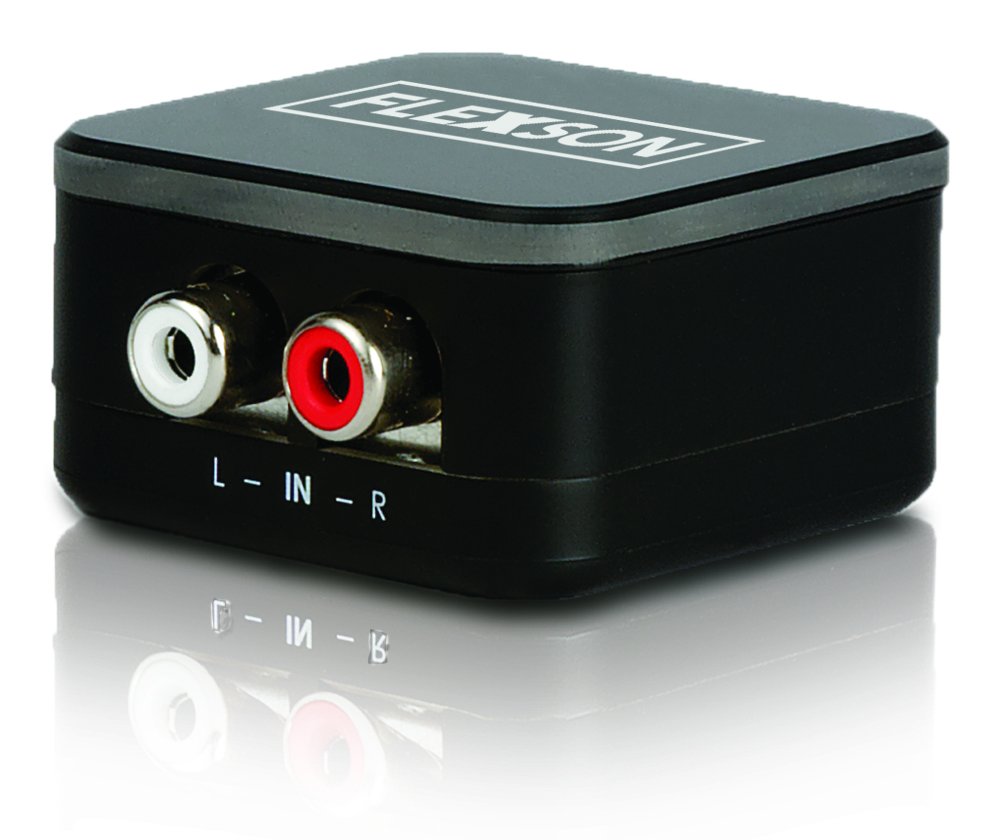
Image showing the compact Flexson Analog to Digital Converter unit with its various ports for analog input and digital optical output.
5. Операційна
Once properly connected and powered, the Flexson Analog to Digital Converter operates automatically. It converts the incoming analog audio signal into a digital optical signal without requiring any user interaction. Ensure your source device is playing audio and your digital audio system is set to the correct input to hear sound.
6. Технічне обслуговування
- Прибирання: Use a soft, dry cloth to wipe the exterior of the converter. Do not use abrasive cleaners or solvents.
- Зберігання: Якщо пристрій зберігається протягом тривалого часу, від’єднайте його від живлення та зберігайте в прохолодному, сухому місці, захищеному від прямих сонячних променів.
- Управління кабелем: Ensure all cables are connected securely and are not under strain or bent sharply.
7. Вирішення проблем
Немає виходу звуку
- Перевірте живлення: Ensure the power adapter is securely connected to the converter and a working power outlet.
- Перевірте підключення: Double-check that all analog and digital audio cables are firmly connected to their respective ports on the source, converter, and audio system.
- Вихідний сигнал вихідного пристрою: Confirm that your analog source device (e.g., TV) is outputting audio through the connected port and its volume is turned up.
- Audio System Input: Ensure your SONOS PLAYBAR or digital audio system is set to the correct optical input.
- Цілісність кабелю: Test with different audio cables if possible, to rule out faulty cables.
Погана якість звуку / Спотворення
- Вихідний обсяг: Ensure the analog source device's volume is not set too high, which could cause distortion before conversion.
- Якість кабелю: Use high-quality audio cables to minimize interference.
- Перешкоди: Keep the converter and audio cables away from strong electromagnetic fields or other electronic devices that might cause interference.
8. Технічні характеристики
| Бренд | Флекссон |
| Модель | FLXA2D1021 |
| вхідний інтерфейс | Analog (e.g., 3.5mm, RCA stereo) |
| Вихідний інтерфейс | Оптичний (TOSLINK) |
| Вага товару | 0.16 кілограма |
| Джерело живлення | 5 В постійного струму (через адаптер, що входить до комплекту) |
9. Гарантія та підтримка
This Flexson product comes with a standard manufacturer's warranty. Please refer to the warranty card included with your purchase or visit the official Flexson website for detailed warranty terms and conditions. For technical support, troubleshooting assistance, or to inquire about replacement parts, please contact Flexson customer support through their official channels.