
Coby CD191
Coby Portable CD Player User Manual
Модель: CD191
Brand: Coby
вступ
Thank you for choosing the Coby Portable CD Player CD191. This device is designed to provide a versatile and enjoyable audio experience, combining classic CD playback with modern features like FM radio and MP3 compatibility. Its compact and shockproof design makes it ideal for both home use and on-the-go listening. Please read this manual thoroughly to understand the proper operation and maintenance of your new CD player.

Фронт view of the Coby Portable CD Player, showcasing its compact design, LCD display, control buttons, and the included wired earbuds and Micro USB charging cable.
Інформація про безпеку
Для забезпечення безпечної роботи та запобігання пошкодженням, будь ласка, дотримуйтесь наступних запобіжних заходів:
- Не піддавайте пристрій впливу дощу, вологи або екстремальних температур.
- Avoid dropping or subjecting the unit to strong impacts, as this may damage internal components.
- Не розбирайте пристрій. Зверніться до кваліфікованого персоналу для проведення будь-яких технічних робіт.
- Use only the specified battery type (2 AA batteries) and ensure correct polarity.
- Уникайте прослуховування на надмірно високій гучності протягом тривалого часу, щоб запобігти пошкодженню слуху.
- Keep the CD compartment clean and free of dust or debris.
Вміст упаковки
Перевірте наявність усіх елементів в упаковці:
- Coby Portable CD Player CD191
- Стереовушники
- Кабель Micro USB

The high-fidelity wired stereo earbuds that come with the CD player, providing a personal listening experience.
Продукт закінченийview
Компоненти та елементи керування
Familiarize yourself with the main components and controls of your CD player:
- РК-дисплей: Показує номер треку, час, режим та стан батареї.
- Відсік для компакт-дисків: Where the CD is inserted.
- Кнопка відтворення/паузи: Запуск або призупинення відтворення.
- Кнопка зупинки: Зупинка відтворення.
- Кнопки пропуску/пошуку (◀◀ / ▶▶): Пропускає треки або перемотує вперед/назад.
- Кнопка режиму: Switches between CD, FM, and MP3 modes.
- Кнопка програми: Використовується для програмування порядку треків.
- Кнопки регулювання гучності +/-: Регулює вихідний рівень звуку.
- Гніздо для навушників (3.5 мм): Для підключення навушників або зовнішніх аудіопристроїв.
- Порт Micro USB: Для зовнішнього джерела живлення.
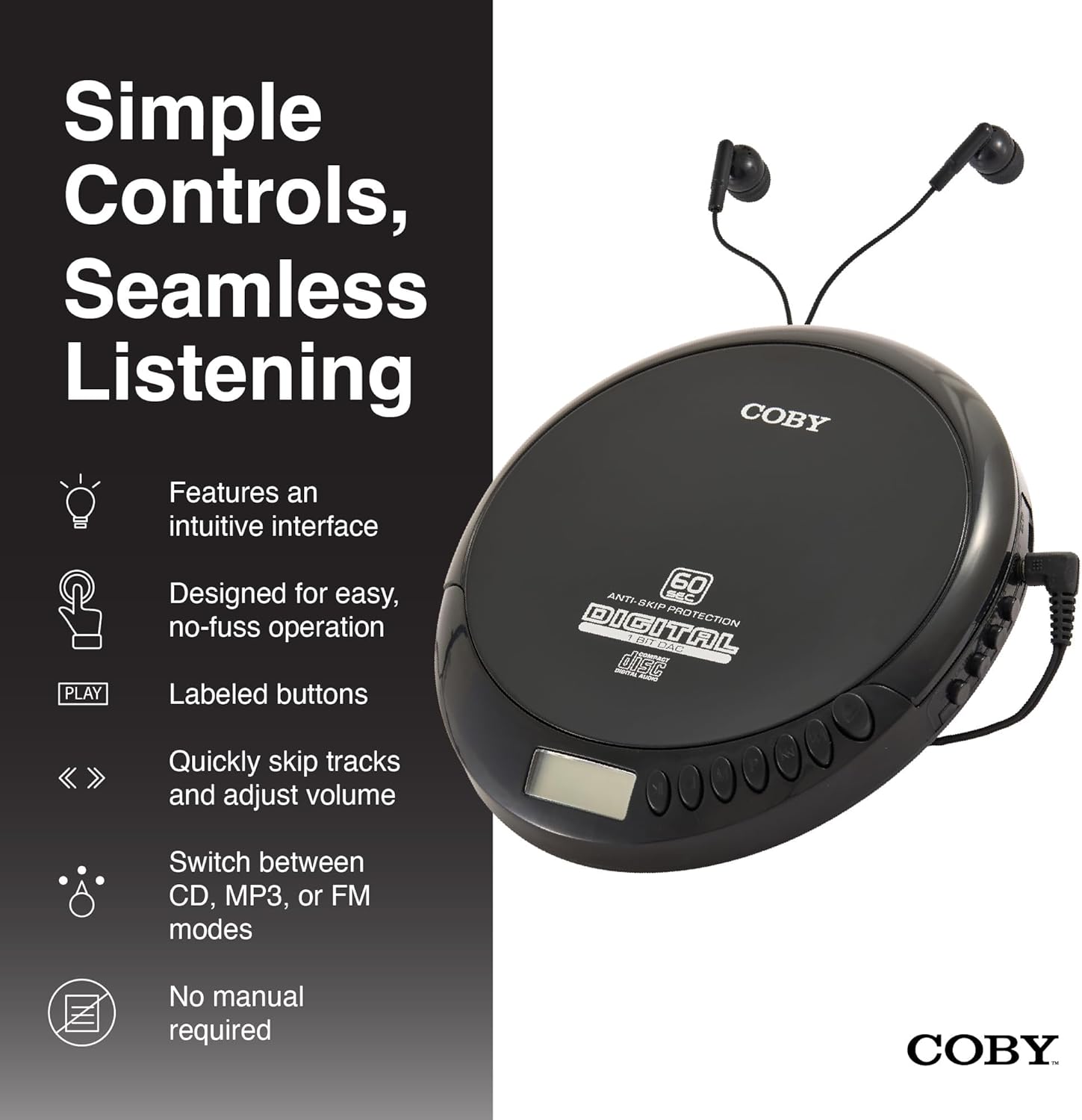
An illustration of the Coby CD Player highlighting its simple controls and intuitive interface.

Детальний view of the player's LCD screen, which displays the current track number, elapsed time, and battery status.

A close-up of the player's intuitive control buttons, including Play/Pause, Stop, Skip/Search, Mode, and Program functions, designed for easy operation.
Налаштування
Живлення пристрою
The Coby CD Player can be powered by 2 AA batteries (not included) or via the included Micro USB cable.
- Установка батареї: Open the battery compartment cover on the back of the unit. Insert 2 AA batteries, ensuring correct polarity (+/-). Close the cover securely.
- Потужність USB: Connect the Micro USB cable to the Micro USB port on the CD player and the other end to a USB power source (e.g., USB wall adapter, computer USB port).

An image showing a user enjoying music with the Coby CD player, highlighting its versatility with both battery and USB power options.

The included Micro USB cable, used for powering the CD player when not using batteries.
Підключення навушників
Insert the 3.5mm plug of your headphones into the headphone jack on the side of the CD player.
Вставлення компакт-диска
- Натисніть кнопку OPEN (ВІДКРИТИ), щоб відкрити кришку відсіку для компакт-дисків.
- Обережно помістіть компакт-диск на центральну осі етикеткою догори.
- Обережно натисніть на компакт-диск, доки він не зафіксується почутим клацанням.
- Щільно закрийте кришку відсіку для компакт-дисків, доки вона не зафіксується.
Інструкція з експлуатації
Відтворення компакт-дисків
- Insert a CD (CD, CD-R, CD-RW, or CD-MP3).
- Натисніть ВІДТВОРЕННЯ/ПАУЗА кнопку, щоб розпочати відтворення. На РК-дисплеї відобразиться номер доріжки та час, що минув.
- Щоб призупинити відтворення, натисніть ВІДТВОРЕННЯ/ПАУЗА знову. Натисніть ще раз, щоб відновити.
- Щоб зупинити відтворення, натисніть кнопку СТІЙ кнопку.
The player features 60-second anti-skip protection to ensure continuous audio during movement.
Трек навігації
- Прес ▶▶ щоб перейти до наступної доріжки.
- Прес ◀◀ to return to the beginning of the current track. Press it twice quickly to go to the previous track.
- Натисніть і утримуйте ▶▶ to fast-forward through the current track.
- Натисніть і утримуйте ◀◀ to rewind through the current track.
Регулювання гучності
Використовуйте ОБ'ЄМ + і ОБСЯГ - buttons to adjust the listening volume to a comfortable level.
Робота FM-радіо
- Натисніть РЕЖИМ button until 'FM' appears on the LCD display.
- The player will automatically scan and tune to available FM stations.
- Використовуйте ◀◀ і ▶▶ buttons to manually tune to specific frequencies or to scan for the next/previous strong station.

This image illustrates the built-in FM radio feature of the Coby CD player, allowing users to tune into their favorite radio stations.
Відтворення MP3
The Coby CD Player supports MP3 files burned onto CD-R or CD-RW discs. When an MP3 CD is inserted, the player will automatically detect the format and begin playback.
Connecting to External Audio Systems
You can connect your Coby CD Player to external speakers or a car audio system using a 3.5mm AUX cable (not included).
- Connect one end of the 3.5mm AUX cable to the headphone jack on the CD player.
- Connect the other end to the AUX input of your external speaker or car audio system.
- Ensure the external device is set to its AUX input mode.

The CD player connected to an external speaker, demonstrating its ability to deliver enhanced sound with features like Super Bass and Crystal Clear Sound when connected to compatible audio systems.

The portable CD player integrated into a car's audio system via an AUX connection, allowing for on-the-go music playback through car speakers.
Технічне обслуговування
Очищення агрегату
- Протріть зовнішню частину пристрою м’якою сухою тканиною. Не використовуйте абразивні засоби для чищення або розчинники.
- To clean the CD lens, use a specialized CD lens cleaning disc (not included).
Догляд і зберігання акумулятора
- Вийміть батарейки, якщо пристрій не використовуватиметься протягом тривалого часу, щоб запобігти витіканню.
- Зберігайте пристрій у прохолодному, сухому місці, подалі від прямих сонячних променів та екстремальних температур.
Усунення несправностей
| проблема | Можлива причина | Рішення |
|---|---|---|
| Пристрій не вмикається. | Batteries are dead or incorrectly inserted. USB cable not connected properly. | Replace batteries with new ones, ensuring correct polarity. Check USB cable connection. |
| Disc skipping or distorted sound. | Disc is dirty, scratched, or damaged. Unit is subjected to excessive vibration. | Clean the disc with a soft, lint-free cloth. Try a different disc. Ensure the anti-skip protection is active. Avoid strong impacts. |
| Немає звуку з навушників. | Headphones not fully plugged in. Volume is too low. Headphones are faulty. | Ensure headphones are fully inserted into the jack. Increase the volume. Try a different pair of headphones. |
| Статичний шум або поганий прийом FM-радіо. | Слабкий сигнал. Перешкоди. | Adjust the position of the unit. Try moving to a different location. |
| MP3 CD not recognized. | Disc format not supported or disc is corrupted. | Переконайтеся, що MP3 files are properly encoded and the disc is finalized. Try a different MP3 CD. |
Технічні характеристики
| Особливість | Деталь |
|---|---|
| Розміри продукту | 5.5 x 1 x 5 дюймів |
| Вага товару | 7 унції |
| Номер моделі | CD-191-BLK |
| Джерело живлення | 2 AA batteries (not included), Micro USB |
| Технологія підключення | Допоміжний, USB |
| Особливість | Portable, FM Radio, MP3 Compatible |
| Захист від пропуску | 60 секунди |
| Сумісні формати дисків | CD, CD-R, CD-RW, CD-MP3 |
Офіційне відео продукту
Офіційне відео-презентація продуктуasing the features and benefits of the Coby Portable CD Player with Stereo Earbuds.
Гарантія та підтримка
For warranty information and customer support, please refer to the documentation included with your purchase or visit the official Coby website. Contact details for support are typically found on the manufacturer's product page or in the warranty card.
Coby Official Webсайт: Visit the Coby Store on Amazon
Ask a question about this manual
Ask about setup, troubleshooting, compatibility, parts, safety, or missing instructions. Manuals+ will review the question and use this page’s manual context to help answer it.