
вступ
The Flux WiFi Smart LED Light Bulb offers advanced lighting control through wireless connectivity. This bulb provides dynamic effects, millions of colors, and smart features accessible via your smartphone or voice commands. It is designed to enhance your living space with customizable illumination.
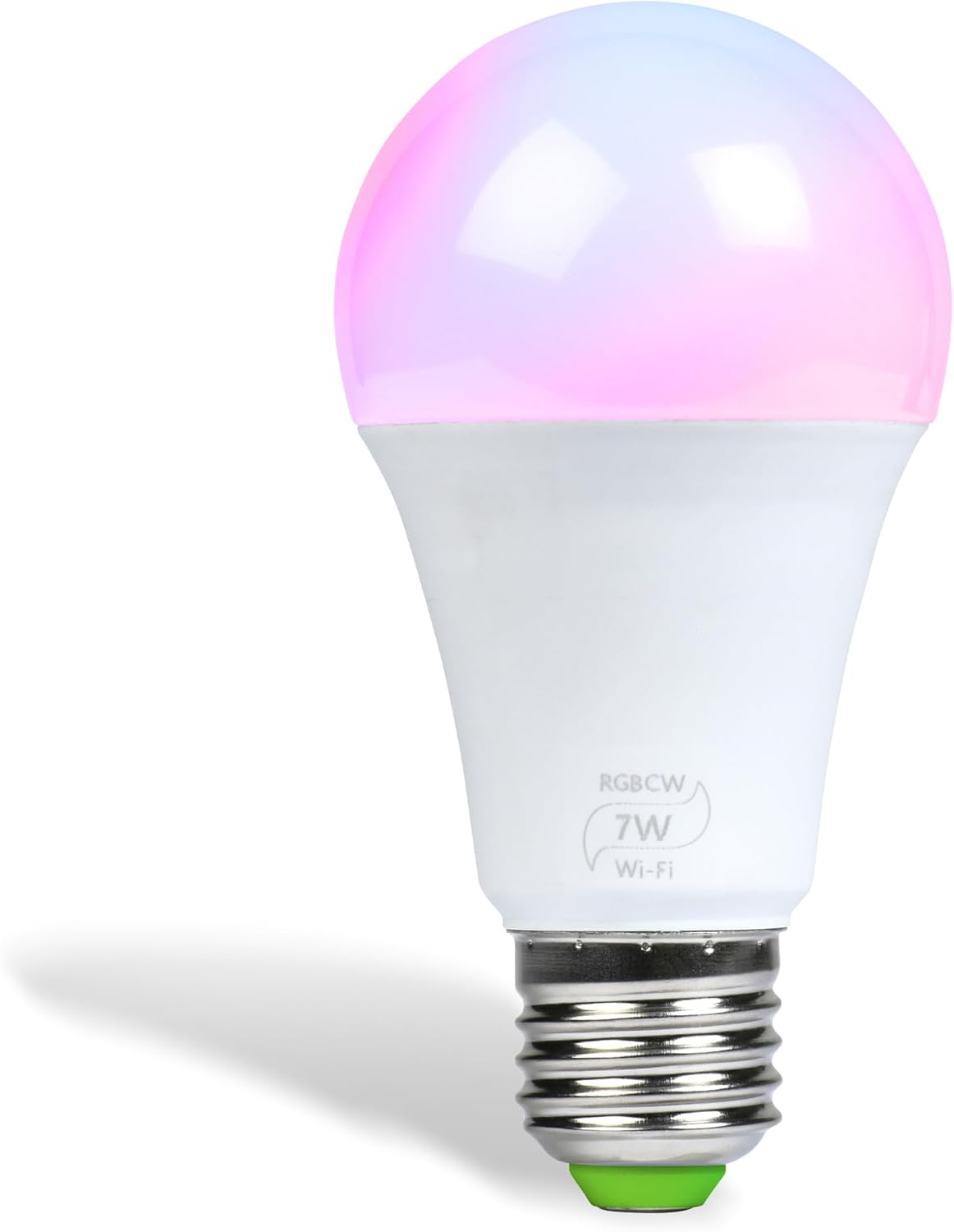
Image: The Flux WiFi Smart LED Light Bulb, showcasing its standard A19 shape and E26 base with a glowing, multicolored top.
Налаштування
1. Монтаж
- Вкрутити лампочку: Carefully screw the Flux WiFi Smart LED Light Bulb into any standard Edison fixture (E26 base).
- Увімкнення: Увімкніть вимикач світла, щоб забезпечити живлення лампочки.
2. Завантаження програми та підключення
To unlock the full potential of your Flux Smart LED Light Bulb, download the free "Flux WiFi" app from your device's app store. The app facilitates connection and control.

Image: A smartphone displaying the Flux WiFi app interface, showing a color wheel for light adjustment and icons for various functions.
Follow the in-app instructions to connect the bulb to your home WiFi network. This typically involves:
- Opening the Flux WiFi app.
- Selecting the option to add a new device.
- Connecting your smartphone to the bulb's temporary WiFi network (usually named something like "LEDnet...").
- Returning to the app and selecting your home WiFi network, then entering its password.
3. Відеопосібник з налаштування
For a visual walkthrough of the setup process, please refer to the official FluxSmart Set-up Video below:
Video: Official FluxSmart Set-up Guide. This video demonstrates the step-by-step process of installing and connecting your Flux WiFi Smart LED Light Bulb to the mobile application.
Інструкція з експлуатації
1. Color and Brightness Control
The Flux WiFi app provides a comprehensive interface to control your bulb's lighting. You can select from a palette of 16 million colors and adjust the brightness to suit any mood or activity.

Image: A room illuminated with multicolored smart lighting, highlighting the bulb's ability to create various ambiances.
- Зміна кольору: Access the color wheel in the app to choose any desired color.
- затемнення: Adjust the light intensity from 1% to 100% to create the perfect ambiance.
- Параметри білого світла: Select different shades of white, from warm to cool, to match your preference.
2. Розумні функції
- Синхронізація музики: Sync the light's color-changing effects to the beat of your favorite music for an immersive experience.
- Голосове керування: Compatible with Amazon Alexa and Google Home Assistant, allowing you to control your lights using voice commands.
- Light Schedules & Timers: Set custom schedules for the bulb to turn on/off automatically. Utilize the "Sunrise" feature for a gentle wake-up or set timers for gradual dimming at night.
- Пульт дистанційного керування: Manage your lights from anywhere using the Flux WiFi app on your smartphone or tablet, ensuring you never leave a light on unintentionally.
- Інтеграція IFTTT: Connect your bulb with IFTTT (If This Then That) for advanced automation and integration with other smart devices.
- Групування: Control multiple Flux Smart LED Light Bulbs simultaneously by grouping them within the app.

Image: Visual representation of key features including Wake Up Light, Easy Dimming, Set Timers, Color Temperature Control, Relax or Focus modes, and No Hub Required.
Технічне обслуговування
The Flux WiFi Smart LED Light Bulb is designed for long-lasting performance with an average life of 20,000 hours. To ensure optimal operation:
- Прибирання: Перед чищенням переконайтеся, що лампочка вимкнена та охолонула. Протріть м’якою сухою тканиною. Не використовуйте рідкі засоби для чищення.
- Розміщення: Avoid placing the bulb in enclosed fixtures that may restrict airflow, as this can affect its lifespan.
Усунення несправностей
If you encounter issues with your Flux WiFi Smart LED Light Bulb, consider the following:
- Підключення: Ensure the LED smart bulb is within your router’s signal range. A strong WiFi signal is crucial for stable operation.
- Перешкоди: Avoid placing the bulb in metal or enclosed fixtures, as such materials tend to interfere with the wireless connection.
- Цикл живлення: Try turning the light switch off and on again to power cycle the bulb.
- Проблеми з програмою: Ensure your Flux WiFi app is updated to the latest version. Restarting the app or your smartphone may also resolve minor glitches.
- Скинути: If problems persist, consult the app or product packaging for instructions on how to reset the bulb to its factory settings.
Технічні характеристики
| Особливість | Деталь |
|---|---|
| Тип світла | LED |
| Wattage | 7.5 Watts (50 Watts Incandescent Equivalent) |
| томtage | 110 вольт (приймається: від 100 до 120 вольт та 60 герц) |
| Світловий вихід | 550 люменів |
| Розмір форми лампи | A19 |
| Основа лампи | E26 |
| Особливості | 16 Million Color Options, Color Changing, Dimmable, Energy Efficient, Full Spectrum |
| Спосіб контролю | App (WiFi) |
| Середнє життя | 20,000 години |
| Розміри продукту | 2.5 x 2.5 x 4 дюймів |
| Вага товару | 1.76 унції |
Гарантія та підтримка
The Flux WiFi Smart LED Light Bulb is designed for durability and comes with an average lifespan of 20,000 hours. A 2-year guarantee on defects is typically offered. For further assistance or warranty claims, please refer to the contact information provided with your product packaging or visit the official Flux Smart Lighting webсайт.