
1. Вступ
This manual provides instructions for the proper setup, operation, and maintenance of your Amazon Basics Large Portable Bluetooth Speaker (Model BTV3_2). Please read this manual thoroughly before using the product to ensure optimal performance and safety.
2. Інформація про безпеку
- Не піддавайте динамік впливу води або надмірної вологи.
- Уникайте розміщення динаміка поблизу джерел тепла або під прямими сонячними променями.
- Не намагайтеся розбирати або модифікувати динамік. Це призведе до анулювання гарантії.
- Use only the provided AC power adapter for charging.
- Тримайте динамік подалі від дітей.
3. Вміст упаковки
Перевірте наявність усіх елементів в упаковці:
- Amazon Basics Large Portable Bluetooth Speaker
- Адаптер змінного струму

опис: This image shows the Amazon Basics Large Portable Bluetooth Speaker securely placed within its brown cardboard packaging, indicating how the product is received.
4. Продукт закінчивсяview
4.1. Передня View

опис: This image displays the front of the Amazon Basics Large Portable Bluetooth Speaker, featuring a black mesh grille that covers the speaker drivers.
4.2. Елементи керування на верхній панелі

опис: This image shows the top panel of the speaker with four circular buttons and a small LED indicator. From left to right, the buttons are: Volume Down (-), Play/Pause, Volume Up (+), and Bluetooth Pairing/Call Answer. Below the buttons, a small Bluetooth logo and an LED indicator are visible.
- - (Volume Down): Зменшує гучність звуку.
- Відтворення/пауза: Відтворює або призупиняє відтворення аудіо.
- + (Volume Up): Збільшує гучність звуку.
- Bluetooth/Call: Initiates Bluetooth pairing mode or answers/ends phone calls.
- Світлодіодний індикатор: Displays power and Bluetooth status.
4.3. Side Panel Ports

опис: This image shows the right side panel of the speaker, featuring a power switch, a DC input port for charging, and an AUX input port for wired audio connections.
- Перемикач ON/OFF: Вмикає або вимикає динамік.
- Порт DC IN: Connects to the AC power adapter for charging.
- Порт AUX: Connects to audio devices using a 3.5mm stereo cable (not included).
5. Налаштування
5.1. Заряджання динаміка
- Connect the provided AC power adapter to the DC IN port on the side of the speaker.
- Підключіть адаптер змінного струму до розетки.
- The LED indicator will illuminate to show charging status. A full charge provides up to 8 hours of playback.
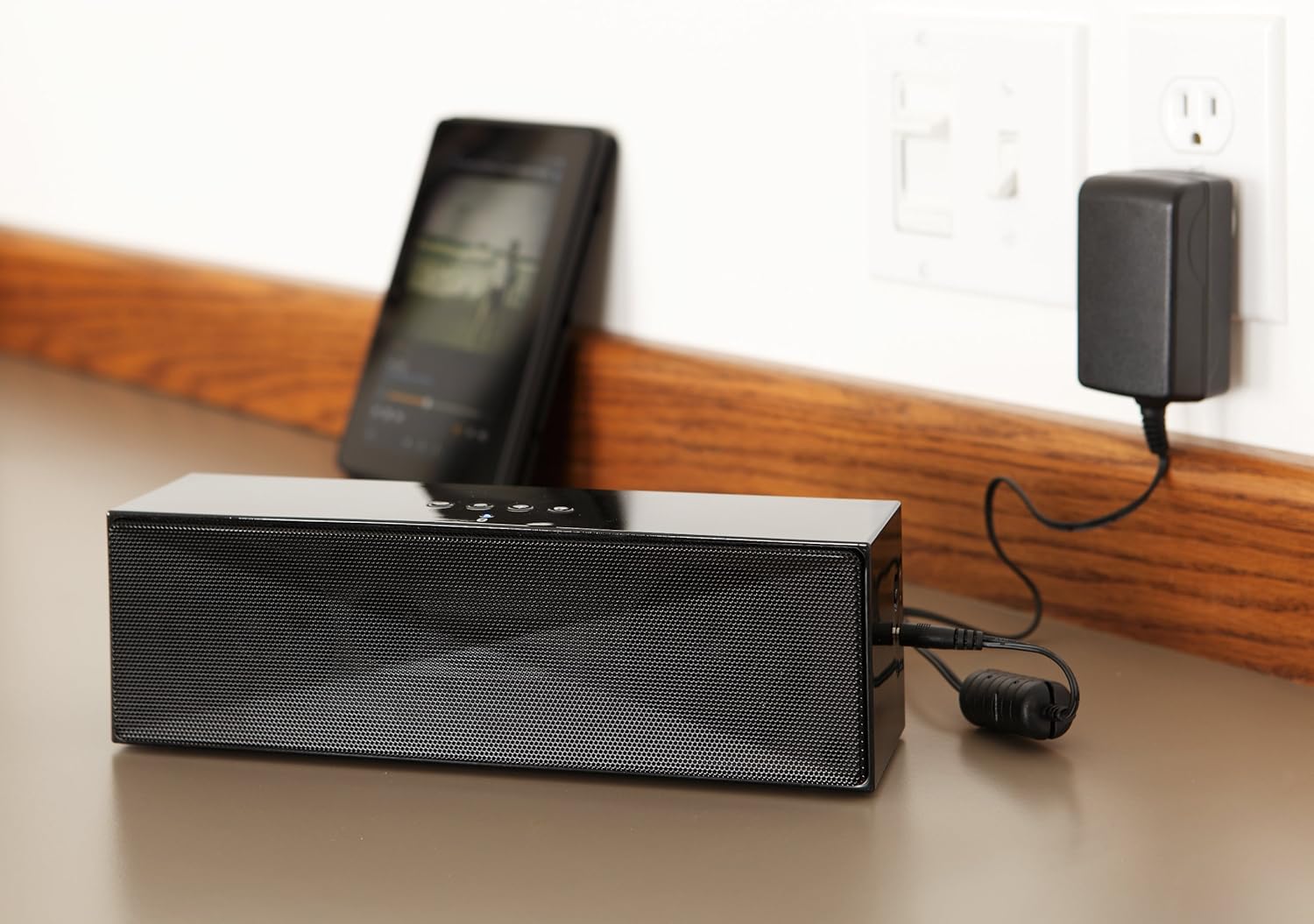
опис: This image shows the speaker placed on a surface, with its AC power adapter plugged into a wall outlet, illustrating the charging process.
5.2. Увімкнення/вимкнення живлення
Slide the ON/OFF switch located on the side panel to the "ON" position to power on the speaker. Slide it to the "OFF" position to power off.
6. Інструкція з експлуатації
6.1. Підключення Bluetooth
- Ensure the speaker is powered on. The LED indicator will flash, indicating it is in pairing mode.
- На пристрої з підтримкою Bluetooth (смартфоні, планшеті, ноутбуці) увімкніть Bluetooth і здійсніть пошук доступних пристроїв.
- Select "Amazon Basics BTV3_2" from the list of devices.
- Once paired, the LED indicator on the speaker will glow solid blue.
- The speaker can connect to devices up to 30 feet (10 meters) away.

опис: This image shows the speaker positioned next to a tablet displaying a music playback interface, demonstrating a typical Bluetooth connection scenario.
6.2. Підключення через кабель AUX
- Connect one end of a 3.5mm stereo audio cable (not included) to the AUX port on the speaker.
- Підключіть інший кінець кабелю до аудіовиходу вашого пристрою.
- Колонка автоматично перемкнеться в режим входу AUX.
6.3. Дзвінки в режимі Hands-Free
Динамік оснащений вбудованим мікрофоном для здійснення дзвінків у режимі hands-free при підключенні через Bluetooth.
- Відповідь на дзвінок: Натисніть кнопку Bluetooth/Виклик один раз.
- Завершення дзвінка: Натисніть кнопку Bluetooth/Виклик один раз під час дзвінка.
- Відхилення дзвінка: Натисніть і утримуйте кнопку Bluetooth/Виклик.
7. Технічне обслуговування
- Протирайте динамік м’якою сухою тканиною. Не використовуйте рідкі засоби для чищення або аерозолі.
- Зберігайте динамік у прохолодному, сухому місці, якщо він не використовується протягом тривалого часу.
- Уникайте падіння динаміка та сильних ударів.
8. Вирішення проблем
| проблема | Можлива причина | Рішення |
|---|---|---|
| Динамік не вмикається. | Акумулятор розрядився. | Connect the speaker to the AC power adapter and charge it. |
| Не вдається підключитися через Bluetooth. | Speaker is not in pairing mode; device Bluetooth is off; device is out of range. | Ensure speaker LED is flashing; enable Bluetooth on your device; move device closer to the speaker (within 30 feet/10 meters). |
| Немає звуку або гучність низька. | Volume on speaker or connected device is too low; incorrect input source. | Increase volume on both the speaker and your connected device. Ensure correct connection (Bluetooth or AUX). |
| Speaker turns off automatically when using AUX. | Automatic power-off feature activated due to prolonged silence. | This model may have an automatic power-off feature after a period of inactivity or silence, even when connected via AUX. To resume playback, power the speaker off and then on again using the side switch. |
| Спотворення звуку. | Volume too high; weak battery; interference. | Reduce volume; charge the speaker; move away from other electronic devices. |
9. Технічні характеристики
| Особливість | Деталь |
|---|---|
| Номер моделі | BTV3_2 |
| Розміри (Д x Ш x В) | 10.2 x 2.9 x 3.1 дюйми (25.9 x 7.4 x 7.9 см) |
| вага | 1.61 фунта (0.73 кг) |
| Вихід на динамік | 2 x 5 Вт (10 Вт загалом) |
| Підключення | Bluetooth, 3.5 мм AUX |
| Діапазон Bluetooth | До 30 футів (10 метрів) |
| Термін служби батареї | До 8 годин |
| Ємність акумулятора | 8000 мАг |
| Вбудований мікрофон | так |
| Джерело живлення | Battery Powered, AC Adapter |
| матеріал | пластик |

опис: This image provides a visual representation of the speaker's dimensions, showing its length (10.2"), width (2.9"), and height (3.1").
10. Гарантія та підтримка
Щоб отримати інформацію про гарантію та підтримку клієнтів, зверніться до документації, що додається до вашої покупки, або відвідайте офіційний веб-сайт Amazon Basics. webсайт. Зберігайте чек про покупку для гарантійних претензій.
Інтернет-підтримка: Основи магазину Amazon