
1. Вступ
Thank you for choosing the TFA Dostmann BINGO Radio-Controlled Alarm Clock, Model 60.2528.01. This device offers precise timekeeping through radio control, dual alarm functions, an automatic backlight, and a temperature display. Please read this manual carefully to ensure proper setup and operation.
2. Інформація про безпеку
- Збережіть цю інструкцію для використання в майбутньому.
- Не піддавайте пристрій впливу екстремальних температур, вібрацій або ударів.
- Уникайте прямих сонячних променів.
- Не занурюйте пристрій у воду.
- Використовуйте лише зазначені батарейки. Переконайтеся в правильній полярності.
- Тримайте батареї в недоступному для дітей місці.
3. Вміст упаковки
- TFA Dostmann BINGO Radio-Controlled Alarm Clock (Model 60.2528.01)
- 2 батарейки типу АА
- Інструкція з експлуатації
4. Продукт закінчивсяview
4.1 Спереду View

Зображення 1: спереду view of the alarm clock. The display shows time, date, day of the week, and indoor temperature. Below the display are the 'SET 1', '-', '+', and 'SET 2' buttons. The top features a large 'SNOOZE & LIGHT' button.
- Дисплей: Shows time, date, day of the week, indoor temperature, and alarm status.
- SET 1 Button: Used to set Alarm 1.
- - Кнопка: Decreases values during setting.
- + Кнопка: Increases values during setting.
- SET 2 Button: Used to set Alarm 2.
- SNOOZE & LIGHT Button: Activates snooze function or temporary backlight.
4.2 Сторона View (ліворуч)
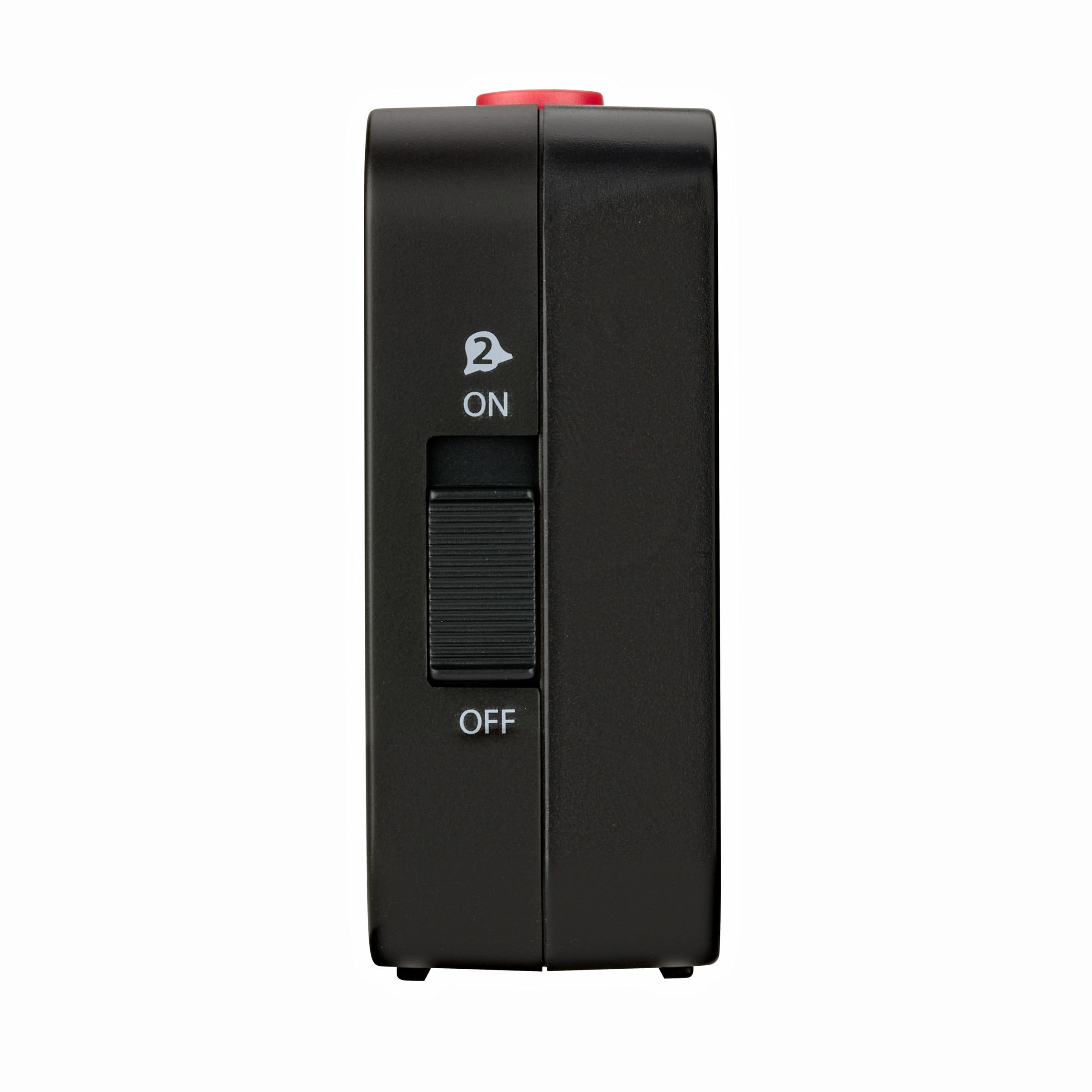
Image 2: Left side of the alarm clock. A slider switch labeled 'ON' and 'OFF' with an alarm bell icon (2) controls Alarm 2 activation.
- Alarm 1 ON/OFF Slider: (Located on the right side, not pictured but functionally similar to Alarm 2 slider) Activates or deactivates Alarm 1.
- Alarm 2 ON/OFF Slider: (Pictured) Activates or deactivates Alarm 2.
4.3 Назад View

Зображення 3: Задня частина view of the alarm clock. Features include the battery compartment cover, an 'OFF / AUTO LIGHT' slider switch, and a 'SET' button.
- Батарейний відсік: Вміщує 2 батарейки типу АА.
- AUTO LIGHT Switch: Toggles the automatic backlight sensor.
- Кнопка SET: Used for manual time and date settings.
5. Налаштування
5.1 Встановлення батареї
- Відкрийте кришку батарейного відсіку на задній панелі пристрою.
- Insert the 2 x AA batteries, ensuring correct polarity (+/-).
- Закрийте кришку батарейного відсіку.
The device will power on and begin searching for the radio-controlled time signal.
5.2 Прийом часу за допомогою радіокерування
Upon battery insertion, the clock automatically attempts to receive the DCF radio signal. This process can take several minutes. Once the signal is successfully received, the time, date, and day of the week will be set automatically. A radio tower icon will appear on the display, indicating successful reception.
For optimal reception, place the clock away from potential interference sources such as electronic devices, metal structures, or concrete walls. The ideal distance from such sources is typically at least 1.5 meters (5 feet).
5.3 Ручне налаштування часу (якщо радіосигнал недоступний)
If the radio signal cannot be received, or if you are outside the reception range, you can set the time manually.
- Натисніть і утримуйте НАБІР button on the back of the clock for approximately 3 seconds. The time digits will start flashing.
- Використовуйте + і - buttons on the front to adjust the hour.
- Прес НАБІР again to confirm the hour and move to minutes. Adjust minutes using + і -.
- Продовжуйте натискати НАБІР to cycle through and adjust year, month, date, and day of the week.
- After setting all parameters, press НАБІР востаннє, щоб вийти з режиму налаштування.
6. Інструкція з експлуатації
6.1 Налаштування будильників (Будильник 1 та Будильник 2)
The clock features two independent alarms.
- Натисніть НАБІР 1 кнопка (для будильника 1) або НАБІР 2 button (for Alarm 2) on the front of the clock. The alarm time will flash.
- Використовуйте + і - buttons to adjust the desired alarm hour.
- Натисніть відповідну НАБІР button again to confirm the hour and move to minutes. Adjust minutes using + і -.
- Натисніть НАБІР button one last time to save the alarm time and exit setting mode.
6.2 Activating/Deactivating Alarms
Use the slider switches on the sides of the clock to activate or deactivate each alarm. Slide the switch to ON to enable the alarm, and to ВИМКНЕНО to disable it. A color mark on the slider indicates if the alarm is active.
6.3 Функція відкладання
Коли лунає будильник, натисніть велику кнопку SNOOZE & LIGHT button on top of the clock. The alarm will pause for approximately 5 minutes and then sound again. This can be repeated multiple times.
6.4 Зупинка сигналу тривоги
To stop the alarm completely, slide the corresponding alarm switch (Alarm 1 or Alarm 2) to the ВИМКНЕНО положення.
6.5 Automatic Backlight
The clock features an automatic backlight that activates in low-light conditions. To enable this feature, slide the АВТОМАТИЧНЕ СВІТЛО switch on the back of the clock to the ON position. The display will emit a soft, economical LED backlight, making it readable in the dark.
To temporarily illuminate the display, press the SNOOZE & LIGHT button on top. The backlight will stay on for a few seconds.
6.6 Відображення температури
The integrated thermometer measures the ambient room temperature and displays it on the screen. The temperature range is typically -10°C to +50°C (14°F to 122°F).
7. Технічне обслуговування
Очистіть пристрій м’якою, damp cloth. Do not use abrasive cleaners or solvents. Avoid getting moisture into the device.
8. Вирішення проблем
- Немає дисплея або тьмяне зображення: Замініть батарейки на нові, дотримуючись правильної полярності.
- Incorrect time or no radio signal icon:
- Ensure the clock is placed in an area with good radio signal reception, away from electronic interference.
- Initiate manual reception: Press and hold the - button for three seconds. The DCF icon will flash. To stop reception, hold the - button for three seconds again.
- If reception remains unsuccessful, set the time manually as described in Section 5.3.
- Сигналізація не звучить: Check if the alarm is activated using the side slider switch (ON position). Verify the alarm time is set correctly.
9. Технічні характеристики
- модель: 60.2528.01
- Бренд: ТФА Достман
- Розміри (Д x Ш x В): 8.4 x 3.4 x 8.8 см (приблизно 3.3 x 1.3 x 3.5 дюймів)
- вага: 210 грама (приблизно 7.4 унції)
- матеріал: пластик
- Джерело живлення: 2 батарейки типу АА (в комплекті)
- Тип дисплея: цифровий
- Діапазон вимірювання температури: -10°C до +50°C (14°F до 122°F)
- Особливості: Radio-controlled time, Dual alarms, Snooze function, Automatic backlight (light sensor), Temperature display, Date and day of week display.
- Країна походження: Китай
10. Гарантія та підтримка
This product comes with a 1-year availability for spare parts. For further support or warranty claims, please contact your retailer or the manufacturer directly. Keep your proof of purchase for warranty purposes.