
1. Вступ
The Cooler Master CM Storm QuickFire Rapid-i is a mechanical gaming keyboard designed for performance and durability. It features full LED backlighting with ActivLite Technology, allowing for dynamic lighting effects and per-key customization. This keyboard is equipped with a 32-bit ARM processor for advanced lighting control without the need for software. Its tenkeyless form factor provides a compact design, ideal for gaming setups and travel.
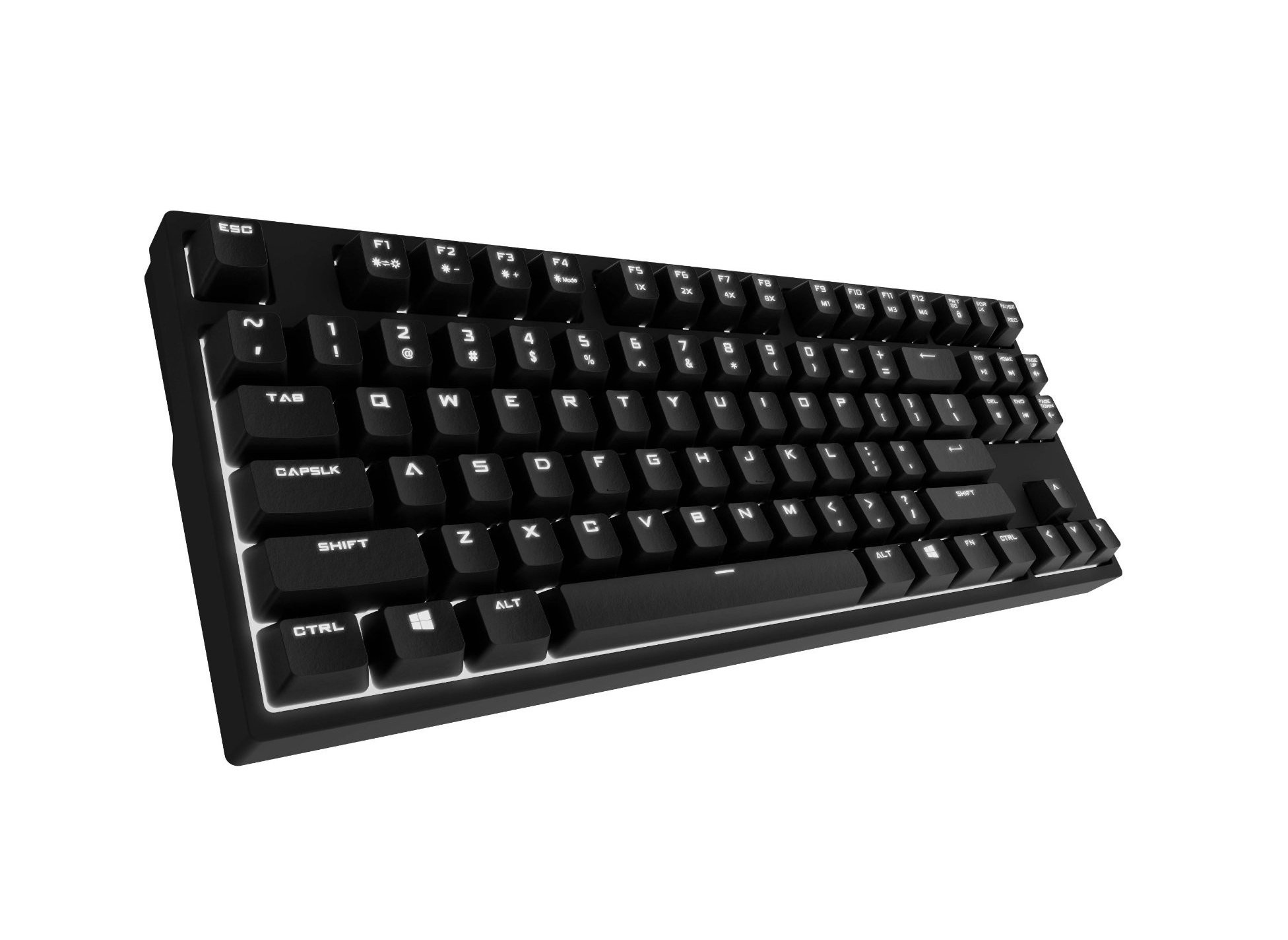
Image 1.1: Cooler Master CM Storm QuickFire Rapid-i Mechanical Gaming Keyboard.
2. Вміст упаковки
Перевірте наявність усіх предметів у вашій упаковці:
- Cooler Master CM Storm QuickFire Rapid-i Keyboard
- 1.8m Detachable Braided USB Cable
- Посібник користувача (цей документ)
3. Особливості продукту
- Fully Mechanical CHERRY MX Brown Keyswitches: Provides tactile feedback with low noise, optimized for gaming.
- Форм-фактор без ключа: Compact and ergonomic design for portability and improved mouse positioning.
- Fully White LED Backlit: Ensures visibility in low-light environments.
- ActivLite Technology: Features instant response and trailing light effects, powered by a 32-bit ARM processor.
- Individual Key Lighting: Allows saving up to 4 different lighting profileдля різних програм або ігор.
- 1.8m Detachable Braided Cable: Durable and convenient for transport.
- N-Key Rollover: Registers an unlimited number of simultaneous keypresses, preventing ghosting.
4. Налаштування
4.1 Підключення клавіатури
- Locate the detachable 1.8m braided USB cable.
- Connect the micro-USB end of the cable to the port on the back of the QuickFire Rapid-i keyboard.
- Connect the standard USB-A end of the cable to an available USB port on your computer.
- The keyboard is plug-and-play compatible with Windows operating systems and should be recognized automatically.

Image 4.1: Connecting the detachable USB cable to the keyboard.
5. Інструкція з експлуатації
5.1 Основні функції клавіатури
The QuickFire Rapid-i functions as a standard QWERTY keyboard. All keys perform their labeled actions. Special functions are typically accessed via the Function (Fn) key combined with other keys.
5.2 ActivLite Technology and LED Backlighting
The keyboard features fully white LED backlighting with ActivLite Technology, offering various lighting modes and effects. These effects are controlled directly from the keyboard using key combinations, without requiring software.
- Миттєва відповідь: Keys light up immediately upon press.
- Trailing Effect: Keys remain lit for a short duration after being pressed, creating a trailing light effect.
- Регулювання яскравості: використання Fn + F1 (зменшення яскравості) та Fn + F2 (increase brightness) to adjust the LED intensity.
- Режими освітлення: Cycle through various pre-programmed lighting modes using Fn + F3 до Fn + F8. Refer to the keyboard's keycap legends for specific mode indicators.

Зображення 5.1: Наприкладample of LED backlighting on the QuickFire Rapid-i.
5.3 Per-Key Lighting and Profiles
The QuickFire Rapid-i allows users to customize individual key lighting and save up to 4 different profiles directly on the keyboard's onboard memory.
- Entering Customization Mode: Прес Fn + F9 to enter the per-key lighting customization mode. The keyboard LEDs may flash to indicate this mode.
- Selecting Keys: Press any key you wish to toggle its LED on or off.
- Saving a Profile: Once your desired lighting pattern is set, press Fn + F10, Fn + F11, Fn + F12, або Fn + Print Screen to save the current lighting pattern to one of the four available profiles. The keyboard will confirm the save.
- Завантаження Profile: To load a saved profile, просто натисніть Fn + F10, Fn + F11, Fn + F12, або Fn + Print Screen corresponding to the desired profile.
- Exiting Customization Mode: Прес Fn + F9 again to exit customization mode.

Image 5.2: Customizing individual key lighting for a personalized profile.
5.4 Перемикання натискань N клавіш (NKRO)
The QuickFire Rapid-i supports N-Key Rollover, meaning every single keypress is registered accurately, regardless of how many keys are pressed simultaneously. This feature is crucial for fast-paced gaming where multiple commands might be executed at once.
6. Технічне обслуговування
6.1 Очищення клавіатури
- Від’єднайте клавіатуру від комп’ютера перед чищенням.
- Злегка протріть м’якою тканиною без ворсу dampводою або м’яким миючим розчином, щоб протерти ковпачки клавіш і корпус.
- Уникайте розпилення рідин безпосередньо на клавіатуру.
- Для видалення пилу та сміття між клавішами використовуйте стиснене повітря.
- Do not use harsh chemicals, abrasives, or solvents as they may damage the keyboard's finish or keycap legends.
6.2 Догляд за кабелем
- Avoid sharp bends or kinks in the detachable braided cable.
- When disconnecting, pull from the connector head, not the cable itself.
7. Вирішення проблем
7.1 Клавіатура не реагує
- Переконайтеся, що USB-кабель надійно підключено як до клавіатури, так і до комп’ютера.
- Спробуйте підключити клавіатуру до іншого USB-порту на комп'ютері.
- Перевірте клавіатуру на іншому комп'ютері, щоб виключити проблему, пов'язану з системою.
- Перезавантажте комп'ютер.
7.2 LED Backlighting Not Working or Flickering
- Check if the brightness is set to minimum using Fn + F1. Increase brightness with Fn + F2.
- Перемикайтеся між режимами освітлення за допомогою Fn + F3 до Fn + F8 to see if other modes function.
- Ensure you are not in a custom profile with all LEDs turned off. Try loading a different profile or resetting the lighting.
- Від’єднайте та знову під’єднайте клавіатуру.
7.3 Keys Not Registering Correctly (Ghosting)
- The QuickFire Rapid-i features N-Key Rollover, which should prevent ghosting. If you experience this, ensure the keyboard is connected directly to a USB port on your computer, not through a hub.
- Clean the affected keys as described in the Maintenance section.
- If the issue persists, contact Cooler Master support.
8. Технічні характеристики
| Бренд | Cooler Master |
| Назва моделі | SGK-4040-GKCB1 (CHERRY MX Brown switch) |
| Номер моделі | SGK-4040-GKCM1-US |
| Тип перемикача | CHERRY MX Коричневий (тактильний) |
| Технологія підключення | Дротовий (знімний USB-кабель) |
| Розкладка клавіатури | QWERTY, Tenkeyless Form Factor |
| Підсвічування | Fully White LED, ActivLite Technology, Per-Key Lighting |
| Процесор | 32-bit ARM Processor |
| N-Key Rollover | Підтримується |
| Довжина кабелю | 1.8 meters (Braided, Detachable) |
| Сумісна операційна система | вікна |
| Розміри продукту (Д x Ш x В) | 14.13 дюйма x 5.43 дюйма x 1.54 дюйма (35.89 см x 13.79 см x 3.91 см) |
| Вага товару | 2.05 фунтів (0.93 кг) |
| Матеріал корпусу | пластик |
9. Гарантія та підтримка
9.1 Інформація про гарантію
The Cooler Master CM Storm QuickFire Rapid-i Mechanical Gaming Keyboard comes with a Гарантія 12 місяців з дати покупки. Ця гарантія поширюється на виробничі дефекти та проблеми, що виникають внаслідок нормального використання. Вона не поширюється на пошкодження, спричинені неправильним використанням, нещасними випадками, несанкціонованими модифікаціями або неправильним обслуговуванням.
Зберігайте підтвердження покупки для гарантійних претензій.
9.2 Технічна підтримка
Щоб отримати технічну допомогу, усунення несправностей, що виходять за рамки цього посібника, або запити щодо гарантії, зверніться до офіційної служби підтримки Cooler Master. website or contact their customer service department. Contact information can typically be found on the Cooler Master official webсайт.
Примітка: Характеристики продукту та умови гарантії можуть бути змінені без попереднього повідомлення.