
Vivitar Micro SD Card Reader / Writer
Vivitar Micro SD Card Reader/Writer
Посібник користувача
1. Продукт закінчивсяview
The Vivitar Micro SD Card Reader/Writer is a compact device designed for convenient data transfer between Micro SD cards and computers or other compatible devices. It allows users to read data from and write data to Micro SD cards, facilitating easy management of photos, videos, documents, and other files.
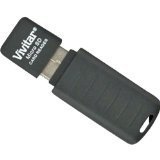
малюнок 1: Vivitar Micro SD Card Reader/Writer. This image displays the compact black device, highlighting its USB connector on one end and the slot for inserting a Micro SD card on the side.
2. Налаштування
- Вставте картку Micro SD: Gently insert your Micro SD card into the designated slot on the Vivitar card reader. Ensure the card is inserted with the gold contacts facing down (or as indicated by a small icon on the reader) until it clicks into place. Do not force the card.
- Підключення до пристрою: Plug the USB connector of the card reader into an available USB port on your computer, laptop, or other compatible device.
- Установка драйвера (при необхідності): Most modern operating systems (Windows, macOS, Linux) will automatically detect and install the necessary drivers for the card reader. If prompted, follow the on-screen instructions. No additional software is typically required.
3. Інструкція з експлуатації
3.1 Accessing Data
- Once connected, your computer should recognize the Micro SD card as a removable storage device (e.g., "Removable Disk" or a drive letter like E: or F:).
- Open "This PC" (Windows) or "Finder" (macOS) and locate the newly appeared drive.
- Double-click the drive icon to access the fileзберігається на вашій картці Micro SD.
3.2 Передача Files
- Копіювати files from the card to your computer: Drag and drop the desired files from the card's drive to a folder on your computer. Alternatively, right-click the files, select "Copy," navigate to your desired destination, right-click, and select "Paste."
- Копіювати files from your computer to the card: Drag and drop the desired files from your computer's folder to the card's drive. Alternatively, right-click the files, select "Copy," navigate to the card's drive, right-click, and select "Paste."
3.3 Safely Removing the Device
Before physically disconnecting the card reader from your computer, always safely eject it to prevent data corruption.
- Windows: Click the "Safely Remove Hardware and Eject Media" icon in the system tray (bottom-right corner), then select the Vivitar card reader. Wait for the "Safe to Remove Hardware" message.
- macOS: Drag the drive icon of the Micro SD card to the Trash, or right-click the drive icon and select "Eject."
4. Технічне обслуговування
- Прибирання: Use a soft, dry, lint-free cloth to clean the exterior of the card reader. Do not use liquid cleaners or solvents. Ensure no dust or debris enters the card slot or USB connector.
- Зберігання: Store the card reader in a cool, dry place away from direct sunlight, extreme temperatures, and high humidity. Keep it protected from physical impact.
- Обробка: Avoid bending or applying excessive force to the USB connector or the card slot.
5. Вирішення проблем
- Card Reader Not Detected:
- Try plugging the card reader into a different USB port on your computer.
- Переконайтеся, що карта Micro SD повністю та правильно вставлена у зчитувач.
- Перезавантажте комп'ютер.
- Check if the USB port is functional by connecting another USB device.
- Картку Micro SD не розпізнано:
- Ensure the card is not damaged or corrupted. Try the card in another device if possible.
- Verify the card is inserted correctly.
- Check if the card reader itself is detected by the computer.
- Повільна передача даних:
- Ensure you are using a USB 2.0 or higher port for optimal speed (the device supports up to 480 Mbps).
- The speed of the Micro SD card itself can affect transfer rates.
- Уникайте запуску кількох ресурсомістких програм під час великих file перекази.
- "Write Protected" Error:
- Some Micro SD cards or adapters have a physical write-protect switch. Ensure it is in the "unlocked" position.
6. Технічні характеристики
| Бренд | Vivitar |
| Модель | Micro SD Card Reader/Writer |
| Тип носія | MicroSD |
| Апаратний інтерфейс | MicroSD (USB 2.0 compatible) |
| Швидкість передачі даних | Up to 480 megabits per second (Mbps) |
| Сумісні пристрої | Computers, Laptops, and other devices with a USB port. |
| UPC | 681066875421 |
| ASIN | B00IO2NZ9O |
7. Гарантія та підтримка
For information regarding warranty coverage, technical support, or service inquiries for your Vivitar Micro SD Card Reader/Writer, please refer to the warranty card included with your purchase or visit the official Vivitar website. Contact details for customer support are typically available on the product packaging or the manufacturer's webсайт.
Ask a question about this manual
Ask about setup, troubleshooting, compatibility, parts, safety, or missing instructions. Manuals+ will review the question and use this page’s manual context to help answer it.