
1. Продукт закінчивсяview
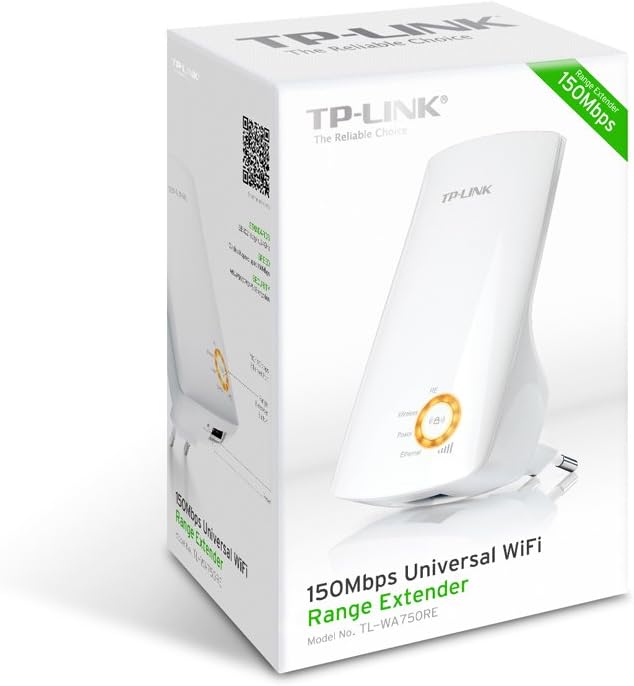
The TP-Link TL-WA750RE is a 150Mbps Universal Wireless Range Extender designed to expand the coverage of an existing wireless network. It eliminates Wi-Fi dead zones by boosting the wireless signal to previously unreachable or hard-to-wire areas. Its compact, wall-mounted design allows for flexible deployment and easy relocation within your home or office.
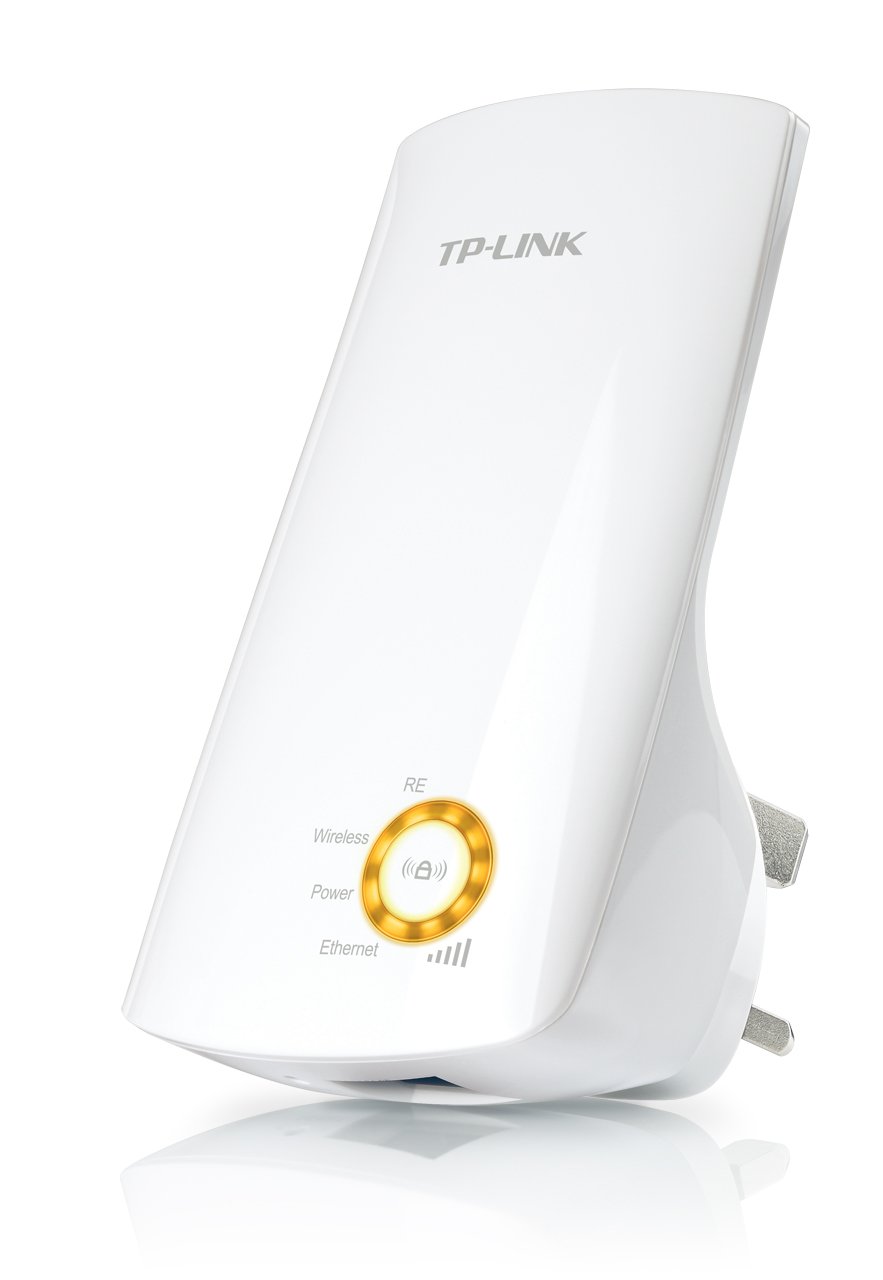
малюнок 1: TP-Link TL-WA750RE Universal Wireless Range Extender. This image shows the device in its retail packaging, highlighting its compact design and wall-plug form factor.
2. Ключові характеристики
- Режим розширення діапазону: Boosts wireless signal to eliminate Wi-Fi dead zones and extend network coverage.
- Компактний дизайн: Small size and wall-mounted design for easy deployment and flexible movement.
- Кнопка WPS: Allows for instant setup and secure connection with compatible routers.
- Розумний індикатор сигналу: Helps users find the optimal location for placing the range extender for best performance.
- Універсальна сумісність: Works seamlessly with all 802.11n/g/b wireless devices.
3. Вміст упаковки
Комплектація продукту зазвичай включає такі елементи:
- TP-Link TL-WA750RE 150Mbps Universal Wireless Range Extender
- Інструкція з експлуатації
4. Посібник із налаштування
4.1. Швидке налаштування за допомогою кнопки WPS
- Плагін: Підключіть TL-WA750RE до електричної розетки поруч із вашим бездротовим маршрутизатором.
- Активуйте WPS на маршрутизаторі: Press the WPS button on your main wireless router. Refer to your router's manual for the exact location and procedure.
- Активуйте WPS на розширювачі: Within two minutes, press the WPS button on the TL-WA750RE. The Signal LED on the extender should begin to flash.
- Очікування з'єднання: The Signal LED will turn solid blue or green when a successful connection is established.
- Перемістити розширювач: Unplug the extender and move it to a location between your router and the Wi-Fi dead zone. Ensure the Signal LED indicates a strong connection (e.g., solid blue or green) in the new location.
4.2. Manual Setup via Web Браузер
- Плагін: Plug the TL-WA750RE into an electrical outlet near your computer.
- Підключення до розширювача: Connect your computer to the extender's Wi-Fi network (e.g., "TP-LINK_Extender_XXXXXX"). No password is required initially.
- Доступ Web Інтерфейс: Відкрийте a web браузер і введіть http://tplinkrepeater.net or the extender's default IP address (usually 192.168.0.254) into the address bar.
- Увійти: Enter "admin" for both the username and password when prompted.
- Дотримуйтесь інструкцій на екрані: Use the Quick Setup wizard to select your main Wi-Fi network and enter its password.
- Перемістити розширювач: Once configured, unplug the extender and move it to an optimal location between your router and the desired coverage area.
малюнок 2: сторона view of the TL-WA750RE. This image illustrates the physical layout of the device, including the WPS button and Ethernet port, which are crucial for setup and operation.
5. Експлуатація розширювача сигналу
Once the TL-WA750RE is successfully set up, it will automatically extend your existing Wi-Fi network. Devices within the extended range can connect to the network name created by the extender (e.g., "YourNetworkName_EXT").
5.1. Smart Signal Indicator
The Smart Signal Indicator LEDs on the front of the device provide real-time feedback on the signal strength received from your main router. This helps you determine the best placement for the extender:
- Постійний синій/зелений: Excellent signal strength.
- Суцільний червоний: Weak signal strength. Consider relocating the extender closer to your router.
- Вимкнено: No connection to the main router.
5.2. Використання порту Ethernet
The TL-WA750RE includes an Ethernet port. This port can be used to connect a wired device, such as a desktop computer, gaming console, or smart TV, to your wireless network, providing a stable wired connection in the extended Wi-Fi area.
6. Технічне обслуговування
- Прибирання: Використовуйте м’яку суху тканину для очищення пристрою. Не використовуйте рідкі або аерозольні засоби для чищення.
- Розміщення: Уникайте розміщення розширювача під прямими сонячними променями, поблизу джерел тепла або в місцях з високою вологістю.
- Оновлення прошивки: Періодично перевіряйте офіційну інформацію TP-Link webсайт для оновлень прошивки, щоб забезпечити оптимальну продуктивність і безпеку.
- Цикл живлення: Якщо з пристроєм виникли проблеми, спробуйте відключити його від розетки на 10 секунд, а потім знову підключити.
7. Вирішення проблем
- Q1: What should I do if I cannot access the extender's web сторінка керування?
- A1: Ensure your computer is connected to the extender's network. Verify that http://tplinkrepeater.net is correctly typed in the browser. If issues persist, try using the extender's IP address (e.g., 192.168.0.254) or reset the extender to factory defaults.
- Q2: My extended network has poor signal or frequent disconnections.
- A2: Check the Smart Signal Indicator on the extender. If it's red or off, the extender is too far from your main router. Relocate the extender to a position where the indicator shows a strong signal (solid blue/green). Ensure there are no major obstructions between the router and the extender.
- Q3: How do I reset the extender to factory default settings?
- A3: With the extender powered on, use a pin to press and hold the Reset button (usually a small hole) for approximately 5-10 seconds until all LEDs flash briefly. The extender will then restart with factory default settings.
8. Технічні характеристики
| Бренд | TP-Link |
| Номер моделі | TL-WA750RE |
| Бездротовий стандарт | 802.11b/g/n |
| Швидкість передачі даних | 150 Мбіт/с |
| Частота | 2.4 ГГц |
| Особливості | Smart Signal Indicator, WPS Button |
| Тип роз'єму | RJ45 (порт Ethernet) |
| Вага товару | 0.4 фунта |
| Колір | Білий |
9. Гарантія та підтримка
9.1. Інформація про гарантію
This TP-Link TL-WA750RE device comes with a Гарантія 2 рік з дати покупки. Будь ласка, збережіть чек про покупку для пред'явлення гарантійних претензій. Гарантія поширюється на дефекти матеріалів та виготовлення за умов нормального використання.
9.2. Технічна підтримка
For technical assistance, troubleshooting, or further inquiries, please visit the official TP-Link support webсайт або зверніться до служби підтримки клієнтів. Ви можете знайти детальні ресурси підтримки, поширені запитання та контактну інформацію на www.tp-link.com/support.