
1. Вступ
This manual provides essential instructions for setting up, operating, and maintaining your Apple iPhone 4S. The iPhone 4S is a smartphone featuring a 3.5-inch Retina display, an 8-megapixel camera, and runs on iOS. This specific model is an 8 GB, unlocked version, compatible with GSM carriers.
2. Інформація про безпеку
- Не піддавайте пристрій впливу екстремальних температур, прямих сонячних променів або надмірної вологи.
- Уникайте падіння або сильних ударів пристрою.
- Use only Apple-approved accessories for charging and connectivity.
- Do not attempt to disassemble or repair the device yourself, as this may void any applicable warranty and cause damage.
- Keep the device away from medical devices to avoid potential interference.
3. Вміст упаковки
Переконайтеся, що ваш пакет містить такі елементи:
- Apple iPhone 4S (8 GB, Unlocked)
- USB Power Adapter (charger)
- USB to 30-pin Dock Connector Cable

Image: Included accessories, typically a USB power adapter and a 30-pin USB cable.
4. Пристрій закінчивсяview
Familiarize yourself with the physical components of your iPhone 4S.

Зображення: спереду view of the iPhone 4S, showing the display, Home button, earpiece, and front camera.
- Фронтальна камера: Located above the display, used for video calls and selfies.
- Динамік: For listening during phone calls.
- Дисплей: 3.5-inch Retina multi-touch screen.
- Кнопка "Додому: Below the display, used to return to the Home screen, activate Siri, and switch applications.

Зображення: Збоку view of the iPhone 4S, highlighting the SIM card tray and volume buttons.
- Кнопки гучності: On the left side, used to adjust media and call volume.
- Ring/Silent Switch: Above the volume buttons, to quickly switch between ring and silent modes.
- Лоток для SIM-карти: On the right side, for inserting your micro-SIM card.
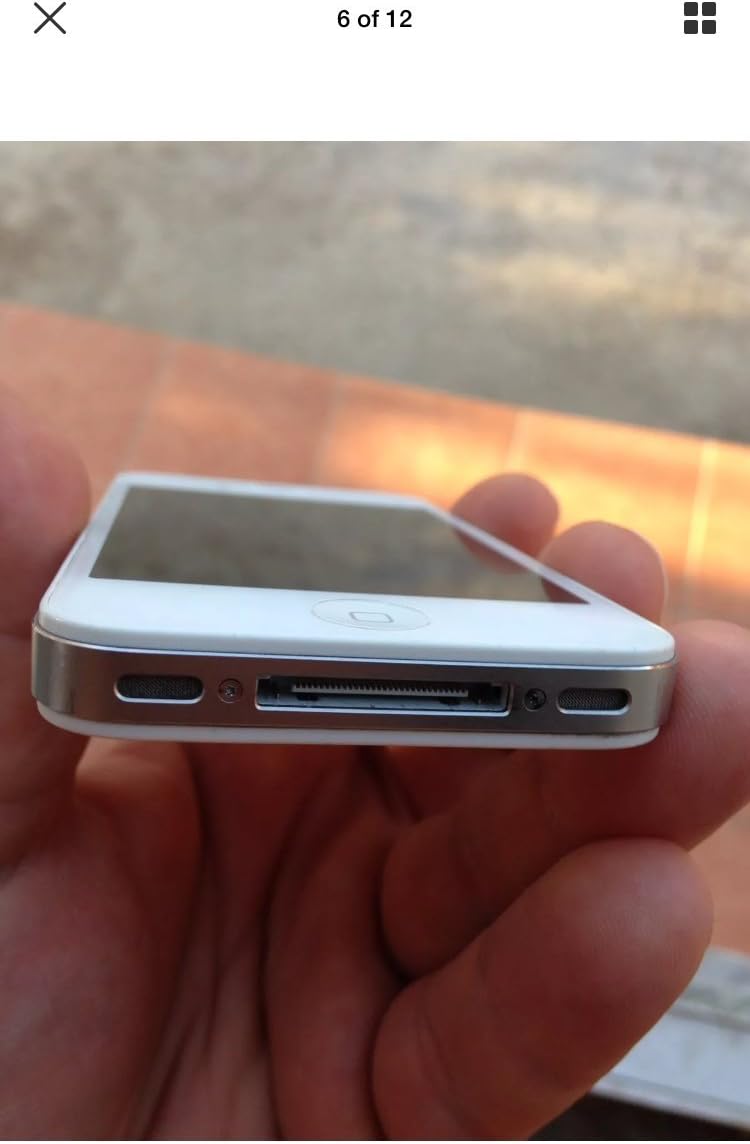
Зображення: Нижня частина view of the iPhone 4S, showing the 30-pin dock connector and speaker grilles.
- 30-pin Dock Connector: At the bottom, used for charging and connecting to a computer.
- Доповідачі: Located on either side of the dock connector.
Зображення: Верх view of the iPhone 4S, showing the power/sleep button and headphone jack.
- Кнопка живлення/сну: On the top right, used to turn the device on/off or put it to sleep.
- Роз'єм для навушників: On the top left, for connecting headphones.

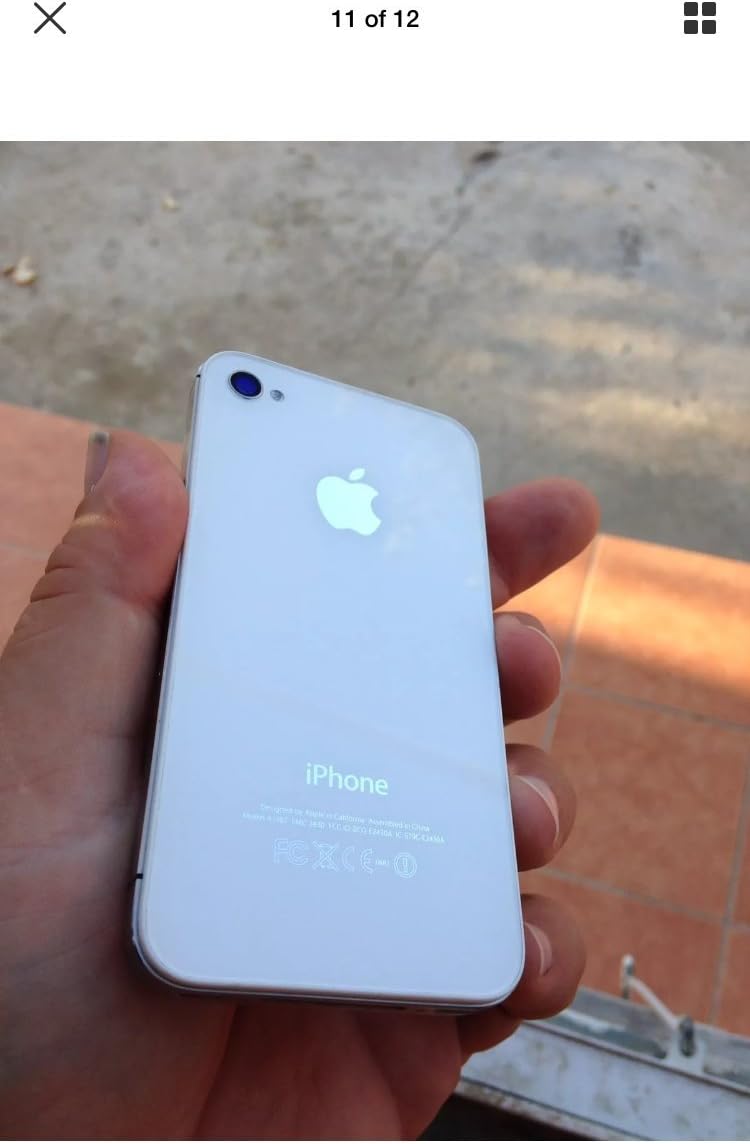
Зображення: Спина view of the iPhone 4S, showing the 8-megapixel rear camera with LED flash and the Apple logo.
- Задня камера: 8-megapixel camera with LED flash for photos and 1080p video recording.
5. Налаштування
5.1. Встановлення SIM-карти
- Locate the SIM card tray on the right side of the iPhone.
- Insert a SIM ejector tool (or a small paperclip) into the small hole on the SIM tray. Press firmly until the tray pops out.
- Place your micro-SIM card into the tray with the gold contacts facing down and the notched corner aligned.
- Carefully push the SIM tray back into the iPhone until it is flush with the side.
5.2. Початкове ввімкнення та активація
- Натисніть і утримуйте Кнопка живлення/сну on the top of the device until the Apple logo appears.
- Follow the on-screen instructions to set up your iPhone. This includes selecting your language, region, connecting to a Wi-Fi network, and activating the device.
- You may be prompted to sign in with an Apple ID or create a new one.
6. Інструкція з експлуатації
6.1. Основна навігація
- Сенсорний екран: Торкніться, щоб вибрати, проведіть пальцем, щоб прокрутити, розведіть пальці, щоб збільшити.
- Кнопка "Додому: Press once to return to the Home screen. Double-press to open the multitasking switcher. Press and hold to activate Siri.
- Кнопка живлення/сну: Press once to lock/unlock the screen. Press and hold to power off the device.
6.2. Здійснення дзвінків та надсилання повідомлень
- Відкрийте Телефон додаток для здійснення дзвінків.
- Відкрийте Повідомлення app to send and receive SMS/MMS messages.
6.3. Використання камери
The iPhone 4S features an 8-megapixel rear camera capable of 1080p HD video recording and a front VGA camera for video calls.
- Відкрийте Камера додаток
- Торкніться екрана, щоб сфокусуватися.
- Натисніть кнопку спуску затвора, щоб зробити фотографію або розпочати/зупинити відеозапис.
6.4. Інтернет та додатки
- Підключіться до Wi-Fi через Налаштування > Wi-Fi.
- Доступ до Інтернету за допомогою Сафарі web браузер.
- Download applications from the App Store.
7. Технічне обслуговування
7.1. Cleaning Your iPhone
- Використовуйте м’яку тканину без ворсу для очищення екрана та зовнішньої поверхні.
- Avoid using abrasive cleaners, aerosols, or solvents.
7.2. Догляд за акумулятором
- The iPhone 4S is equipped with a 1500 mAh Lithium-Ion battery.
- Charge your device regularly using the provided USB power adapter and cable.
- Уникайте частого повного розряджання акумулятора, щоб продовжити термін його служби.
7.3. Оновлення програмного забезпечення
Регулярно перевіряйте наявність оновлень програмного забезпечення та встановлюйте їх, щоб забезпечити оптимальну продуктивність і безпеку. Перейдіть до Налаштування > Загальні > Оновлення програмного забезпечення.
8. Вирішення проблем
8.1. Пристрій не вмикається
- Ensure the battery is charged. Connect the iPhone to a power source for at least 15 minutes.
- Perform a force restart: Press and hold both the кнопка додому і Кнопка живлення/сну simultaneously until the Apple logo appears.
8.2. No Network Service
- Перевірте, чи правильно вставлено SIM-картку.
- Verify that cellular data is enabled in Settings > Cellular.
- Перезапустіть iPhone.
- Ensure your account with your carrier is active and in good standing.
8.3. Збої або зависання програм
- Закрийте та знову відкрийте програму.
- Перезапустіть iPhone.
- Ensure your iOS is up to date.
9. Технічні характеристики
| Бренд | Яблуко |
| Назва моделі | iPhone 4S |
| Операційна система | iOS 5 (upgradable to iOS 7.1.2, planned upgrade to iOS 8) |
| Швидкість ЦП | 1 GHz Dual-Core Cortex-A9 (Apple A5) |
| Ємність пам'яті | 8 ГБ |
| Розмір екрана | 3.5 дюймів |
| роздільна здатність | 960 x 640 pixels (Retina Display) |
| Стільникові технології | 2G, 3G (GSM 850/900/1800/1900, HSDPA 850/900/1700/1900/2100) |
| Технологія підключення | Wi-Fi, Bluetooth |
| Задня камера | 8 MP, 3264 x 2448 pixels, autofocus, LED flash, 1080p@30fps video |
| Фронтальна камера | VGA, 480p@30fps video |
| Ємність акумулятора | 1500 мАг літій-іонний |
| Вага товару | 4.96 унцій (140 грам) |
| Розміри (В x Ш x Г) | 4.5 x 2.31 x 0.37 дюйма (115.2 x 58.6 x 9.3 мм) |
| Слот для SIM-карти | Single Micro-SIM |
10. Гарантія та підтримка
This product is described as refurbished and comes with no manufacturer warranty. For any issues or support inquiries, please contact the seller directly from whom you purchased the device. Refer to your purchase documentation for seller contact information.


