
вступ
The Educational Insights Hot Dots Kindergarten Reading Set is designed to help kindergarteners develop foundational reading skills through interactive, self-paced learning. This set covers essential reading fundamentals, encouraging independent practice and building confidence.
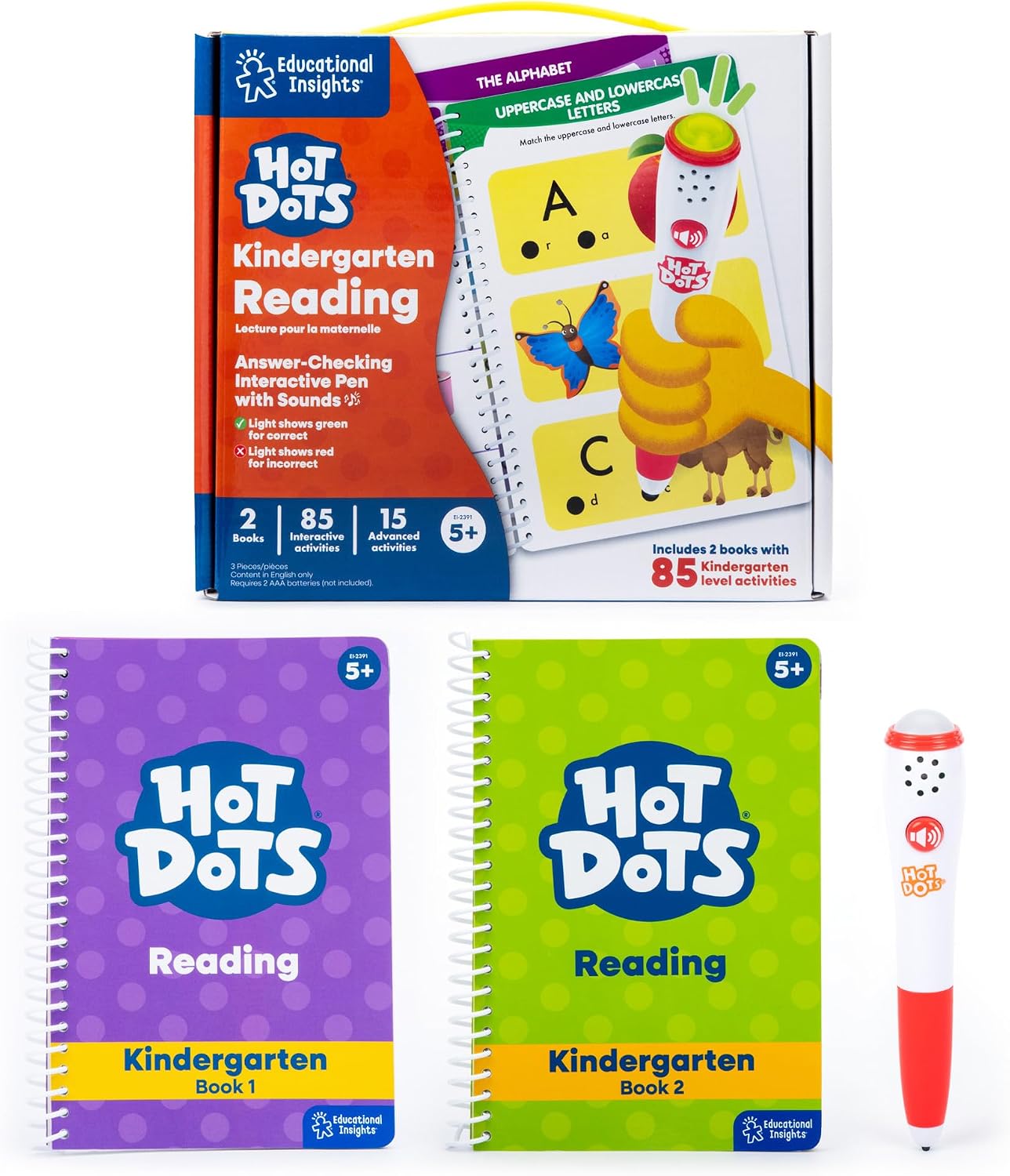
Image: The complete Hot Dots Kindergarten Reading Set, including the product box, two spiral-bound workbooks, and the interactive "Ace" talking dog pen.
Вміст упаковки
Your Hot Dots Kindergarten Reading Set includes the following items:
- 1 x Hot Dots Interactive Pen (requires 2 AAA batteries, not included)
- 2 x Spiral-bound Activity Books (Kindergarten Book 1 and Kindergarten Book 2)
- 85 x Self-paced Lessons
- 15 x Challenge Activities for 1st-grade preparation
Інструкції з налаштування
- Встановіть акумулятори: Locate the battery compartment on the interactive pen. Insert 2 AAA batteries (not included), ensuring correct polarity. Securely close the battery compartment.
- Prepare Workbooks: Open one of the spiral-bound activity books to the desired lesson page.
- Power On Pen: The pen is typically activated by pressing its tip onto an answer dot.

Image: A child using the interactive pen on a workbook, demonstrating the green light feedback for a correct answer.
Інструкція з експлуатації
The Hot Dots interactive pen provides immediate feedback to guide the learning process:
- Answering Questions: Press the tip of the interactive pen firmly onto an answer dot next to your chosen response in the workbook.
- Візуальний зворотній зв'язок:
- A зелене світло indicates a correct answer.
- A червоне світло indicates an incorrect answer.
- Звуковий відгук: The pen also provides auditory responses for correct or incorrect answers. These sounds can be muted if desired for quiet learning environments.
- Self-Paced Learning: Children can work through the lessons at their own pace, using the immediate feedback to self-correct and reinforce learning.

Image: The interactive pen displaying green light for a correct response and red light for an incorrect response.
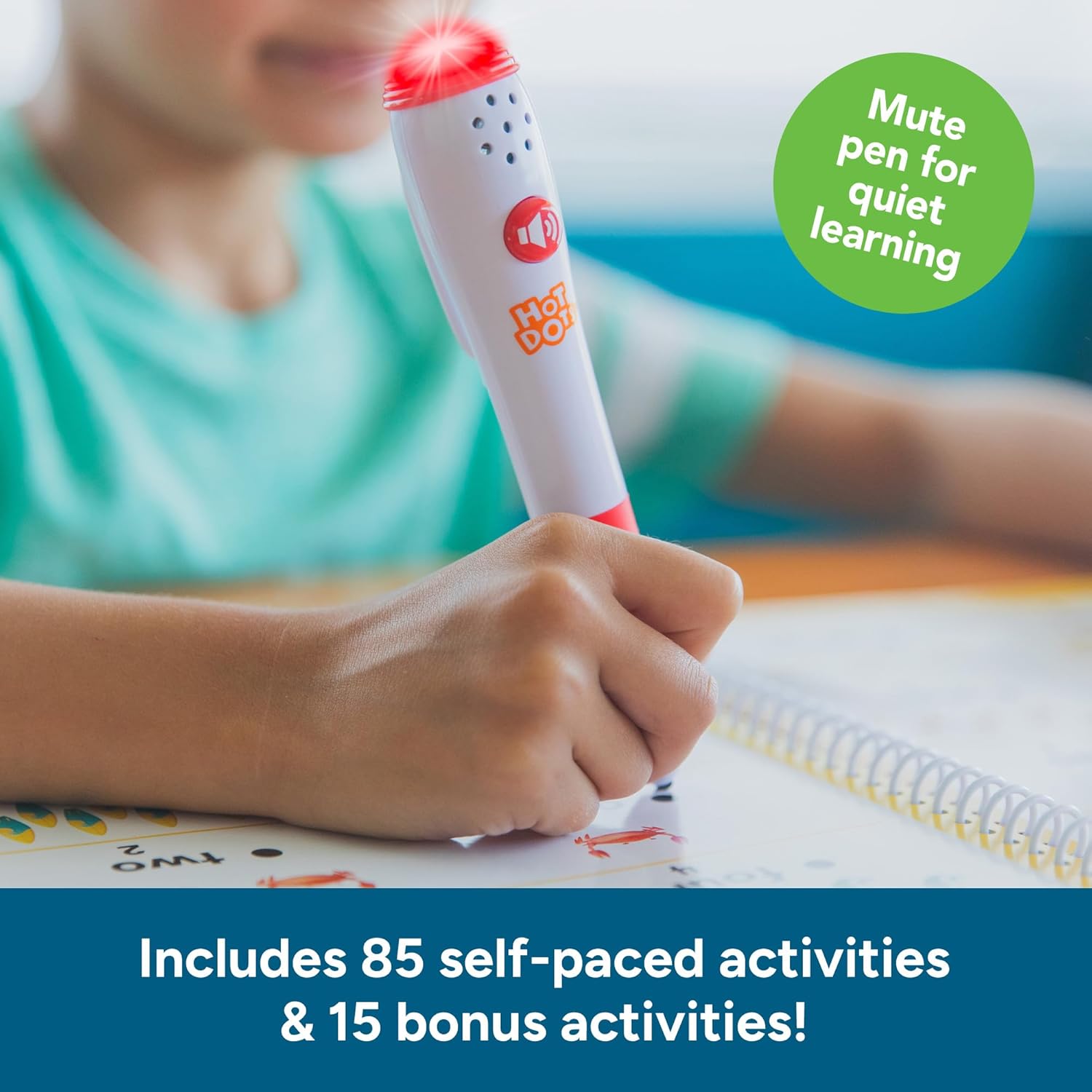
Image: A child using the interactive pen, which shows a red light for an incorrect answer. The image also highlights the option to mute the pen for quiet learning.
Reading Skills Covered
The workbooks are structured to develop a comprehensive range of kindergarten reading skills, including:
- Letter Recognition (uppercase and lowercase)
- Phonics (beginning and ending consonants, short and long vowels)
- Sight Words
- Розділові знаки
- Reading Readiness

Image: An open workbook page illustrating exercises for short vowels, with the interactive pen indicating a correct answer.
Догляд та обслуговування
- Прибирання: Wipe the interactive pen and workbook covers with a soft, dry cloth. Avoid using harsh chemicals or abrasive cleaners.
- Зберігання: Store the set in a cool, dry place away from direct sunlight.
- Довговічність: The spiral-bound workbooks feature durable pages designed to withstand repeated use.
Усунення несправностей
| Випуск | Можливе рішення |
|---|---|
| Pen not responding or giving incorrect feedback. |
|
| Audio feedback is too loud or too quiet. | Adjust the volume settings on the interactive pen, if available. The pen can also be muted for silent operation. |
Відео: Оверview of the Hot Dots learning tool, demonstrating its interactive features and how it can be used for at-home learning.
Технічні характеристики
- Розміри продукту: 8.93 x 5 x 0.04 дюймів
- Вага товару: 1 фунт
- Номер моделі товару: 2391
- Рекомендований виробником вік: 5 - 6 років
- Акумулятори: Потрібні 2 батарейки типу ААА (не входять в комплект)
- Виробник: Освітня інформація
Інформація про безпеку
WARNING: Contains small parts. Not suitable for children under 3 years due to choking hazard.
Гарантія та підтримка
For warranty information, product support, or to purchase replacement parts, please contact Educational Insights customer service directly. Refer to the product packaging or the official Educational Insights webсайт для отримання актуальної контактної інформації.
Webсайт: www.educationalinsights.com