
вступ
The StarTech.com SDOCKU33HB is a USB 3.0 SATA Hard Drive Docking Station designed for quick and easy access to 2.5-inch or 3.5-inch SATA solid-state drives (SSDs) and hard disk drives (HDDs). It features a built-in USB Fast Charge hub and supports UASP (USB Attached SCSI Protocol) for enhanced performance with SATA 6Gbps drives. This manual provides instructions for setup, operation, and maintenance of your docking station.
Продукт закінченийview
Familiarize yourself with the components and features of your docking station.
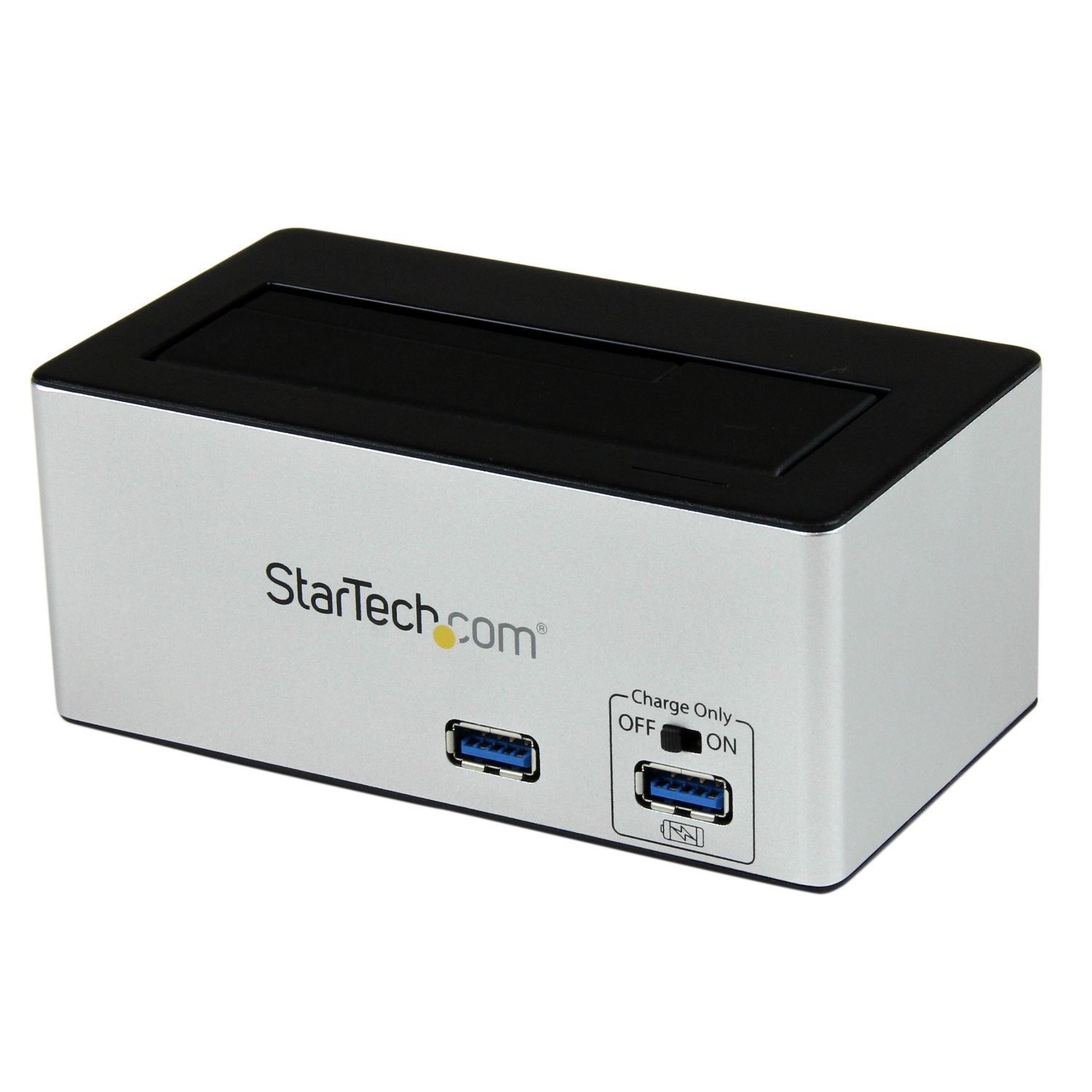
зображення: The StarTech.com SDOCKU33HB docking station, showing the top-loading drive bay and front panel.
Особливості передньої панелі
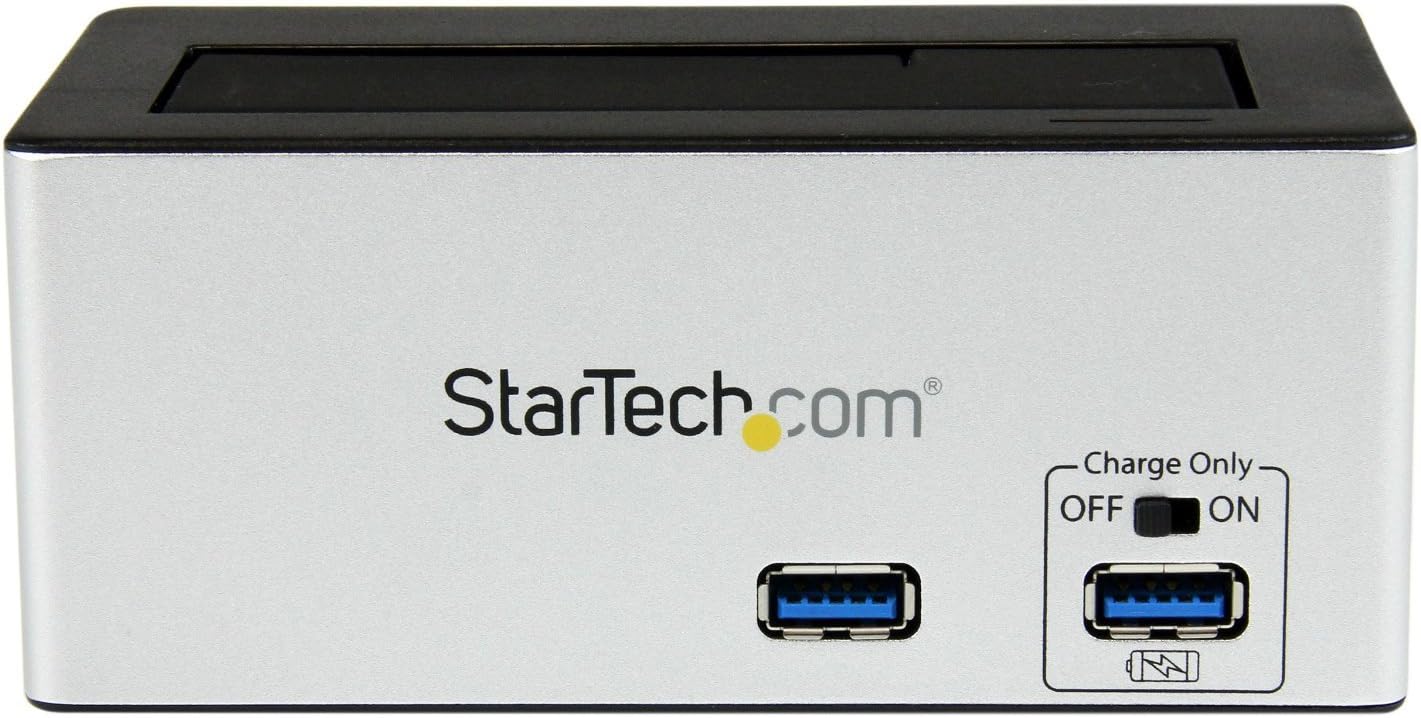
зображення: Фронт view of the docking station, highlighting the USB 3.0 data port and the USB Fast Charge port with its ON/OFF switch.
- USB 3.0 Data Port: Connects to your computer for data transfer.
- USB Fast Charge Port: Provides accelerated charging for mobile devices. Features an ON/OFF switch for activation.
Особливості задньої панелі

зображення: Задня view of the docking station, showing the power switch, DC-IN port, USB 3.0 host connection, and the OFF/Sleep switch.
- Вимикач живлення: Turns the docking station ON or OFF.
- Порт входу постійного струму: Підключається до адаптера живлення, що входить до комплекту.
- Хост-порт USB 3.0: Connects the docking station to your computer's USB 3.0 port.
- OFF/Sleep Switch: Controls the sleep mode functionality of the docking station.
Вміст упаковки
Verify that all components are present in your package.
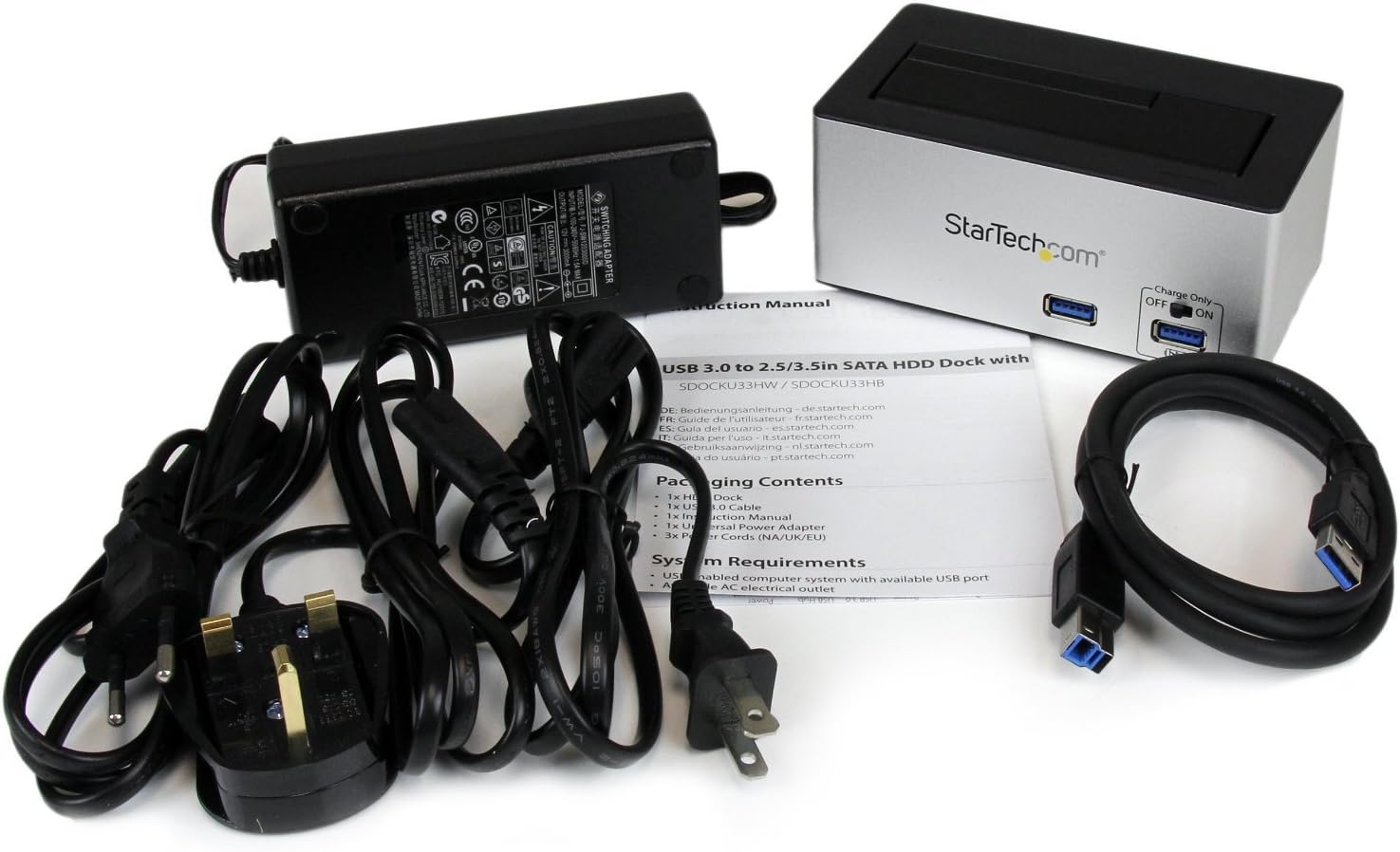
зображення: The complete package contents, including the docking station, power adapter, USB 3.0 cable, and instruction manual.
- 1x USB 3.0 SATA Hard Drive Docking Station (SDOCKU33HB)
- 1x універсальний адаптер живлення
- 1x кабель USB 3.0
- 1x Інструкція з експлуатації
Системні вимоги
Ensure your system meets the following requirements for optimal performance.
- Computer with an available USB 3.0 port (USB 2.0/1.1 backward compatible)
- 2.5-inch or 3.5-inch SATA I/II/III SSD/HDD
- Доступна розетка змінного струму
- Operating System: Windows XP/Vista/7/8/10/11, macOS 10.x and later, Linux
Інструкції з налаштування
- Підключіть живлення: Connect the universal power adapter to the DC-IN port on the rear of the docking station, then plug the adapter into an AC power outlet.
- Підключення до комп'ютера: Connect one end of the included USB 3.0 cable to the USB 3.0 Host Port on the rear of the docking station, and the other end to an available USB 3.0 port on your computer.
- Вставити диск: Gently slide your 2.5-inch or 3.5-inch SATA SSD/HDD into the top-loading drive bay until it is securely seated. Ensure the drive's SATA connector aligns with the docking station's connector.
- Увімкнення: Flip the Power Switch on the rear of the docking station to the 'ON' position. The power LED (if present) should illuminate.
- Встановлення драйвера: Ваша операційна система повинна автоматично виявити та встановити необхідні драйвери. Ручне встановлення драйверів зазвичай не потрібне.
- Доступ до диска: Once detected, the drive will appear as a removable storage device in your operating system's file explorer or disk management utility. You may need to initialize and format new drives before use.
Інструкція з експлуатації
Using the Hard Drive Dock
- Передача даних: Once the drive is recognized by your computer, you can drag and drop files to and from the drive as you would with any other storage device.
- Гаряча заміна: The docking station supports hot-swapping. To safely remove a drive, ensure all data transfer operations are complete, then use your operating system's "Safely Remove Hardware" or "Eject" function before pulling the drive out of the bay.
- Підтримка UASP: For systems supporting UASP, the docking station will leverage this protocol to achieve faster data transfer speeds, especially with SATA 6Gbps drives.
Using the USB Fast Charge Port
- Activate Fast Charge: Flip the "Charge Only" switch on the front panel to the 'ON' position.
- Підключити пристрій: Connect your mobile device (e.g., smartphone, tablet) to the USB Fast Charge port using its charging cable.
- Зарядка: The port will provide enhanced power output for faster charging compared to standard USB ports.
Sleep Mode Functionality
- The "OFF/Sleep" switch on the rear panel controls the docking station's sleep mode behavior. Consult the full product manual for detailed information on sleep mode settings and compatibility.
Технічне обслуговування
- Прибирання: Використовуйте м’яку суху тканину для очищення зовнішньої частини док-станції. Не використовуйте рідкі засоби для чищення або розчинники.
- Зберігання: Коли док-станція не використовується, зберігайте її в прохолодному, сухому місці, подалі від прямих сонячних променів та екстремальних температур.
- Drive Handling: Always handle hard drives with care. Avoid dropping or subjecting them to physical shock.
Усунення несправностей
- Issue: Drive not detected by computer.
- Переконайтеся, що док-станція увімкнена, а адаптер живлення надійно підключено.
- Verify the USB 3.0 cable is firmly connected to both the docking station and your computer.
- Спробуйте інший порт USB на комп’ютері.
- Ensure the SATA drive is correctly seated in the docking bay.
- Check your computer's Disk Management (Windows) or Disk Utility (macOS) to see if the drive is recognized but uninitialized or unformatted. New drives require initialization and formatting.
- Test with a different SATA drive to rule out a drive issue.
- Проблема: Низька швидкість передачі даних.
- Переконайтеся, що ви підключені до порту USB 3.0 на вашому комп’ютері. Порти USB 2.0 призведуть до нижчої швидкості.
- Verify your operating system and drivers support UASP for optimal performance with SATA 6Gbps drives.
- The performance of the drive itself can affect transfer speeds.
- Issue: Fast Charge port not working.
- Ensure the "Charge Only" switch on the front panel is in the 'ON' position.
- Переконайтеся, що док-станція увімкнена.
- Try a different charging cable or device to confirm the issue is not with the device or cable.
Технічні характеристики
| Особливість | Специфікація |
|---|---|
| Модель | SDOCKU33HB |
| Інтерфейс | USB 3.0 (зворотно сумісний з USB 2.0/1.1) |
| Сумісні типи дисків | 2.5" and 3.5" SATA I/II/III HDDs/SSDs |
| Швидкість передачі даних | До 5 Гбіт/с (USB 3.0) |
| Підтримка UASP | так |
| Fast Charge Port | так |
| Розміри (Д x Ш x В) | 3.6 дюйма x 3.6 дюйма x 6.8 дюйма (9.14 см x 9.14 см x 17.27 см) |
| вага | 1.4 фунти (0.64 кг) |
| Колір | чорний |
| Джерело живлення | Universal AC Adapter (Input: 100-240V AC, Output: 12V DC) |
Гарантія та технічна підтримка
Цей продукт StarTech.com підтримується Гарантія 2 рік.
For the most up-to-date information on warranty, technical support, and product documentation, please visit the official StarTech.com website or the product page:
You can also find additional resources and contact information for technical assistance on the StarTech.com webсайт.