
вступ
This manual provides essential information for the safe and efficient use of your Sony MXD-D2 MD Recorder/CD Player integrated deck. Please read these instructions thoroughly before operating the unit and retain them for future reference.
Інформація про безпеку
Дотримуйтесь наступних запобіжних заходів, щоб запобігти ураженню електричним струмом, пожежі або пошкодженню пристрою:
- Джерело живлення: Connect the unit only to an AC 100V, 50/60Hz power supply.
- Вентиляція: Ensure adequate ventilation by not blocking the ventilation openings. Do not place the unit on soft surfaces that may block these openings.
- вологість: Не піддавайте пристрій впливу дощу або вологи. Уникайте розміщення на пристрої предметів, наповнених рідинами, таких як вази.
- Сторонні предмети: Do not insert any metallic objects or liquids into the unit.
- Обслуговування: Не намагайтеся обслуговувати пристрій самостійно. Довірте всі послуги кваліфікованому персоналу.
Налаштування
Розпакування та розміщення
Carefully remove the unit from its packaging. Place the unit on a stable, level surface, ensuring sufficient space around it for proper ventilation.
Підключення задньої панелі
The rear panel of the MXD-D2 provides various input and output terminals for connecting to other audio components. Refer to the image below for a visual guide to the connections.
зображення: Rear panel of the Sony MXD-D2 unit. This view displays the analog RCA input/output, digital coaxial input, optical input/output, and Control 1 port, along with the power cord connection and product information label.
- Аналогові аудіопідключення: Використовуйте кабелі RCA для підключення АНАЛОГОВИЙ ВХІД (入力) to the audio output of an external device (e.g., a tape deck or tuner). Connect the АНАЛОГОВИЙ ВХІД (出力) to the audio input of your amplifier or receiver. Ensure left (左) and right (右) channels are matched.
- Підключення цифрового аудіо:
- Coaxial Digital Input (コアキシャル 入力): Connect a coaxial digital cable from the digital output of an external device.
- Optical Digital Input (オプチカル 入力): Connect an optical digital cable from the digital output of an external device.
- Optical Digital Output (オプチカル 出力): Connect an optical digital cable to the digital input of an external recording device or ampліфірник.
- Control 1 (コントロール 1): This port is for connecting to other compatible Sony components for synchronized operation. Refer to the manuals of connected components for specific instructions.
- Підключення живлення: After all audio connections are made, plug the power cord into an AC 100V wall outlet.
Інструкція з експлуатації
Увімкнення/вимкнення живлення
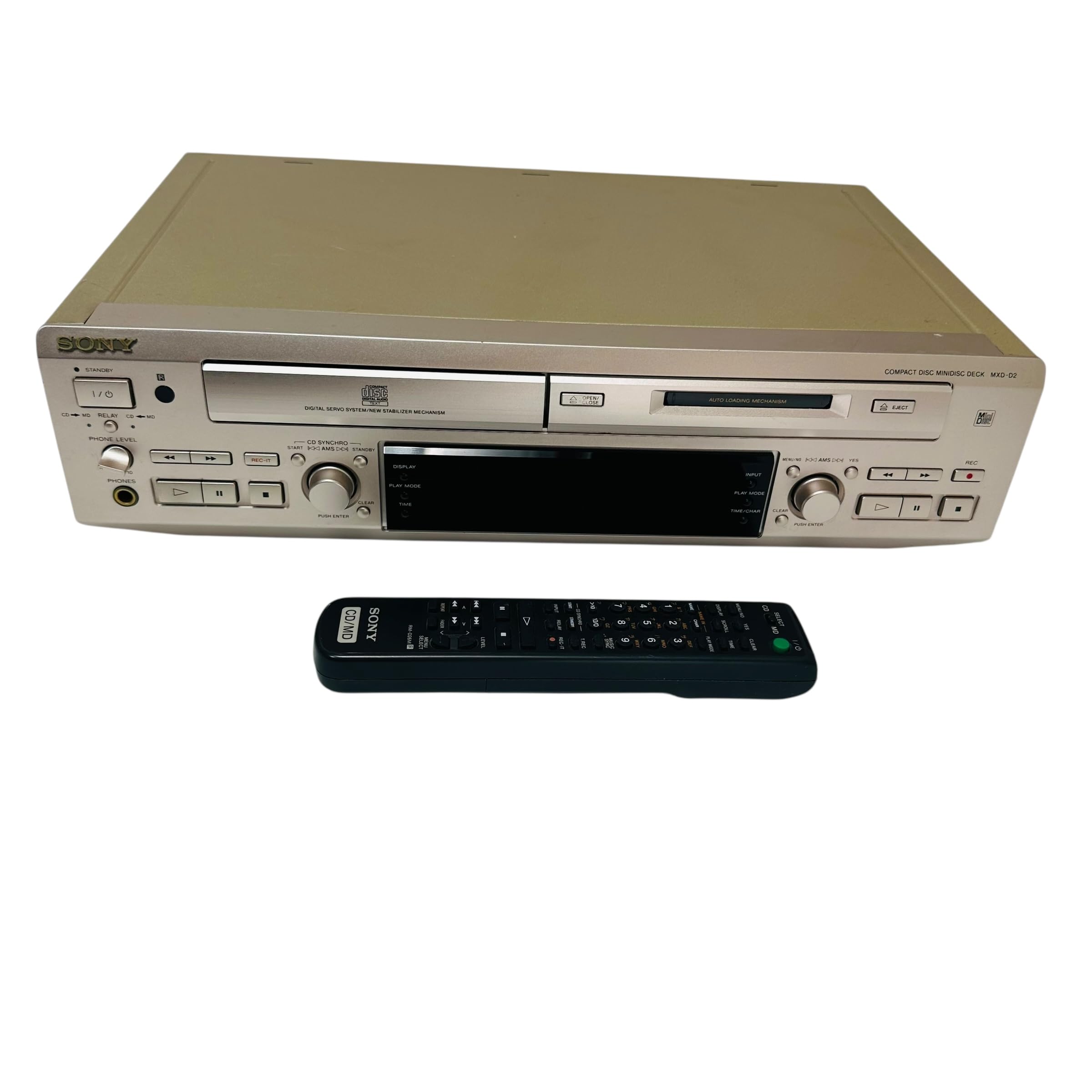
Натисніть ПОТУЖНІСТЬ кнопку на передній панелі, щоб увімкнути або вимкнути пристрій.
Відтворення компакт-дисків
- Натисніть ВІДКРИТИ/ЗАКРИТИ CD кнопку, щоб відкрити лоток для компакт-дисків.
- Place a CD with the label side up in the tray.
- Натисніть ВІДКРИТИ/ЗАКРИТИ CD ще раз, щоб закрити лоток.
- Натисніть ВІДТВОРЕННЯ CD , щоб розпочати відтворення.
- Використовуйте ПАУЗА, СТІЙ, ПРОПУСТИТИ (►►| / |◄◄), and ПОШУК кнопки для керування відтворенням.
MD Playback
- Insert a MiniDisc into the MD slot with the arrow pointing inwards.
- Натисніть MD PLAY , щоб розпочати відтворення.
- Використовуйте ПАУЗА, СТІЙ, ПРОПУСТИТИ (►►| / |◄◄), and ПОШУК кнопки для керування відтворенням.
MD Recording
The MXD-D2 allows recording from CD, analog, or digital sources to a MiniDisc.
- Insert a blank or erasable MiniDisc into the MD slot.
- Select the desired input source (CD, ANALOG, DIGITAL COAXIAL, or DIGITAL OPTICAL) using the ВИБІР ВХОДУ кнопку.
- For CD-to-MD recording, load the CD and select CD as the input source.
- Натисніть MD REC button to enter recording standby mode.
- Start playback on the source device (if external) or press ВІДТВОРЕННЯ CD (for CD-to-MD recording).
- Прес MD REC знову, щоб почати запис.
- Прес MD STOP щоб завершити запис.
- Track Marking: The unit can automatically mark tracks during digital recording. For manual marking, press the МАРК button during recording.
Технічне обслуговування
Очищення агрегату
Протріть зовнішню частину пристрою м’якою сухою тканиною. Для стійких плям використовуйте тканину, злегка протертуampened with a mild detergent solution, then wipe dry. Do not use abrasive pads, scouring powder, or solvents such as alcohol or benzene.
Догляд за дисками
- Тримайте диски за краї, щоб уникнути відбитків пальців на поверхні запису.
- Keep discs in their cases when not in use to protect them from dust and scratches.
- Не піддавайте диски впливу прямих сонячних променів або джерел тепла.
Усунення несправностей
If you experience problems with your unit, consult the following table before seeking professional service.
| проблема | Можлива причина | Рішення |
|---|---|---|
| Немає живлення | Шнур живлення ненадійно підключений. | Check that the power cord is firmly plugged into the unit and the wall outlet. |
| Ні звуку | Incorrect input selected; audio cables not connected properly; amplifier volume too low. | Select the correct input source. Check all audio cable connections. Increase the volume on your ampліфірник. |
| CD/MD does not play or record | Disc inserted incorrectly; disc is dirty or scratched; disc is unrecordable (for MD). | Ensure the disc is inserted correctly. Clean the disc with a soft cloth. Use a recordable MD. |
| Recording level is too low/high | Source device output level is incorrect. | Adjust the output level on the source device or the recording level on the MXD-D2 if available. |
Технічні характеристики
| Особливість | Деталь |
|---|---|
| Номер моделі | MXD-D2 |
| Бренд | Sony |
| Вимоги до живлення | AC 100V, 16W, 50/60Hz |
| формати носіїв | Compact Disc (CD), MiniDisc (MD) |
| Аналогові входи | RCA (Left/Right) |
| Аналогові виходи | RCA (Left/Right) |
| Цифрові входи | Coaxial (1), Optical (1) |
| Цифрові виходи | оптичний (1) |
| Порт керування | Контроль 1 |
| Сумісні пристрої | Speakers, Headphones |
| Серійний номер | 213013 (Exampле) |
| Країна походження | Зроблено в Японії |
Гарантія та підтримка
For warranty information and technical support, please refer to the warranty card included with your product or visit the official Sony webсайт для вашого регіону. Зберігайте чек про покупку як підтвердження покупки.