
вступ
The Adesso AKB-132UB Multimedia Desktop Keyboard is designed to enhance your computing experience with its 104-key layout and integrated multimedia and internet hotkeys. This keyboard features quiet membrane key switches for a comfortable and responsive typing experience. It connects to your computer via a USB interface.
Вміст упаковки
Будь ласка, перевірте наявність усіх предметів у вашій упаковці:
- Adesso AKB-132UB Multimedia Desktop Keyboard
- Короткий посібник
Налаштування
- Вимкніть комп'ютер: For optimal installation, it is recommended to power off your computer before connecting the keyboard.
- Підключіть кабель USB: Locate an available USB port on your computer. Plug the USB connector of the Adesso AKB-132UB keyboard firmly into the USB port. Note: Some USB keyboards may be sensitive to the specific port used. If the keyboard does not function, try a different USB port, preferably one directly on the computer's motherboard (e.g., at the back of a desktop PC) rather than a USB hub.
- Увімкніть комп'ютер: Turn on your computer. The operating system should automatically detect and install the necessary drivers for the keyboard.
- Перевірте працездатність: Once the drivers are installed, test the keyboard by typing in a text editor or navigating your system. The Num Lock, Caps Lock, and Scroll Lock indicator lights should function correctly.
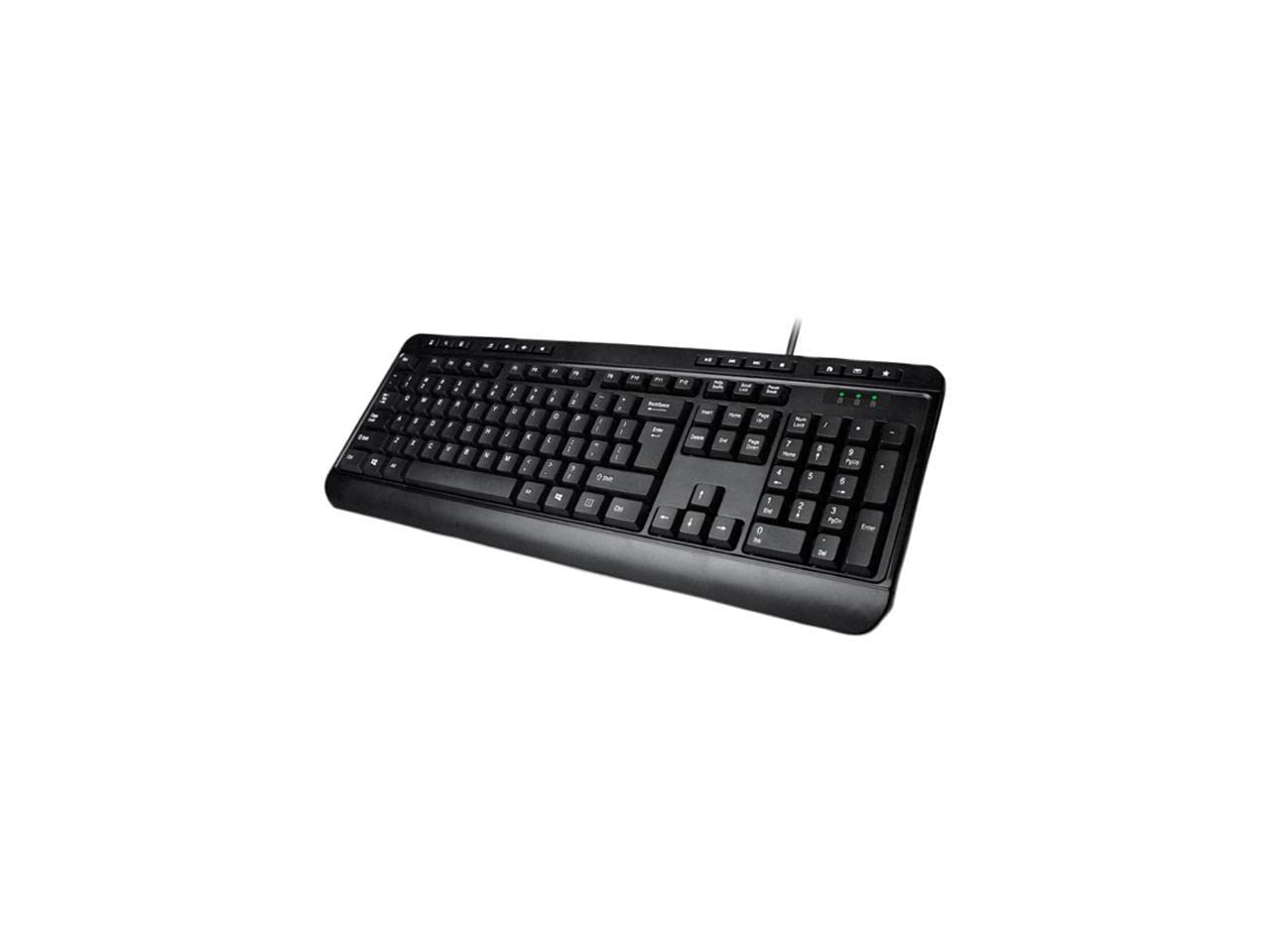
Image: Adesso AKB-132UB Multimedia Desktop Keyboard. This image shows the full keyboard with its standard 104-key layout and the attached USB cable for connection.
Інструкція з експлуатації
Standard Keyboard Functions
The Adesso AKB-132UB features a standard 104-key US layout. Keys operate as labeled. The keyboard utilizes membrane switches, providing a quiet and tactile typing experience.
- Світлові індикатори: Located above the numeric keypad, these lights indicate the status of Num Lock, Caps Lock, and Scroll Lock.
- Регульований нахил: The keyboard includes foldable feet on the underside to adjust the typing angle for comfort.
Мультимедійні гарячі клавіші
The keyboard includes 8 dedicated multimedia hotkeys for quick access to media player controls:
- Медіаплеєр: Opens your default media player application.
- Зменшення гучності: Зменшує гучність системи.
- Збільшення гучності: Збільшує гучність системи.
- Вимкнути звук: Toggles the system sound on or off.
- Відтворення/пауза: Відтворює або призупиняє відтворення медіафайлів.
- Попередній трек: Skips to the previous track in your media player.
- Наступний трек: Skips to the next track in your media player.
- Стій: Зупиняє відтворення медіафайлів.
Windows & Internet Hotkeys
The keyboard also features 6 hotkeys for common Windows and Internet functions:
- Мій комп'ютер: Opens the "This PC" or "My Computer" window.
- пошук: Opens the system search utility.
- Калькулятор: Launches the Windows Calculator application.
- Пошта: Opens your default email client.
- Головна: Відкриває ваш стандартний web browser to its home page.
- Вибране: Відкриває ваш web browser's favorites/bookmarks.
Технічні характеристики
| Особливість | Деталь |
|---|---|
| Бренд | Adesso |
| Номер моделі | АКБ-132УБ |
| Технологія підключення | Дротова (USB) |
| Розкладка клавіатури | 104-Key US Layout (QWERTY) |
| Тип ключа | Мембранні перемикачі |
| Мультимедійні гарячі клавіші | 8 (Media Player, Volume Down, Volume Up, Mute, Play/Pause, Previous Track, Next Track, Stop) |
| Windows & Internet Hotkeys | 6 (My Computer, Search, Calculator, Mail, Home, Favorites) |
| Індикатори | Num Lock, Caps Lock, Scroll Lock |
| Життєвий цикл | 5 мільйонів натискань клавіш |
| Колір | чорний |
| матеріал | пластик |
| Вага товару | 1.5 фунта |
Усунення несправностей
- Клавіатура не реагує:
- Переконайтеся, що USB-кабель надійно підключено до робочого USB-порту вашого комп’ютера.
- Try plugging the keyboard into a different USB port, especially a direct port on the computer's rear, bypassing any USB hubs.
- Перезавантажте комп’ютер, щоб операційна система могла повторно виявити пристрій.
- Перевірте клавіатуру на іншому комп’ютері, щоб визначити, чи проблема пов’язана з клавіатурою, чи з налаштуваннями вашого комп’ютера.
- Keys Not Functioning Correctly or Unexpected Characters:
- Перевірте, чи в налаштуваннях операційної системи вибрано правильну розкладку клавіатури.
- Переконайтеся, що під клавішами немає сторонніх предметів.
- For specific keys like the 'Enter' key, be aware that some keyboard layouts may place the backslash key adjacent to it. Familiarization with the physical layout is key.
- Wobbly Keyboard:
- Ensure the keyboard is placed on a flat, stable surface.
- Check if the adjustable tilt feet are fully extended or retracted evenly.
Технічне обслуговування
To maintain the performance and longevity of your Adesso AKB-132UB keyboard:
- Прибирання: Використовуйте м’який, злегка damp cloth to wipe the surface of the keyboard. Avoid using harsh chemicals or abrasive cleaners. For cleaning between keys, use compressed air to remove dust and debris.
- Уникайте розливів: Тримайте рідини подалі від клавіатури, щоб запобігти пошкодженню внутрішніх компонентів.
- Зберігання: Якщо клавіатура не використовується протягом тривалого часу, зберігайте її в чистому, сухому місці.
Гарантія та підтримка
The Adesso AKB-132UB Multimedia Desktop Keyboard comes with a 1 рік обмеженої гарантії з дати покупки. Ця гарантія поширюється на дефекти матеріалів і виготовлення за нормального використання.
For technical support, warranty claims, or further assistance, please contact Adesso customer service. Refer to the official Adesso webсайт для отримання найактуальнішої контактної інформації.
Примітка: Цей продукт містить хімічні речовини, які, як відомо штату Каліфорнія, викликають рак, вроджені вади розвитку або інші репродуктивні порушення.