
1. Вступ
Дякуємо за покупкуasing the Lexon LR98R1 Onoff LCD Alarm Clock. This manual provides detailed instructions for the proper setup, operation, and maintenance of your device. Please read this manual thoroughly before use and retain it for future reference.
The Lexon Onoff alarm clock features a unique design where flipping the clock activates or deactivates the alarm. It includes an LCD display with a blue electroluminescent backlight for clear visibility.
2. Інформація про безпеку
- Не піддавайте пристрій впливу екстремальних температур, прямих сонячних променів або високої вологості.
- Не кидайте пристрій і не піддавайте його сильним ударам.
- Do not attempt to disassemble or modify the alarm clock. This will void the warranty.
- Тримайте пристрій подалі від води та інших рідин.
- Утилізуйте використані батареї відповідально відповідно до місцевих правил.
- Use only the specified battery type (2 x AAA).
3. Вміст упаковки
Переконайтеся, що всі предмети присутні в упаковці:
- Lexon LR98R1 Onoff LCD Alarm Clock
- Посібник користувача (цей документ)
Примітка: батарейки типу AAA не входять до комплекту та мають бути придбані окремо.
4. Продукт закінчивсяview
Familiarize yourself with the components of your Lexon Onoff alarm clock.
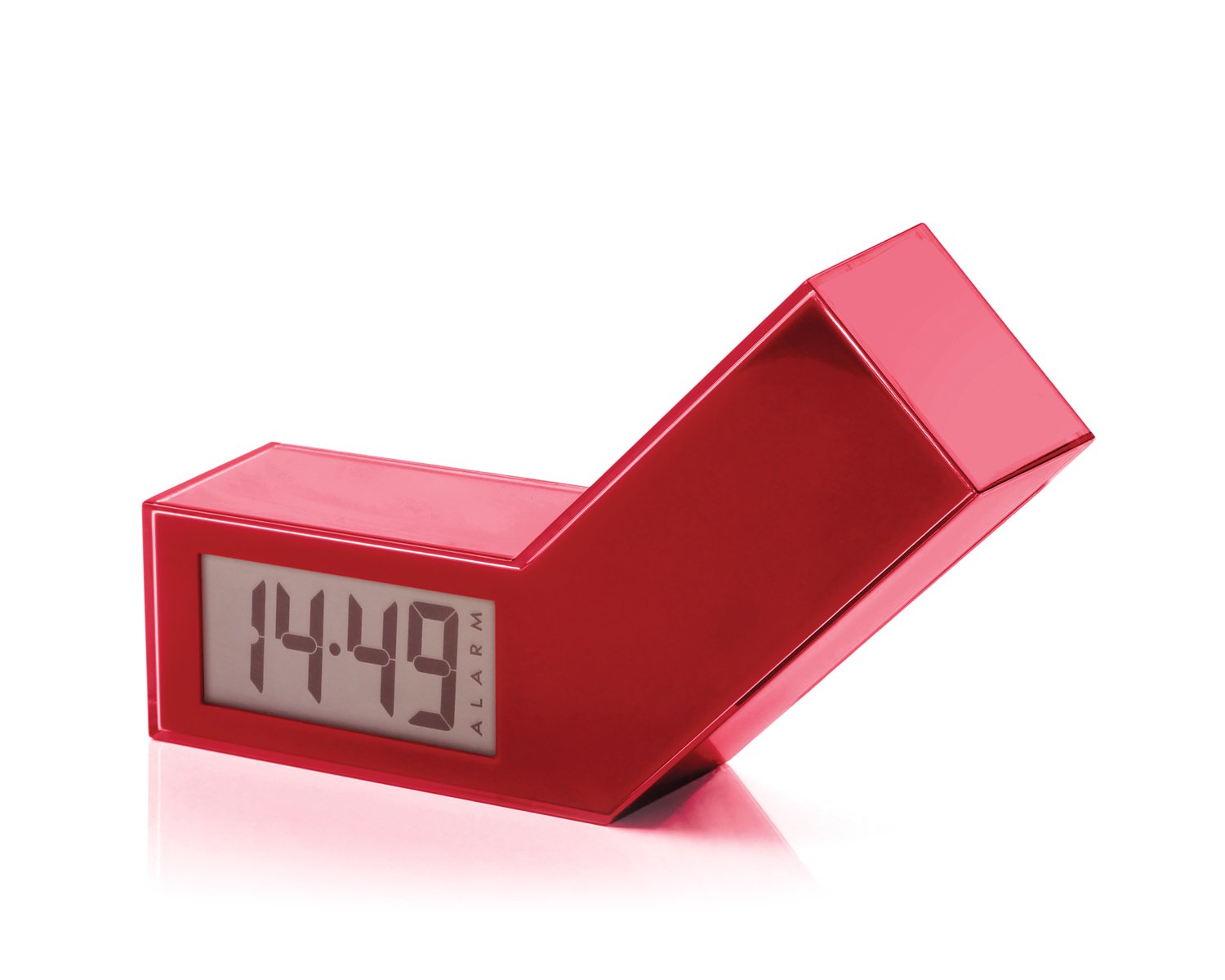
Малюнок 1: Спереду view of the Lexon LR98R1 Onoff LCD Alarm Clock. The image displays the alarm clock in its red casing, with the LCD screen visible. The side labeled 'ON' is facing upwards, indicating the alarm is active. The clock has a minimalist rectangular design.
While specific button labels are not visible in the provided image, typical alarm clock controls are usually located on the back or sides. These generally include:
- Кнопка встановлення часу: To adjust the current time.
- Кнопка налаштування будильника: To adjust the alarm time.
- Hour/Minute Adjustment Buttons: To change hour and minute values.
- Кнопка відкладення/світла: To temporarily silence the alarm or activate the backlight.
- Батарейний відсік: Located on the back or bottom.
5. Налаштування
5.1 Встановлення батареї
- Знайдіть кришку відсіку для батарейок на задній або нижній панелі будильника.
- Зсуньте або підніміть кришку, щоб відкрити відсік.
- Вставте дві (2) батарейки типу AAA, дотримуючись правильної полярності (+ та -), як зазначено всередині відсіку.
- Надійно закрийте кришку батарейного відсіку.
Note: Batteries are not included. Please use new AAA alkaline batteries for optimal performance.
5.2 Початкове ввімкнення
Once batteries are installed, the LCD display should illuminate, and the clock will typically start at a default time (e.g., 12:00 AM). You will then need to set the current time and alarm.
6. Інструкція з експлуатації
6.1 Встановлення поточного часу
- Натисніть і утримуйте ВСТАНОВИТИ ЧАС button (or similar, refer to device markings) until the hour digits begin to flash.
- Використовуйте ГОДИНА і ХВИЛИНА adjustment buttons to set the correct hour and minute.
- Прес ВСТАНОВИТИ ЧАС ще раз для підтвердження та виходу з режиму налаштування часу.
6.2 Налаштування часу будильника
- Натисніть і утримуйте НАБОР ТРИВОГИ button (or similar) until the alarm hour digits begin to flash.
- Використовуйте ГОДИНА і ХВИЛИНА adjustment buttons to set your desired alarm time.
- Прес НАБОР ТРИВОГИ again to confirm and exit alarm setting mode.
6.3 Activating/Deactivating the Alarm (Onoff Feature)
The Lexon Onoff alarm clock features a unique flip mechanism:
- до АКТИВУВАТИ the alarm, place the clock with the side labeled "ON" facing upwards. An alarm icon should appear on the LCD display.
- до ДЕАКТИВУВАТИ the alarm, flip the clock so the side labeled "ВИМКНЕНО" is facing upwards. The alarm icon should disappear from the display.
6.4 Silencing the Alarm / Snooze Function
- Коли пролунає будильник, натисніть кнопку СНУЗ / СВІТЛО button (usually a large button on top) to temporarily silence the alarm. The alarm will sound again after a few minutes (typically 5-10 minutes).
- To completely turn off the alarm for the day, flip the clock to the "ВИМКНЕНО"позиція".
6.5 Підсвічування дисплея
Натисніть СНУЗ / СВІТЛО button to activate the blue electroluminescent backlight for a few seconds, allowing you to view час в умовах слабкого освітлення.
7. Технічне обслуговування
7.1 Очищення
Wipe the surface of the alarm clock with a soft, dry cloth. Do not use abrasive cleaners, solvents, or chemical sprays, as these may damage the finish or electronic components.
7.2 Заміна батареї
When the display dims or the alarm function becomes unreliable, it is time to replace the batteries. Follow the battery installation steps in Section 5.1. Always replace both AAA batteries at the same time.
8. Вирішення проблем
| проблема | Можлива причина | Рішення |
|---|---|---|
| Дисплей порожній або тьмяний. | Батареї розряджені або встановлені неправильно. | Замініть батарейки новими батарейками типу AAA, дотримуючись правильної полярності. |
| Сигналізація не звучить. | Alarm is not activated (clock is in "OFF" position) or alarm time is not set. | Flip the clock to the "ON" position. Verify the alarm time is set correctly (Section 6.2). Ensure batteries are not low. |
| Час неправильний. | Time was not set correctly or batteries were removed/replaced. | Reset the current time (Section 6.1). |
| Підсвічування не працює. | Низький заряд батарей. | Замініть батареї. |
9. Технічні характеристики
| Номер моделі | LR98R1 |
| Бренд | Lexon |
| Тип дисплея | LCD with Blue Electroluminescent Backlight |
| Джерело живлення | 2 батареї AAA (не входять в комплект) |
| матеріал | ABS / Injected Polycarbonate |
| Розміри (Д x Ш x В) | 13.5 x 3.5 x 8 см (приблизно 5.3 x 1.4 x 3.1 дюймів) |
| Тип руху | Кварц |
| Особливості | Onoff flip alarm activation/deactivation, Snooze function |
10. Гарантія та підтримка
The Lexon LR98R1 Onoff LCD Alarm Clock comes with a 2-річна гарантія виробника з дати покупки. Ця гарантія поширюється на дефекти матеріалів і виготовлення за нормального використання.
Гарантія не поширюється на:
- Пошкодження, спричинені нещасним випадком, зловживанням, неправильним використанням, повінню, пожежею, землетрусом або іншими зовнішніми причинами.
- Пошкодження, спричинені експлуатацією виробу не за призначенням або не в рамках, описаних у цьому посібнику.
- Damage caused by service performed by anyone who is not an authorized representative of Lexon.
- Products or parts that have been modified to alter functionality or capability without the written permission of Lexon.
For warranty claims or technical support, please contact Lexon customer service through their official website or your retailer. Please have your proof of purchase and model number (LR98R1) ready.