
Важлива інформація з безпеки
Please read and understand all instructions before using the laminator. Keep this manual for future reference.
- Не використовуйте ламінатор, якщо шнур живлення або вилка пошкоджені.
- Keep the laminator away from water or other liquids.
- Do not insert metal objects into the laminator.
- Забезпечте належну вентиляцію навколо машини під час роботи.
- Відключайте ламінатор від мережі, коли він не використовується або перед чищенням.
- Цей прилад не призначений для використання особами (включаючи дітей) з обмеженими фізичними, сенсорними чи розумовими здібностями, або з браком досвіду та знань, якщо вони не перебувають під наглядом або не отримали інструкції щодо використання приладу особою, відповідальною за їх безпеку.
Продукт закінченийview
The Amazon Basics 9-Inch Thermal Laminator is designed for home, office, or classroom use, providing high-quality lamination for various document sizes.
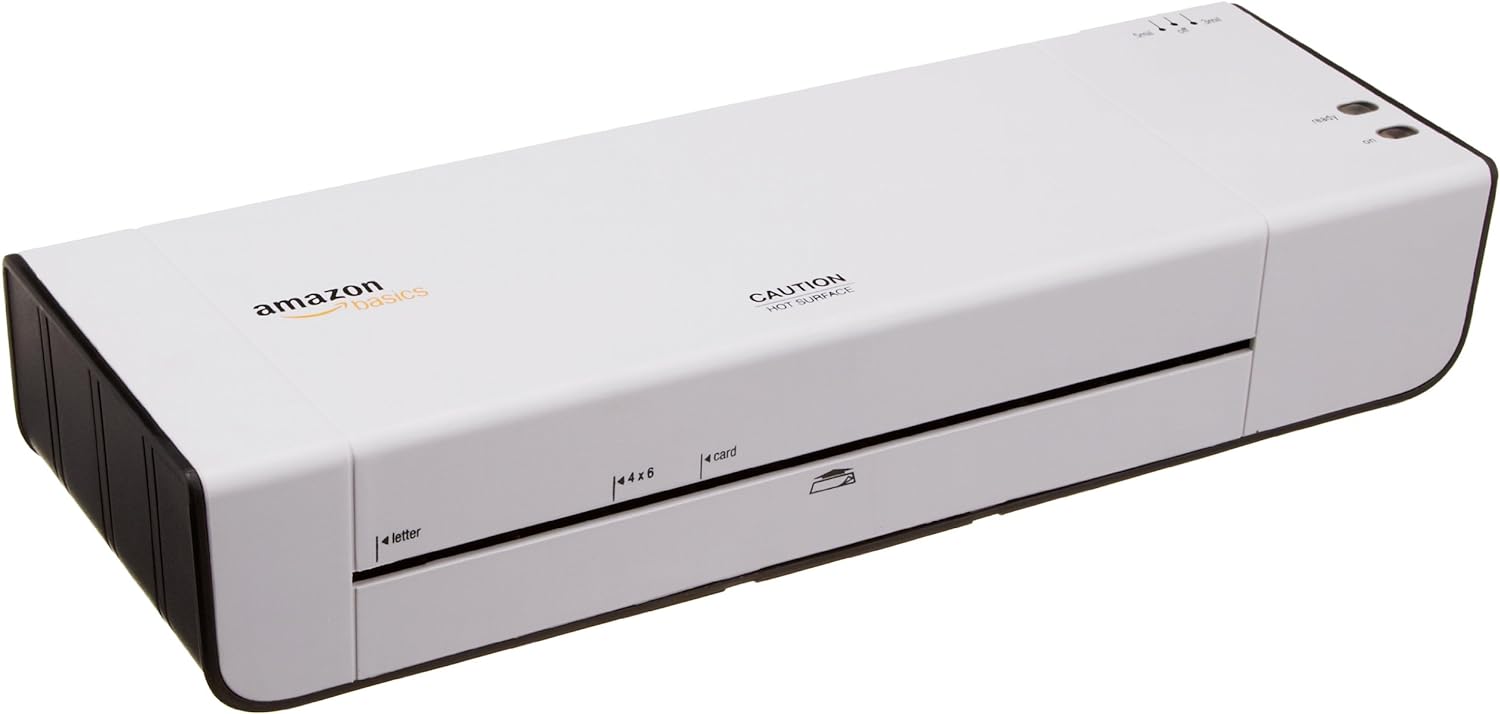
Малюнок 1: Спереду view of the Amazon Basics 9-Inch Thermal Laminator Machine, showing the feed slot and branding.
Ключові характеристики:
- Laminates documents up to 9 inches wide.
- Two heat settings: 3 mil and 5 mil.
- Quick 4-minute warm-up time.
- Jam release lever for easy clearing.
- Компактний дизайн.
Налаштування
Розпакування:
Carefully remove the laminator from its packaging. Retain the packaging for future storage or transport.
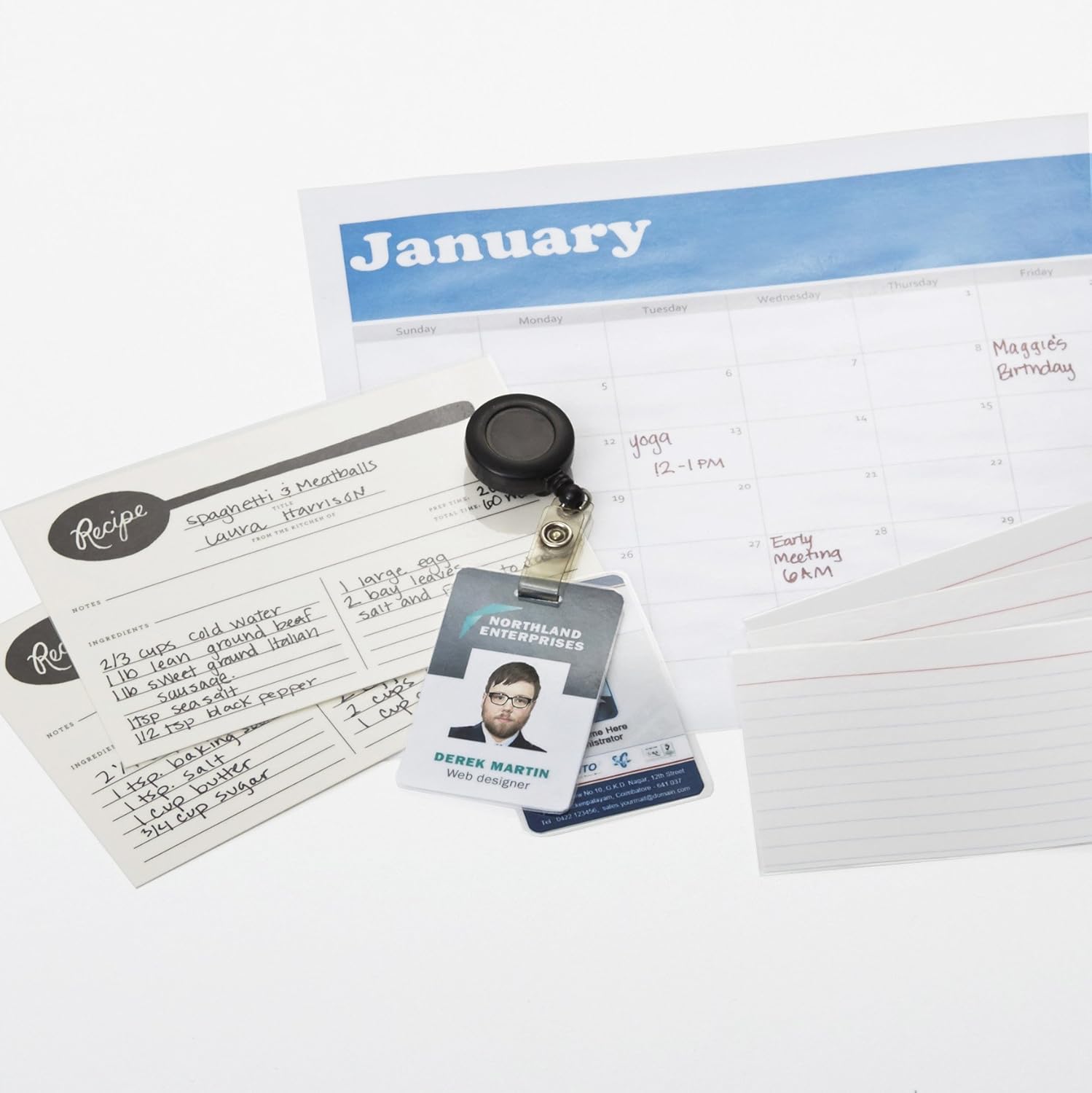
Figure 2: The laminator machine as it appears inside its frustration-free packaging.
Розміщення:
Place the laminator on a flat, stable, and heat-resistant surface. Ensure there is adequate space around the machine for proper ventilation and for documents to exit the rear.
Підключення живлення:
Plug the power cord into a standard electrical outlet. The power switch is located on the side of the unit.

Малюнок 3: Збільшений план view of the power switch, 3mil/5mil heat settings, and release lever on the side of the laminator.
Інструкція з експлуатації
Laminating a Document:
Увімкнення та розігрів:
Turn the power switch to the "On" position. The "Ready" indicator light will illuminate once the machine has warmed up (approximately 4 minutes).
Виберіть налаштування нагрівання:
Choose the appropriate heat setting based on the laminating pouch thickness:
- 3 mil: For normal documents, photos, and card stock.
- 5 mil: For thinner papers.
Підготувати документ:
Place the document inside a laminating pouch, ensuring it is centered and there is an even border around the edges. Use the included 3 mil thick, 8.9 by 11.4 inch laminating pouches or any compatible 3 mil or 5 mil pouch.

Малюнок 4: Впрample of laminating recipe cards, showing the document being fed into the laminator.
Вкладиш-мішечок:
Carefully insert the sealed edge of the laminating pouch into the laminator's feed slot. The machine will automatically pull the pouch through.

Figure 5: A calendar page being laminated, demonstrating the machine's ability to handle various document types.
Retrieve Laminated Document:
Once the pouch exits the rear of the machine, allow it to cool on a flat surface before handling to ensure proper sealing.

Figure 6: A collection of laminated items, including recipe cards, ID badges, and a calendar, showcasing the versatility of the laminator.
Технічне обслуговування
Прибирання:
Ensure the laminator is unplugged and completely cool before cleaning. Wipe the exterior with a soft, damp тканина. Не використовуйте абразивні засоби чи розчинники.
Roller Cleaning (Optional):
Periodically, you may run a cleaning sheet (available separately) through the laminator to remove any adhesive residue from the rollers.
Зберігання:
Store the laminator in a cool, dry place when not in use. Ensure the power cord is neatly wrapped and not kinked.
Усунення несправностей
| проблема | Можлива причина | Рішення |
|---|---|---|
| Laminator does not turn on. | Не підключено до мережі; живлення вимкнено; немає живлення в розетці. | Check power cord connection; ensure power switch is "On"; test outlet with another device. |
| Pouch jams in the machine. | Pouch inserted incorrectly; pouch too thick; foreign object. | Натисніть важіль звільнення to clear the jam. Ensure pouch is inserted sealed edge first and is within specified thickness (3 or 5 mil). |
| Lamination is cloudy or bubbly. | Incorrect heat setting; machine not fully warmed up; low-quality pouch. | Ensure correct heat setting (3 mil for normal, 5 mil for thinner); wait for "Ready" light; use high-quality laminating pouches. |
| Lamination is not sealed properly. | Incorrect heat setting; machine not fully warmed up; document too thick for pouch. | Verify heat setting; wait for "Ready" light; ensure document fits pouch with adequate border. |
Технічні характеристики
| Особливість | Деталь |
|---|---|
| Номер моделі | PL9-US |
| Ширина ламінування | До 9 дюйма |
| Налаштування тепла | 3 mil, 5 mil |
| Час розігріву | Приблизно 4 хвилин |
| Кількість роликів | 2 |
| вага | 1.2 кг |
| Джерело живлення | Стандартний кондиціонер |
Гарантія та підтримка
For warranty information and customer support, please visit the official Amazon Basics webсайт або зверніться безпосередньо до служби підтримки клієнтів Amazon.
Інтернет-підтримка: Основи магазину Amazon
Note: Reading the full user manual is recommended prior to the first use of this product.