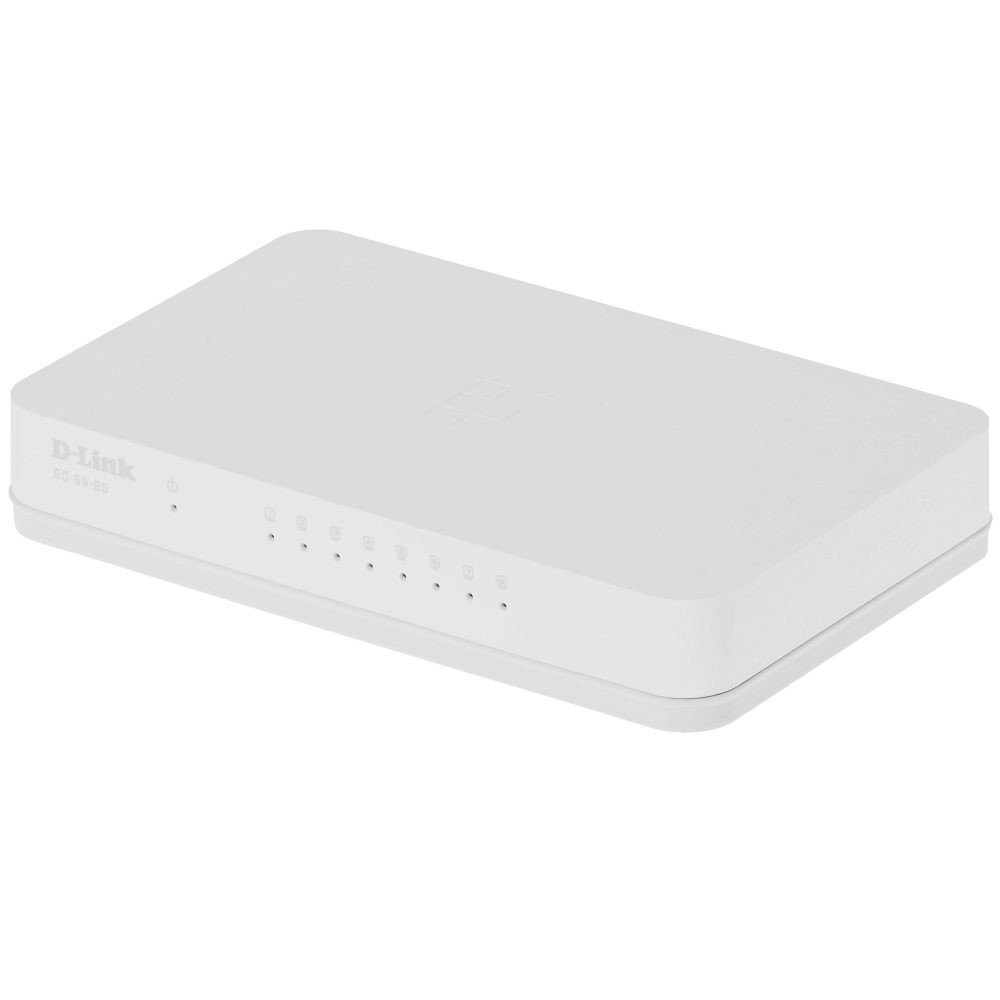
The D-Link GO-SW-8G is an 8-port unmanaged Gigabit desktop switch designed for small office and home office (SOHO) environments. This device facilitates network expansion by providing eight 10/100/1000 Mbps Ethernet ports, enabling high-speed data transfer for connected devices. It incorporates D-Link's Green Technology for energy efficiency, reduced heat generation, and extended product lifespan.
Налаштування
Вміст упаковки
Переконайтеся, що ваш пакет містить такі елементи:
GO-SW-8G device
Адаптер живлення
Підключення комутатора
The GO-SW-8G is a plug-and-play device, requiring no software configuration for basic operation. Follow these steps to set up your switch:
Підключення живлення: Connect the provided power adapter to the power input port on the rear panel of the GO-SW-8G switch and then plug the adapter into a standard electrical outlet.
Підключення мережевого пристрою: Connect Ethernet cables from your network devices (e.g., computers, network-attached storage, routers) to any of the eight available RJ45 ports on the GO-SW-8G switch. The switch supports auto MDI/MDIX, so you can use either straight-through or crossover Ethernet cables.
Перевірка: Once connected, the corresponding LED indicator for each active port will illuminate, indicating a successful link.
Image: D-Link GO-SW-8G 8-Port Unmanaged Gigabit Desktop Switch. This image displays the compact white design of the switch with its multiple Ethernet ports and power input.
Операційна
The D-Link GO-SW-8G operates as an unmanaged switch, meaning it requires no user configuration for its core functions. It automatically detects network speed and duplex mode for each connected device, providing optimal performance. The Gigabit Ethernet ports support data transfer rates of up to 1000 Mbps, facilitating fast communication within your local network.
Світлодіодні індикатори
The switch features LED indicators for each port and for power. These indicators provide visual feedback on the status of the switch and its connections:
Світлодіод живлення: Світиться, коли вимикач увімкнено.
Світлодіоди зв'язку/активності (на кожен порт):
Світиться зеленим: Indicates a successful network link at Gigabit speed (1000 Mbps).
Суцільний бурштин: Indicates a successful network link at Fast Ethernet speed (10/100 Mbps).
Блимає: Вказує на мережеву активність (передача або прийом даних) на цьому порту.
Вимкнено: No link detected or device is not powered on/connected.
Технічне обслуговування
To ensure optimal performance and longevity of your D-Link GO-SW-8G switch, follow these general maintenance guidelines:
Розміщення: Place the switch in a well-ventilated area to prevent overheating. Avoid direct sunlight and heat sources.
Прибирання: Використовуйте м’яку суху тканину для очищення зовнішньої частини вимикача. Не використовуйте рідкі або аерозольні засоби для чищення.
Управління кабелем: Ensure network cables are neatly organized and not excessively bent or strained.
Джерело живлення: Використовуйте лише адаптер живлення, що постачається разом із пристроєм.
Усунення несправностей
If you encounter issues with your D-Link GO-SW-8G switch, refer to the following common troubleshooting steps:
Немає живлення:
Переконайтеся, що адаптер живлення надійно підключено до комутатора та справної електричної розетки.
Перевірте справність розетки, підключивши інший пристрій.
Індикатор відсутності з’єднання:
Verify that the Ethernet cable is securely plugged into both the switch port and the network device.
Переконайтеся, що підключений мережевий пристрій увімкнено та працює належним чином.
Спробуйте інший кабель Ethernet, щоб виключити його несправність.
Test with a different port on the switch.
Низька швидкість мережі:
Confirm that all connected devices and cables support Gigabit Ethernet (1000 Mbps) for optimal performance.
Перевірте наявність надмірного мережевого трафіку або програм, що інтенсивно використовують пропускну здатність, запущених на підключених пристроях.
Ensure the switch is placed in an area with adequate ventilation to prevent performance degradation due to overheating.
Технічні характеристики
Бренд
D-Link
Номер моделі
GO-SW-8G/B
Кількість портів
8
Швидкість передачі даних
1000 мегабайт за секунду (гігабіт)
Тип перемикача
Некерований
Інтерфейс
RJ45
Сумісні пристрої
ПК, Mac
томtage
5 вольт
Тип матеріалу корпусу
пластик
Вага товару
0.3 фунта
Інформація про гарантію
The D-Link GO-SW-8G switch comes with a 3 рік обмеженої гарантії. For detailed terms and conditions, please refer to the warranty card included with your product or visit the official D-Link webсайт.
Підтримка
For technical support, product registration, or to download the latest firmware and documentation, please visit the official D-Link support website. You can typically find support resources by searching for your product model (GO-SW-8G) on their site.
Ask about setup, troubleshooting, compatibility, parts, safety, or missing instructions. Manuals+ will review the question and use this page’s manual context to help answer it.