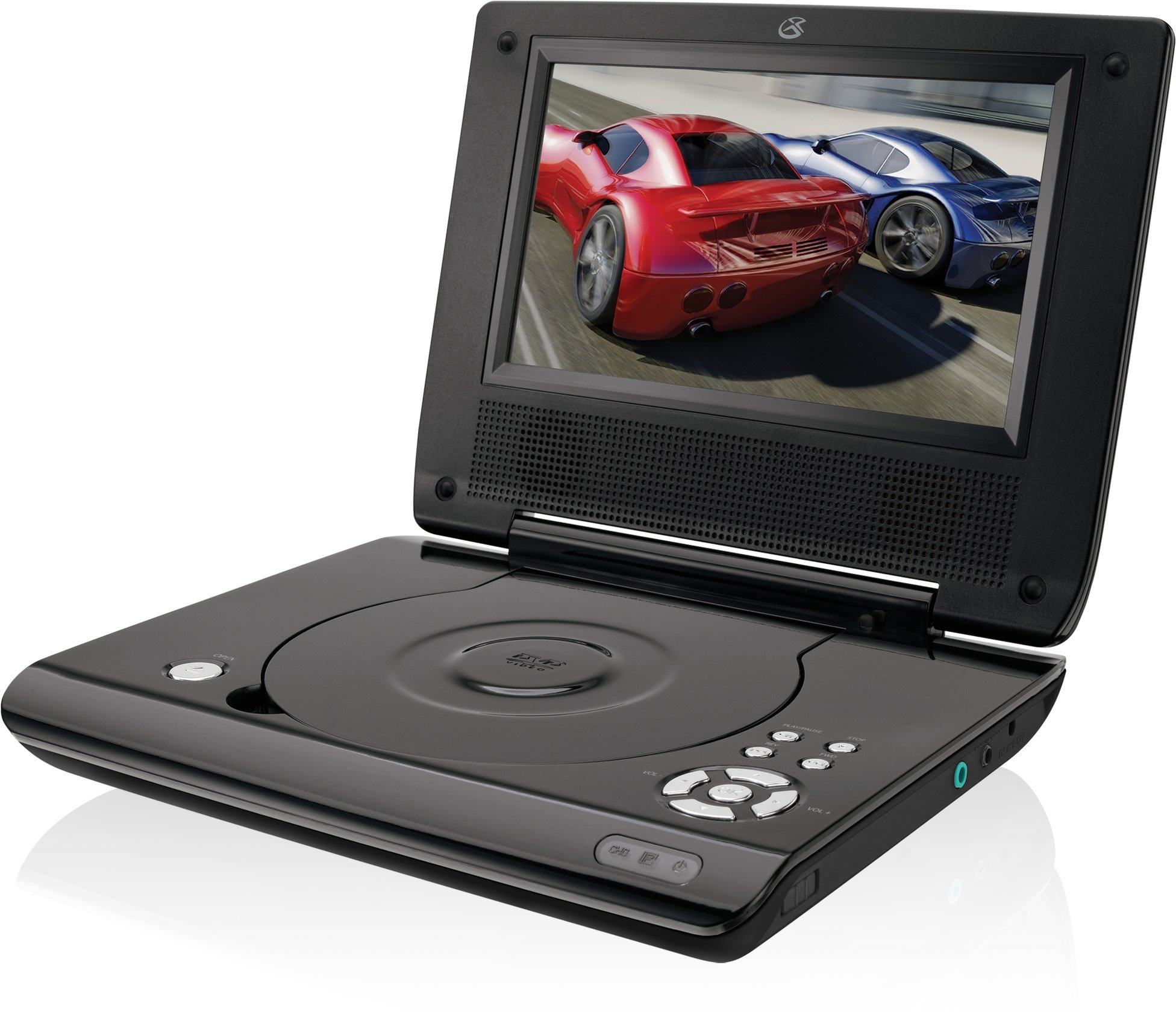
This manual provides essential instructions for the safe and efficient operation of your GPX PD730B 7-inch Portable DVD Player. Please read this manual thoroughly before using the device and retain it for future reference. The GPX PD730B is designed for portable entertainment, allowing you to enjoy DVDs, CDs, and JPEG files on its 7-inch TFT LCD screen.
Вміст упаковки
Перевірте, чи всі перелічені нижче предмети входять до вашої упаковки:
GPX PD730B Portable DVD Player
Адаптер змінного/постійного струму
DC Car Adapter (12V)
Стереовушники
Пульт дистанційного керування (з 2 батарейками типу AAA)
Посібник користувача (цей документ)
Продукт закінченийview
Figure 1: GPX PD730B Portable DVD Player (Closed)
This image shows the GPX PD730B portable DVD player in its closed position, highlighting its compact and sleek design. The top surface is smooth and black, with control buttons visible on the right edge.
Елементи керування та підключення
Familiarize yourself with the various controls and connection ports on your portable DVD player.
Кнопка живлення: Вмикає або вимикає пристрій.
Кнопка відтворення/паузи: Запуск або призупинення відтворення.
Кнопка зупинки: Зупинка відтворення.
Кнопки пропуску/пошуку: Navigates tracks or chapters, or fast-forwards/rewinds.
Регулювання гучності: Регулює рівень вихідного аудіо.
Роз'єм для навушників: For private listening with stereo earbuds or headphones.
Порт постійного струму: Connects to the AC/DC or car power adapter for charging and power.
Налаштування
1. Зарядка батареї
Before initial use, fully charge the built-in rechargeable battery. A full charge provides approximately 2 hours of playback time.
Connect the AC/DC power adapter to the DC In port on the DVD player.
Підключіть адаптер змінного/постійного струму до стандартної розетки.
The charging indicator light (if present) will illuminate. Charging is complete when the light changes color or turns off (refer to device for specific indicator behavior).
Alternatively, use the 12V DC car adapter to charge the player in a vehicle.
2. Увімкнення/вимкнення живлення
Натисніть і утримуйте потужність button on the unit to turn the player on or off. The screen will illuminate when powered on.
Інструкція з експлуатації
1. Вставлення та виймання дисків
Gently open the disc compartment lid.
Place a DVD or CD onto the spindle with the label side facing up. Press down gently on the center of the disc until it clicks into place.
Close the disc compartment lid firmly.
To remove a disc, open the lid, gently press the spindle button (if present) or lift the disc from the edges, avoiding touching the data surface.
2. Базове відтворення
Після вставки диска програвач зазвичай автоматично розпочне відтворення.
Використовуйте Відтворення/Пауза кнопку, щоб призупинити або продовжити відтворення.
Натисніть СТІЙ , щоб зупинити відтворення.
Використовуйте Пропустити buttons (usually labeled with arrows) to navigate between chapters or tracks.
Використовуйте Пошук buttons (often combined with Skip) to fast-forward or rewind.
3. Використання пульта дистанційного керування
The included remote control provides convenient access to all player functions from a distance. Ensure the 2 AAA batteries are correctly installed. Point the remote control directly at the player's remote sensor.
4. Підключення навушників
For private listening, plug the stereo earbuds (or your own headphones) into the Гніздо для навушників on the side of the player. The built-in speakers will automatically mute when headphones are connected.
Figure 2: Portable DVD Player in use (Bedroom)
This image illustrates the portable DVD player being used by a girl in a bedroom setting, demonstrating its suitability for personal entertainment at home.
Figure 3: Portable DVD Player in use (Vehicle)
This image shows a boy watching the portable DVD player in the back seat of a car, highlighting its utility for entertainment during travel.
Figure 4: Portable DVD Player in use (Airplane)
This image depicts a woman using the portable DVD player with headphones on an airplane, showcasing its versatility for quiet, personal entertainment during flights.
Технічне обслуговування
Cleaning the Player
Disconnect the player from all power sources before cleaning.
Use a soft, dry cloth to wipe the exterior surfaces. Do not use abrasive cleaners, waxes, or solvents.
For the screen, use a soft, lint-free cloth specifically designed for LCD screens. Avoid excessive pressure.
Тримайте відсік для дисків вільним від пилу та сміття.
Догляд за акумулятором
Щоб продовжити термін служби акумулятора, уникайте частого повного розряджання акумулятора.
If the player will not be used for an extended period, charge the battery to about 50% before storing.
Store the player in a cool, dry place.
Усунення несправностей
If you encounter issues with your GPX PD730B, refer to the following common problems and solutions:
проблема
Можлива причина
Рішення
Плеєр не вмикається.
Акумулятор розряджений; адаптер живлення підключено неправильно.
Charge the battery; Ensure power adapter is securely connected to both the player and power source.
Немає відтворення диска.
Disc inserted incorrectly; Disc is dirty or scratched; Incorrect disc format.
Reinsert disc correctly (label side up); Clean disc with a soft cloth; Ensure disc is DVD, CD, or JPEG CD format.
Немає звуку з динаміків/навушників.
Volume too low; Headphones not fully plugged in; Mute function active.
Increase volume; Ensure headphones are fully inserted; Check if mute is active on remote or player.
Не працює пульт дистанційного керування.
Батарейки розряджені або неправильно вставлені; Перешкода між пультом дистанційного керування та програвачем.
Replace remote batteries; Ensure correct polarity; Remove any obstructions and point remote directly at sensor.
Технічні характеристики
Номер моделі
PD730B
Розмір екрана
7 дюймів
Тип дисплея
TFT LCD
Рідна роздільна здатність
480x234
Співвідношення сторін
16:9
Сумісний медіа
DVD, DVD+R/RW, CD, CD-R/RW, JPEG CD
Термін служби батареї (середній)
2 години
Вхідна потужність
AC/DC Adapter, 12V DC Car Adapter
Підключення
Допоміжний (роз'єм для навушників)
Вага товару
1.72 фунта
UPC
047323007309
Гарантія та підтримка
For warranty information, technical support, or service inquiries, please refer to the warranty card included with your product or visit the official GPX webсайт. Зберігайте чек про покупку як підтвердження покупки для гарантійних претензій.
Ask about setup, troubleshooting, compatibility, parts, safety, or missing instructions. Manuals+ will review the question and use this page’s manual context to help answer it.