
1. Налаштування
1.1 Розпакування та початковий огляд
Carefully remove all components from the packaging. Verify that all items listed in the 'What's in the box' section are present and undamaged.
- ASUS 32GB Transformer Pad TF300T 10.1-Inch Tablet
- Джерело живлення
- Гарантійний талон на 1 рік

Image: The ASUS Transformer Pad TF300T tablet alongside its retail packaging.
1.2 Зарядка пристрою
Before first use, connect the tablet to the power supply and charge it fully. The charging port is located on the bottom edge of the tablet. A full charge ensures optimal performance and battery calibration.
1.3 Увімкнення/вимкнення
- Щоб увімкнути: Press and hold the power button, located on the top edge of the tablet, until the ASUS logo appears on the screen.
- Щоб вимкнути: Press and hold the power button until a menu appears. Select 'Power off' and confirm.
- Щоб перезапустити: У меню живлення виберіть «Перезавантажити».
1.4 Майстер початкового налаштування
Після першого ввімкнення планшет проведе вас через процес початкового налаштування. Це включає:
- Вибір мови: Виберіть бажану мову.
- Wi-Fi підключення: Connect to an available Wi-Fi network to enable internet access.
- Налаштування облікового запису Google: Sign in with an existing Google account or create a new one. This is essential for accessing the Google Play Store and other Google services.
- Параметри дати та часу: Configure the correct date and time.
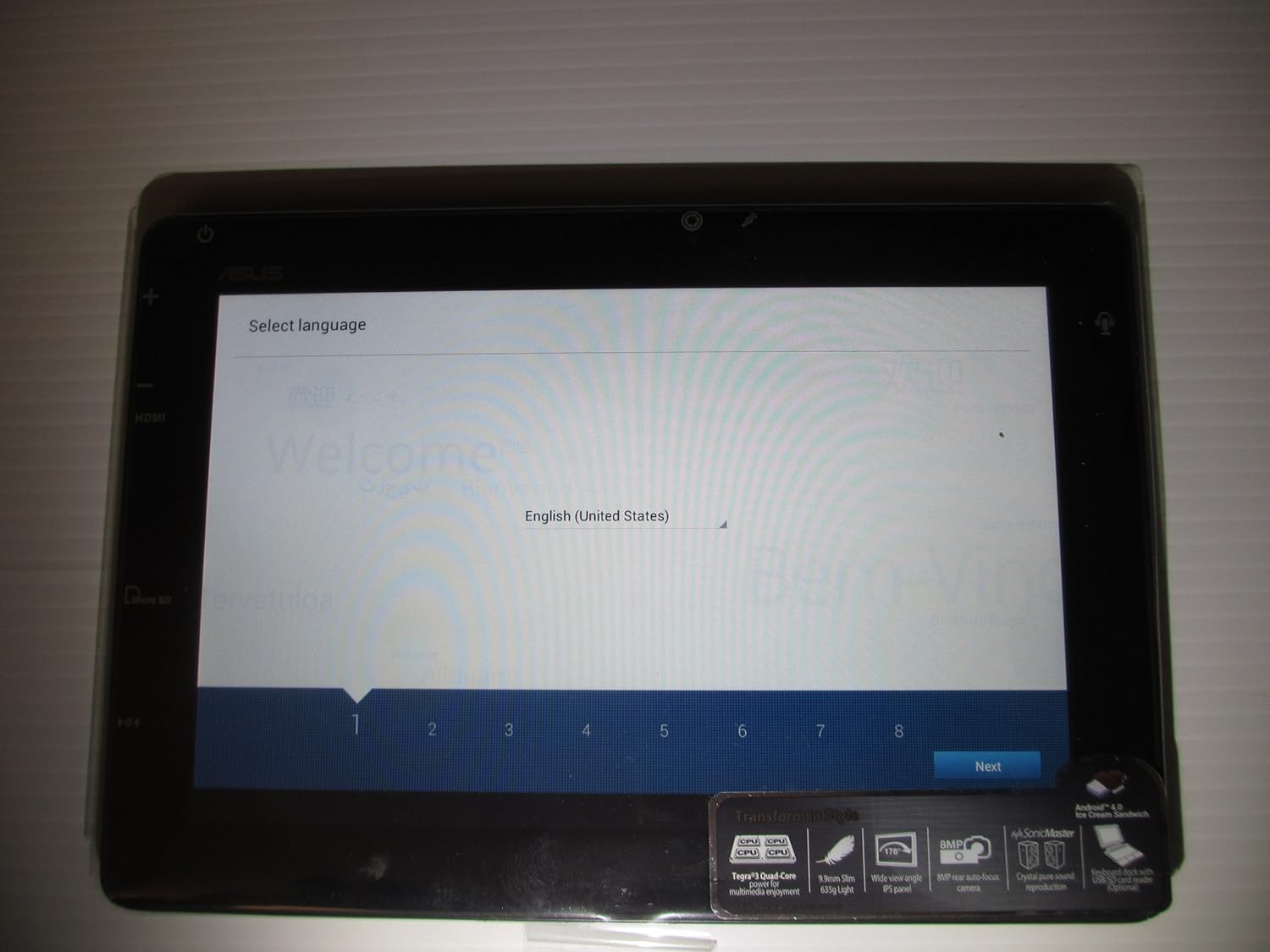
Image: The ASUS Transformer Pad TF300T screen showing the 'Select Language' prompt, with 'English (United States)' highlighted.
2. Інструкція з експлуатації
2.1 Basic Navigation and Touchscreen Gestures
The ASUS Transformer Pad TF300T utilizes a multi-touch display for interaction. Common gestures include:
- Торкніться: Виберіть елемент або відкрийте програму.
- Натисніть і утримуйте: Доступ до контекстних меню або переміщення значків.
- Проведіть пальцем: Navigate through home screens, lists, or web сторінки.
- Масштабування за допомогою розведення пальців: Enlarge or reduce content size (e.g., photos, web сторінки).
2.2 Android 4.0 (Ice Cream Sandwich) Overview
The tablet runs on Android 4.0, providing a user-friendly interface. Key features include:
- Домашні екрани: Customizable screens for app shortcuts and widgets.
- Панель сповіщень: Located at the top, displays alerts and quick settings.
- Ящик програм: Access to all installed applications.
- Останні програми: Button to quickly switch between recently used applications.
2.3 Підключення
The TF300T supports various connectivity options:
- Wi-Fi (802.11bgn): Connect to wireless networks for internet access. Configure via Settings > Wi-Fi.
- Bluetooth 3.0: Pair with compatible devices such as headphones, speakers, or keyboards. Configure via Settings > Bluetooth.
- GPS: Integrated Global Positioning System for location services and navigation.
2.4 Ports and Slots
The tablet features several ports for expanded functionality:
- Мікро HDMI: Підключення до зовнішніх дисплеїв або телевізорів.
- Docking Port: For connecting to the optional keyboard dock.
- 3.5-мм роз'єм для навушників/мікрофона: Для аудіовиходу та входу.
- Слот для карти Micro SD: Expand storage capacity with a Micro SD card.
2.5 Використання камери
The TF300T is equipped with two cameras:
- Фронтальна камера (1.2 МП): Suitable for video calls and self-portraits.
- Задня камера (8 МП): Для зйомки фото та відео.
Access the camera application from the home screen or app drawer to take pictures or record videos.
2.6 Optional Keyboard Dock
The ASUS Transformer Pad TF300T is compatible with an optional keyboard dock (sold separately). This dock provides:
- Фізична клавіатура: For enhanced typing experience.
- Additional Battery: Extends the tablet's battery life.
- Порт USB: Для підключення USB-пристроїв.
- Слот для SD-карти: Для додаткового розширення сховища.

Зображення: Крупний план view of the ASUS Transformer Pad TF300T, highlighting key features such as the NVIDIA Tegra 3 processor, IPS panel, 8MP camera, SonicMaster audio, and Android 4.0 Ice Cream Sandwich operating system.
3. Технічне обслуговування
3.1 Очищення пристрою
- екран: Використовуйте м’яку тканину без ворсу, злегкаampened with water or a screen cleaner, to gently wipe the display. Avoid harsh chemicals.
- Тіло: Wipe the tablet's body with a soft, dry cloth. Keep liquids away from ports and openings.
3.2 Оновлення програмного забезпечення
Regularly check for and install software updates to ensure optimal performance, security, and access to new features. Updates can typically be found in Settings > About tablet > System updates.
3.3 Керування сховищем
The tablet comes with 32GB of internal storage. To manage storage effectively:
- Delete Unused Apps: Uninstall applications you no longer need.
- Очистити кеш: Regularly clear the cache of applications.
- Use Micro SD Card: Store photos, videos, and documents on an external Micro SD card to free up internal space.
4. Вирішення проблем
4.1 Поширені проблеми та рішення
| Випуск | Можливе рішення |
|---|---|
| Tablet is unresponsive or frozen | Натисніть і утримуйте кнопку живлення протягом 10-15 секунд, щоб примусово перезавантажити пристрій. |
| Проблеми з підключенням Wi-Fi | Ensure Wi-Fi is enabled in settings. Restart the tablet and your Wi-Fi router. Forget and reconnect to the network. |
| Повільна продуктивність або затримка | Close unused applications. Clear app caches. Check for system updates. Consider a factory reset if issues persist. |
| Акумулятор швидко розряджається | Reduce screen brightness. Disable Wi-Fi/Bluetooth/GPS when not in use. Close background apps. Check battery usage in settings to identify power-hungry apps. |
| Apps crashing or not installing | Ensure sufficient storage space. Clear Google Play Store cache. Restart the tablet. |
4.2 Скидання до заводських налаштувань
If persistent issues occur, a factory reset can restore the tablet to its original state. Попередження: Це призведе до видалення всіх даних на планшеті. Перш ніж продовжити, створіть резервну копію важливих даних.
- Перейдіть до Налаштування > Резервне копіювання та скидання.
- Select 'Factory data reset'.
- Confirm the action. The tablet will restart and erase all data.
5. Технічні характеристики
Detailed technical specifications for the ASUS Transformer Pad TF300T-B1-BL:
| Особливість | Специфікація |
|---|---|
| Бренд | ASUS |
| Назва моделі | Transformer Pad |
| Номер моделі | TF300T-B1-BL |
| Операційна система | Android 4.0 (Сендвіч з морозивом) |
| Процесор | NVIDIA Tegra 3 Quad-Core (1.2 GHz) |
| Графічний співпроцесор | Nvidia Tegra 3 |
| Розмір екрана | 10.1 дюймів |
| Роздільна здатність дисплея | 1280 x 800 Pixels (WXGA IPS Touch Panel) |
| Пам'ять RAM | 1 ГБ DDR3 |
| Ємність зберігання | 32 GB Flash Memory (SSD) |
| Розширюване сховище | Гніздо для карти Micro SD |
| Фронтальна камера | 1.2 Мп |
| Задня камера | 8 Мп |
| Бездротове підключення | 802.11bgn Wi-Fi, Bluetooth 3.0, GPS |
| Порти | 1x Micro HDMI, 1x Docking, 1x 3.5mm Headphone/Microphone |
| Термін служби батареї | Up to 10 Hours (22W/h Lithium Polymer) |
| Датчики | G-Sensor, E-Compass, Light Sensor, Gyroscope |
| Вага товару | 1.4 фунта |
| UPC | 886227185054 |
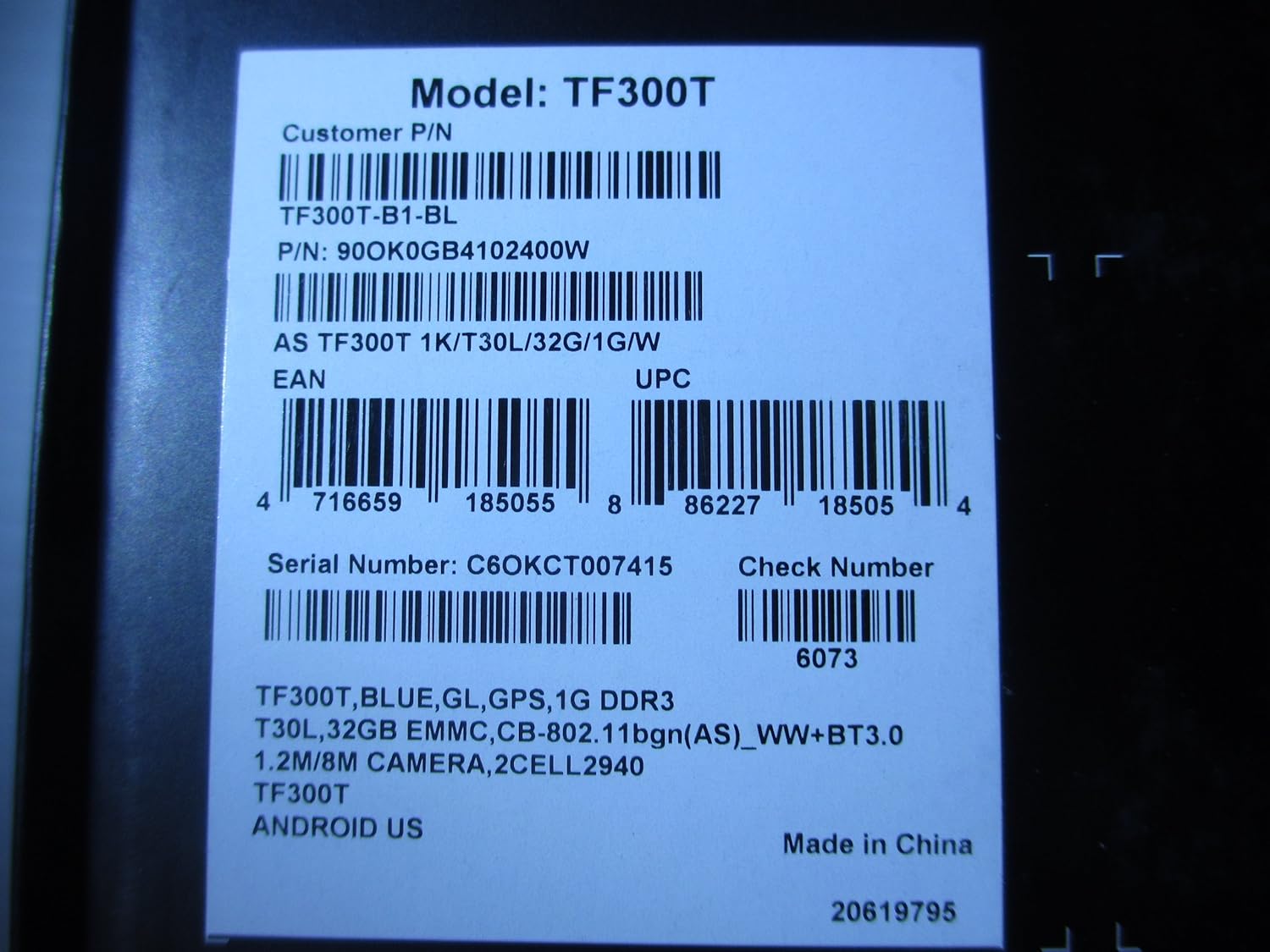
Image: A product label displaying the model number TF300T, part number TF300T-B1-BL, serial number C6OKCT007415, and UPC 886227185054.
6. Гарантія та підтримка
6.1 Інформація про гарантію
The ASUS Transformer Pad TF300T comes with a 1-Year North American Warranty. This warranty covers manufacturing defects under normal use conditions. Please refer to the warranty card included in your product packaging for full terms and conditions.
6.2 Підтримка клієнтів
For technical assistance, troubleshooting beyond this manual, or warranty claims, please contact ASUS customer support. You can find contact information and additional resources on the official ASUS webсайт:
- Відвідайте Магазин ASUS на Amazon для отримання інформації про продукт.
- Refer to the official ASUS support website for service centers and contact details.