
1. Вступ
This manual provides detailed instructions for the safe and effective use of the PeakTech P 4980 Dual Laser Pointer IR Thermometer. This device is designed for non-contact temperature measurements across a wide range, from -50 to +800 °C. It features dual laser pointers for precise targeting of the measurement area. Please read this manual thoroughly before operating the device and keep it for future reference.
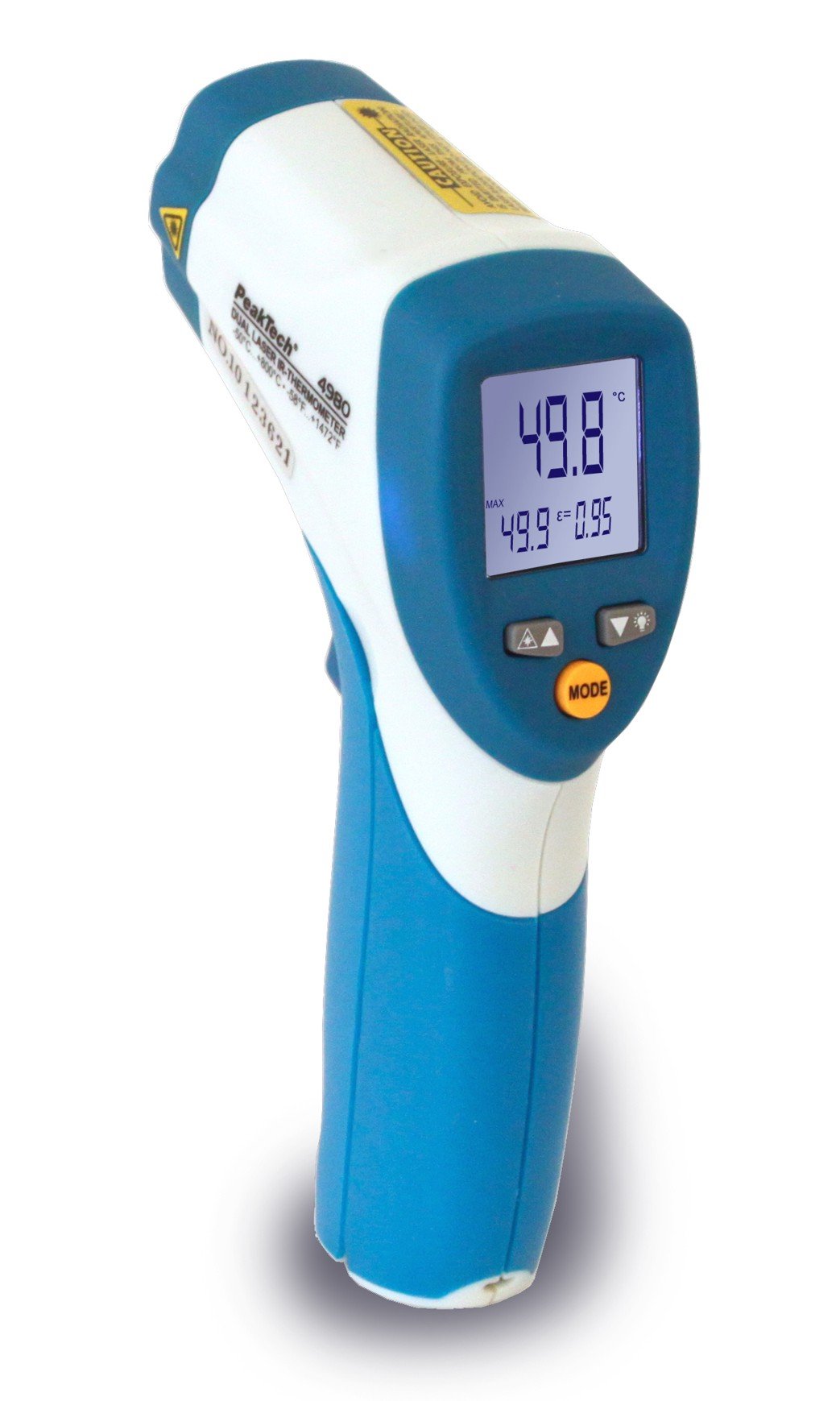
Image 1.1: The PeakTech P 4980 Dual Laser Pointer IR Thermometer, showing its ergonomic design and display.
2. Інформація про безпеку
Always observe the following safety precautions to prevent injury and avoid damage to the device:
- Лазерна безпека: This device uses Class 2 lasers. Do not stare directly into the laser beam or direct it at people or animals. Avoid direct eye exposure.
- Операційне середовище: Do not use the thermometer in environments with explosive gases, vapor, or dust.
- Температурні обмеження: Do not expose the device to extreme temperatures outside its specified operating range.
- Технічне обслуговування: Ремонт повинен виконуватися лише кваліфікованим персоналом. Не намагайтеся модифікувати пристрій.
- Прибирання: Використовуйте для очищення м’яку суху тканину. Не використовуйте абразивні засоби для чищення або розчинники.
- Поводження з акумулятором: Ensure correct battery polarity. Remove batteries if the device will not be used for an extended period. Dispose of batteries according to local regulations.
3. Особливості продукту
The PeakTech P 4980 offers advanced features for accurate and convenient temperature measurement:
- Подвійні лазерні вказівники: Provides precise targeting, indicating the exact measurement spot.
- Широкий діапазон температур: Measures temperatures from -50 °C to +800 °C (-58 °F to +1472 °F).
- Безконтактне вимірювання: Safely measure hot, hazardous, or hard-to-reach surfaces.
- РК-дисплей: Clear digital display for easy reading of temperature values.
- Регульований коефіцієнт випромінювання: Allows for accurate measurements on various surface types (refer to operating instructions for details).
- Функція утримання даних: Заморожує відображене значення для зручного запису.
- Підсвічування: Improves visibility in dimly lit conditions.
- Автоматичне вимкнення живлення: Зберігає час роботи батареї.
4. Налаштування
4.1 Встановлення батареї
- Знайдіть кришку відсіку для батарейок на ручці пристрою.
- Відкрийте кришку, зсунувши або відсунувши її.
- Insert the included battery, ensuring correct polarity (+ and - terminals).
- Надійно закрийте кришку батарейного відсіку.
4.2 Увімкнення/вимкнення
- To power on the device, press the trigger. The display will illuminate.
- Пристрій автоматично вимкнеться після певного періоду бездіяльності, щоб заощадити заряд батареї.
5. Інструкція з експлуатації
5.1 Вимірювання
- Направте термометр на цільову поверхню.
- Натисніть і утримуйте курок. Подвійні лазерні покажчики активуються, вказуючи область вимірювання.
- The measured temperature will be displayed on the LCD.
- Відпустіть курок, щоб зафіксувати показання на дисплеї (функція утримання даних).
5.2 Distance-to-Spot Ratio
The accuracy of the measurement depends on the distance-to-spot ratio. Ensure the target area is larger than the measurement spot size at your chosen distance. The dual lasers help define this spot.
5.3 Регулювання випромінювальної здатності
Different materials emit infrared energy differently. For accurate readings, adjust the emissivity setting to match the surface being measured. Consult a standard emissivity table for common materials. The P 4980 allows adjustment via dedicated buttons (refer to device interface for specific controls).
5.4 Вибір одиниць вимірювання (°C/°F)
To switch between Celsius (°C) and Fahrenheit (°F), locate the unit selection button (usually labeled '°C/°F' or similar) and press it. The display will change accordingly.
6. Технічне обслуговування
6.1 Очищення пристрою
- Протріть пристрій casing з м'яким, damp тканина. Не використовуйте абразивні матеріали або розчинники.
- For the lens, use a soft cloth or cotton swab with a small amount of isopropyl alcohol.
6.2 Заміна батареї
Коли на дисплеї з’являється індикатор низького заряду батареї, замініть батарею, як описано в розділі 4.1. Завжди використовуйте батарею зазначеного типу.
6.3 Зберігання
Store the thermometer in a cool, dry place, away from direct sunlight and extreme temperatures. Remove batteries if storing for extended periods.
7. Вирішення проблем
| проблема | Можлива причина | Рішення |
|---|---|---|
| Пристрій не включається. | Розряджений або неправильно встановлений акумулятор. | Перевірте полярність батарейок або замініть їх новими. |
| Неточні показання. | Incorrect emissivity setting; distance too far; lens dirty. | Adjust emissivity; move closer to target; clean lens. |
| Laser pointers not visible. | Laser function disabled (if applicable); bright ambient light. | Check laser activation button; use in less bright conditions. |
| Display shows 'ERR' or similar. | Вимірювання поза діапазоном; внутрішня помилка. | Ensure target temperature is within -50 to +800 °C. If error persists, contact support. |
8. Технічні характеристики
| Особливість | Специфікація |
|---|---|
| Модель | P 4980 |
| Діапазон температур | Від -50 ° C до +800 ° C (-58 ° F до +1472 ° F) |
| роздільна здатність | 0.1 °C / 0.1 °F |
| Тип дисплея | ЖК |
| Особливість | Non-contact, Dual Laser Pointer |
| Джерело живлення | Працює від акумулятора |
| Включені компоненти | Акумулятор |
| Зовнішній матеріал | пластик |
| Колір | Білий/Синій |
9. Гарантія та підтримка
9.1 Інформація про гарантію
This PeakTech product is backed by a 3-year manufacturer's warranty, ensuring quality and reliability. Please retain your proof of purchase for warranty claims.
9.2 Підтримка клієнтів
For technical assistance, troubleshooting, or warranty inquiries, please contact PeakTech customer support. Refer to the official PeakTech webсайт або упаковку продукту для отримання найактуальнішої контактної інформації.


