
вступ
Thank you for choosing the Tele System TS6512HD Digital Terrestrial Receiver. This device allows you to receive digital terrestrial television broadcasts and offers additional features such as multimedia playback via USB and recording capabilities. This manual provides essential information for the safe and efficient use of your receiver, including setup, operation, maintenance, and troubleshooting.
Важлива інформація з безпеки
- Джерело живлення: Використовуйте лише зазначений адаптер живлення. Переконайтеся, що гучністьtage відповідає вашому місцевому джерелу живлення.
- Вентиляція: Do not block ventilation openings. Place the receiver on a stable, flat surface with adequate space around it for proper airflow.
- Вода і вологість: Do not expose the receiver to rain, moisture, or liquids. Do not place objects filled with liquids, such as vases, on the receiver.
- Джерела тепла: Keep the receiver away from heat sources such as radiators, heat registers, stoves, or other heat-producing appliances.
- Прибирання: Unplug the receiver from the power outlet before cleaning. Use a soft, dry cloth. Do not use liquid or aerosol cleaners.
- Обслуговування: Не намагайтеся самостійно обслуговувати цей виріб. Зверніть усі послуги до кваліфікованого обслуговуючого персоналу.
- Блискавка: Unplug the receiver during lightning storms or when unused for long periods.
Вміст упаковки
Будь ласка, поставте позначку у відповідному полі для наступних пунктів:
- Tele System TS6512HD Digital Terrestrial Receiver
- Пульт дистанційного керування
- Адаптер живлення
- Посібник користувача (цей документ)
Посібник із налаштування
1. Підключення приймача
- Підключення до телевізора:
- For optimal picture quality, connect an HDMI cable (not included) from the receiver's HDMI OUT port to an available HDMI IN port on your television.
- Alternatively, if your TV does not have an HDMI port, connect a SCART cable (not included) from the receiver's SCART port to the SCART IN port on your television.
- Підключення антени: Connect your terrestrial antenna cable to the ANT IN port on the back of the receiver.
- Підключіть живлення: Підключіть адаптер живлення до порту DC IN на приймачі, а потім підключіть адаптер до розетки.
- Вставте батареї: Відкрийте батарейний відсік на пульті дистанційного керування та вставте дві батарейки типу AAA (не входять до комплекту), дотримуючись правильної полярності.
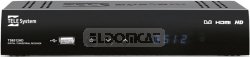
Малюнок 1: Спереду view of the Tele System TS6512HD receiver, showing its compact design and essential indicators.
2. First-Time Installation
- Turn on your TV and select the correct input source (HDMI or SCART) corresponding to where you connected the receiver.
- Power on the Tele System TS6512HD receiver.
- На екрані телевізора має з’явитися майстер початкового встановлення. Дотримуйтесь підказок на екрані, щоб вибрати мову, країну та розпочати автоматичне сканування каналів.
- Після завершення сканування ресивер збереже знайдені канали, і ви зможете почати дивитися телебачення.
Інструкція з експлуатації
Основні функції пульта дистанційного керування
- ПОТУЖНІСТЬ: Turns the receiver on or off (standby mode).
- CH +/-: Перемикає канали вгору або вниз.
- ГУЧНІСТЬ +/-: Регулює рівень гучності.
- МУК: Вимкнення або ввімкнення звуку.
- МЕНЮ: Доступ до головного меню для налаштувань та функцій.
- ВИХІД: Вихід з поточного меню або екранного меню.
- ОК: Підтверджує вибір у меню.
- Arrow Keys (Up/Down/Left/Right): Навігація в меню та параметрах.
- ІНФО: Відображає інформацію про поточний канал.
- EPG: Доступ до електронного програмного гіда.
Навігація по каналам
Використовуйте СН +/- buttons to browse channels sequentially. To directly enter a channel number, use the numeric keypad on the remote control.
Використання головного меню
Натисніть МЕНЮ button to access the receiver's main menu. Here you can configure various settings, including:
- Пошук каналу: Rescan for channels or perform a manual search.
- Налаштування системи: Adjust language, time, parental control, and other system preferences.
- Параметри зображення: Configure aspect ratio, resolution, and other display options.
- Параметри звуку: Adjust audio output preferences.
- USB: Access multimedia files from a connected USB device or manage recordings.
Recording TV Programs (PVR Function)
The TS6512HD receiver supports recording of TV programs to an external USB storage device (e.g., USB flash drive or external hard drive, not included). Ensure your USB device is formatted correctly (FAT32 or NTFS) and has sufficient free space.
- Connect a compatible USB storage device to the USB port on the receiver.
- Щоб записати миттєво, натисніть кнопку REC button on the remote control while watching a program. Press СТІЙ щоб завершити запис.
- To schedule a recording, use the EPG (Electronic Program Guide) to select a program and follow the on-screen prompts to set a timer recording. Alternatively, access the Timer settings via the main menu.
- Recorded programs can be accessed and played back through the "USB" section in the main menu.
Multimedia Playback via USB
The receiver can play various multimedia files (video, audio, photos) from a connected USB storage device.
- Connect a USB storage device containing your multimedia files до порту USB.
- Натисніть МЕНЮ button, navigate to the "USB" section, and select "Multimedia" or "Player".
- Перегляньте свій files і натисніть OK грати.
- Note: The receiver supports specific file formats (e.g., H.264, MPEG2, MPEG4 for video; AAC+, LC-AAC for audio). Compatibility with all file types is not guaranteed.
Технічне обслуговування
прибирання
To clean the receiver, first unplug it from the power outlet. Use a soft, dry, lint-free cloth to wipe the exterior surfaces. Do not use liquid cleaners, abrasive pads, or chemical solvents, as these can damage the finish or internal components.
Оновлення програмного забезпечення
Periodically, Tele System may release software updates to improve performance or add new features. Check the manufacturer's website for available updates and instructions on how to install them via USB.
Усунення несправностей
| проблема | Можлива причина | Рішення |
|---|---|---|
| No power / Receiver does not turn on. | Power cable not connected properly; Power outlet not working; Faulty power adapter. | Check power cable connection. Try a different power outlet. Ensure the power adapter is working. |
| Немає зображення чи звуку. | Incorrect TV input selected; HDMI/SCART cable loose or faulty; Antenna not connected or signal too weak. | Select the correct TV input source. Check HDMI/SCART cable connections. Ensure antenna is connected and try rescanning channels. |
| Не працює пульт дистанційного керування. | Batteries are dead or inserted incorrectly; Obstruction between remote and receiver; Remote sensor blocked. | Replace batteries, ensuring correct polarity. Remove any obstructions. Ensure the remote sensor on the receiver is clear. |
| Poor picture quality / Pixelation. | Weak antenna signal; Antenna alignment issue; Interference. | Check antenna connection and alignment. Consider using a signal amplifier if signal is consistently weak. |
| Cannot record to USB device. | USB device not connected; USB device not formatted correctly; Insufficient storage space; USB device incompatible. | Ensure USB device is connected. Format the USB device to FAT32 or NTFS. Check available space. Try a different USB device. |
Технічні характеристики
| Назва моделі | TS6512HD |
| Номер моделі | 21005197 |
| Бренд | Телесистема |
| Тип тюнера | Terrestrial, DVB |
| Роздільна здатність відео | 1920 x 810 пікселів |
| видеокодеков | H.264, MPEG2, MPEG4 |
| Аудіокодеки | AAC+, LC-AAC |
| Загальна кількість портів USB | 1 |
| Загальна кількість портів HDMI | 1 |
| Сумісні пристрої | телебачення |
| Колір | чорний |
| Розміри (упаковка) | 24 х 23.4 х 5.2 см |
| Вага (упаковка) | 421.84 г |
| GTIN (EAN/UPC) | 08024427014350 |
Гарантія та підтримка
The Tele System TS6512HD receiver comes with a standard manufacturer's warranty. For specific warranty terms and conditions, please refer to the warranty card included with your product or visit the official Tele System website. For technical support, troubleshooting assistance beyond this manual, or service inquiries, please contact Tele System customer support through their official channels.


