
вступ
This manual provides essential information for the safe and effective operation of your Laserliner SoundTest-Master 082.070A Noise Level Meter. Please read these instructions carefully before using the device and keep them for future reference. The SoundTest-Master 082.070A is designed for precise measurement of noise levels, featuring integrated long-term memory and PC connectivity for comprehensive documentation.
Інструкції з техніки безпеки
- Завжди використовуйте пристрій у зазначених умовах навколишнього середовища.
- Не піддавайте пристрій дії екстремальних температур, вологості або прямих сонячних променів.
- Не кидайте пристрій і не піддавайте його сильним ударам.
- Do not attempt to open or modify the device. Repairs should only be performed by authorized personnel.
- Тримайте пристрій подалі від сильних магнітних полів.
- Ensure the microphone is clean and free from obstructions for accurate measurements.
Продукт закінченийview
The Laserliner SoundTest-Master 082.070A is a handheld noise level meter equipped with a sensitive electret condenser microphone and a clear, illuminated display. It features various controls for measurement settings and data management.

малюнок 1: Фронт view of the SoundTest-Master 082.070A, showing the display, microphone with windshield, and control buttons.
Ключові компоненти:
- Electret Condenser Microphone: For capturing sound. Includes a removable windshield.
- Дисплей з підсвічуванням: Shows measurement values, settings, and status.
- Кнопки управління: Power, Setup, Max, Record, A/C weighting, Fast/Slow time weighting, Level adjustment, Data send.
- Аналогові виходи: DC and AC outputs for external connections.
- Інтерфейс RS232: Optoisolated port for PC connection and data transfer.
Налаштування
1. Встановлення батареї
The device requires batteries for operation. Ensure correct polarity when inserting batteries into the compartment, typically located on the rear of the unit.
2. Початкове увімкнення
Натисніть потужність button to turn on the device. The display will illuminate and show initial readings.
3. Кріплення лобового скла
Attach the removable windshield to the microphone to minimize wind noise interference during outdoor measurements.
Інструкція з експлуатації
1. Основні вимірювання
- Увімкніть пристрій за допомогою потужність кнопку.
- Point the microphone towards the sound source.
- The current noise level will be displayed in decibels (dB).
2. Frequency Weighting (dB(A), dB(C))
Використовуйте кондиціонер button to switch between frequency weighting curves:
- дБ (А): Simulates the human ear's response to sound, commonly used for environmental noise measurements.
- dB(C): Provides a flatter response, suitable for measuring peak sound pressure levels or low-frequency noise.
3. Time Weighting (Fast/Slow)
Натисніть ШВИДКО ПОВІЛЬНО button to select the desired time weighting:
- FAST (125 ms): For measuring rapidly changing noise levels.
- SLOW (1 second): For measuring average noise levels over a longer period, suitable for stable noise sources.
4. Реєстрація даних та підключення до ПК
The device features a long-term recording function with 16,000 memory points and real-time logging capabilities when connected to a PC.
- Внутрішній реєстр даних: Натисніть ЗАПИС button to start/stop internal data recording. The device can store up to 16,000 measurement points.
- Підключення до ПК: Connect the device to a computer using the provided RS232 cable.
- програмне забезпечення: Install the provided software on your PC. This software allows for real-time data display, analysis, and download of recorded data.
- Надсилання даних: Використовуйте НАДІСЛАТИ ДАНІ button to initiate data transfer to the connected PC.
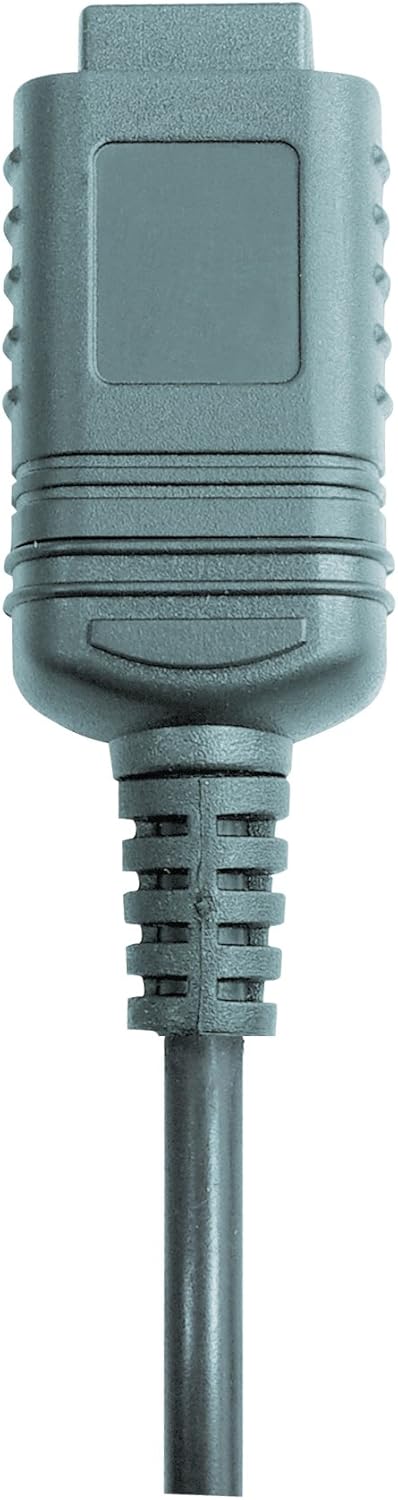

малюнок 2: RS232 cable connectors used for connecting the SoundTest-Master to a PC.
5. Калібрування
The device can be calibrated and adjusted using a standard noise level calibrator (94 dB / 1 kHz). Refer to the calibrator's instructions for the specific calibration procedure.
Технічне обслуговування
1. прибирання
- Протріть пристрій casing м’якою сухою тканиною.
- Не використовуйте абразивні засоби чи розчинники.
- Ensure the microphone is kept clean and free of dust or debris.
2. Зберігання
When not in use, store the SoundTest-Master in its protective case in a cool, dry place, away from direct sunlight and extreme temperatures. Remove batteries if storing for extended periods.
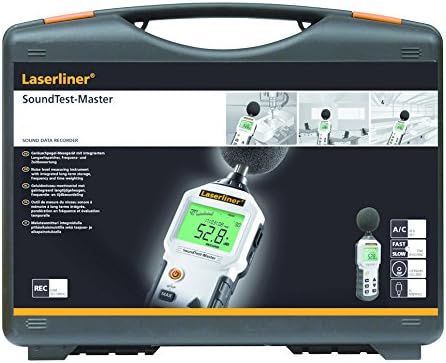
малюнок 3: The SoundTest-Master 082.070A stored in its protective carrying case.
Усунення несправностей
| проблема | Можлива причина | Рішення |
|---|---|---|
| Пристрій не включається. | Розряджені або неправильно встановлені батареї. | Замініть батарейки, дотримуючись правильної полярності. |
| Неточні показання. | Microphone obstructed or dirty; device needs calibration. | Clean microphone; perform calibration with a standard calibrator. |
| No data transfer to PC. | Incorrect cable connection; software not installed or configured. | Check RS232 cable connection; ensure PC software is correctly installed and running. |
| Дисплей тьмяний або нечитабельний. | Low battery power; display backlight off. | Replace batteries; check device settings for backlight control. |
Технічні характеристики
| Особливість | Деталь |
|---|---|
| Назва моделі | SoundTest-Master |
| Номер деталі | 082.070А |
| Виробник | Умарекс |
| Бренд | Laserliner |
| Частотне зважування | dB(A), dB(C) |
| Зважування часу | FAST (125 ms), SLOW (1 second) |
| Пам'ять даних | 16,000 XNUMX точок вимірювання |
| Інтерфейс | Optoisolated RS232 |
| Аналогові виходи | Постійний і змінний струми |
| Калібрування | Adjustable with 94 dB / 1 kHz standard calibrator |
| мікрофон | Sensitive electret condenser with removable windshield |
| Дисплей | Illuminated, clear display |
| Вага товару | 1.18 кілограмів (2.6 фунти) |
| Розміри продукту | 10.33 x 5.51 x 13.78 дюймів |
| матеріал | Metal (Frame, Barrel) |
| Колір | Чорний і сірий |
| Потрібні батареї | Yes (not included, type not specified in data) |
Гарантія та підтримка
For warranty information and technical support, please refer to the documentation included with your purchase or visit the official Laserliner webсайт.