
вступ
The Califone HIR-HP1 are wireless infrared stereo/mono headphones designed for computer listening centers. These headphones offer the flexibility to switch between stereo and mono modes, making them suitable for various audio applications. They are compatible with both Windows and Mac computers when used with the included infrared transmitter and USB transmitter.
Вміст упаковки
Please inspect the package contents carefully. If any items are missing or damaged, contact your vendor immediately.
- Califone HIR-HP1 Wireless Infrared Headphones
- Інфрачервоний передавач
- USB-передавач
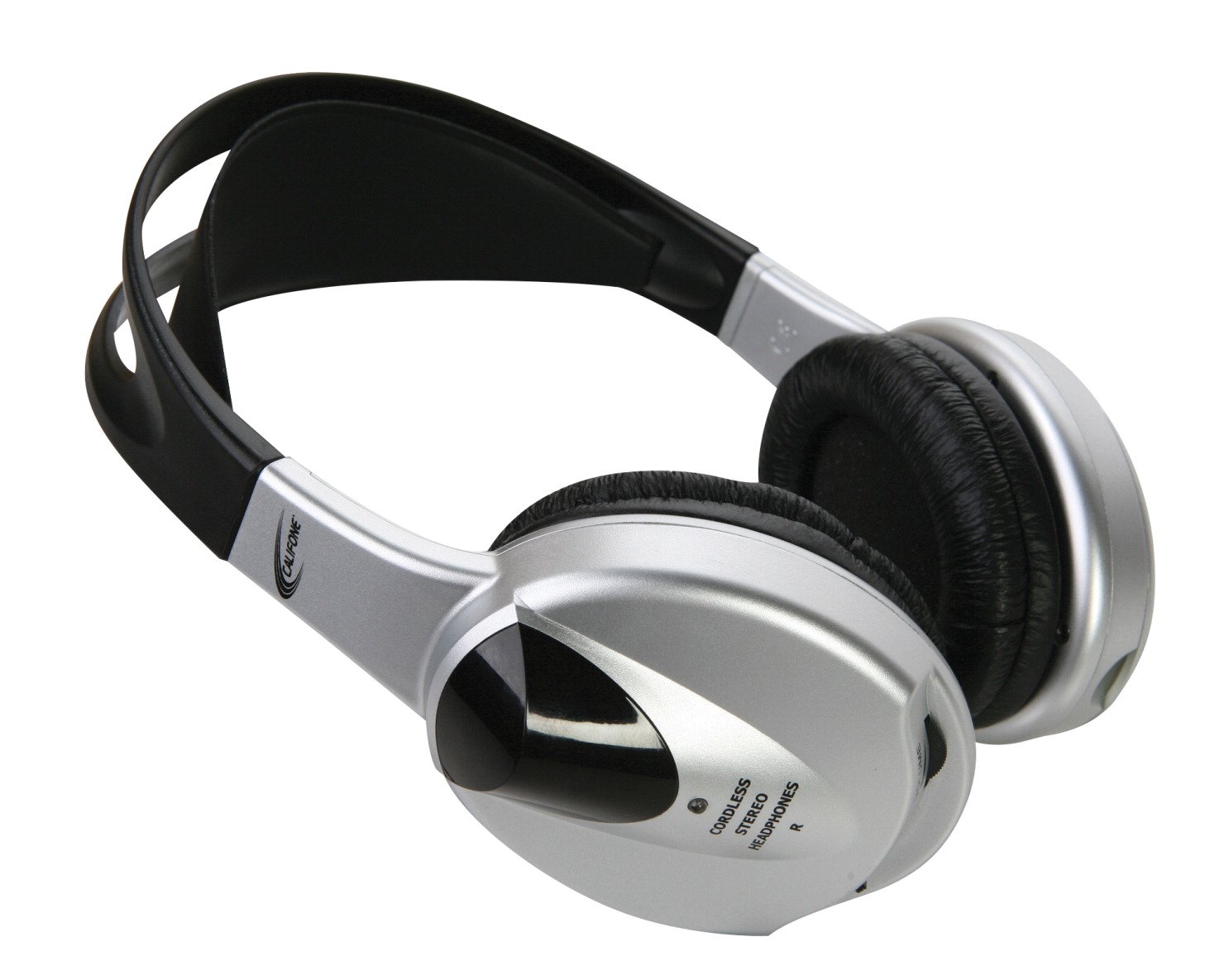
Image: The Califone HIR-HP1 Wireless Infrared Headphones, shown with the infrared and USB transmitters. The headphones feature an adjustable headband and earcups.
Налаштування
- Powering the Headphones: Ensure the headphones have sufficient power. If battery-operated, insert fresh batteries or ensure the internal battery is charged (specifics not provided, refer to product packaging for battery type/charging instructions).
- Connecting the Infrared Transmitter: Connect the infrared transmitter to your audio source (e.g., computer audio output, Califone Infrared Music Maker Plus, or Califone Infrared Cassette Player). Ensure the transmitter is positioned to provide a clear line of sight to the headphones.
- Connecting the USB Transmitter (for Computer Use): For computer applications, connect the USB transmitter to an available USB port on your Windows or Mac computer. The computer should recognize the device automatically.
- Увімкнення живлення: Locate the power switch on the headphones and slide it to the "ON" position.
- Регулювання гучності: Use the volume control on the headphones to set a comfortable listening level.
Інструкція з експлуатації
- Увімкнення/вимкнення живлення: Use the dedicated power switch located on the headphone earcup to turn the unit on or off.
- Перемикач стерео/моно: A switch is provided to select between stereo and mono audio output, depending on your application requirements.
- Регулювання гучності: Adjust the volume using the rotary dial or buttons on the headphones to achieve your desired listening level.
- Регулювання оголов'я: The headphones feature a fully adjustable headband with a "comfort strap" for a secure and comfortable fit. Extend or retract the headband arms to fit your head size.
- Receiving Signal: The headphones receive audio wirelessly via infrared technology. Ensure the infrared transmitter is active and within range, with no obstructions between the transmitter and the headphones.
Технічне обслуговування
- Прибирання: Use a soft, dry cloth to clean the exterior of the headphones and transmitters. Do not use liquid cleaners or abrasive materials.
- Зберігання: Зберігайте навушники в прохолодному, сухому місці, подалі від прямих сонячних променів та екстремальних температур.
- Догляд за акумулятором: If your headphones use replaceable batteries, remove them if the headphones will not be used for an extended period to prevent leakage. If rechargeable, follow manufacturer guidelines for charging and battery longevity.
- Управління кабелем: Keep all cables (if any, for transmitters) untangled and free from kinks to prevent damage.
Усунення несправностей
| проблема | Можлива причина | Рішення |
|---|---|---|
| Немає звуку з навушників. |
|
|
| Погана якість звуку або статичні перешкоди. |
|
|
| USB Transmitter not recognized by computer. |
|
|
Технічні характеристики
- Бренд: Каліфон
- модель: HIR-HP
- Технологія підключення: Бездротовий (інфрачервоний)
- Форм-фактор: На вухо
- Тип управління: Volume Control, Power On/Off, Stereo/Mono Switch
- Особливості: Adjustable Headband, Comfort Strap
- Розміри продукту: 7.48 x 6.69 x 3.15 дюймів
- Вага товару: 7.2 унції
- Сумісність: Windows & Mac computers (with USB transmitter), Califone Infrared Music Maker Plus (2395IR), Califone Infrared Cassette Player (3432IR)
- UPC: 610356830383
Гарантія та підтримка
For detailed warranty information, please refer to the warranty card included with your product or visit the official Califone website. For technical support or further assistance, please contact Califone customer service directly.
Note: Warranty terms and support options may vary by region and purchase date.

