
вступ
The Philips AJ5000/12 is a digital tuning clock radio designed to provide timekeeping, alarm functions, and FM radio reception. It features a clear digital display, dual alarm settings, and mood-lighting capabilities to enhance your waking experience. This manual provides detailed instructions for setting up and operating your device.
Продукт закінченийview
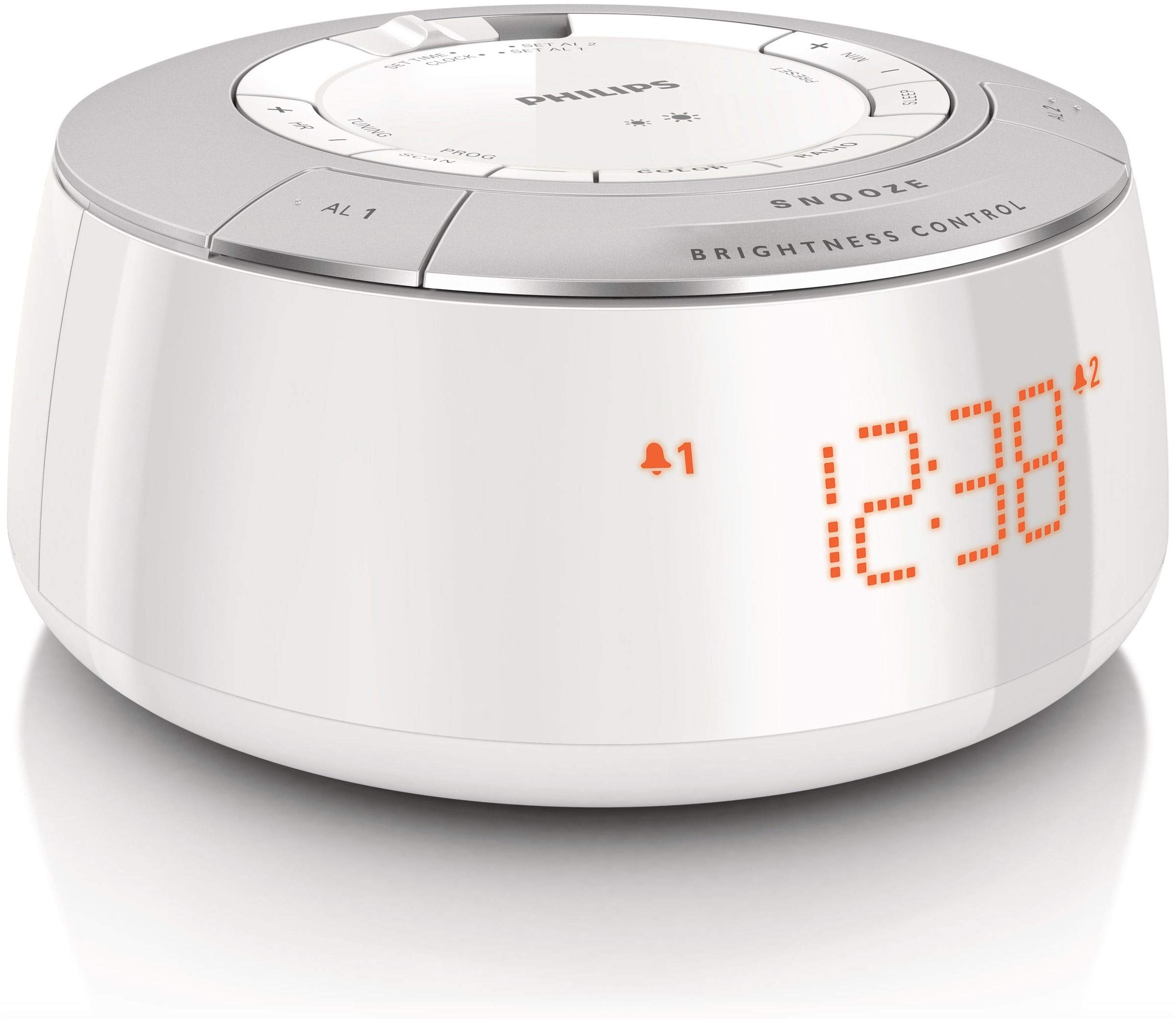
малюнок 1: Фронт view of the Philips AJ5000/12 Digital Tuning Clock Radio, displaying the time and alarm indicators.
The Philips AJ5000/12 combines a clock, alarm, and FM radio into a compact unit. Key features include:
- Digital FM radio tuner for clear reception.
- Dual alarm function for separate wake-up times.
- Snooze feature for additional sleep time.
- Регульована яскравість дисплея.
Налаштування
1. Підключення живлення
Connect the power adapter to the DC input jack on the back of the clock radio and then plug the adapter into a wall outlet. The unit will power on and the display will illuminate.
2. Встановлення акумулятора (резервного)
Для резервного живлення під час відпусткиtages, install 2 Lithium Ion batteries (not included) into the battery compartment located on the bottom of the unit. Ensure correct polarity (+/-) as indicated inside the compartment. These batteries maintain time and alarm settings during a power interruption but do not power the main functions of the device.
3. Налаштування антени
Extend the FM antenna wire fully for optimal radio reception. Adjust its position to improve signal clarity if needed.
Інструкція з експлуатації
1. Встановлення часу
- Press and hold the 'TIME SET' button until the hour digits flash.
- Use the 'HOUR' and 'MINUTE' buttons to adjust the time.
- Press 'TIME SET' again to confirm the setting.
2. Налаштування будильників (Будильник 1 та Будильник 2)
Радіогодинник має два незалежні будильники.
- Press and hold the 'ALARM 1' or 'ALARM 2' button until the alarm time digits flash.
- Use the 'HOUR' and 'MINUTE' buttons to set the desired alarm time.
- Press the 'ALARM 1' or 'ALARM 2' button again to select the alarm source (Buzzer or FM Radio). The corresponding alarm icon will appear on the display.
- To deactivate an alarm, press the 'ALARM 1' or 'ALARM 2' button repeatedly until the alarm icon disappears.
3. Функція повтору будильника
When an alarm sounds, press the 'SNOOZE' button (located on top) to temporarily silence the alarm. The alarm will sound again after approximately 9 minutes.
4. Робота FM-радіо
- Press the 'RADIO ON/OFF' button to turn on the FM radio.
- Press the 'TUNE +' or 'TUNE -' buttons to manually tune to a desired frequency.
- To auto-scan for stations, press and hold 'TUNE +' or 'TUNE -' until the frequency starts scanning.
- To preset a station, tune to the desired station, then press and hold a 'PRESET' button (e.g., P1, P2) until the preset number flashes. Release the button to save.
5. Display Brightness Control
Use the 'BRIGHTNESS CONTROL' button (located on top) to adjust the intensity of the digital display. Press repeatedly to cycle through different brightness levels.
Технічне обслуговування
прибирання
Wipe the unit with a soft, dry cloth. Do not use abrasive cleaners, solvents, or strong detergents, as these may damage the plastic enclosure. Ensure the unit is unplugged before cleaning.
Заміна батареї
If the backup batteries are depleted, replace them with new Lithium Ion batteries to ensure time and alarm settings are retained during power outages. Dispose of old batteries responsibly.
Усунення несправностей
| проблема | Можлива причина | Рішення |
|---|---|---|
| Немає живлення / Дисплей вимкнений | Адаптер живлення не підключений або несправна розетка. | Перевірте підключення до живлення та спробуйте іншу розетку. |
| Поганий прийом FM-радіо | Антена не висунута або є перешкоди. | Extend and reposition the FM antenna. Move unit away from other electronic devices. |
| Сигналізація не звучить | Будильник не увімкнено або гучність занадто низька. | Ensure alarm icon is displayed. Increase radio volume if alarm source is radio. |
| Налаштування часу/будильника втрачаються після відключення живленняtage | Резервні батареї розряджені або не встановлені. | Install or replace backup batteries. |
Технічні характеристики
- Бренд: Philips
- Номер моделі: AJ5000/12
- Джерело живлення: AC Power (with 2 Lithium Ion batteries for backup)
- Вага товару: 0.6 кілограма
- Тип дисплея: цифровий
- Матеріал корпусу: пластик
- Особливості: Сигналізація, радіо
Гарантія та підтримка
Щоб отримати інформацію про гарантію та підтримку клієнтів, зверніться до гарантійного талона, що додається до вашого виробу, або відвідайте офіційний сайт підтримки Philips. webсайт. Зберігайте чек про покупку як підтвердження покупки для будь-яких гарантійних претензій.


