
вступ
This manual provides detailed instructions for the operation and maintenance of your Garmin GPSMAP 78sc 2.6-Inch Waterproof Marine GPS and Chartplotter. The GPSMAP 78sc series is designed for recreational navigation, featuring a bright 2.6-inch LCD color display, built-in basemap, and a high-sensitivity GPS receiver. All models are waterproof to IPX7 standards and float in water, making them suitable for boating and watersports. Key features include a built-in microSD card slot for additional maps and a dedicated Man Over Board (MOB) button.
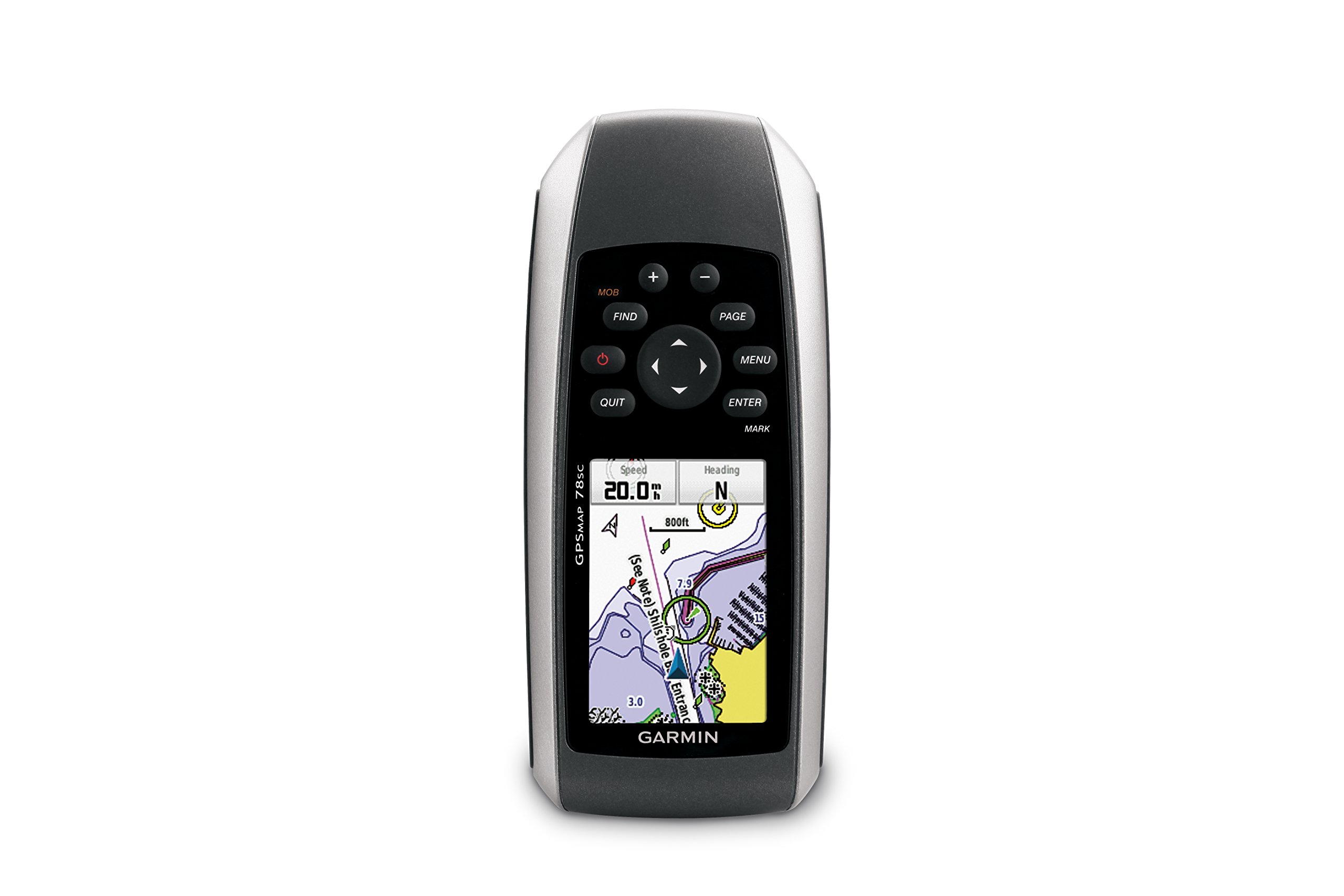
Малюнок 1: Спереду view of the Garmin GPSMAP 78sc handheld marine GPS and chartplotter.
Продукт закінченийview
Ключові характеристики:
- Marine-friendly handheld with high-sensitivity GPS receiver and 2.6-inch color TFT display.
- Waterproof to IPX7 standards; floats in water.
- Built-in BlueChart g2 U.S./Bahamas coastal charts with shorelines, depth contours, navaids, harbors, marinas, and more.
- Built-in 3-axis tilt-compensated electronic compass and barometric altimeter for heading, altitude, and weather information.
- Wireless sharing of waypoints, tracks, routes, and geocaches with other compatible devices.
Що в коробці:
- GPSMAP 78sc device
- Ремінець на зап'ясті
- кабель USB
- Інструкція

Рисунок 2: Кутовий view of the Garmin GPSMAP 78sc, highlighting its button interface.
Відео про продукт:
Garmin GPSmap 78 handheld GPS Overview
Це відео надає загальний оглядview of the Garmin GPSMAP 78 handheld GPS, demonstrating its features and design.
Продукт закінченийview відео
A concise product overview video from the seller, highlighting key aspects of the device.
Налаштування
1. Встановлення батарей:
The GPSMAP 78sc operates on two AA batteries (not included). To install:
- Знайдіть кришку відсіку для батареї на задній панелі пристрою.
- Поверніть D-подібне кільце проти годинникової стрілки, щоб розблокувати та зняти кришку.
- Вставте дві батарейки типу АА, дотримуючись правильної полярності (+ та -).
- Replace the cover and twist the D-ring clockwise to secure it.

Малюнок 3: Задня частина view of the Garmin GPSMAP 78sc, illustrating the battery compartment.
2. Увімкнення/вимкнення:
Натисніть і утримуйте потужність button (located on the left side) to turn the device on or off. A short press will adjust the backlight.
3. Початкові налаштування:
Upon first use, the device may prompt you to set language, time zone, and other preferences. Follow the on-screen instructions using the directional pad and ENTER кнопку.
Операційна
Navigation Basics:
- Головне меню: Натисніть МЕНЮ button twice to access the main menu.
- Кнопка сторінки: Прес СТОРІНКА to cycle through the main pages (Map, Compass, Trip Computer, etc.).
- Напрямна панель: Use the directional pad to scroll through menus, pan the map, or adjust settings.
- Кнопка ENTER: Прес ENTER to select an item or confirm an action.
- QUIT Button: Прес ВИЙТИ to return to the previous page or cancel an action.
Створення маршрутних точок:
To mark your current location as a waypoint:
- Натисніть МАРК кнопку.
- Edit the waypoint name, symbol, and coordinates if desired.
- Виберіть Готово or зберегти to store the waypoint.
Man Over Board (MOB) Function:
У разі надзвичайної ситуації натисніть кнопку МОБ button to immediately mark the current location and initiate navigation back to that point. This feature is critical for safety in marine environments.
Технічне обслуговування
Очищення пристрою:
Протріть пристрій тканиною dampened with a mild detergent solution. Dry thoroughly. Avoid using abrasive cleaners or solvents that could damage the device's finish or screen.
Догляд за акумулятором:
Always use fresh, high-quality AA batteries. If the device will not be used for an extended period, remove the batteries to prevent leakage and corrosion.
Оновлення програмного забезпечення:
Періодично перевіряйте Garmin website for software updates to ensure optimal performance and access to the latest features. Updates can typically be installed by connecting the device to a computer via the USB cable.
Усунення несправностей
Пристрій не вмикається:
- Переконайтеся, що батареї встановлено правильно та повністю заряджені.
- Try new batteries.
- Перевірте контакти акумулятора на наявність корозії.
Слабкий сигнал GPS:
- Переконайтеся, що пристрій чистий view неба.
- Avoid areas with tall buildings, dense foliage, or other obstructions.
- Allow sufficient time for the device to acquire satellites, especially after being off for a long period.
Екран не реагує:
- Perform a soft reset by removing and reinserting the batteries.
- Переконайтеся, що екран чистий і не містить сміття.
Технічні характеристики
| Особливість | Деталь |
|---|---|
| Бренд | Garmin |
| Назва моделі | gps карта |
| Номер моделі | 010-00864-02 |
| Розмір екрана | 2.6 дюймів |
| Тип дисплея | ЖК |
| роздільна здатність | 160 x 240 пікселів |
| Рейтинг водонепроникності | IPX7 (floats) |
| Термін служби батареї | 20 Hours (typical) |
| Тип батареї | 2 батарейки АА (не входять в комплект) |
| Ємність пам'яті | 1 ГБ |
| Compatible Flash Memory Type | microSD |
| Підтримувана система супутникової навігації | GPS |
| Особливості | Rugged case, Barometric altimeter, Garmin Connect compatible, Electromagnetic compass, Garmin HotFix, Custom POIs, Automatic routing, Hunt/fish calendar, Geocaching, Photo navigation |
| Розміри предмета Д х Ш х В | 2.6 см (Д) x 1.2 см (Ш) x 6 см (В) |
| Вага товару | 7.7 унції |
Гарантія та підтримка
The Garmin GPSMAP 78sc comes with a 1 Year Limited Warranty. For detailed warranty information, product support, or service inquiries, please refer to the official Garmin website or contact Garmin customer service directly. The included manual also contains contact information and further support resources.