вступ
Thank you for choosing PILOT G2 Premium Gel Pens. These pens are designed for a smooth, long-lasting writing experience, ideal for various tasks from note-taking to detailed drawing. This manual provides essential information for the proper use and care of your PILOT G2 pens.
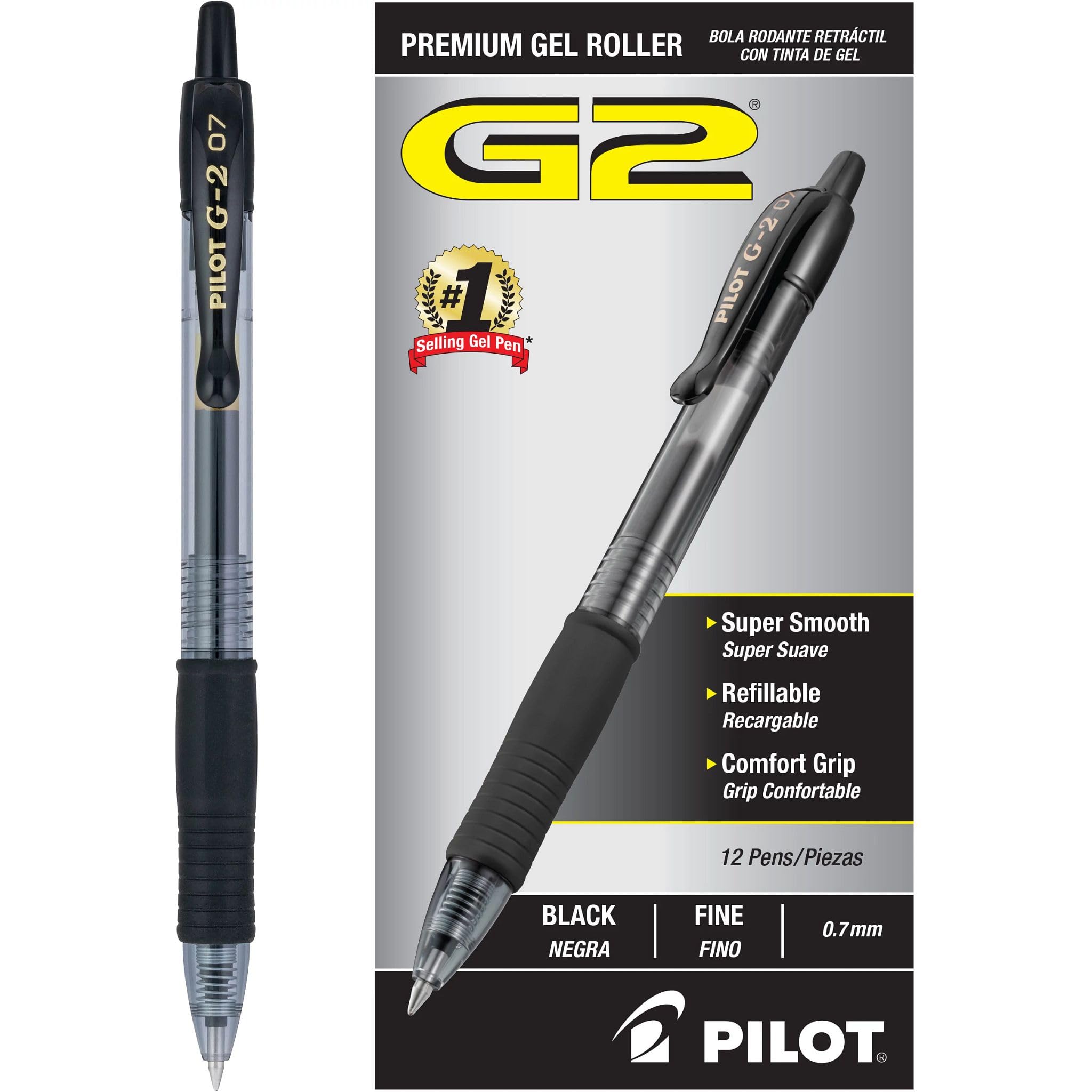
Image: A single PILOT G2 Premium Gel Pen in black, showcasing its design and fine point.
Налаштування
Your PILOT G2 pen is ready for immediate use. No assembly is required.
- Розпакування: Обережно вийміть ручки з упаковки.
- Перше використання: The pen features a retractable tip. Press the top button to extend the pen tip for writing. Press again to retract the tip when not in use to prevent accidental marks and ink drying.

Зображення: спереду view of the PILOT G2 Premium Gel Pens in their retail packaging.
Інструкція з експлуатації
The PILOT G2 pen is designed for comfortable and consistent writing.
- Написання: Extend the pen tip and apply light pressure to the writing surface. The smooth gel ink will flow consistently, creating crisp, clean lines.
- Комфорт: The contoured rubber grip provides ergonomic support, reducing hand fatigue during extended writing sessions.
- Універсальність: Suitable for everyday writing, note-taking, journaling, drawing, sketching, and doodling.

Image: A hand holding a PILOT G2 pen, writing in a notebook, demonstrating its use.
Video: Demonstrates the features and benefits of the PILOT G2 pen, including its smooth writing action.
Технічне обслуговування
PILOT G2 pens are refillable, allowing you to save money and reduce waste.
- Заправка: To replace the ink cartridge, unscrew the barrel of the pen. Remove the old cartridge and insert a new PILOT G2 refill (sold separately). Screw the barrel back on securely.
- Зберігання: Store pens with the tip retracted to prevent ink from drying out. Avoid exposing pens to extreme temperatures.

Image: A deconstructed PILOT G2 pen, highlighting the replaceable ink cartridge for easy refilling.
Усунення несправностей
While PILOT G2 pens are known for their reliability, here are some tips for optimal performance:
- Пропускання або вицвітання чорнила: If the ink flow is inconsistent, try scribbling on a scrap piece of paper to prime the tip. Ensure the pen has sufficient ink. If the cartridge is low, replace it.
- Розмазування: The quick-drying ink helps prevent smudges. Allow a few seconds for the ink to dry, especially on glossy paper.
- Retraction Issues: If the tip does not retract smoothly, check for any debris in the mechanism. Ensure the pen is not damaged.
Video: Highlights the smooth and fast-drying qualities of the PILOT G2 ink, minimizing smudges.
Технічні характеристики
| Особливість | Деталь |
|---|---|
| Бренд | ПІЛОТ |
| Номер моделі | 31020 |
| Колір чорнила | чорний |
| Тип точки | добре |
| Розмір лінії | 0.7 міліметра |
| Закриття | Висувний |
| Тип ручки | Contoured Rubber |
| Тип матеріалу | Пластик, Гума |
| Вага товару | 4.9 унції (для упаковки з 12 штук) |
| Розміри продукту | 1 x 2.8 x 5.75 дюймів |
Гарантія та підтримка
For warranty information, product support, or to purchase refills, please visit the official PILOT webсайту або зв’яжіться зі службою підтримки клієнтів.
Visit the Official PILOT Store on Amazon
Video: Showcases the PILOT G2 pen being used with a monthly planner, demonstrating its practical application.