
1. Вступ
This manual provides essential information for the safe and efficient operation of your Sharp Aquos LC42D64U 42-Inch 1080p LCD HDTV. Please read these instructions thoroughly before using your television and retain them for future reference. The Sharp Aquos D64 series offers a slim design, Full HD 1080p resolution, and advanced features for an enhanced viewнабутий досвід.
2. Важлива інформація з безпеки
Завжди дотримуйтесь основних запобіжних заходів під час використання цього телевізора, щоб зменшити ризик пожежі, ураження електричним струмом та травмування.
- Джерело живлення: Підключайте телевізор лише до джерела живлення, зазначеного на етикетці.
- Вентиляція: Забезпечте належну вентиляцію. Не блокуйте вентиляційні отвори.
- Вода і вологість: Не піддавайте телевізор впливу дощу або вологи. Не ставте на телевізор предмети, наповнені рідинами.
- Прибирання: Перед чищенням від’єднайте телевізор від розетки. Використовуйте м’яку суху тканину.
- Обслуговування: Не намагайтеся самостійно обслуговувати цей виріб. Зверніть усі послуги до кваліфікованого обслуговуючого персоналу.
- Монтаж: If wall-mounting, ensure the mount is compatible and installed by qualified personnel.
- діти: Слідкуйте за дітьми, щоб вони не залазили на телевізор або не гралися з ним.
3. Що в коробці
Перш ніж продовжувати налаштування, перевірте наявність усіх компонентів.
- Sharp Aquos LC42D64U 42-Inch LCD HDTV
- Пульт дистанційного керування
- Настільна підставка
- Шнур живлення
- Посібник користувача (цей документ)
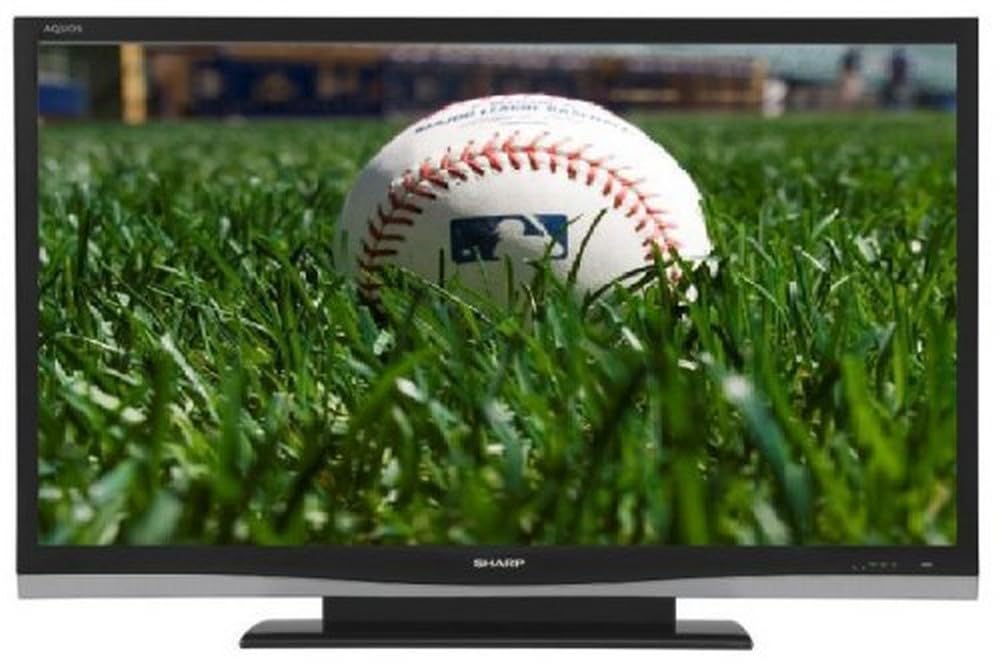
Зображення: спереду view of the Sharp Aquos LC42D64U 42-Inch LCD HDTV with its included table stand.
4. Налаштування
4.1 Кріплення настільної підставки
If you are not wall-mounting the television, attach the included table stand. Refer to the separate assembly guide for detailed instructions on securing the stand to the TV. Ensure all screws are tightened securely.
4.2 Підключення зовнішніх пристроїв
Connect your external devices (e.g., cable box, Blu-ray player, game console) to the appropriate input terminals on the rear or side of the TV.
- HDMI: For high-definition digital video and audio. The TV features three HDMI 1.3 inputs (two rear, one side).
- Component Video (Y, Pb, Pr): For high-definition analog video. Two inputs are available.
- Composite Video (A/V): For standard-definition analog video and audio. One side and one rear input.
- S-відео: For standard-definition video. One side and one rear input.
- PC Input (D-Sub 15-pin): Підключіть комп'ютер для використання як монітор.
- RF Antenna Inputs: Two inputs for connecting an antenna or cable TV.
- Порт Ethernet: For network connectivity (DLNA).
4.3 Підключення живлення
After connecting all desired devices, plug the power cord into the TV's power inlet and then into a wall outlet. The TV will enter standby mode.
5. Інструкція з експлуатації
5.1 Initial Power On and Channel Setup
- Натисніть ПОТУЖНІСТЬ button on the remote control or the TV to turn it on.
- The first time you power on, the TV will guide you through the initial setup process, including language selection and channel scanning.
- Select your preferred language (English, Spanish, or French).
- Perform an "Easy Setup" or "Channel Setup" scan to detect available digital (ATSC, QAM) and analog (NTSC) channels.
5.2 Основні функції пульта дистанційного керування
- ПОТУЖНІСТЬ: Turns the TV on or off (standby).
- ВХОД: Cycles through available input sources (HDMI, Component, PC, etc.).
- CH +/-: Змінює канали.
- ГУЧНІСТЬ +/-: Регулює гучність.
- МЕНЮ: Accesses the on-screen menu for settings adjustments.
- КНОПКИ СТРІЛКИ: Навігація параметрами меню.
- Введіть: Підтверджує вибір.
- EXIT/RETURN: Вихід з меню або повернення до попереднього екрана.
5.3 Навігація по меню та налаштування
Натисніть МЕНЮ button to access various settings categories:
- зображення: Adjust brightness, contrast, color, tint, sharpness, and backlight. The OPC function automatically adjusts brightness based on room conditions.
- Аудіо: Control volume, bass, treble, balance, and select audio modes.
- канал: Rescan channels, add/delete channels, and set up favorite channels.
- налаштування: General settings like language, time, sleep timer, and parental controls (V-Chip).
- Розширені функції: Access settings for DLNA, Picture-in-Picture, and AQUOS LINK.
6. Розширені функції
6.1 AQUOS LINK (HDMI-CEC)
AQUOS LINK allows convenient control of compatible Sharp devices connected via HDMI using just your AQUOS TV remote. Ensure connected devices also support HDMI-CEC (Consumer Electronics Control) and are enabled in their respective settings.
6.2 DLNA Compatibility
The TV is DLNA-compatible, enabling interoperability with other DLNA-certified electronics, computers, and mobile devices. Connect the TV to your home network via the Ethernet port to access and share digital content (photos, videos, music) from compatible devices on your network.
6.3 Picture-in-Picture (PIP)
The Picture-in-Picture function allows simultaneous viewing of a TV program and a video or PC source. Consult the on-screen menu for PIP activation and source selection.
6.4 V-Chip System
The V-Chip system allows you to block TV and movie programs based on their rating, providing parental control over objectionable content. Access V-Chip settings through the TV's setup menu.
7. Технічне обслуговування
7.1 Очищення екрана
Обережно протріть екран м’якою тканиною без ворсу. Для стійких плям злегка протрітьampпротріть тканину водою або спеціалізованим засобом для чищення екранів. не треба використовуйте агресивні хімікати, абразивні засоби для чищення або розпилюйте рідини безпосередньо на екран.
7.2 Очищення шафи
Wipe the TV cabinet with a soft, dry cloth. Avoid using solvents or abrasive materials.
7.3 Загальний догляд
- Від’єднуйте телевізор від мережі під час грози або якщо він не використовується протягом тривалого часу.
- Тримайте телевізор подалі від прямих сонячних променів, джерел тепла та надмірного запилу.
- Забезпечте достатній простір навколо телевізора для належної вентиляції.
8. Вирішення проблем
Перш ніж звертатися до служби підтримки клієнтів, спробуйте такі рішення для поширених проблем:
| проблема | Можливе рішення |
|---|---|
| Немає живлення | Перевірте, чи шнур живлення надійно підключено до телевізора та розетки. Переконайтеся, що розетка є. |
| Немає зображення, але звук є | Перевірте, чи вибрано правильне джерело вхідного сигналу. Перевірте підключення кабелів до зовнішніх пристроїв. |
| Звуку немає, але зображення є | Перевірте рівень гучності та налаштування вимкнення звуку. Переконайтеся, що аудіокабелі підключені правильно. |
| Пульт не працює | Замініть батарейки. Переконайтеся, що між пультом дистанційного керування та ІЧ-датчиком телевізора немає перешкод. |
| "Hotel Mode" issue (as per customer review) | If the TV is stuck in a limited functionality mode, contact Sharp customer support for assistance in disabling "Hotel Mode." This typically requires a specific service menu sequence. |
9. Технічні характеристики
| Особливість | Деталь |
|---|---|
| Номер моделі | LC42D64U |
| Розмір екрана | 42 дюймів |
| Технологія дисплея | ЖК |
| роздільна здатність | 1080p (повна HD) |
| Коефіцієнт контрастності | 10,000:1 Dynamic |
| Час відгуку | 4 мілісекунд |
| Порти HDMI | 3 (2 задні, 1 бокові) |
| Component Video Inputs | 2 |
| Композитні відеовходи | 3 (1 збоку, 2 ззаду) |
| S-Video Inputs | 2 (1 збоку, 1 ззаду) |
| Вхід ПК | 1 (D-Sub 15-pin) |
| Порт Ethernet | так |
| Тип тюнера | ATSC, QAM, NTSC |
| Батьківський контроль | V-Chip |
| вага | 70.2 фунта (приблизно) |
| Рік моделі | 2008 |
10. Гарантія та підтримка
10.1 Обмежена гарантія
This Sharp Aquos LC42D64U television comes with a 1 Year Parts and 1 Year Labor Warranty from the date of original purchase. This warranty covers manufacturing defects in materials and workmanship under normal use. It does not cover damage caused by misuse, accident, modification, or unauthorized repair.
Зберігайте підтвердження покупки для гарантійних претензій.
10.2 Підтримка клієнтів
For technical assistance, troubleshooting beyond this manual, or warranty service, please contact Sharp Customer Support. Refer to the contact information provided with your product documentation or visit the official Sharp webсайт для отримання найактуальнішої інформації про підтримку.
When contacting support, please have your model number (LC42D64U) and serial number ready.